
Fix Perplexity Responses Missing Citations (2026)
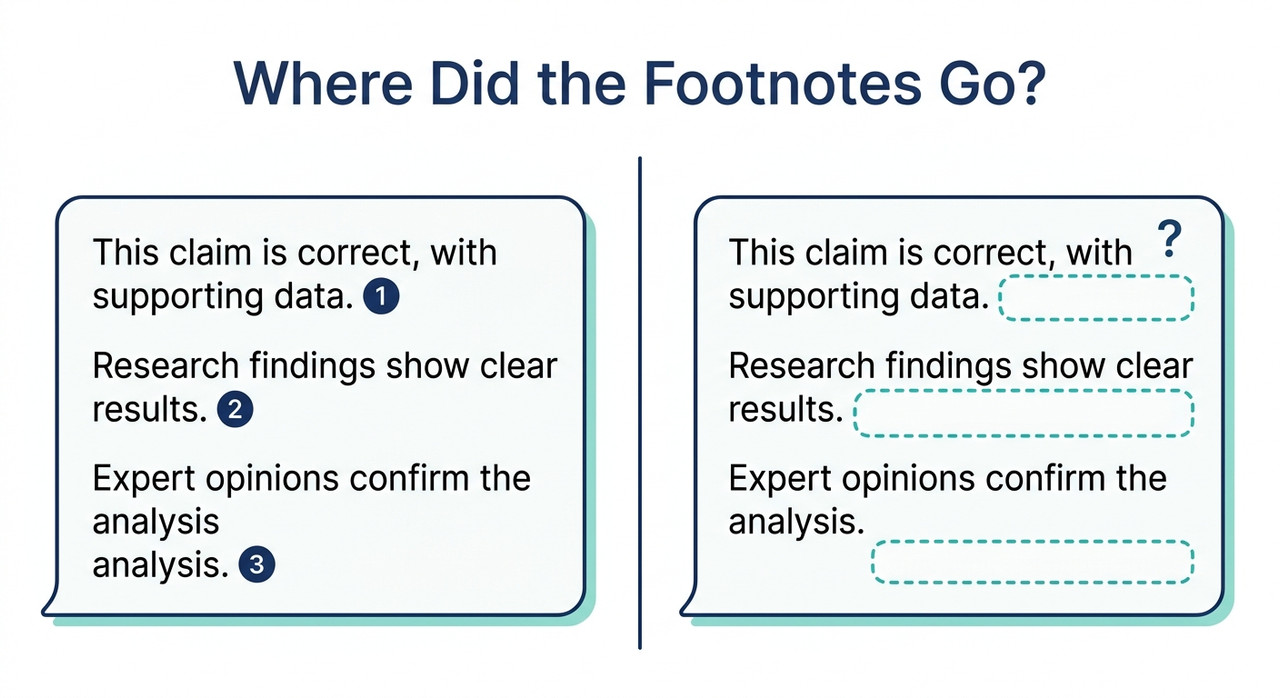
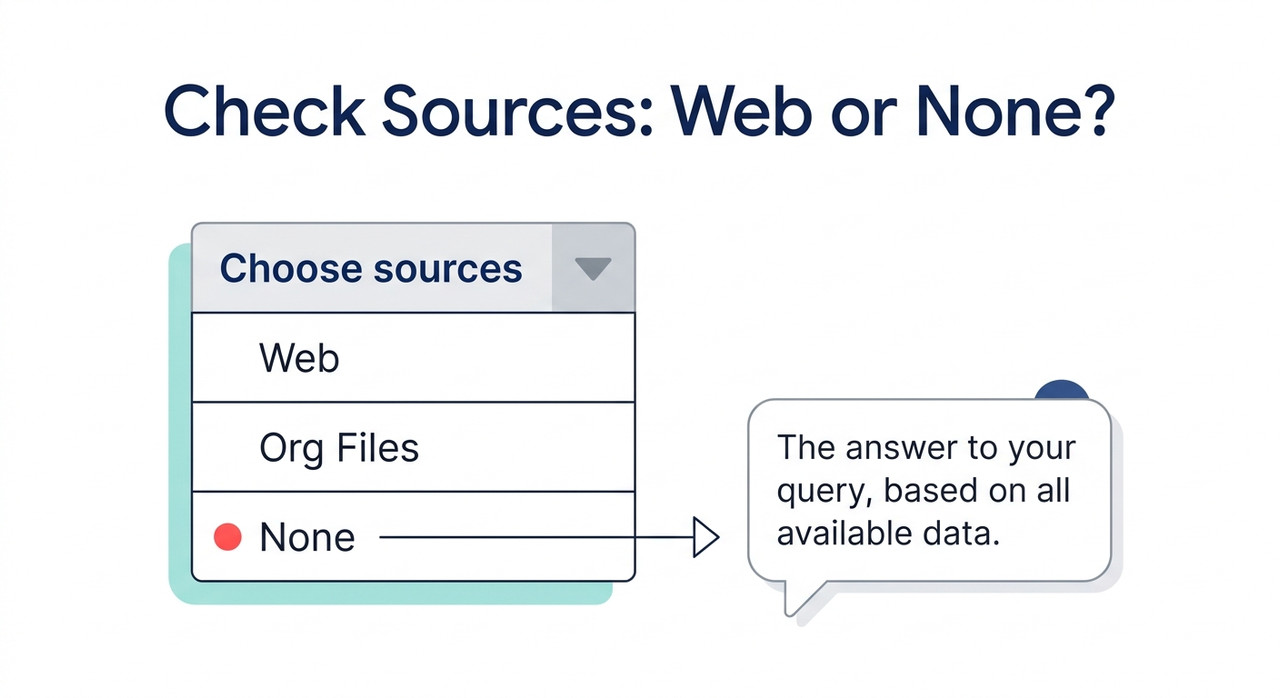
What should I check when Perplexity responses stop including citations is a short diagnostic: confirm Perplexity actually searched the web, then confirm the footnotes are being displayed or parsed. For example, a Choose sources menu set to None makes Perplexity respond without external sources, so no citations appear.
In operations work, a dashboard that goes quiet is more worrying than one that turns red. A red light tells you something failed. Silence can mean everything is fine, or that the thing doing the reporting has stopped. What should I check when Perplexity responses stop including citations is the same kind of question: the text still arrives, but the evidence trail has vanished.
The fear is specific. You copy a clean-looking paragraph into a report, and later realize it never had a source to verify. I have spent 33 years in IT, and I treat missing output as a signal to investigate, not as a sign that all is well.
One note on how I write this. I have not reproduced every failure described here myself. This guide draws on Perplexity’s help pages and API documentation, plus older community reports, and I label which is which.
What Should I Check When Perplexity Responses Stop Including Citations?
Quick Answer
First open Choose sources and make sure Web is selected, not None. Then ask a fresh question that needs current information and see if numbered citations appear. If they do, the old thread or setting was the cause; if not, check for outages, display problems or, for API users, the search_results field.
The cause is not confirmed for every case. Some details below come from older community reports or third-party guides, and I label them as I go. Treat this as a checklist that narrows the problem, not a single guaranteed fix.
The order matters. The first checks cost seconds and rule out the most common cause. The later checks are for display problems, outages and API integrations.
Why Do Perplexity Answers Lose Their Citations?
Perplexity citations come from a search step. The system looks up pages, then writes an answer that points back to them. If the search doesn’t happen, or its results don’t reach your screen or code, the footnotes disappear even though the text looks normal.
That gives you three broad possibilities. Perplexity didn’t search, it searched but you can’t see the results, or you’re reading a field that changed. The table below sorts the likely causes by how well they are documented.
| Possible cause | Evidence | Status |
|---|---|---|
| Choose sources set to None | Perplexity’s help page says None responds without external sources | Verified |
| Organization account | Focus mode isn’t available when signed into an organization, and Org Files is being retired | Verified |
| A mode that skips web search, such as the Writing mode third-party guides describe | Not found in Perplexity’s own docs | Unverified |
| Display or client problem | Perplexity support suggests a hard refresh, an app update and disconnecting a VPN | Verified as general troubleshooting, not specific to citations |
| Outage or incident | Support says technical issues usually resolve within 30 minutes to a few hours | Verified |
| API field change or migration | Sonar Chat Completions support ended September 27, 2026, and the Agent API returns sources as a search_results item | Verified |
Blocked crawling producing empty search_results | Perplexity staff attributed it to CloudFront or WAF blocks in 2025 threads | Older reports |
| Third-party app or gateway dropping citation data | Issue reports for Chatbox, LibreChat and Vercel AI Gateway | Unrated 2025 reports |
Perplexity Says Every Normal Answer Includes Numbered Citations
Perplexity’s help page says each answer includes numbered citations linking to the original sources, so you can verify the information. How does Perplexity work? I use that as the baseline. If an answer to a web-style question has none, something in the chain changed.
That is not proof of a bug. It is a reason to check before you rely on the text.
The “None” Source Setting Turns Citations Off by Design
The Choose sources menu is the first place to look. Perplexity’s help page describes source options of Web and Org Files, plus a None option that makes Perplexity respond without using external sources. Why can’t I see focus mode on my search bar?
With None selected, Perplexity isn’t broken when it returns plain text. It is doing what you asked. If you or a colleague changed the setting and forgot, that alone explains a sudden loss of footnotes.
Org Files Was Scheduled to Retire on October 1, 2026
If you use an account tied to an organization, there is a second thing to know. Organization accounts can’t use focus mode, and Perplexity classifies the query and triggers modes itself. The source choices are Web or Org Files, and Org Files is being retired, with a download deadline of October 1, 2026. Why can’t I see focus mode on my search bar?
If you relied on Org Files as a source, results may look different now. I can’t tell you exactly how that affects citations. What I can say is that your first check should be that Web is enabled.
Sonar Ended on September 27, 2026 for API Users
For developers, there is a bigger change. Sonar Chat Completions support ended September 27, 2026. Perplexity says synchronous and streaming Sonar requests are being reformulated as Agent API requests, rolling out gradually by model. Migrate from Sonar to the Agent API
That is the Sonar deprecation, and it matters here. An integration that quietly moved to the Agent API may return its sources in a different place than your code expects. I explain that in the API section below.
What Should I Check When Perplexity Responses Stop Including Citations, Step by Step?
Work through these in order. Steps 1 to 6 apply to the app. Steps 7 to 10 are for developers. Where a step is my own method, not Perplexity’s documentation, I say so.
Step 1 — Open Choose Sources and Select Web
In the search bar, click “Choose sources” and make sure Web is selected, not None. Why can’t I see focus mode on my search bar? This takes ten seconds and is the most likely cause of a sudden change.
If it was set to None, switch it to Web and ask the question again. Check whether numbered footnotes return.
Step 2 — Check Whether You Are Signed Into an Organization
If you’re signed into an organization, focus mode isn’t available, and Perplexity decides modes itself. Why can’t I see focus mode on my search bar? Confirm that Web is enabled.
Don’t rely on Org Files as a source, since it is being retired. If your results changed around that date, this is a plausible link, though I can’t prove it.
Step 3 — Run a Fresh Test Question
Ask a new question that needs current information, outside the old thread. This is my own method, built on Perplexity’s statement that answers include citations. How does Perplexity work?
If the new question shows footnotes, the old thread or setting was the cause. If it doesn’t, the problem is wider, and you can move on to display problems and outages.
Step 4 — Look for a Mode That Skips Search
If your interface shows modes such as Writing, switch back to standard search. Third-party guides say such modes search nothing and return no citations. I couldn’t find that in Perplexity’s own documentation, so confirm it in your own interface.
I also could not find an official statement that any particular mode, including Pro Search, changes whether citations appear. So test the mode you actually use rather than assuming.
Step 5 — Rule Out Display Problems
Perplexity support suggests a hard refresh (Ctrl+F5 on Windows, Command+Shift+R on Mac), checking for app updates, and disconnecting any VPN. Need support? These are general troubleshooting steps, not citation-specific fixes.
Disabling browser extensions or trying a private window is my addition. It costs little and can rule out something on your side that hides page elements.
Step 6 — Check the Status Page and Wait for an Incident
Check status.perplexity.com. If there’s an incident, waiting may be the only fix. Perplexity support says technical issues usually resolve within 30 minutes to a few hours. Need support?
Note the time you noticed the problem. That helps if you contact support later.
Step 7 — API Users, Read the Right Field
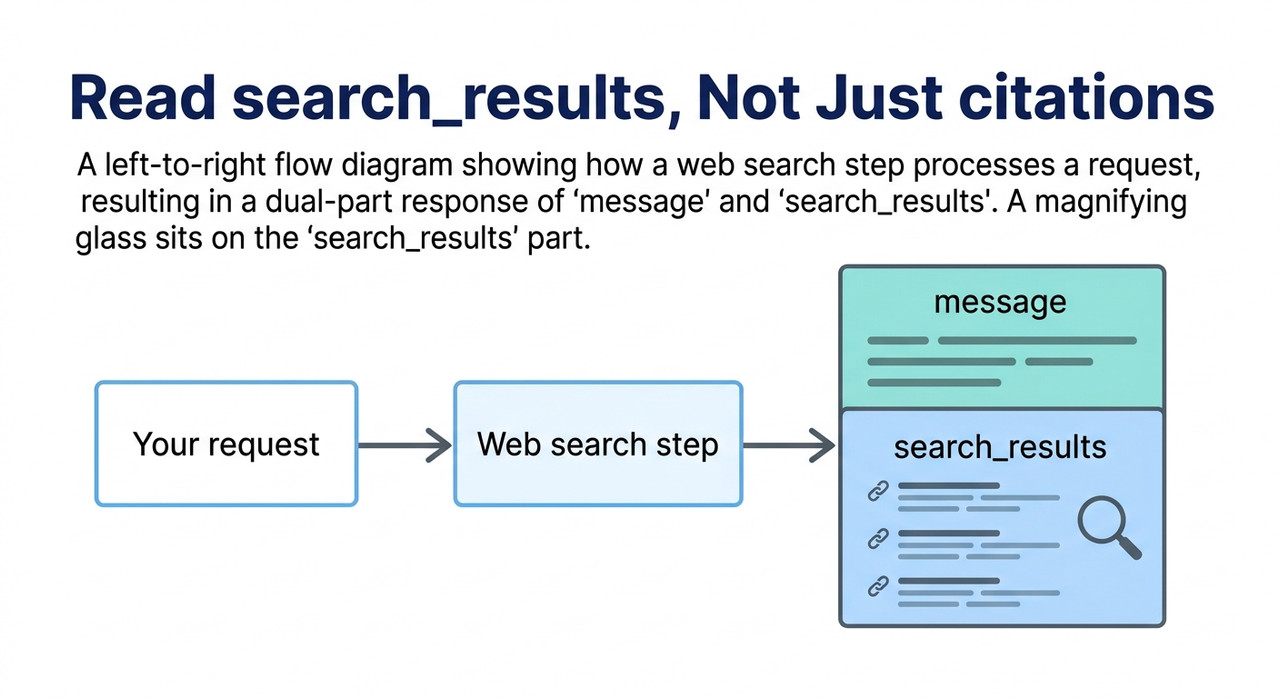
If you call the API, check where your code reads sources. In the Agent API, sources arrive as a search_results field item in a typed output array, separate from the message item. Migrate from Sonar to the Agent API
Perplexity’s API changelog says the older citations field was deprecated in favor of search_results. But the migration page’s Sonar sample response still shows both. Read search_results to be safe.
Step 8 — API Users, Confirm Search Actually Ran
Citations come from search results, so confirm web search or tools weren’t disabled. The changelog says that after a successful tool call, the low, medium and high presets include at least one citation in the final answer.
The reverse follows. If no search call ran, there are no citations to expect. Log whether a search call happened on each request.
Step 9 — Try Without Domain Filters
If search_results comes back empty, remove domain filters or try another domain. In 2025 community threads, Perplexity staff said some requests returned empty results because their crawler blocking by CloudFront or a WAF affected certain sites.
Those reports are older, so treat blocked crawling as a possible cause, not a current diagnosis. A test without filters tells you quickly whether filters are involved.
Step 10 — Inspect the Raw JSON, Then Report
If you use a third-party client or gateway, read the raw API response. If it contains sources and your app doesn’t show them, the bug is in the client. Issue reports for Chatbox, LibreChat and Vercel AI Gateway describe citation data being dropped, though those are unrated 2025 reports.
For a wrong or uncited answer, use the response’s three-dot menu and choose “Report”. Or contact support with your platform, browser or app version and a shareable session link. Need support?
Which Checklist Fits Your Situation?
Use this table to jump to the right step. It saves time if you already know where the problem shows up.
| What you see | Likely cause | Start at |
|---|---|---|
| No footnotes in the app, only on one thread | Sources setting or a mode | Steps 1 and 4 |
| No footnotes anywhere, including fresh questions | Display problem or outage | Steps 5 and 6 |
| Signed into an organization | Focus mode and Org Files | Step 2 |
| Your integration’s links vanished | API field or migration | Steps 7 and 8 |
Empty search_results for certain sites | Blocked crawling | Step 9 |
These are working interpretations from the documentation and reports, not official diagnoses. If two rows fit, start with the cheaper check.
What Do the Real Symptoms Look Like?
For the consumer app, I found no verified on-screen error message for missing citations. The answer simply arrives without footnotes. That is why the problem is easy to miss.
Some text circulates claiming Perplexity says it has “no access to external sources”. I could not confirm that wording, so I don’t quote it.
For API users, an older community report gives a concrete symptom. Here is the wording from a 2025 report and a Perplexity reply. It is about the API only and is more than a year old:
Response has no data / no citations (Perplexity UI is able to pull this)

our Crawler is currently blocked by Cloudfront on an increasing number of sites.
I include it because it shows the pattern: the consumer interface could find content that the API call couldn’t. That pattern tells you the problem may be on the retrieval side, not in your code.
What Should API Users Keep in Mind After the Sonar Migration?
The migration changes more than a field name. Perplexity describes the Agent API as returning a typed output rather than the old chat-completions shape. Migrate from Sonar to the Agent API If your parser assumed the old shape, it can silently find nothing.
Below is a simplified, made-up sketch of the idea. It shows that sources can live in a separate item from the answer text. It is not the exact schema, so check the documentation before coding against it.
output:
- message: (the answer text)
- search_results: (the sources)
(Illustrative example)
Three habits help. First, log the raw response for a few requests so you can see where the sources actually are. Second, write your parser to read search_results and to warn, not fail silently, if it is missing. Third, remember that the rollout is gradual by model, so behavior can differ between models during the transition.
How Do You Avoid Reusing Unsourced Text?
The real risk is not the missing footnote. It is the paragraph that gets reused anyway. I would put a simple rule in place: an answer with no citations is a draft, not a source.
When you notice the footnotes are gone, fix the setting, re-run the question, and only then copy anything. If you can’t get citations back, verify each claim yourself before using it.
Even with citations present, they don’t prove the claim. For a method to check them claim by claim, see our complete guide to checking AI output. The same verify-first habit applies.
Bad vs. Good Way to Handle an Answer With No Citations
Here is the contrast I would want every reader to see. Both examples are illustrative composites, not real transcripts.
Bad: “My answers stopped showing footnotes, so I assumed Perplexity was glitching and kept copying the text into my notes. I never checked the sources menu, which had been set to None.”
Good: “I opened Choose sources, found it set to None, switched it back to Web, re-asked the question in a fresh thread, and confirmed numbered citations appeared before using any of the answer.”
The difference is not technical skill. It is checking the setting you control before blaming the tool.
Frequently Asked Questions
Q1: Why did Perplexity stop showing citations? A1: Most often it didn’t search the web, for example because Choose sources is set to None. Other causes are display problems, outages, and for API users a changed response field. The cause isn’t confirmed for every case. Why can’t I see focus mode on my search bar?
Q2: Does Perplexity always include citations? A2: Perplexity’s help page says each answer includes numbered citations linking to the original sources. If an answer to a web-style question has none, treat it as unsourced until you’ve checked. How does Perplexity work?
Q3: What does the “None” source option do? A3: It makes Perplexity respond without external sources, so no web citations are expected. Switch Choose sources back to Web. Why can’t I see focus mode on my search bar?
Q4: Why are citations missing for my organization account? A4: Focus mode isn’t available when you’re signed into an organization, and Org Files, one of the source options, was being retired with a download deadline of October 1, 2026. Confirm Web is enabled. Why can’t I see focus mode on my search bar?
Q5: My API integration stopped showing links. What changed?
A5: Sonar Chat Completions support ended September 27, 2026, and the Agent API returns sources as a search_results item. Read search_results, and inspect the raw JSON to see whether your client is dropping it. Migrate from Sonar to the Agent API
Q6: Can an empty search_results mean a site blocked Perplexity? A6: It was a documented cause in 2025, when Perplexity staff said their crawler was blocked on some sites. Try the request without domain filters to test it, but those reports are old.
Q7: Should I use an answer that has no citations? A7: Not as a sourced answer. Re-run it with sources on, or verify each claim yourself before using it. Need support?
Leave a Reply