
Transparency Note: This article may contain affiliate links. If you click through and make a purchase, it won’t cost you extra, but it may help support my work.
Former 3D Animator Trying Out AI: Is the Consistency Finally Getting There?
If your 3D rigs used to give you rock‑solid characters but AI keeps randomly changing faces, hair, and outfits between shots, you are not imagining things. AI has made huge leaps in style and speed, but when it comes to character consistency, it still behaves more like an over‑excited concept artist than a disciplined production pipeline.
This guide breaks down how close AI really is to 3D‑level consistency in 2025, where it still falls apart, and how to bend it closer to your old 3D standards using the skills you already have as an animator.
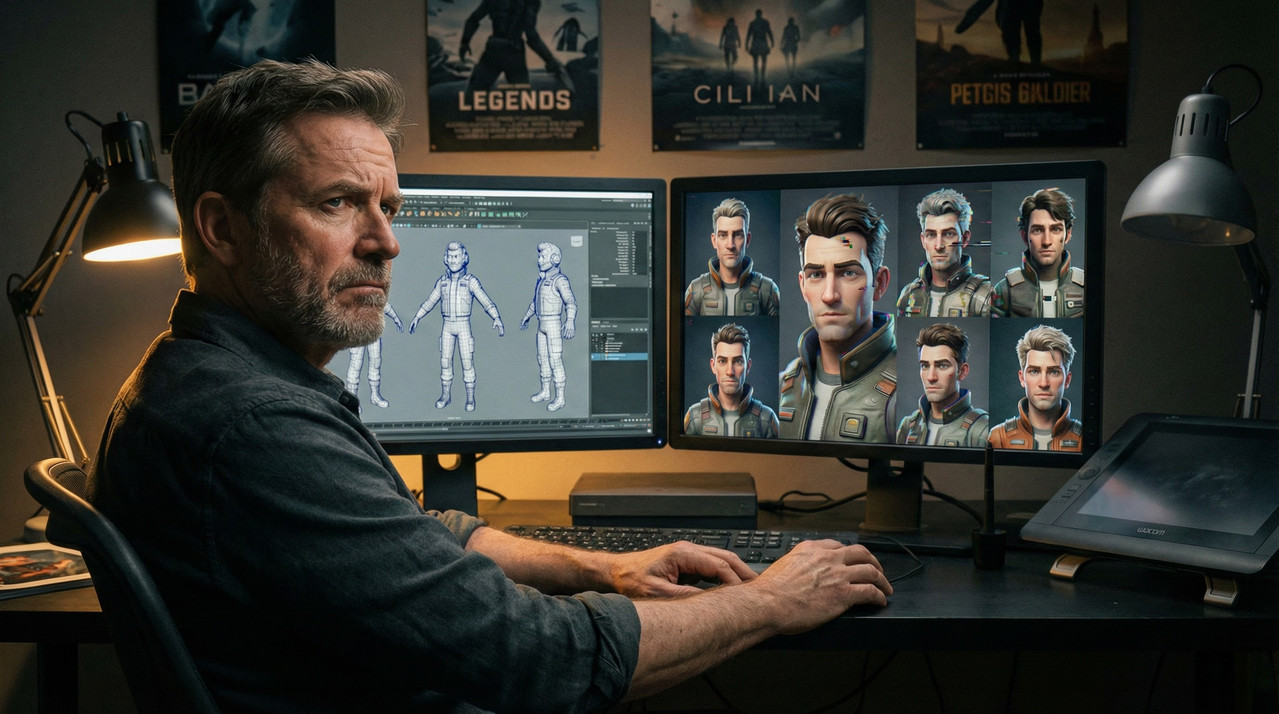
The Pain: When AI Can’t Hold a Character Together
You fire up your favorite AI tool, drop in a cool prompt, and the first frame looks amazing—until you ask for a second pose, a new angle, or a short clip. Suddenly the jawline is different, the hair gets longer, the jacket changes color, and the lighting no longer matches the previous shot.
For former 3D animators used to rigs and onion‑skinned timelines, this is maddening: what used to be trivial—keeping a character’s proportions and outfit locked from frame 1 to frame 2000—now feels like arguing with a model that “forgets” what your hero looks like every other frame.
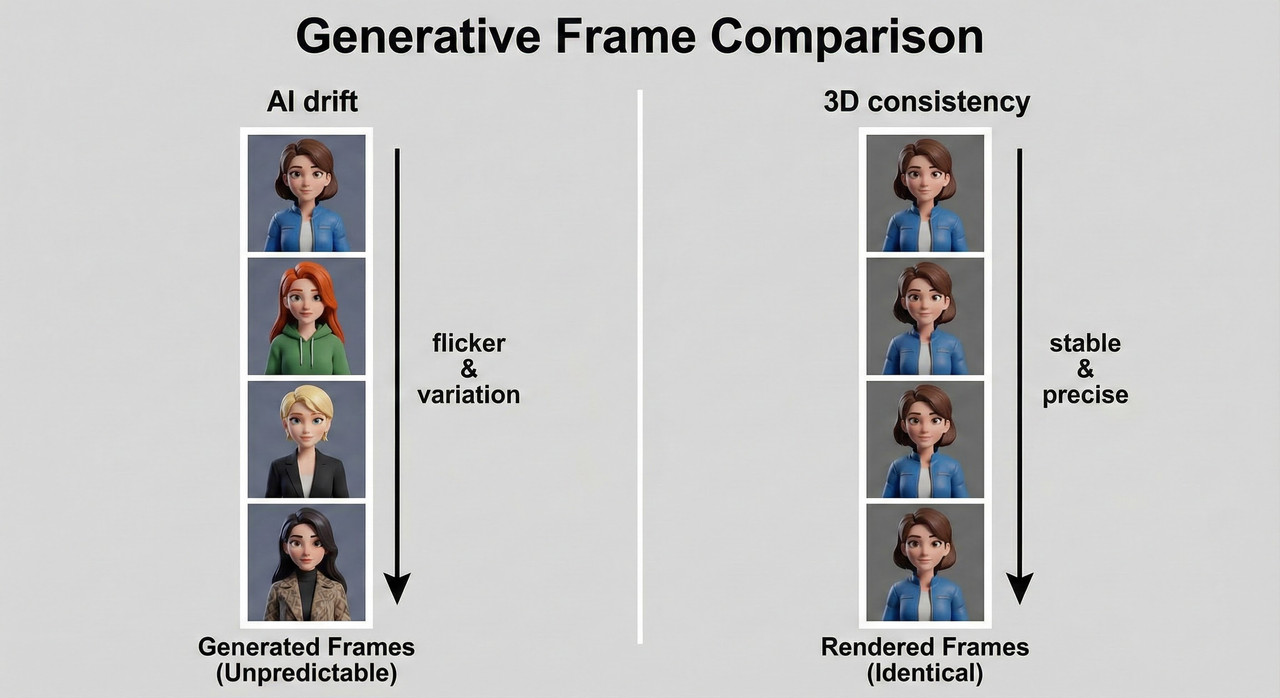
Underneath the technical annoyance sits a deeper worry: if AI can’t be trusted to hold continuity, is it just a toy, or will you be forced to compromise your standards to “work around” its chaos?
Reality Check: How “There” Is AI Consistency in 2025?
Short answer: it’s getting there—but only in specific, tightly controlled conditions. For many artists, reliable consistency currently means things like 4–6 second clips, small sets of stills, and workflows that lean heavily on reference images, custom LoRAs, and careful prompting.
Once you go beyond that—longer story sequences, complex action, heavy camera moves—the cracks show up fast: micro‑detail flicker, hair that changes length, accessories that vanish, and subtle shifts in body proportions across shots.
A lot of marketing copy screams “perfect character consistency,” but what it usually means is “good enough for a few frames or a short social clip, as long as you design around the model’s limitations and accept some manual cleanup.”
Where Your 3D Skills Give You an Unfair Advantage
Here’s the twist: if you already know 3D, you actually have more control over AI than most “prompt‑only” users. Your rigs, turntables, and lighting setups can become the backbone of a much more reliable AI workflow.
- Rigs and poses become structural guides so AI can’t twist anatomy into nonsense when you change camera angles.
- Character sheets and expression libraries become training and reference material for fine‑tunes or LoRAs that “lock in” your character’s face and style.
- Your eye for consistent lighting and materials translates directly into better, cleaner training images and prompts that control the look across shots.
Instead of throwing away your 3D experience, you can treat AI as a stylization and acceleration layer that sits on top of the same solid foundations you already know how to build.
Building a Hybrid 3D + AI Consistency Pipeline
If you expect a single “magic” button to handle everything, you’ll keep being disappointed. A more realistic and powerful approach is to design a staged pipeline: start in 3D where control is strongest, then let AI handle style, detail, and variations.
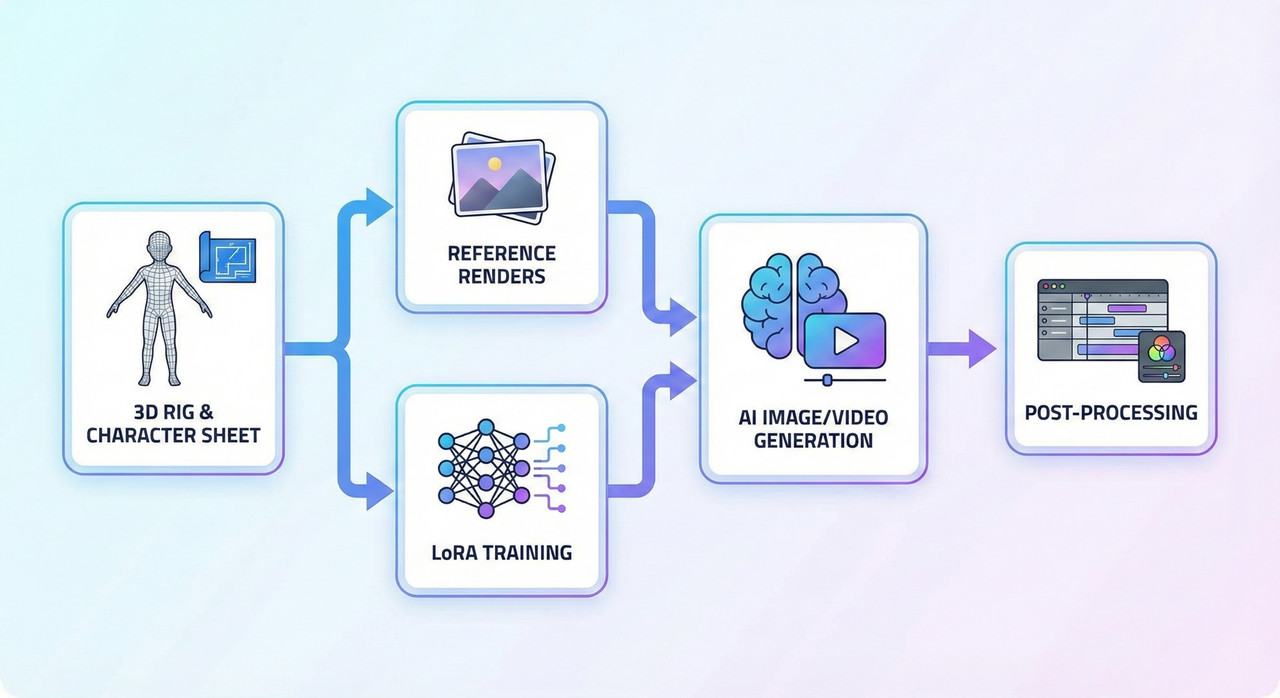
Stage 1: Define a Canonical Character
Start by treating your character like a production asset, not a random muse. Use a 3D model or a detailed character sheet as the single source of truth for how this person looks from every angle.
Checklist for your canonical pack:
- Front, 3/4, side, and back views at consistent lighting and resolution.
- A range of facial expressions and a couple of go‑to body poses.
- Clear, readable silhouette and signature details (scar, hairstyle, outfit, accessories).
These aren’t just “nice to have” images; they become the reference and/or training set that AI uses to understand “this is the same person every time.”
Stage 2: Generate High‑Quality Reference Renders
Next, render a batch of clean, high‑res images specifically for AI: no motion blur, no crazy depth of field, and minimal clutter in the background.
- Keep lighting consistent for your base set so the model learns the character rather than noise from wild lighting changes.
- Use the same camera focal length across reference angles to avoid confusing body and face proportions.
These renders can go straight into reference‑based generators, or be used to train a LoRA or other fine‑tune on your custom character.
Stage 3: Feed References into AI Tools
Now you start bringing AI into the mix. Different platforms handle references differently, but the pattern is the same: show the model who this character is, then tell it what to do.
- Tools like Midjourney’s cref/omniref and “consistent character” generators let you upload images so the model tries to match your reference across poses and scenes.
- Stable Diffusion / ComfyUI‑style setups can use direct image conditioning, ControlNet‑type modules, and LoRAs for more granular control.
For stills, this often gets you surprisingly solid character matches; for videos, it usually works best in short clips with limited motion.
Stage 4: Lock Structure with 3D Data
This is where your 3D background really pays off. Instead of letting AI invent poses and cameras from scratch, you can feed it structure: pose renders, depth maps, normal maps, and even segmentation passes.
- Use your rig to define key poses and camera moves, then export guide images or passes.
- Use these as control inputs so the AI can only “paint over” what’s there, rather than deforming bodies or shifting horizons between frames.
The result: you keep 3D’s rock‑solid structure while letting AI take on the job of stylization, surface detail, and some lighting flair.
Making AI Prompts Behave Like a Production Brief
A big reason AI feels flaky is that most prompts read like vague art direction: “cool anime girl walking in a cyberpunk city at night.” That’s fine for concept art, but for production‑level consistency, your prompt needs to behave more like a character and shot spec.
Here’s what typically goes wrong:
Bad prompt: “make an ai animation of my girl character walking through a city at night in anime style”
- No fixed visual description of the character—age, face shape, hair, outfit, body type are all up for grabs.
- No reference image or LoRA mentioned, so the model treats each frame as a new request.
- No constraints on camera, motion, or clip length, so you get wobble and drift all over the place.
Now compare that with a production‑grade version:
Good prompt:
“Using my reference render of a 25‑year‑old athletic woman with shoulder‑length black hair, small scar above her left eyebrow, blue bomber jacket, white T‑shirt, black jeans, and white sneakers (same character in all frames), generate a 4‑second anime‑style clip of her walking toward the camera in a rainy neon city street, keeping face, hair length, jacket color, and scar identical to the reference. Use the provided 3D keyframe sequence for pose and camera; apply my custom LoRA ‘CharA_v3’ for style.”
What changed:
- The character is pinned down with explicit traits and signature details.
- The prompt references a specific image and a custom LoRA to lock identity and style.
- Pose and camera are controlled by your 3D keyframes, not left to AI’s imagination.
- Clip length is kept short, staying within the tech’s current comfort zone.
A simple reusable template you can adapt:
“Using my reference images of [age, body type, hair style/color, key facial features, signature outfit or props], generate [X‑second] [style] clip of the same character [action] in [environment], keeping [face, hair, key outfit elements] identical to the reference. Use [3D keyframes / pose guides] for body and camera, and apply my [LoRA/model name] for style and identity.”
Working Within Current Limits (And When 3D Still Wins)
To stay sane, it helps to design your projects around what AI is actually good at right now—not what the demos imply.
Realistic guardrails for 2025, if you care about consistency:
- Clip length: aim for 4–6 seconds per shot, then stitch and polish in editing.
- Motion: favor simpler camera moves and avoid scenes with characters constantly occluding each other or leaving and re‑entering frame.
- Cleanup budget: expect to inpaint faces, fix frames, or even swap in stills for hero shots that demand the highest fidelity.
There are still many situations where 3D alone is the more reliable choice:
- Long‑form episodic content where you need frame‑accurate continuity across thousands of frames.
- Complex action scenes, crowds, or intricate interactions with props and environments.
- Tight deadlines with minimal cleanup time, where AI’s unpredictability becomes a production risk.
The trick is not to crown AI as the new king or dismiss it as a toy, but to slot it where it actually helps without jeopardizing your standards.
Practical Mini‑Workflows You Can Try This Week
Instead of throwing your whole pipeline at AI, treat it like R&D: run small, targeted experiments that give you real wins without risking a client job.
Workflow 1: Turn a 3D Turntable into Consistent AI Style Frames
- Render a simple 360° turntable of your character at neutral pose in 8–12 angles.
- Feed these into a reference‑based AI image generator or a “consistent character” tool, asking it to match your references while applying a specific art style.
- Compare how well the AI preserves face, hair, and outfit across all angles; tweak prompts and references until drift is acceptably low.
Workflow 2: Use 3D Keyframes as Pose Guides for a 4‑Second Clip
- Animate a very short 4‑second walk or action shot with your rig and render out keyframes or a low‑res pass.
- Use depth/pose/normal guidance in an AI pipeline to keep structure locked while the model adds style and detail.
- Evaluate per‑frame consistency: note where faces, accessories, and clothing drift and how much inpainting is required to fix it.
Workflow 3: Train a Lightweight LoRA on a Portfolio Character
- Take 20–50 of your best renders of a single character: multiple angles, expressions, outfits, and lighting setups.
- Train a LoRA or similar adapter, then test it in different prompts and environments to see how well it preserves identity.
- Use a consistent prompt template and log results, so you can see where the model is strong (e.g., close‑ups) and where it breaks (e.g., extreme poses, distant shots).
The Road Ahead: What to Watch As Consistency Improves
The good news: the “consistency gap” is closing faster than most traditional pipelines ever evolved. New features around reference handling, character locking, and video‑first models are rolling out almost monthly.
Keep an eye on:
- Better reference systems (like more robust cref‑style features) that let you lock a character across many scenes.
- Video‑native models that are trained for temporal coherence, not just “animate this single image.”
- Specialized tools focused purely on character‑driven stories, not generic “make video from text” demos.
A simple decision framework going forward:
- If a project absolutely cannot tolerate visual drift, lean harder on 3D and use AI surgically (concepts, style frames, backgrounds).
- If the project allows some freedom—music videos, shorts, experimental pieces—push AI further and treat each release as a data point for how far the tech has come.
For a former 3D animator, the real power play isn’t choosing sides—it’s learning how to orchestrate both worlds so your characters finally look like the same person from frame one to the final render.
Leave a Reply