
Transparency Note: This article contains affiliate links. If you make a purchase through these links, we may earn a commission at no extra cost to you. We only recommend tools we have personally tested and trust.
Clawdbot AI: Self-Hosted “AI Employee” on Your Own Hardware
You’re tired of chatbots that only talk and SaaS tools that trap your data—but the idea of giving a full system-access AI agent root privileges on your own server sounds like a DevOps and security nightmare. I’ve been there. We all want an assistant that actually works, but we don’t want to hand the keys to our digital kingdom to a black box.
Enter Clawdbot AI.
Quick Answer – What Is Clawdbot AI?
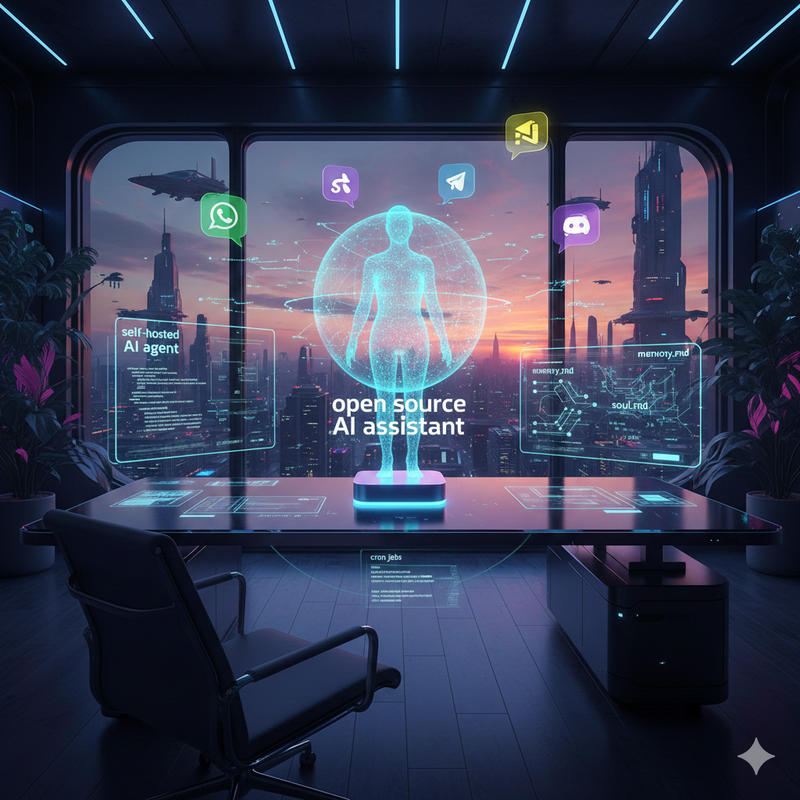
Clawdbot AI is an open source, self-hosted AI agent that runs on your own machine or VPS and connects to messaging platforms like WhatsApp, Telegram, Slack, Discord and Signal.
Unlike standard chatbots, it acts as a proactive “AI employee.” It uses a Clawdbot gateway plus an agent process, persistent memory (memory.md), a personality file (soul.md), and skills and automations to control browsers, access system files, and run cron jobs. You simply bring your own API key for Claude, OpenAI, or local models, giving you full control over the intelligence driving the system.
Why Builders Are Suddenly Searching for “Clawdbot AI”
In my years testing AI tools, I’ve noticed a shift. Builders are exhausted by the “chat window” paradigm.
1. The Pain: Chatbots that never actually do work.
Most SaaS assistants stay trapped inside a browser tab. They can write a script for you, but they can’t run it. They can draft an email, but they can’t monitor your inbox and reply while you sleep. Users are craving a self-hosted AI agent that feels like an actual teammate—one that handles cron jobs, notifications, and complex browser workflows without you hovering over the “Generate” button.
2. The Fear: DevOps overhead and security risk.
However, the hesitation is real. Opening up browser control and shell access to an AI agent on a production machine is scary. Throughout this guide, I’ll walk you through how Clawdbot’s architecture manages these permissions, so you can decide if the trade-off fits your risk profile.
How Clawdbot AI Works Under the Hood
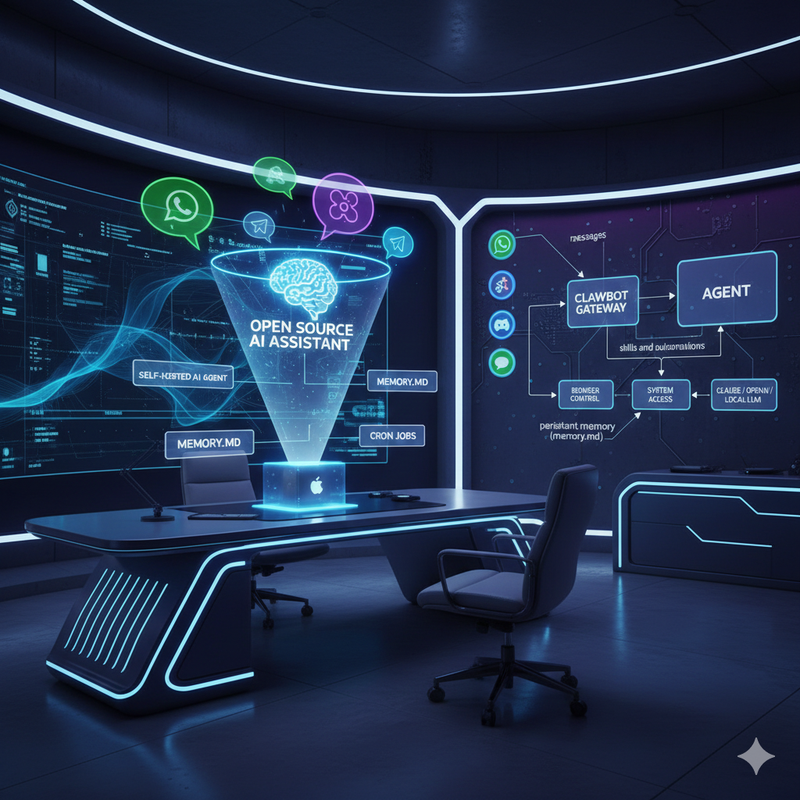
To understand why this tool is different, you have to look at the architecture. As detailed in the Clawdbot – Official Site & Docs , the system is split into two distinct parts:
- The Clawdbot Gateway: This is the always-on control plane. It manages your sessions, messaging platform integrations, cron jobs, webhooks, and presence. It’s the traffic cop that ensures your bot is “online” even if the AI brain is thinking.
- The Agent Process: This is the actual self-hosted AI agent. It talks to your chosen model (via API) and executes skills and automations like browser control or system operations.
The Unified Identity Benefit:
Because the gateway bridges WhatsApp, Telegram, Slack, Discord, Signal and iMessage, you don’t need five different bots. You have one assistant identity. I can start a task via a voice note in WhatsApp while walking my dog, and check the results in Slack when I get back to my desk. The context remains unified.
Core Features – What Clawdbot AI Can Actually Do
This is where the rubber meets the road. Clawdbot isn’t just generating text; it’s executing logic.
1. Skills and Automations
Out of the box, Clawdbot supports powerful capabilities:
- Browser Control: It uses a managed Chrome/Chromium instance to browse the web, scrape data, or interact with web apps.
- System Access: It can perform file reading/writing, shell commands, and script execution.
- Proactive Workflows: via cron jobs, wakeups, and Gmail Pub/Sub, the bot can wake itself up to send you a daily summary or run a report without you asking first.
2. Persistent Memory and Personality
This is my favorite feature.
- Persistent Memory (memory.md): The agent writes to a markdown file that accumulates your preferences, active projects, and context over time. It gives the agent long-term recall, so you never have to repeat your preferred coding style or business goals.
- Personality (soul.md): You define the tone and boundaries in a
soul.mdfile. Whether you want a professional “Executive Assistant” or a snarky “Developer Buddy,” the agent stays consistently “you-shaped.”
3. Bring Your Own AI Model
Clawdbot acts as an orchestration layer. You use your own API key for Claude, OpenAI, or local models. If a better model comes out next week, you just switch the config. You aren’t locked into a vendor’s ecosystem.
Self-Hosting and Pricing – What Clawdbot AI Really Costs
One of the most common misconceptions I see is that “Open Source” means “Free.” While the software is free, the infrastructure is not.
- The Software: Clawdbot is MIT-licensed open source. No subscription fees.
- Hosting: You need a place to run it. I’ve run instances on a Mac mini (great for local file access) and on a $5/month VPS (better for 24/7 uptime).
- Model Usage: You pay per token or via subscription (e.g., Claude Pro).
Typical Monthly Cost:
Expect to pay between $25–$150/month.
- ~$5–$30 for hosting.
- ~$20+ for AI API usage.
Compared to per-seat SaaS pricing, this is a steal—especially since one deployment can serve multiple personal devices and chat apps.
Pros of Clawdbot AI – When It’s a Great Fit
- Privacy & “Own Your Data”: All context, memory, and automations live on hardware you control. For developers handling sensitive docs, this is non-negotiable.
- Deep Automation: The Heartbeat style check-ins and cron-based routines make it feel like a digital employee. I use it for daily briefings, inbox triage, and scraping tasks that run automatically every morning.
Cons of Clawdbot AI – When It Might Be Too Much
- Setup Complexity: I won’t sugarcoat it—this is not a “one-click install” from the App Store yet. As noted in Clawdbot Reviews & Deep Dives , installing Clawdbot typically involves Docker, environment variables, and basic networking. If you aren’t comfortable with a terminal, this might be a hurdle.
- Security Responsibility: An agent with browser control and shell access can do damage if misprompted or compromised. You are responsible for upgrading the instance, monitoring logs, and ensuring you operate on a “least-privilege” basis (e.g., running in Docker containers rather than bare metal).
Clawdbot AI vs Traditional SaaS Chatbots (Positioning)
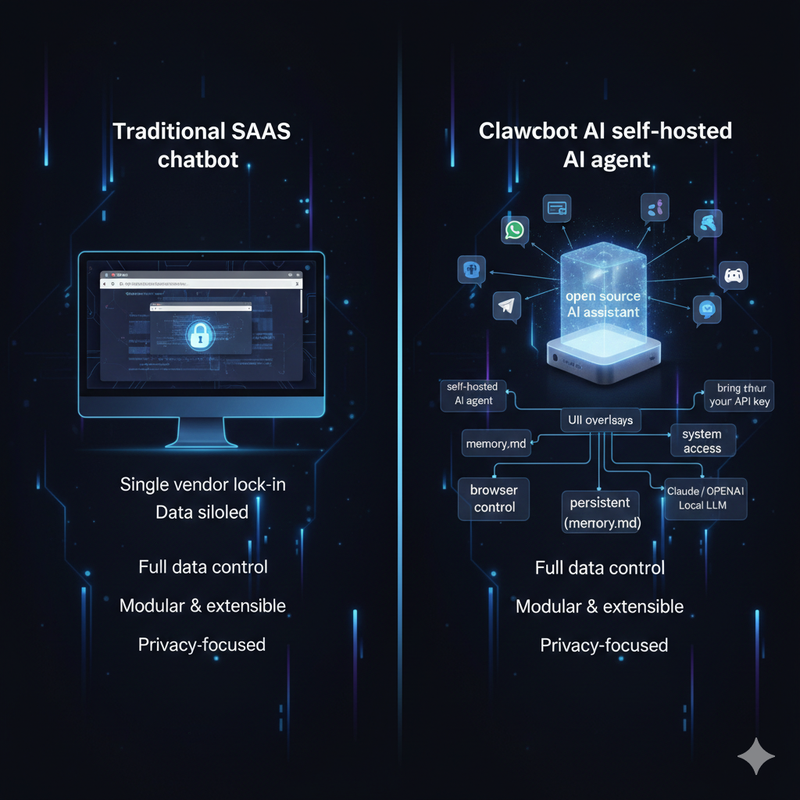
- Chat Window vs. AI Employee: A SaaS chatbot waits for you to type. Clawdbot, powered by cron jobs and persistent memory (memory.md), works in the background. It changes the relationship from a transactional chat to an ongoing workflow.
- Lock-in vs. Modular Stack: With the bring your own API key approach, you have a hedge against model churn. If OpenAI goes down or changes pricing, you can swap to Anthropic or a local Llama model in minutes without rebuilding your automation stack.
Getting Started – Setting Up Clawdbot AI on a VPS or Mac mini
Ready to build? Here is the high-level workflow I recommend:
- Provision Hardware: Get a cheap VPS (DigitalOcean/Hetzner) or clean up an old Mac mini.
- Install: Clone the Clawdbot repo. Use Docker to minimize environment issues.
- Configure: Set your environment variables (API keys) and create your
soul.md(personality) andmemory.md(empty file to start). - Connect Gateway: Enable WhatsApp/Telegram/Slack/Discord/Signal via the gateway config.
- Test: Verify the agent can send/receive messages. Pro Tip: Start with read-only skills before enabling shell or file operations to prevent accidental deletion of data while you fine-tune the prompts.
Example Workflows – How Developers Use Clawdbot Day to Day
The Personal Productivity Assistant:
I have my instance set up to scan my Gmail via integration, summarize the “Urgent” folder, and DM me a briefing on Slack every morning at 8:00 AM.
The Indie Hacker “AI Employee”:
I’ve seen indie hackers use Clawdbot to scrape competitor pricing pages, log the metrics to a CSV file, and send a proactive alert in a private Discord channel if a competitor drops their price. The agent stores this history in memory.md, so it can eventually answer questions like, “How often has Competitor X changed prices this month?”
FAQ – Common Questions About Clawdbot AI
Do I need to be a developer to use this?
Currently, yes. You need to be comfortable with CLI and API keys.
Can I run Clawdbot on my laptop only?
Yes, but remember: if your laptop sleeps, your bot sleeps. A VPS or an always-on Mac mini is better for the “always-on” experience.
Is it safe to give it shell access?
Safety is relative. It is as safe as the permissions you grant it. I recommend running it in a containerized environment and never giving it root access to your primary OS.
What is the future of Clawdbot?
The ecosystem is growing fast. We are seeing community hubs like ClawdHub emerge, offering pre-built skills and integrations. This platform is evolving from a tool into an ecosystem for self-hosted agents.
Leave a Reply