
Transparency Note: This article contains affiliate links. If you choose to purchase a service through these links, we may earn a small commission at no extra cost to you, helping us keep this technical guide updated.
What Is OpenClaw? The Complete Guide to Your Local AI Assistant (2026)
Imagine having an AI assistant that actually does things—not just talks about doing them. One that manages your emails, schedules meetings, and automates your entire workflow through WhatsApp, all while keeping your data private on your own computer.
That’s OpenClaw. But here’s the catch: if you mess up the installation, you’re stuck with error codes and wasted hours wondering if you need a “NASA-level PC” just to make it work. I’ve spent weeks stress-testing this agent, and I’m here to ensure you don’t make the same rookie mistakes I did.
OpenClaw Defined: Your Autonomous Local AI Agent
OpenClaw is an open-source, self-hosted autonomous AI agent developed by Peter Steinberger that runs locally on your computer. Unlike cloud-based chatbots like the standard ChatGPT web interface, it executes real-world tasks via messaging platforms (WhatsApp, Telegram, Discord, Slack) with full system access, persistent memory, and browser automation.
Quick Facts:
- Created by: Peter Steinberger
- Type: Local-first AI agent (not cloud-based)
- Interfaces: WhatsApp, Telegram, Discord, Signal, iMessage
- License: Open-source (MIT)
- Key Feature: Actually executes tasks (email, scheduling, file management, shell commands)
As verified by the OpenClaw Official Website , the platform has evolved into a robust ecosystem that prioritizes user privacy without sacrificing the “power user” capabilities of modern AI.
The OpenClaw Name Evolution: From Clawdbot to Moltbot to OpenClaw
If you’re confused by the naming, you aren’t alone. I’ve seen dozens of users searching for “Clawdbot” only to find dead links. Here is the timeline of how we got here:
- November 2025: Launched as Clawdbot.
- December 2025: Renamed Moltbot due to a trademark dispute with Anthropic (the makers of Claude API).
- January 2026: Final rebrand to OpenClaw.
Why it matters: When searching for older community scripts or specialized browser automation workflows, you might see “Moltbot” in the code. Don’t panic; it’s the same engine under the hood.
How OpenClaw Differs from Traditional AI Chatbots
In my experience, the biggest shift for users is moving away from the “chat box” mentality.
- Local-First Architecture: It runs on your Mac, Windows (WSL2), or Linux machine. Your data never leaves your hardware unless you explicitly tell the agent to send an email or post to a cloud service.
- True Autonomous Execution: It doesn’t just respond; it acts. You can set it to “Check my GitHub repo every hour and notify me of new issues via WhatsApp.”
- Persistent Memory: It remembers who you are and your preferences across sessions. It doesn’t “reset” every time you start a new chat.
- Full System Control: It can read/write files and execute shell commands. According to the OpenClaw GitHub Repository , this is why it has quickly amassed over 161k stars—it’s a developer’s dream.
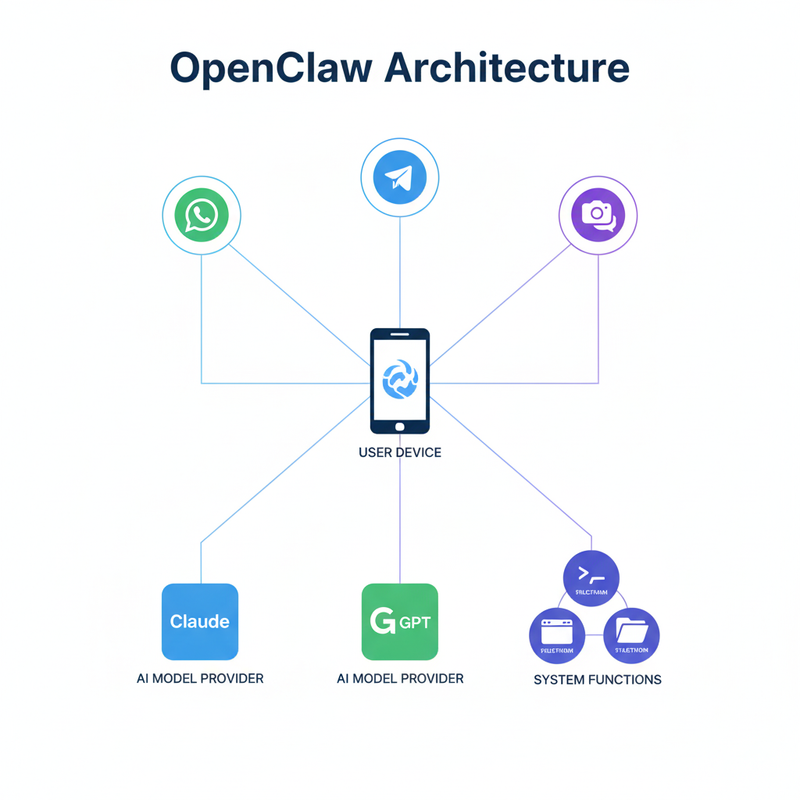
What Can OpenClaw Actually Do? 7 Real-World Use Cases
- Personal Assistant Automation: Filter your inbox and only notify you of high-priority emails via Signal.
- Developer Workflow: Monitor CI/CD pipelines and trigger rollbacks if an error log is detected.
- Business Ops: Automatically update CRM data based on a WhatsApp conversation with a client.
- Content Creation: Draft blog posts from research and schedule them for social media.
- Smart Home Integration: Control IoT devices via natural language commands from your phone.
- Team Collaboration: Transcribe meeting notes and distribute them to the team on Slack.
- Data Monitoring: Scrape competitor prices and alert you when a change occurs.
OpenClaw Installation Requirements (Before You Start)
Don’t skip this. I’ve seen more “failed installs” due to outdated Node.js versions than anything else.
System Requirements
- Node.js: Version 22.12.0 or later (Critical for security patches like CVE-2026-21636).
- Operating System: macOS, Linux, or Windows 11 with WSL2 (PowerShell is not supported).
- RAM: 4GB minimum (8GB+ if you plan on running local models like DeepSeek).
Required API Keys & Accounts
- AI Model Provider: You need a brain. Use Claude API, ChatGPT integration, or a free local model like Kim K2.5.
- Messaging Platform: Have your WhatsApp or Telegram account ready.
How to Install OpenClaw: Step-by-Step Guide (2026 Method)
Step 1: Install Node.js 22+
Verify your version first:
node --versionIf it’s below v22.12.0, update immediately using `nvm` to avoid security vulnerabilities.
Step 2: Run the Official Installer
curl -fsSL https://openclaw.ai/install.sh | bashStep 3: Launch Onboarding
openclaw onboard --install-daemonSet your gateway configuration to “Local” when prompted.
Step 4: Connect Messaging
To connect WhatsApp:
openclaw channel add whatsappScan the QR code that appears in your terminal with your phone.
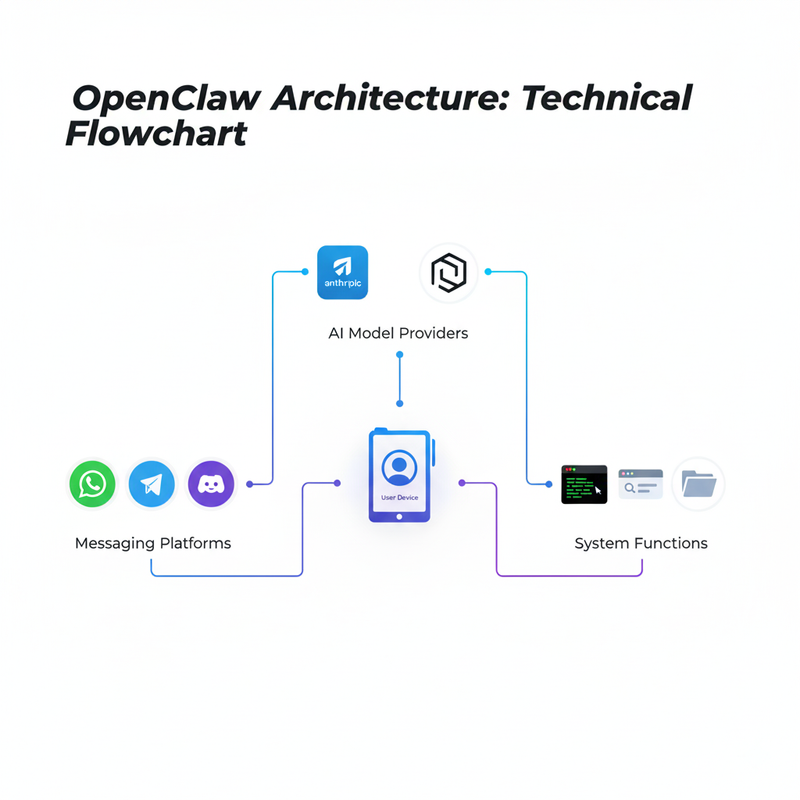
Common OpenClaw Installation Errors & Fixes
Error 1: “openclaw: command not found”
The Fix: This usually means your npm global bin isn’t in your PATH. Add this to your ~/.zshrc or ~/.bashrc: export PATH="$PATH:$(npm config get prefix)/bin"
Error 2: “Gateway start blocked: set gateway.mode=local”
The Fix: OpenClaw 2026 requires explicit mode declaration for safety. Run openclaw configure and select “Local” as your run mode.
Error 3: Windows Installation Failure
The Fix: 99% of the time, this is because someone tried using PowerShell. You must use WSL2. Run wsl --install in PowerShell, then perform the entire installation inside the Ubuntu terminal.
Conclusion: The Future of Private AI
OpenClaw isn’t just a tool; it’s a shift toward digital sovereignty. By running your agent locally, you reclaim your data and gain a level of automation that cloud providers simply can’t offer due to “safety” sandboxing.
Would you like me to walk you through the specific steps to connect OpenClaw to your local DeepSeek model for a 100% free, private setup?
Leave a Reply