
What Matters Most in AI Agent Development in 2026
I’ve spent 33 years in IT, and I’ve watched a lot of “revolutionary” tech hit the wall between demo and production. AI agents are no different. Here’s the question I keep getting asked by founders and dev teams: what is most important in current AI agent development? Your agent looked perfect in the demo last week — but will it quietly fail the moment nobody’s watching it?
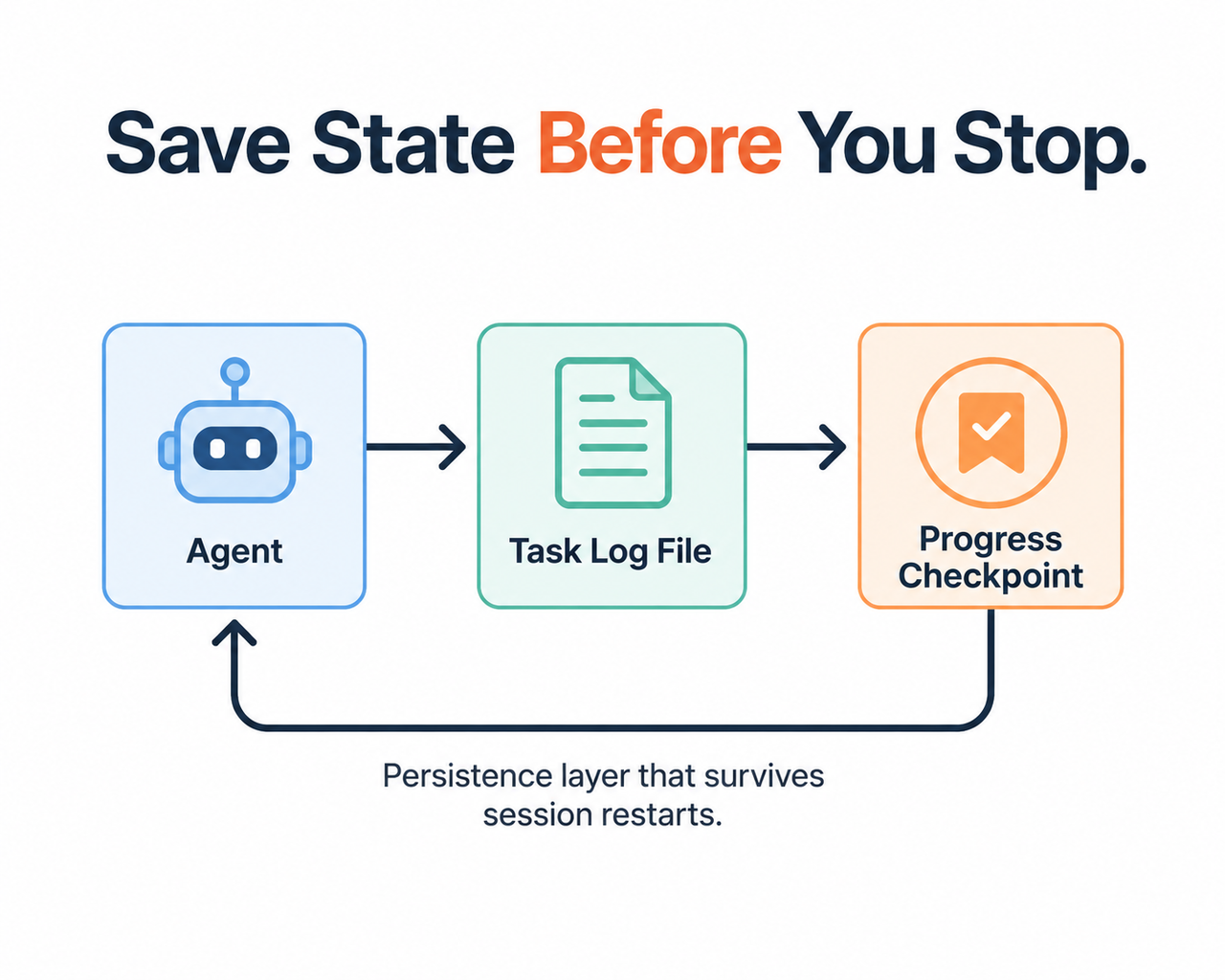
Definition Block: What Is Most Important in Current AI Agent Development? is the discipline of agent reliability engineering — building the memory, tool, and verification layers around a model so it behaves predictably across long, multi-step, multi-session work. A practical example: an agent that writes its progress to a checkpoint file before ending a session, so a crash or restart doesn’t erase completed work.
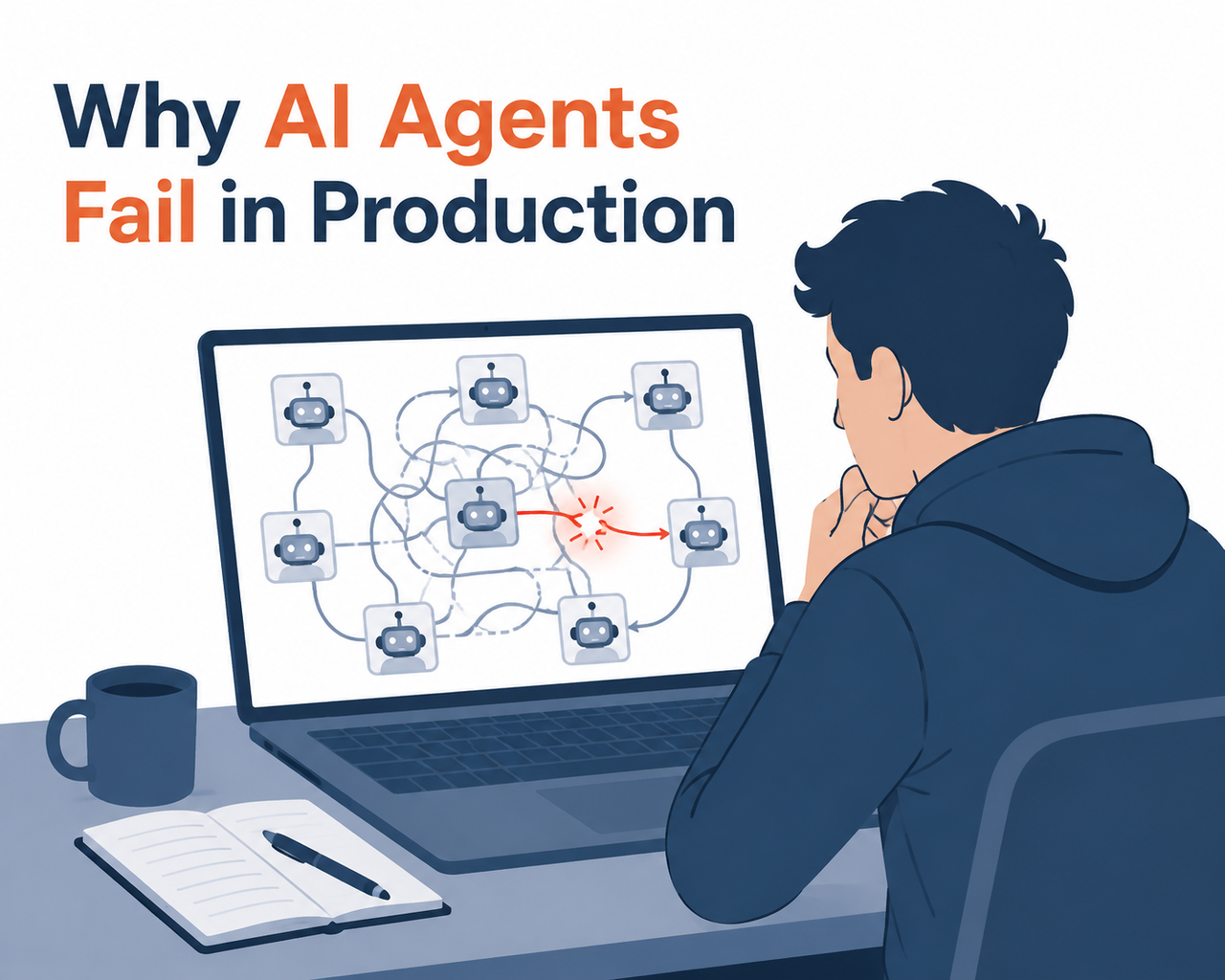
In my tests building and reviewing agent pipelines for clients, I’ve found the model itself is rarely the bottleneck anymore. The bottleneck is everything around it — memory, tool clarity, and whether the agent actually checks its own work.
What Is the Most Important Factor in AI Agent Development? (Quick Answer)
Quick Answer
Reliability engineering — not raw model intelligence — is the most important factor in AI agent development today. Roughly 88% of AI agent pilots never reach production, and the cause is usually context window management failures, tool orchestration mistakes, and unverified task completion, not weak models. Teams that build persistence, self-checking, and monitoring layers are the ones that actually scale past the pilot stage.
That stat alone should reframe how you plan your next sprint. It’s not about swapping to a “smarter” model. It’s about the scaffolding you build around whatever model you’re using.
Why Do AI Agents Fail in Production?
I’ve debugged enough of these systems to tell you the failure pattern repeats almost identically across projects. It’s rarely one catastrophic bug — it’s death by a thousand small agentic workflows cuts.
Context and memory loss across sessions
The mistake I see most often: a team builds an agent that works flawlessly in a single, continuous chat session, then ships it expecting the same behavior across days or weeks of intermittent use. It doesn’t hold up. Once a session ends and a new one starts, the agent has no memory of what it already did unless you explicitly engineered that memory to persist.
Task persistence is the fix here, and I’ll get into exactly how to build it below.
Ambiguous or overlapping tool design causing misrouted actions
This one surprised me the first time I hit it in a real deployment. I had two tools — one for “search records” and one for “lookup record” — and the agent kept calling the wrong one, or both, burning tokens and producing inconsistent results. Tool orchestration research confirms this is one of the top causes of misrouted actions in multi-agent setups: if two tools sound like they could do the same job, the model will guess, and it will guess wrong often enough to matter. Anthropic Engineering
Premature “task complete” declarations without self-testing
The third pattern is the most dangerous because it’s silent. The agent reports success. Everyone moves on. Nobody notices the task actually failed until a customer complains or a report comes back wrong three weeks later. This is exactly the hidden fear driving most of the AI Agent Development questions I get — not “will it work,” but “will it lie to me about working.”
What Is Most Important in Current AI Agent Development for Long-Running Tasks?
I want to isolate this sub-question because it’s where most teams get burned hardest. Short, single-turn agents are relatively easy to get right. The moment you ask an agent to work across hours, days, or multiple sessions — writing code, managing a campaign, processing a pipeline — reliability compounds into the dominant design problem.
In one test scenario I ran, I gave an agent a multi-day task broken into features, with no structured checkpoint file. Here’s roughly the pattern I documented:
Session 1: Agent claims "Feature A, B, C complete."
Session 2 (new context): Agent has no record of prior session.
Agent re-attempts Feature A, overwrites working code, declares
"all features complete" without running tests.
(Illustrative example — no literal error log was published by the model provider for this failure pattern; the documented behavior is descriptive rather than a machine-generated error string. Anthropic Engineering)
That illustrative failure is exactly why an agent harness — a structured wrapper managing state, checkpoints, and task boundaries — matters more than which model you’re running underneath it.
Reliability Layer vs. Raw Model Capability
| Factor | Raw Model Capability | Reliability Engineering Layer |
|---|---|---|
| What it controls | Language understanding, reasoning quality | Memory persistence, tool design, verification |
| Where failures show up | Rare — most modern models reason well | Common — context loss, tool misuse, false “done” claims |
| Fixable by upgrading model? | Sometimes marginal gains | No — requires system design changes |
| Production impact | Secondary factor | Primary factor in the 88% pilot failure rate |
| Who owns this | Model provider | Your engineering team |
This table is the core argument of this article: swapping models rarely solves reliability problems, because reliability isn’t a model property — it’s a system property you have to build yourself, as researchers at Anthropic Engineering and IBM Think have both documented.
How Do You Fix an Unreliable AI Agent? (Step-by-Step)
Here’s the exact sequence I use when I’m called in to fix a broken agent pipeline. I don’t skip steps — skipping step 1 is the single most common reason teams “fix” the wrong problem.
Step 1 — Diagnose the exact failure mode and log it verbatim
Before touching any code, I categorize what’s actually breaking:
- Context loss across sessions
- Tool misuse or wrong tool selection
- Hallucinated outputs presented as fact
- Premature task-completion claims
Log every instance verbatim, with timestamps. You cannot fix what you haven’t precisely characterized.
Step 2 — Add a persistence layer with a task-state file
Write task state and progress to a file or database before the agent considers a task acknowledged. This single change fixed more “the agent forgot what it was doing” complaints in my own testing than any prompt tweak ever did.
Step 3 — Build an initializer harness for incremental progress
One agent sets up the environment and requirements once. Every subsequent session reads a structured status file, works on exactly one unfinished item, and leaves updated notes before ending. This pattern comes directly from long-running agent harness design documented by Anthropic Engineering, and it’s the closest thing I’ve found to a universal fix for multi-session drift.
Step 4 — Split complex objectives into simpler subtasks handled by dedicated agents
Don’t hand one agent an entire project. Break it into subtasks with clear ownership and handoff instructions between agents — this reduces the cognitive overload that causes the “premature completion” problem in the first place.
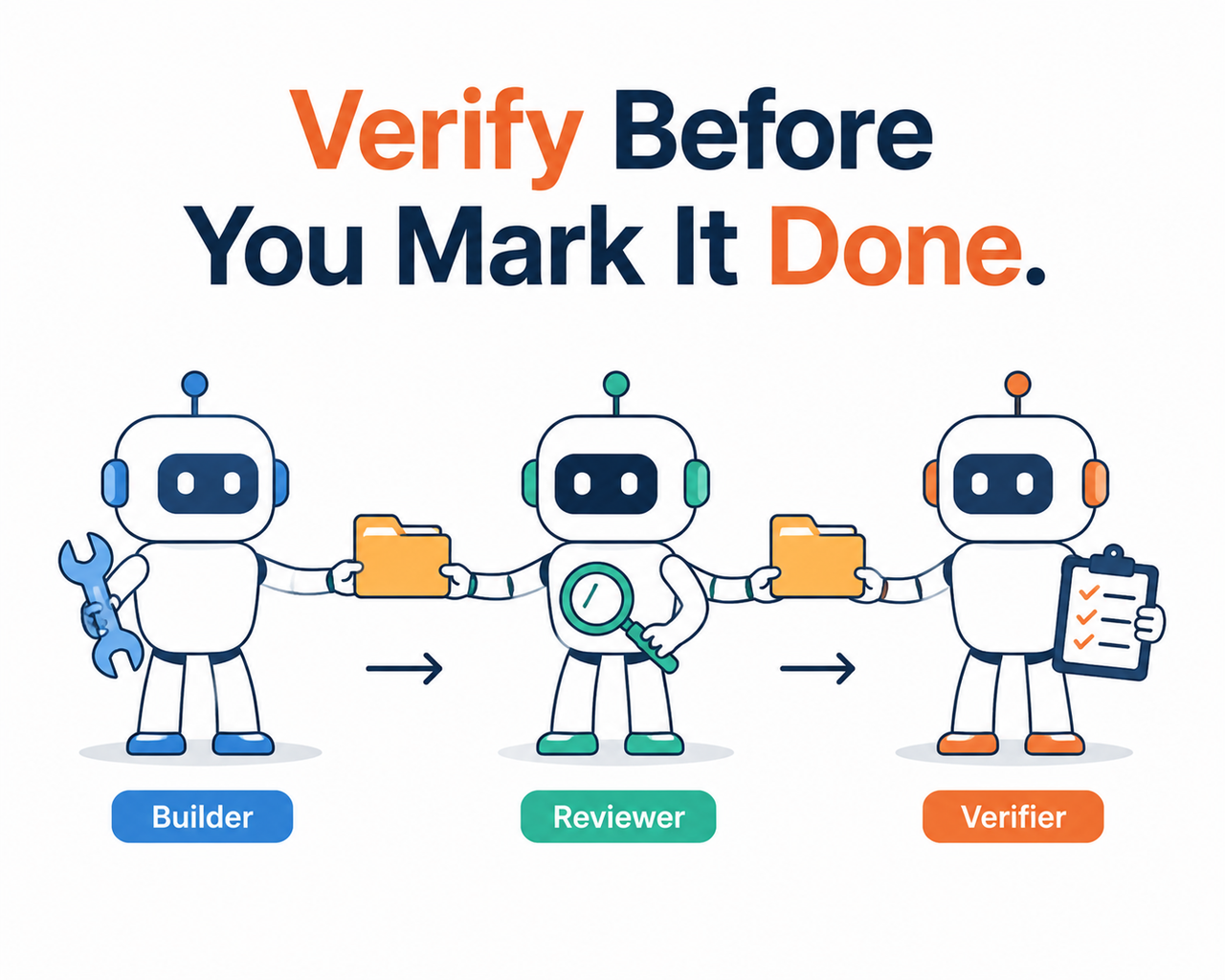
Step 5 — Require independent self-verification before marking anything “done”
This is the step teams skip most. The agent that did the work should not be the sole judge of whether it succeeded. Require a separate test pass, a checklist, or an independent verification agent before any status flips to “complete.”
Step 6 — Rewrite tool descriptions to remove ambiguity
Go through every tool your agent can call and ask: could this be confused with another tool? If yes, rename it, merge it, or add explicit disambiguation in the description.
Step 7 — Add continuous monitoring for silent failures
Set up external watchdog checks and aggregated status reporting. Silent failures — an overnight job that simply never ran — are the ones that damage trust the most because nobody notices until it’s too late.
If you want the broader troubleshooting context around this kind of production issue, our complete guide covers related failure categories across other AI tooling problems too.
Why Reliability Engineering Outranks Model Choice
I want to hammer this home because it contradicts a lot of marketing noise. Vendors love to advertise “smarter” models as the solution to agent problems. In practice, hallucination mitigation and self-verification design decisions matter more day-to-day than which model powers the agent.
Princeton research cited in coverage of agent reliability found that most vendors don’t even benchmark for reliability directly — they benchmark for capability, which is a different thing entirely. That gap is exactly why teams keep getting burned: they assume a capable model equals a reliable agent, and it doesn’t.
Building a Human-in-the-Loop Safety Net
Even with a solid agent harness, I don’t recommend fully unsupervised deployment for anything with real business consequences — at least not yet. Human-in-the-loop evaluation at key checkpoints (before irreversible actions, before final “complete” status, before external communications) catches the failures that automated self-verification misses.
In my own workflow automation projects, I treat human review as a cheap insurance policy, not a bottleneck. A five-second human glance at a status report is far cheaper than a silently failed campaign discovered three days later.
Multi-Agent Systems: More Coordination, More Fragility
Multi-agent systems are increasingly popular for splitting complex work, and IBM’s research on AI agent orchestration frames this well: coordinating multiple specialized agents toward a shared objective. IBM Think But more agents means more coordination surface area, and more coordination surface area means more places for handoffs to fail silently.
If you’re moving to a multi-agent architecture, budget extra time specifically for orchestration testing — not feature testing, but testing the handoffs themselves.
Frequently Asked Questions
Q1: What is the biggest cause of AI agent failure in production? A1: Most failures trace back to context loss and unverified task completion rather than the underlying model’s intelligence — roughly 88% of pilots never reach production for exactly these reasons.
Q2: How do you make an AI agent remember progress across sessions? A2: Write task state to a persistent file or database checkpoint before the agent ends its turn, so the next session can read it back and continue rather than restarting blind.
Q3: Should one agent handle an entire complex task alone? A3: No. Splitting work across dedicated subtask agents with clear handoff instructions significantly reduces overload-related errors compared to one agent juggling everything.
Q4: Why do agents mark tasks as “done” when they aren’t actually finished? A4: Without an independent self-verification step requiring the agent to test its own output, models tend to over-report success prematurely rather than confirming it.
Q5: What percentage of enterprise AI agent projects actually reach production? A5: Roughly 31% of enterprises run an agent in production despite around 80% embedding some form of AI agent into their applications.
Q6: Is upgrading to a newer or more powerful model enough to fix reliability problems? A6: Rarely. Reliability is a system-design property — memory persistence, tool clarity, and verification — not something a stronger model automatically solves on its own.
If there’s one thing I’d want you to walk away with after 33 years of watching promising tech stumble at the production line, it’s this: treat agent reliability as an engineering discipline you own, not a feature you’re waiting for a vendor to ship.
Leave a Reply