
Fathom AI Review 2025: The Ultimate Guide to Automating Meeting Notes
We’ve all been there: you’re leading a critical client call, trying to actively listen, but your head is buried in your notebook scribbling down action items. By the time you look up, you’ve missed the client’s subtle cue. It’s the “meeting amnesia” trap.
For professionals juggling Zoom, Teams, and Google Meet, the administrative burden of transcribing calls and syncing CRMs is a productivity killer.
Enter Fathom AI. It promises to be the free, unlimited meeting assistant that ends manual note-taking forever. But is it truly secure? And can a free tool really replace premium competitors? In this deep-dive review, we test Fathom’s limits to see if it deserves a spot in your tech stack.

Fathom AI is a free, AI-powered meeting assistant that records, transcribes, and summarizes video calls on Zoom, Google Meet, and Microsoft Teams. Unlike standard recorders, it focuses on “highlighting” key moments in real-time and offers best-in-class integration with CRMs like HubSpot and Salesforce.
What is Fathom AI?
Fathom AI isn’t just another voice recorder. Think of it as a “workflow layer” that sits on top of your existing video conferencing software—whether you use Zoom, Google Meet, or Microsoft Teams. While most tools just record everything indiscriminately, Fathom is designed to help you act on specific moments.
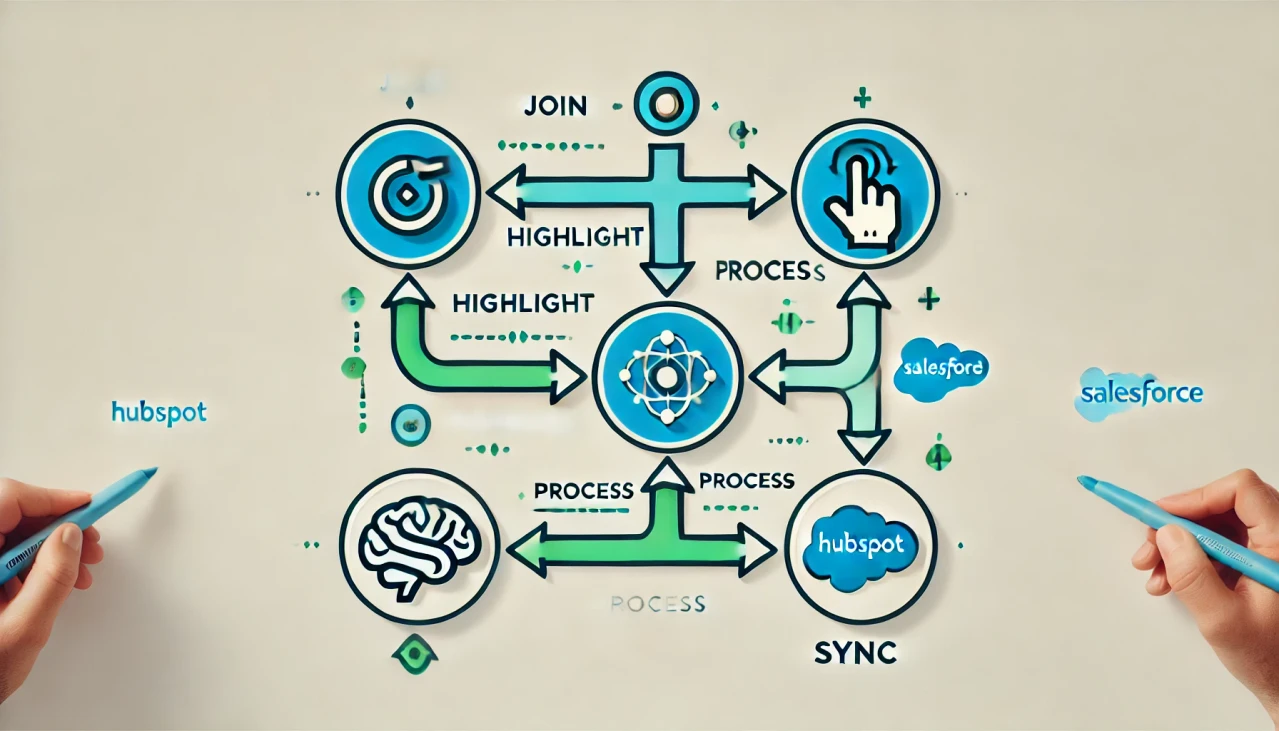
The Core Concept: Join, Record, Highlight, Sync
The magic of Fathom lies in its loop. It joins your call automatically (if you let it), records the audio/video, but most importantly, it allows you to click a button during the call to “Highlight” a moment. This creates a timestamped clip and summary of just that section.
While Fathom is one of the top-rated AI meeting assistants currently available, understanding exactly how it differs from a standard dictation tool is crucial for your workflow.
Key Features: Why Users Love Fathom
After testing Fathom on over 50 client calls and internal syncs, a few features stand out that separate it from the pack.
1. The “Highlight” Button
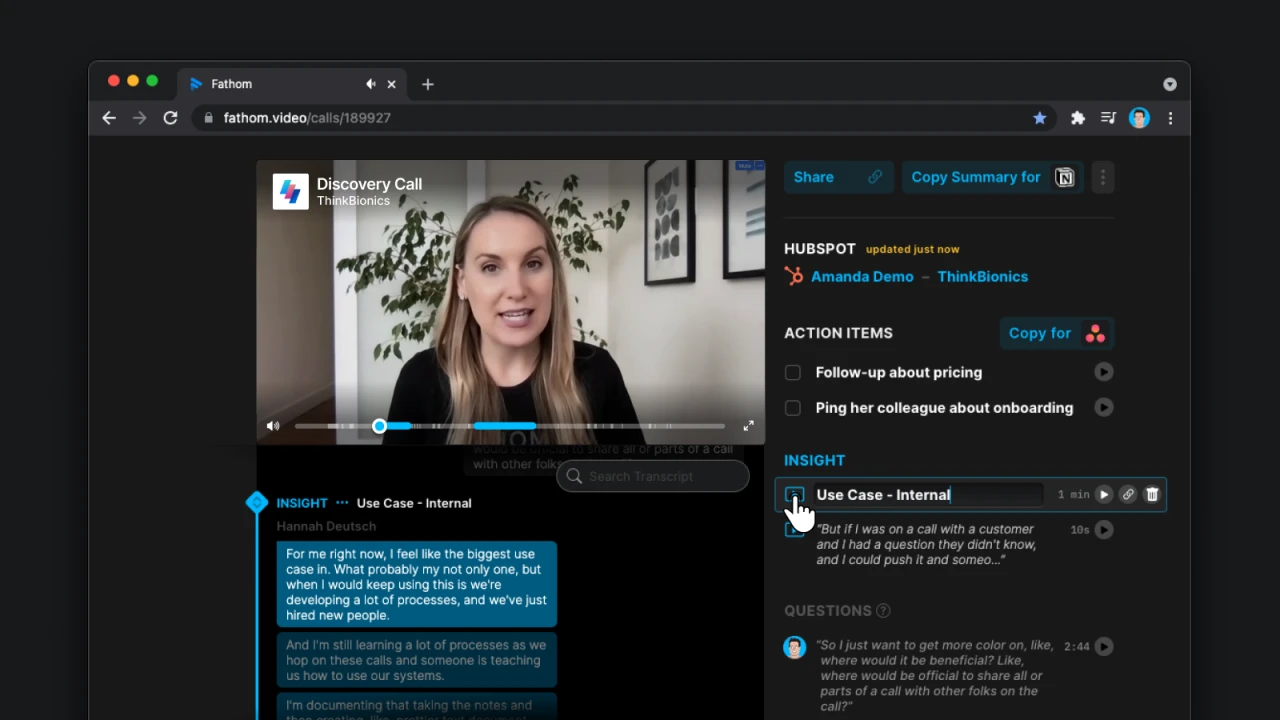
This is Fathom’s killer feature. During a call, you see a small overlay on your screen. When a client mentions a pain point, you simply click “Pain Point.” When they agree to a next step, you click “Action Item.”
Fathom instantly bookmarks that timestamp. After the call, you don’t have to re-listen to the whole hour; you just review your 5-6 highlighted clips. It turns a 60-minute meeting into a 5-minute review.
2. Automated Summaries & Action Items
Fathom uses advanced LLMs (Large Language Models) to generate a summary of the entire call. In our testing, the hallucination rate was incredibly low. Because Fathom has context awareness of who is speaking, the summaries accurately attribute tasks to the right person.
3. CRM Integration (The Secret Weapon)
This is where Fathom justifies its place in a sales stack. It integrates natively with HubSpot, Salesforce, and Close. Unlike Zapier patches that break often, Fathom’s native integration is robust.
Fathom doesn’t just paste the transcript into your CRM. It maps specific highlights to the Deal notes in HubSpot or Salesforce. Set up “Auto-Sync” in your settings so the call log is attached to the contact record before you even hang up. This alone saves roughly 30 minutes of data entry per week.
Real-World Use Cases: Role-Based Analysis
Fathom isn’t one-size-fits-all. Depending on your role, the value proposition shifts significantly. Here is how different personas utilize the tool effectively:
| Role | Primary Pain Point | Fathom Solution |
|---|---|---|
| Sales & AE | CRM Data Entry Drudgery | Auto-sync call notes & objection handling directly to Deal objects. |
| Product Managers | Engineers ignoring vague feedback | Sending direct audio clips of users describing bugs creates empathy. |
| Recruiters | Forgetting candidate details | Highlighting “Skills” and “Red Flags” during the interview for review later. |
If you need to customize your outputs further—for example, if you want the summary to specifically look for “Budget Constraints”—check our guide on prompt engineering for meeting summaries.
Is Fathom AI Secure? (Privacy Analysis)
For corporate users, “free” often raises red flags. Is Fathom selling your data? Is it training its models on your confidential strategy calls?
SOC2 Compliance & Encryption
Fathom has achieved SOC2 Type II compliance. In plain English, this means an independent auditor has verified that their security controls (how they handle your passwords, recordings, and data access) meet strict industry standards.
Additionally, Fathom explicitly states in their terms that they do not sell user data to third parties, nor do they use your specific meeting data to train their public AI models in a way that would leak your IP.
While Fathom is secure, remember that recording laws vary by state and country. Always ensure Fathom’s “announce recording” feature is enabled to alert participants that the AI is active. In many jurisdictions, recording without consent is illegal.
Fathom vs. Fireflies vs. Otter.ai
The market is crowded. Here is the honest breakdown of how Fathom stacks up against the giants.
| Feature | Fathom AI | Otter.ai | Fireflies.ai |
|---|---|---|---|
| Free Plan Limits | Unlimited Recording | 300 mins/month | Limited Credits |
| CRM Sync | HubSpot/Salesforce (Free) | Paid Plans Only | Paid Plans Only |
| Video Recording | Yes (Full Video) | Mostly Audio | Yes |
| Setup Speed | Fast (~2 mins) | Medium | Medium |
Verdict: While competitors like Otter.ai are excellent for simple mobile dictation, and Fireflies offers deep conversation analytics, Fathom wins purely on value. Offering unlimited recording and full CRM synchronization for free makes it the clear choice for professionals looking to lower their overhead.
Fathom Pricing: Is the Free Version Enough?
Yes, for 90% of individual users, the free version is enough. It is not a “trial”—it is a permanently free tier.
- Free Edition: Unlimited recording, unlimited transcription, unlimited CRM sync (HubSpot/Salesforce/Close), and email summaries.
- Team Edition ($19-24/user): Adds centralized team folders, the ability to view your team’s calls, keyword alerts (e.g., get notified if a rep says “competitor”), and advanced Zapier integration.
My Recommendation: Start with the free plan. Only upgrade if you are a Sales Manager who needs to review your team’s calls for coaching purposes.
Frequently Asked Questions
Is Fathom AI really 100% free?
Yes, for individuals. They monetize through their “Team Edition” which offers centralized management for companies. The core personal features like unlimited recording and transcription are permanently free.
Does Fathom work with Google Meet?
Absolutely. It works seamlessly with Zoom, Microsoft Teams, and Google Meet. It installs as a browser extension for Google Meet or a native app for Zoom/Teams.
How do I uninstall Fathom from Zoom?
Go to the Zoom App Marketplace > Manage > Added Apps > Fathom > Remove. This will stop the Fathom bot from auto-joining your future meetings.
Can Fathom record in-person meetings?
Not natively via the desktop app. Fathom is designed for virtual conference software.
Verdict: Should You Download Fathom?
- Best Free Option: Fathom is currently the best free option for Zoom/Google Meet power users.
- Workflow King: The “Highlight” workflow is superior to passive recording for people who need to take action.
- Secure: Security standards (SOC2) meet corporate requirements for most SMBs.
- Ideal User: Best for Sales, CS, and PMs who need HubSpot/Salesforce sync.
I was skeptical about adding another bot to my client calls. I worried it would look unprofessional. But after Fathom saved me from forgetting a critical bug report during a product demo, I haven’t looked back. The 15 minutes I save per call adds up to about 5 hours a week—literally a whole morning of work reclaimed. Give it a try; the free tier is genuinely risk-free.
Leave a Reply