
Transparency Note: This article contains affiliate links. If you purchase through these links, we may earn a commission at no additional cost to you.
How to Tell If a Video Is AI Generated (Step‑By‑Step Deepfake Detection Guide)
You see a shocking video in your feed—a politician confessing to a crime, a CEO announcing sudden layoffs, or a friend appearing to be in trouble. Your heart races, and your first instinct is to share it or act on it. But my biggest fear as an expert in this field is that you will do exactly that, only to learn later it was a hyper-realistic AI-generated deepfake.
In my years analyzing digital media, I’ve watched AI evolve from producing blurry, nightmare-fuel clips to creating footage so realistic it chills me. But here is the good news: AI isn’t perfect yet. It leaves fingerprints.
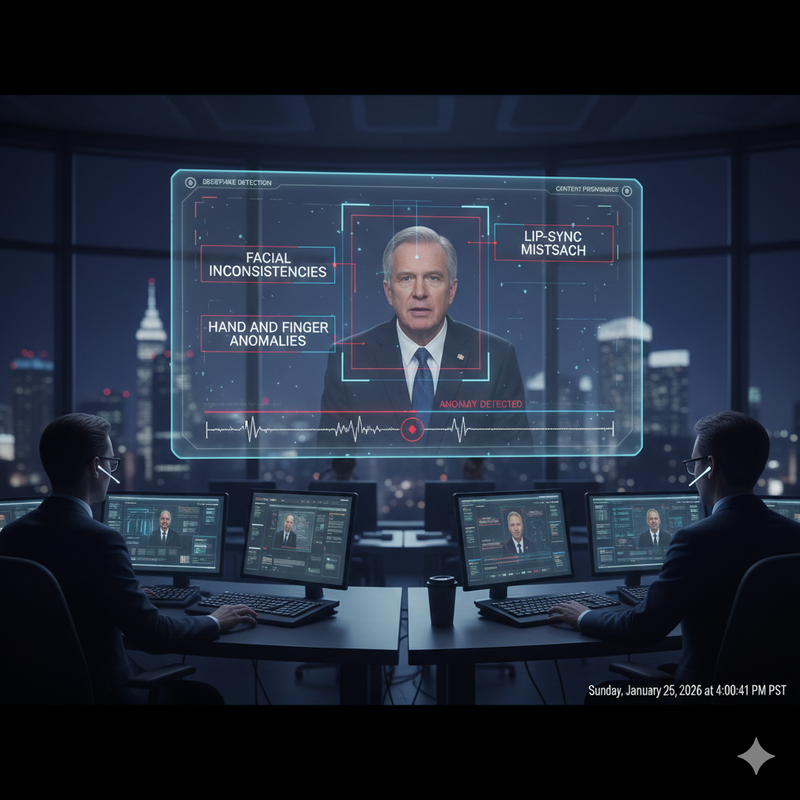
Quick Answer – How to Tell If a Video Is AI Generated
There is no single “magic button” test, but you can spot an AI-generated video by combining specific deepfake detection steps. In my workflow, I look for facial inconsistencies, lip-sync mismatch, and hand and finger anomalies first. Then, I inspect lighting and background physics for impossibilities. Finally, I verify the source, check for a C2PA watermark or other content provenance signals, and run the clip through reputable AI video detector tools before trusting it.
Why It’s So Hard to Tell If a Video Is AI Generated Now
The quality of AI video has jumped astronomically, but our human verification habits haven’t kept pace.
Modern generative AI can produce realistic AI-generated video that easily fools casual viewers, especially when viewed on small smartphone screens within fast-scrolling feeds. I often tell my clients that our “gut feeling” is no longer a reliable detector. We are biologically wired to trust what we see, but algorithms are now engineered to exploit that trust.
This is critical in high-stakes domains. I have seen misidentified videos cause stock market dips, reputational ruin, and personal distress. This guide isn’t just technical advice; it’s a safety checklist for journalists, social media managers, and everyday users who want to avoid being manipulated.
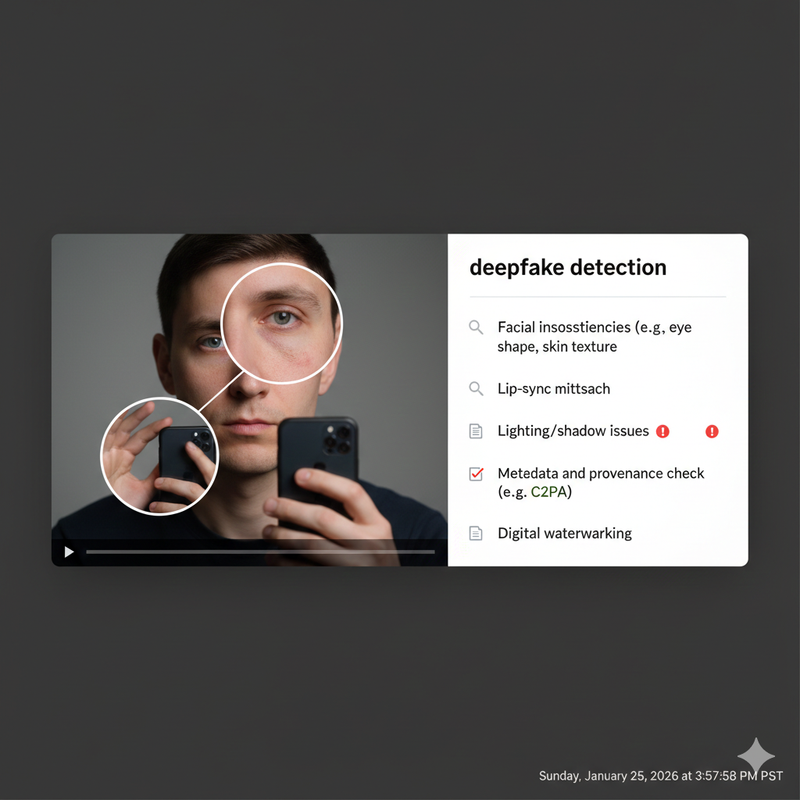
Manual Deepfake Detection – Visual Signs to Look For
Before I touch any software, I use my eyes. AI models struggle with biological consistency. Here is what I look for:
Facial Inconsistencies and Unnatural Expressions
The face is usually the focal point, but it’s also where errors hide. I inspect faces for facial inconsistencies like odd blinking patterns (either too much or none at all), perfect symmetry that looks uncanny, or skin that appears too smooth, almost plastic-like.
- Pro Tip: Slow the playback speed to 0.5x. I catch most distortions when the subject turns their head or changes expressions quickly; the AI often “slips,” causing the face to blur or warp momentarily.
Lip-Sync Mismatch and Audio-Visual Alignment
AI is getting better at voice cloning, but matching that voice to video is still hard. Lip-sync mismatch—where mouth movements do not match the syllables spoken—is a massive red flag.
- Watch the mouth closely. Does it move like a stiff puppet?
- Listen for a robotic tone, strange breaths, or room acoustics that don’t match the visual scene (e.g., studio-quality audio in a windy outdoor clip).
Hand and Finger Anomalies
For some reason, AI still hates hands. Hand and finger anomalies are my favorite “tell.” Look for extra or missing fingers, warped joints, inconsistent sizes, or hands that look like they are melting into objects they touch.
- Action: Pause the video exactly when hands move quickly or interact with a cup or microphone. This is where the rendering usually breaks down.
Lighting, Shadows, and Background Physics
Real light behaves in straight lines; AI light often doesn’t. I compare the light direction on the subject against the background. If the sun is behind them but their face is fully lit without a visible source, be suspicious.
- Physics Check: Look for hair clipping through shoulders, clothes that move like liquid, or background objects that flicker or morph shape between frames.
Technical Checks – Metadata, Provenance, and C2PA Watermark
Visuals can be deceptive, so we must look under the hood.
Why Metadata and Content Provenance Matter
Basic metadata (creation date, device type) can hint at manipulation, but I always warn that this data is easily stripped or forged. This is why the industry is moving toward content provenance standards—a secure way to track how media was created and edited.
Understanding C2PA Watermark and Digital Watermarking
You will hear this term a lot soon: C2PA watermark. This is an open technical standard that allows publishers to embed cryptographically signed provenance information into the file. It effectively creates a “chain of custody” for the video.
- Digital watermarking involves invisible signals embedded in the pixels that identify AI content. While not universal yet, checking for these signals is becoming a standard part of deepfake detection.
According to major consumer safety guidelines, understanding these technical markers is becoming essential for spotting sophisticated scams. BBB – How to Identify AI in Photos and Video
How to Perform a Metadata and Provenance Check
- Download the file if safe to do so.
- Inspect properties: Right-click and check ‘Properties’ or ‘Get Info’.
- Use a Viewer: Use a C2PA-aware viewer or checker (like verify.contentauthenticity.org) to see if the file carries a signed manifest.
- Note: Missing metadata isn’t proof of a fake (social media platforms often strip it to save space), but if a “breaking news” clip claims to be from a smartphone but lacks all camera data, I get suspicious.
Using AI Video Detector Tools Safely and Effectively
When manual checks are inconclusive, I turn to software.
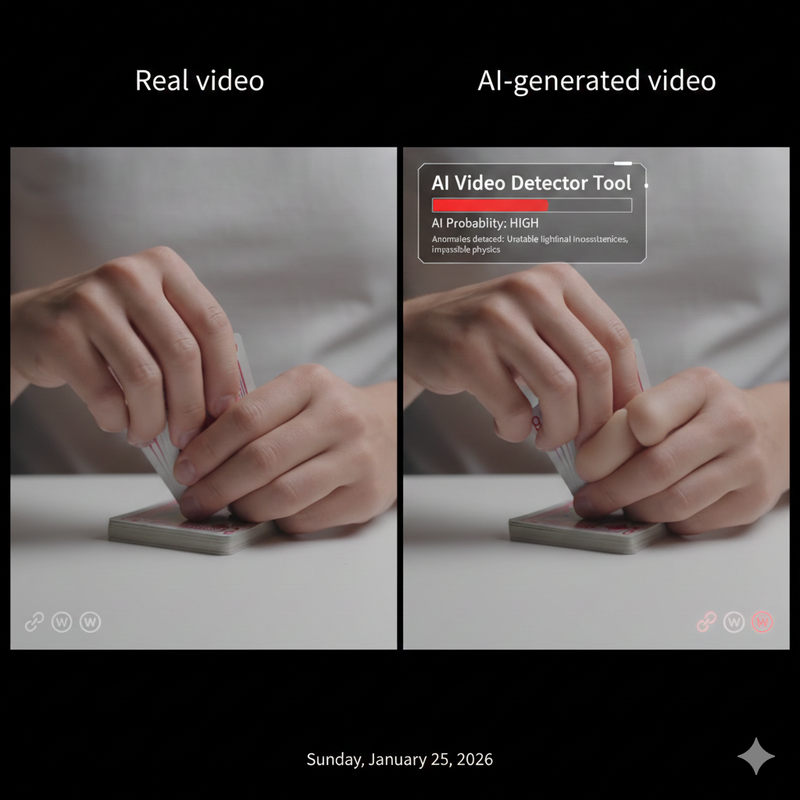
What AI Video Detector Tools Actually Do
AI video detector tools analyze frames for invisible compression artifacts and biological signals (like the subtle color change in skin when a heart beats) that the human eye misses. However, you must understand that these tools output a probability score, not a definitive “Yes” or “No.”
How to Run a Suspicious Clip Through Detector Tools
- Copy the video link or download the clip.
- Upload it to a trusted AI video detector (such as Deepware or similar platforms).
- Review the Risk Score: If it says “98% Artificial,” that is a strong signal.
Limitations and False Positives
I have seen real videos flagged as “suspicious” simply because they were heavily compressed or shot in low light. Conversely, advanced deepfakes can sometimes evade detection.
- My Rule: Never rely on a tool alone. It is just one data point in your investigation.
Context and Source Checks – The Human Side of Detection
Sometimes, the best detector is your own critical thinking.
Verify Who Posted It and Why
Apply the “Five W’s.” If an anonymous account with 10 followers posts a sensational video that no major news outlet is covering, it is high risk. European digital media experts emphasize that checking the source is often more effective than technical analysis. EDMO – Tips for Users to Detect AI-Generated Content
Look for Corroborating Footage
Real major events are almost always filmed by multiple people from different angles.
- The Litmus Test: If there is only one dramatic clip of a public event and zero corroborating angles from the crowd, it is likely a fabrication. Perform a reverse video search or take a screenshot of a distinct frame and run a reverse image search to see where else it appears.
Step-by-Step Checklist – How to Tell If a Video Is AI Generated
I encourage you to save this checklist. It is the exact mental flow I use when verifying content:
- Manual Visual Scan: Check for facial inconsistencies, lip-sync mismatch, and hand/finger anomalies.
- Slow-Motion Review: Watch at 0.5x speed to spot glitching edges.
- Physics Check: Look for weird lighting shadows and objects morphing in the background.
- Source Verification: Who posted this? Are there other angles?
- Technical Check: Look for a C2PA watermark or check the metadata and provenance.
- Tool Assist: Run the clip through AI video detector tools.
- Decision: Trust, verify further, or do not share.
High-Stakes Situations – When to Be Extra Careful
If a video involves politics (elections), finance (market-moving news), or personal safety (a distress call from a relative), the rules change.
- Stop. Do not act.
- Verify External Sources: Contact the person directly via a different channel. Check reputable news bureaus.
- Trust but Verify: In my line of work, I treat every dramatic, single-source clip as unverified until proven otherwise.
FAQ – Common Questions About Detecting AI-Generated Video
Can I always tell if a video is AI-generated?
No. As technology improves, some videos will become indistinguishable from reality to the naked eye. That is why combining visual checks with content provenance data is the future of verification.
Are C2PA watermark and digital watermarking foolproof?
They are robust, but not magic. They can be stripped if a user screen-records a video or re-encodes it. However, their presence is a very strong sign of authenticity or disclosed AI origin.
Which matters more: visual signs or detector tools?
I value visual signs and context (source checking) more than tools. Tools can give false positives; your critical analysis of lip-sync mismatch or impossible physics is often more reliable for spotting sloppy fakes.
Leave a Reply