
Transparency Note: This article may contain affiliate links. If you choose to purchase a subscription through these links, we may earn a small commission at no extra cost to you.
What Is Grok AI Used For? Real‑World Use Cases, Pricing, and Limits Explained
You keep hearing about Grok AI on X (formerly Twitter), but when you ask “what is Grok AI used for?”, the answers usually sound like vague hype instead of concrete workflows you can plug into your day. Is it just a chatbot with an “edgy” personality, or is it a power tool that can actually save you time?
[TOC]If you are a solo professional, creator, or dev, you don’t need more AI noise. You need to know if Grok can actually outperform ChatGPT or Claude in specific scenarios—especially those involving real-time data and social trends.
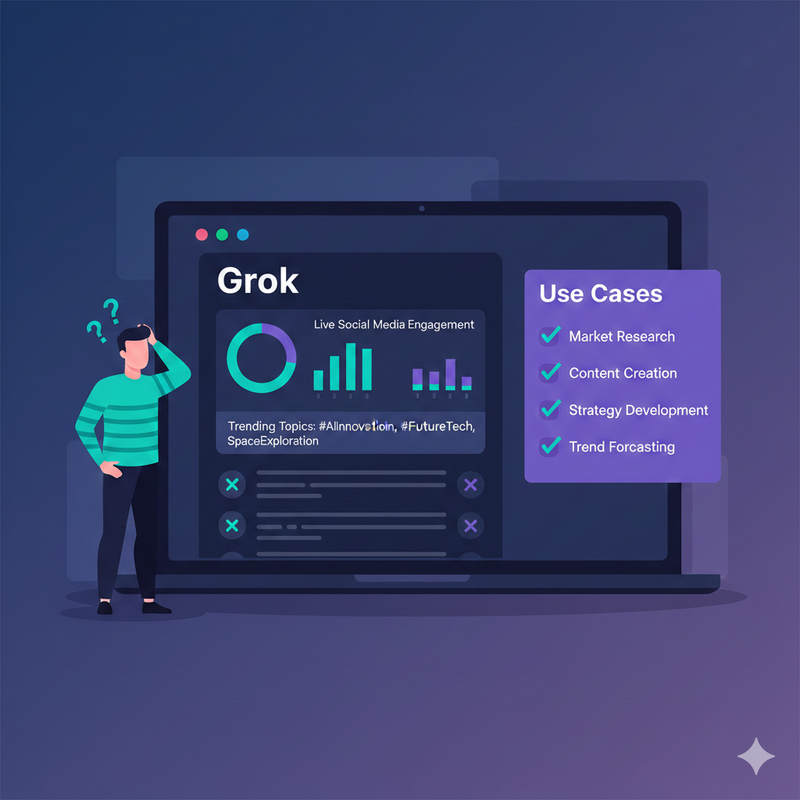
The Real Problem: “Is Grok Just Another Chatbot?”
Most curious tech users aren’t looking for a toy; they’re looking for an edge. The confusion surrounding Grok often stems from marketing that emphasizes its “rebellious streak” while skipping the boring (but vital) details of how it handles day-to-day tasks.
When you’re trying to figure out what is Grok AI used for, you’re really asking: “Will this make me faster at my job, or is it just another $20–$30 monthly subscription I’ll forget to use?” Understanding where Grok wins—and where it falls flat—is the difference between a boosted workflow and a wasted budget.

Why This Question Matters Before You Subscribe
Choosing the wrong AI stack costs you more than just money; it costs you momentum. If you live on X for your personal brand or business, ignoring Grok might mean missing out on its greatest strength: real-time context. Conversely, subscribing without knowing its limits might lead to frustration when it doesn’t match Claude’s nuance in long-form creative writing.
Agitation – Common Frustrations When Researching Grok AI
If you’ve tried searching for answers, you’ve likely found shallow articles rehashing Elon Musk’s headlines or outdated specs. Most guides fail to answer the practical questions:
- How do I use it for a content sprint?
- Is it actually reliable for coding?
- How much does it really cost to get the good version?
The fear of “AI overlap” is real. Nobody wants to pay for three different models that all do the same thing. You need to know if Grok’s real-time edge is a game-changer or just a gimmick.
Solution Overview – The 4 Core Things Grok Is Actually Used For
At its heart, Grok isn’t trying to be a generalist encyclopedia. It is designed to be a high-speed processor of the “now.” When we look at what is Grok AI used for in a professional context, the usage clusters into four distinct buckets:
- Real-Time X & News Monitoring: Surfacing what’s happening this second.
- Social-First Content Creation: Drafting posts that actually resonate with current discourse.
- Learning & Live-Context Research: Breaking down complex, breaking news stories.
- Coding & Multimodal Assistance: Analyzing charts, UI mockups, and writing scripts.
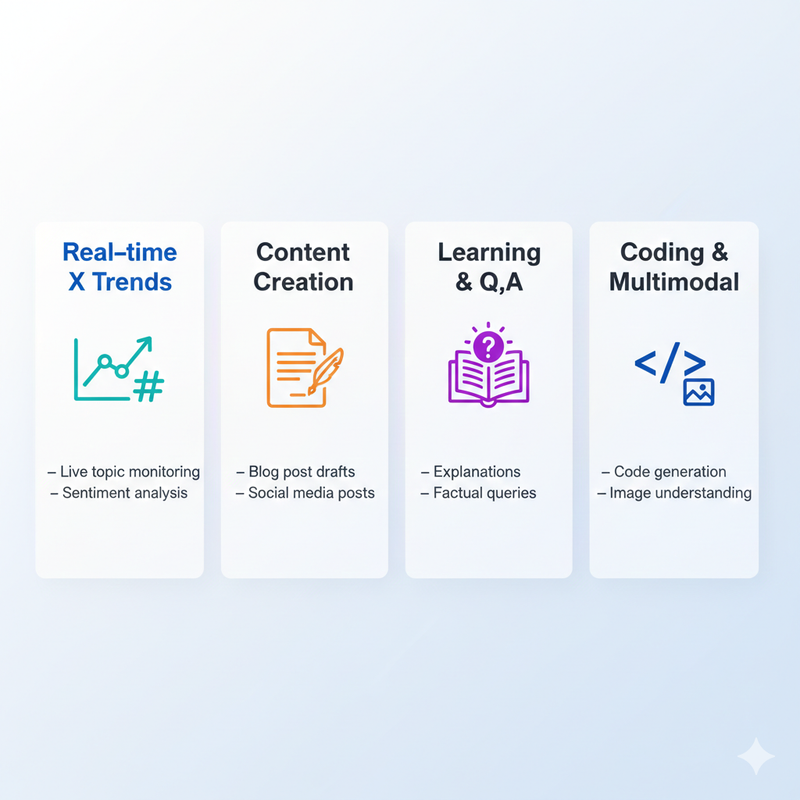
Snapshot: Where Grok Excels vs. Where It Lags
- Strengths: Deep integration with the X firehose, live sentiment analysis, and a conversational style that isn’t as “stiff” as other models.
- Trade-offs: Heavily tied to the X ecosystem, potential for topical bias based on social trends, and occasionally trails behind GPT-4o or Claude 3.5 Sonnet in deep, academic reasoning.
Use Case #1 – Real‑Time Trends, News, and Social Monitoring on X
This is Grok’s “Superpower.” While other AIs have a training cutoff or rely on slow web searches, Grok taps directly into live X data.
Example Workflows:
- Marketers: Quickly scan sentiment on a new product launch.
- Journalists: Summarize a developing thread of 500+ replies into five key bullet points.
- Creators: Identify which hashtags are actually driving engagement right now versus yesterday.
Sample Prompts for Real‑Time Monitoring
- “Summarize the main three arguments people are having on X right now regarding the [New Tech Launch].”
- “What is the general sentiment of the X community toward the latest [Policy Change]? Give me examples of both support and criticism.”
- “List the top 5 trending topics in the AI space from the last 4 hours and explain why they are moving.”
Use Case #2 – Social‑First Content Creation and Ideation
If your primary platform is X, Grok is your ultimate sidekick. It understands the “vibe” of the platform better than models trained on static textbooks.
The Content Sprint Workflow:
- Research: Ask Grok what’s trending in your niche.
- Ideate: Request 5 “hot take” angles based on those trends.
- Draft: Have Grok write an X thread outline.
- Refine: Use the “Fun Mode” or “Regular Mode” to tweak the hook for maximum engagement.
Use Case #3 – Learning, Q&A, and Live‑Context Research
When wondering what is Grok AI used for beyond social media, look at it as a high-speed tutor for current events. If a complex geopolitical event or a massive stock market shift happens, Grok can synthesize the “noise” of the internet into structured insights.
Turning X Noise into Insight:
Instead of scrolling for hours, you can ask: “Explain the [Event] like I’m a beginner, using the most recent updates from verified sources on X.”
Use Case #4 – Coding Help and Multimodal Assistance
With the release of Grok-1.5V (Vision) and subsequent updates, Grok has moved into the “Multimodal” era.
- Vision: You can upload a screenshot of a messy UI and ask, “Give me the Tailwind CSS code to recreate this layout.”
- Coding: While it may not be your primary IDE assistant like GitHub Copilot, it is highly capable of debugging snippets or explaining functions in a conversational way.
How Much Does Grok Cost? Plans and Access
Access to Grok is generally tied to your X subscription. Here is the typical breakdown:
| Tier | Access Level | Estimated Monthly Cost |
|---|---|---|
| X Premium | Limited Grok access (model dependent) | ~$8/mo |
| X Premium+ | Full Grok access + specialized features | ~$16/mo |
| Enterprise/API | For developers and large-scale data usage | Variable |
Is it worth it? If X is your “main stage” for business or networking, the subscription pays for itself in saved research time. If you rarely use X, Grok remains a niche, albeit powerful, add-on.
Limitations, Risks, and When Not to Use Grok
No tool is perfect. When asking what is Grok AI used for, you must also ask what it shouldn’t be used for:
- Data Bias: Because it relies on X, it can reflect the “echo chamber” of the platform.
- Deep Academic Research: For peer-reviewed, citation-heavy papers, Perplexity or Claude might offer more formal rigor.
- Privacy: Always check the latest X privacy settings regarding how your chats are used for model training.
Putting It All Together – Should *You* Use Grok AI?
Grok is a specialized tool for the “Real-Time Economy.”
- Use it if: You are a creator, marketer, or news junkie who needs to stay ahead of the curve and lives on X.
- Skip it if: You need a sterile, academic assistant for long-form whitepapers and never check social media trends.
Your Next Step: If you’re already an X Premium subscriber, try this 24-hour test: Instead of searching Google or scrolling your feed for news today, ask Grok, “What are the 3 most important things I missed in [Your Industry] today?” Would you like me to help you draft a custom prompt sequence to see if Grok can handle your specific business workflow?
Leave a Reply