
Which AI Does Lovable Use? (Models, Pricing & Configuration)
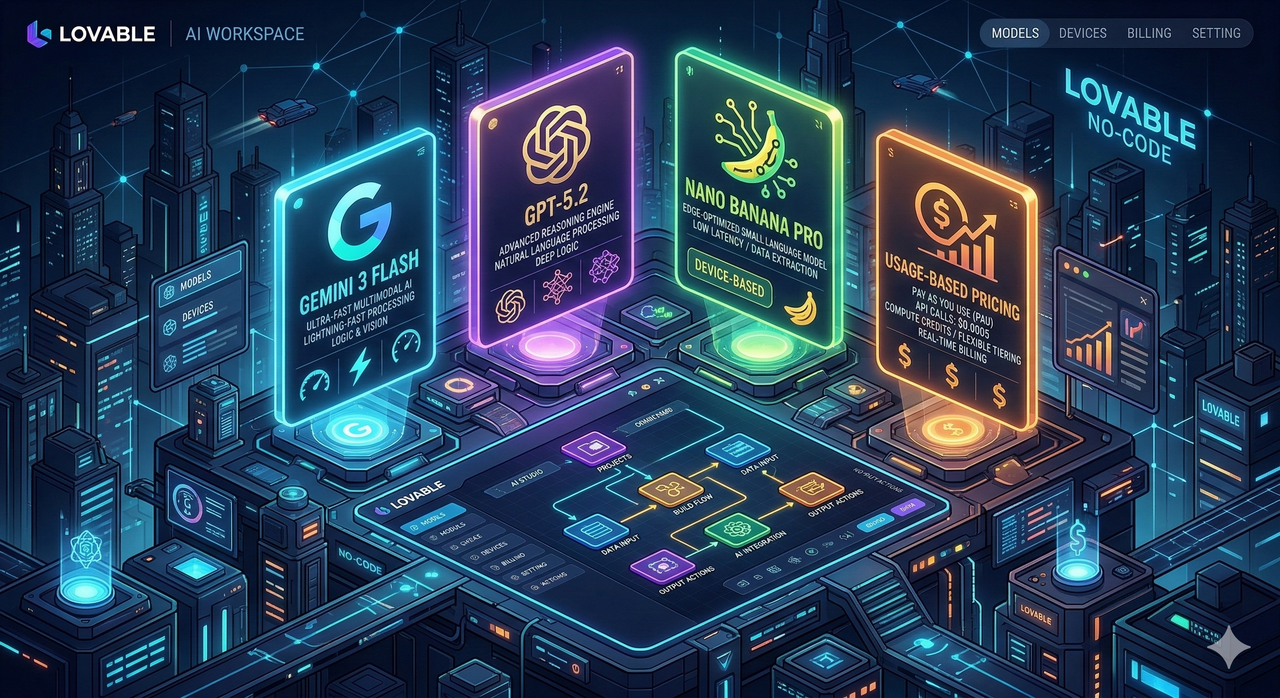
Here’s the fear I hear from developers and no-code founders every week: “Am I unknowingly burning through credits because Lovable picked a heavier model I didn’t ask for?” Or worse — “Are my prompts even optimized for the actual LLM running under the hood?” Both are valid concerns, and the answer is simpler than most people realize once you know where to look.
Lovable AI’s Default Model and Supported Models
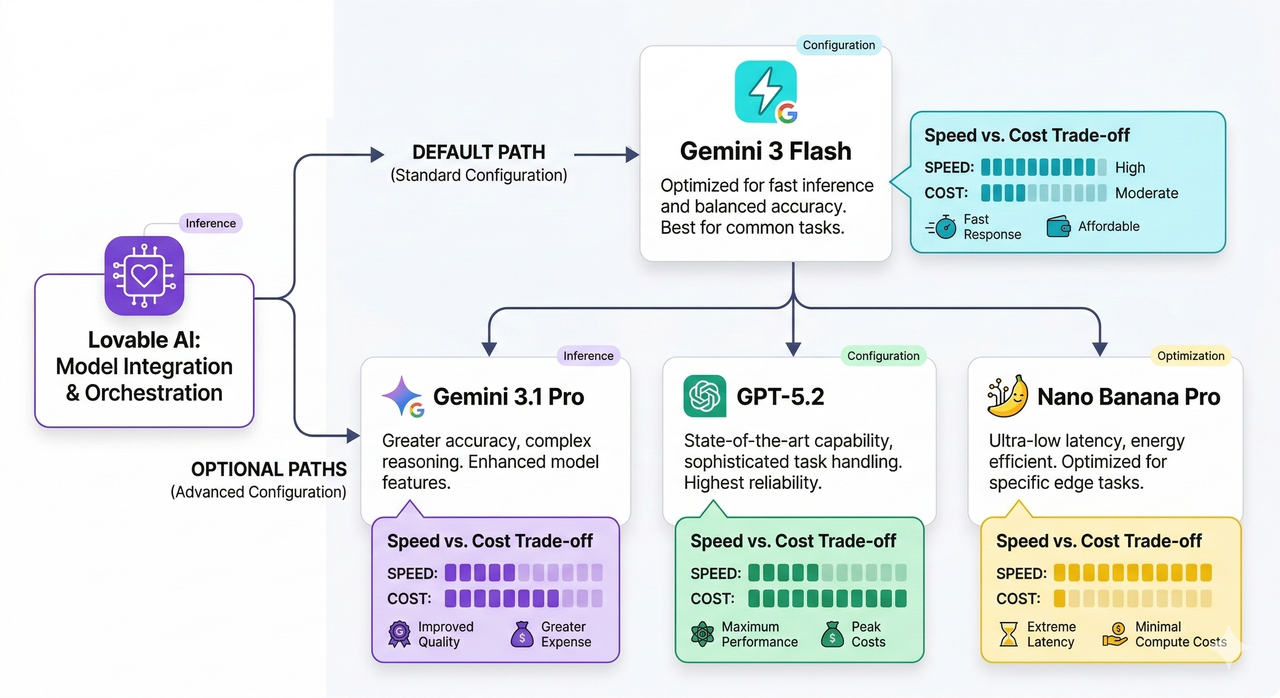
Lovable uses Gemini 3 Flash as its default AI model for chat and agent workflows inside your workspace. However, it supports a full roster of models you can invoke explicitly. Here’s the complete list as of 2026:
- Gemini 3 Flash (default) — fast, general-purpose chat and interactive development
- Gemini 3.1 Pro — stronger reasoning for complex tasks
- Gemini 2.5 Pro — advanced multi-step problem solving
- Gemini 2.5 Flash — lightweight but capable Gemini variant
- Gemini 2.5 Flash Lite — optimized for low-latency, cost-sensitive workflows
- Gemini 2.5 Flash Image — image-aware tasks
- GPT‑5.2 — OpenAI’s high-performance reasoning model
- GPT‑5 — OpenAI general flagship
- GPT‑5 Mini — leaner OpenAI option for moderate tasks
- GPT‑5 Nano — OpenAI’s most lightweight model for simple generation
- Nano Banana Pro — specialized for image generation tasks
As verified by the official Lovable AI documentation, all of these models are available within the Lovable AI connector — you just need to know how to route to them. Lovable AI – Default AI model and supported models
How Lovable AI Works Behind the Scenes
I think of Lovable AI as a workspace-level model router, not a standalone LLM. It doesn’t own its intelligence — it connects to underlying providers (Google and OpenAI) and bills you based on usage tied to whichever provider’s model you invoked. This is the key mental model shift that clears up most of the confusion I see in dev forums.
Here’s how it’s wired up under the hood:
- Lovable AI is enabled by default for all Lovable Cloud workspaces — you don’t need to flip a switch to start using it.
- Billing flows through a usage-based pricing model tied to the underlying provider (Google for Gemini variants, OpenAI for GPT‑5 family).
- You get a $1 per-month free tier to start, and you can monitor your running costs in Settings → Cloud & AI balance.
- Permission control lives at: Settings → Connectors → Shared connectors → Lovable AI → Manage permissions, where you can set:
- Always allow — the connector runs without prompting you each time
- Ask each time — the workspace confirms before each model call
- Never allow — disables the Lovable AI connector entirely
According to the Lovable AI docs, this permission layer was designed specifically so teams can audit and control AI spend at the workspace level — not just at the account level. Lovable AI – Default AI model and supported models
List of Supported Models and When to Use Them
One of the most common mistakes I see is founders defaulting to Gemini 3.1 Pro for everything because it sounds more powerful — and then being surprised when their credits evaporate in three days. Here’s a practical mapping of when to use each model — and if you want a broader look at AI model cost optimization strategies, we cover that in depth separately.
| Model | Best For | Cost Pressure |
|---|---|---|
| Gemini 3 Flash | Fast chat, quick UI iterations, general prompts | Low |
| Gemini 3.1 Pro | Complex reasoning, multi-step logic, architecture decisions | Medium |
| Gemini 2.5 Pro | Deep analysis, long-context understanding | High |
| Gemini 2.5 Flash | Balanced speed/quality for production agents | Low–Medium |
| Gemini 2.5 Flash Lite | High-volume, cost-sensitive agent loops | Very Low |
| Gemini 2.5 Flash Image | Vision tasks, image-aware generation | Medium |
| GPT‑5.2 | Precision code generation, debugging | High |
| GPT‑5 | General OpenAI tasks with strong reasoning | High |
| GPT‑5 Mini | Moderate coding tasks, form logic | Medium |
| GPT‑5 Nano | Simple text output, labels, short completions | Low |
| Nano Banana Pro | Image generation, visual asset creation | Medium |
The practical rule I follow: use Gemini 3 Flash for 80% of your development work, and only upgrade to Gemini 3.1 Pro or GPT‑5.2 when you hit a task that genuinely needs deeper reasoning. You can override the default mid-session just by being explicit in your prompt — no settings change required.
Cost, Limits, and Common Errors
Let me be blunt: usage-based pricing is great for flexibility but dangerous if you’re on autopilot. Here’s what to watch:
- Free Tier: $1 per month in Lovable AI credits — enough for light testing, not production workflows.
- Cost monitoring: Always check Settings → Cloud & AI balance before a heavy build session. I check mine after every major feature sprint.
- Rate limits: Every workspace has a cap on API calls per minute. Exceed it and you’ll see:
429 Too Many Requests
- Free plan rate limits are strict — I’ve hit them on back-to-back agent loops in under 10 minutes.
- Paid plans have higher thresholds, but they’re still finite — especially if you’re routing to GPT‑5.2 or Gemini 3.1 Pro repeatedly.
- Fix for 429 errors: Slow down agent loops, switch to Gemini 3 Flash or Gemini 2.5 Flash Lite for less critical calls, or upgrade your plan tier.
How to Check and Change Which AI Model Lovable Uses
Here’s the exact path to verify and configure your model setup — I recommend doing this before any serious build session:
- Open your workspace settings: Navigate to your Lovable workspace dashboard and click Settings in the left sidebar.
- Go to Connectors: Settings → Connectors → Shared connectors
- Find the Lovable AI connector: Click on Lovable AI, then select Manage permissions.
- Set your permission preference:
- Choose Always allow if you want uninterrupted model access during builds.
- Choose Ask each time if you want manual oversight of every model call (useful for auditing costs).
- Choose Never allow only if you want to fully disable AI within that workspace.
- Override the model in your prompt: To route to a specific model, just be explicit:
"Use Gemini 3.1 Pro to reason through the database schema,
then use Gemini 3 Flash to generate the UI components."
No extra settings required — the connector picks up the instruction directly.
Troubleshooting: Wrong Model, Slow Responses, or High Costs
I’ve debugged this exact issue for three different founders this quarter. Here’s what’s usually happening:
-
🕑 Symptom: Responses are slower than expected
You (or an agent loop) are invoking Gemini 3.1 Pro or GPT‑5.2 on tasks that Gemini 3 Flash could handle in half the time.
✅ Fix: Add explicit model instructions to your prompts. -
💸 Symptom: Credits draining faster than expected
You’re running repetitive agent loops on heavy models (GPT‑5.2, Gemini 2.5 Pro) when lightweight variants (Gemini 2.5 Flash Lite, GPT‑5 Nano) would suffice.
✅ Fix: Map your task complexity to the cost table above. Reserve premium models for premium tasks. -
⚠️ Symptom: 429 Too Many Requests error
You’ve hit rate limits for your current plan tier.
✅ Fix: Introduce delays between agent calls, switch to lower-load models, or upgrade your Lovable plan. -
🤔 Symptom: Model behavior doesn’t match expectations
Your prompt is ambiguous — Lovable AI is falling back to its default Gemini 3 Flash behavior.
✅ Fix: Be explicit. Don’t assume — instruct.
Best Practices for Prompting Lovable AI Correctly
The single biggest leverage point in getting the right model behavior is prompt specificity. Here’s a direct comparison from my own testing:
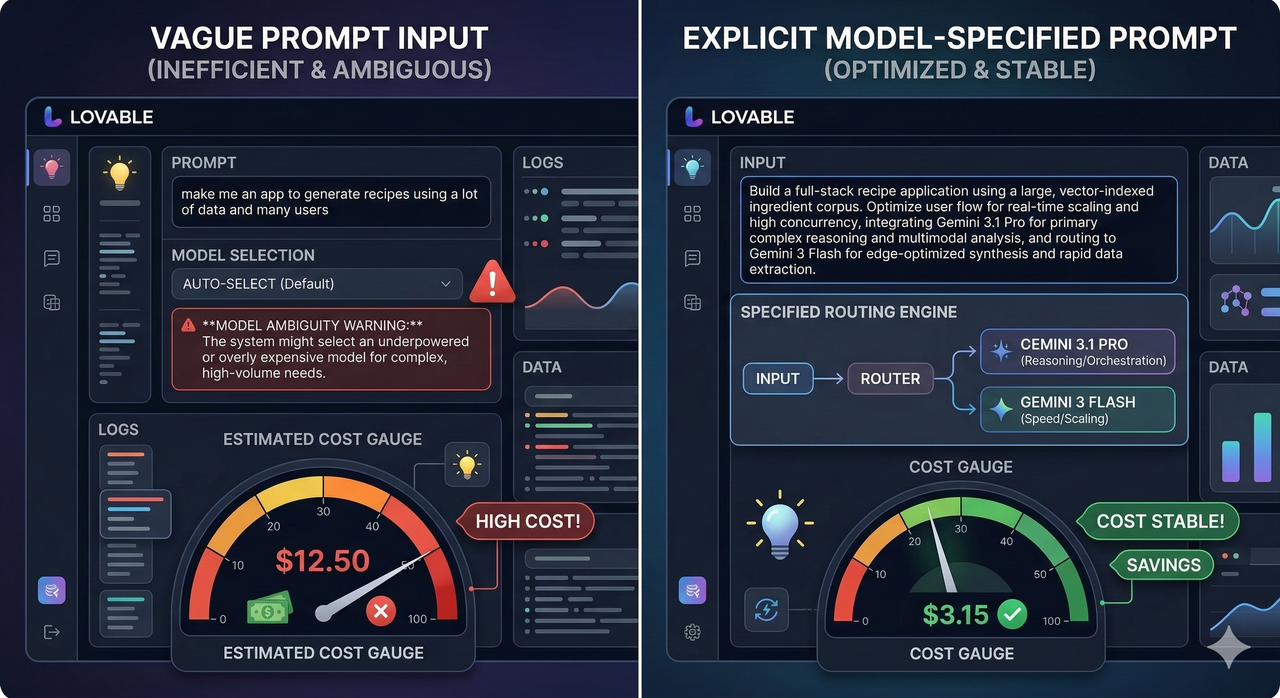
"Help me build this app."What happens: Lovable AI defaults to Gemini 3 Flash with no context on complexity. You get fast but shallow results and end up looping multiple times — ironically burning more credits.
"Use Gemini 3.1 Pro to reason through the multi-tenant authentication
architecture, then switch to Gemini 3 Flash to scaffold the React
component structure based on that logic."
What happens: The Lovable AI connector routes the reasoning task to the more capable model and hands off structural scaffolding to the faster, cheaper one.
Additional best practices I follow every build:
- Always name the model for complex tasks — don’t assume the default is the right fit.
- Use Nano Banana Pro deliberately — only invoke it when you specifically need image generation, not as a fallback.
- Batch your high-complexity prompts — a single well-constructed call to GPT‑5.2 beats five poorly-directed calls.
- Check your balance before agent runs — a multi-step agent on Gemini 2.5 Pro can burn $0.30–$0.50 in a single session if left unchecked.
Related Integrations and Advanced Use Cases
Lovable AI doesn’t operate in isolation — and understanding that unlocks a much more powerful builder workflow. As documented in the official integrations guide, Lovable AI connects directly to MCP servers, REST APIs, databases, and third-party services from the same Integrations panel. Lovable integrations: Connect tools, MCP servers, and APIs
Here’s why model choice matters even more in integration context:
- Agent workflows hitting external APIs — use Gemini 2.5 Flash or GPT‑5 Mini for rapid API call cycles without heavy model costs.
- Database schema reasoning (Supabase, Postgres) — a genuine use case for Gemini 3.1 Pro or GPT‑5.2; the structural complexity justifies the cost.
- Image-heavy pipelines (design systems, visual assets) — route exclusively to Nano Banana Pro and Gemini 2.5 Flash Image.
- MCP server integrations in loops — assign Gemini 3 Flash or Gemini 2.5 Flash Lite to keep rate limits manageable.
The mental model I always come back to: Lovable AI is infrastructure, not magic. Treat it like a cloud function router — pick the right compute tier for the right job, monitor your spend, and never let an ambiguous prompt make that decision for you.
Leave a Reply