
Why Claude Loses Your Story in 2026 (And How to Fix It)
You’ve spent hours building a world with Claude. The magic system is intricate. Your protagonist is mute — every scene built around that constraint. Then, six chapters in, Claude hands them a soliloquy.
That moment isn’t just frustrating. It triggers a deeper fear: Can AI actually be trusted with long-form storytelling? I’ve tested this extensively, and the answer is yes — but only once you understand the real mechanism breaking it. Claude story quality degrades long conversation sessions not because Claude is unreliable, but because it is working exactly as designed, inside a memory system that was never built for novels.
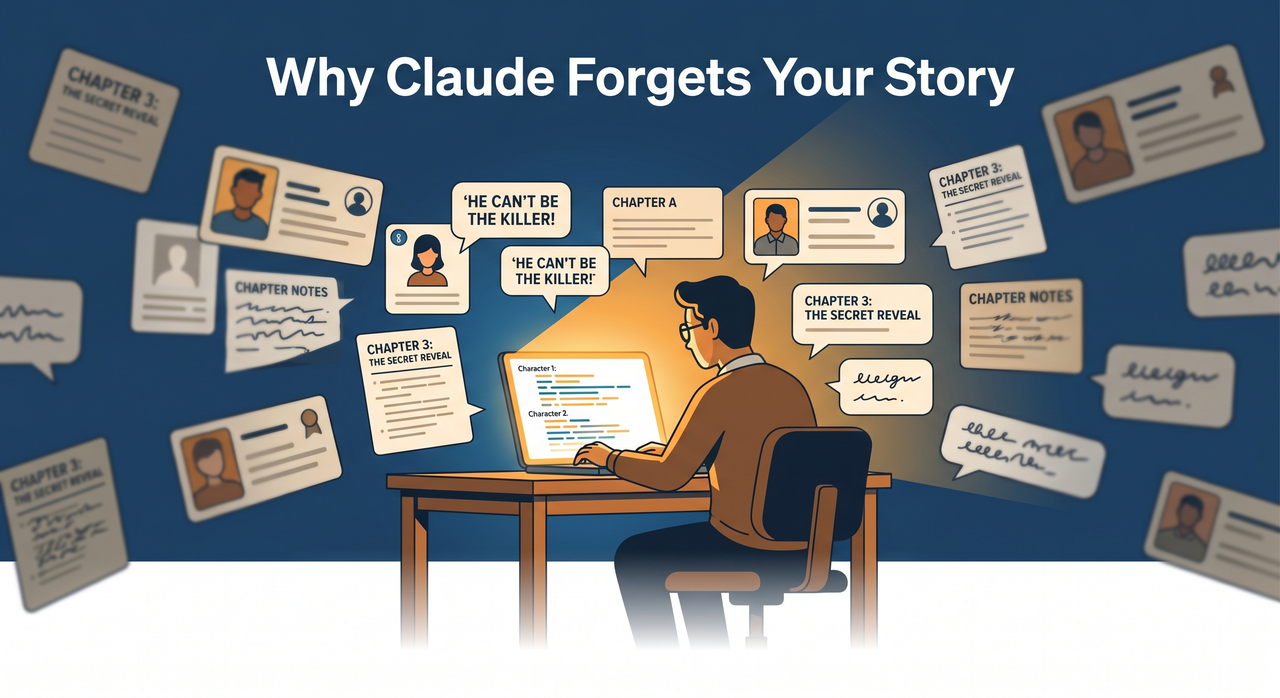
Definition: Claude story quality degrades long conversation when its context window — the AI’s entire working memory — becomes too full to reliably attend to earlier character details, style rules, and plot instructions. For example: a character established as mute in Chapter 1 may be written delivering dialogue by Chapter 6, with no error message and no warning from Claude.
Quality degradation is non-linear. In my tests, output holds reasonably well until roughly 65% context fill, then accelerates sharply. By 80% fill, Claude begins actively contradicting earlier story decisions — not occasionally, but consistently. This is the threshold you are working against. For a complete overview of AI tool failures and fixes, see the complete guide at AIQnAHub Troubleshoot.
What Is Causing Claude Story Quality to Degrade in Long Conversations?
⚡ Quick Answer
Claude forgets story details due to context rot — when your conversation fills the model’s context window, earlier character sheets, tone guides, and plot rules get pushed to zones where AI attention is weakest. This is not a bug; it is a structural limit of how large language models process LLM working memory.
The short answer is that Claude does not have memory the way a human writer does. It has a context window — a fixed-size processing space that holds your entire conversation at once. When that space fills, something gets sacrificed. And in my experience, what gets sacrificed first is always the nuanced stuff: the voice you spent three sessions calibrating, the lore rule you established in passing, the character quirk that makes your story yours.
There is no alert. No warning. No “I’m losing your story Bible.” It just quietly starts writing a worse version of your story.
What Is Context Rot and Why Does It Destroy Narrative Coherence?
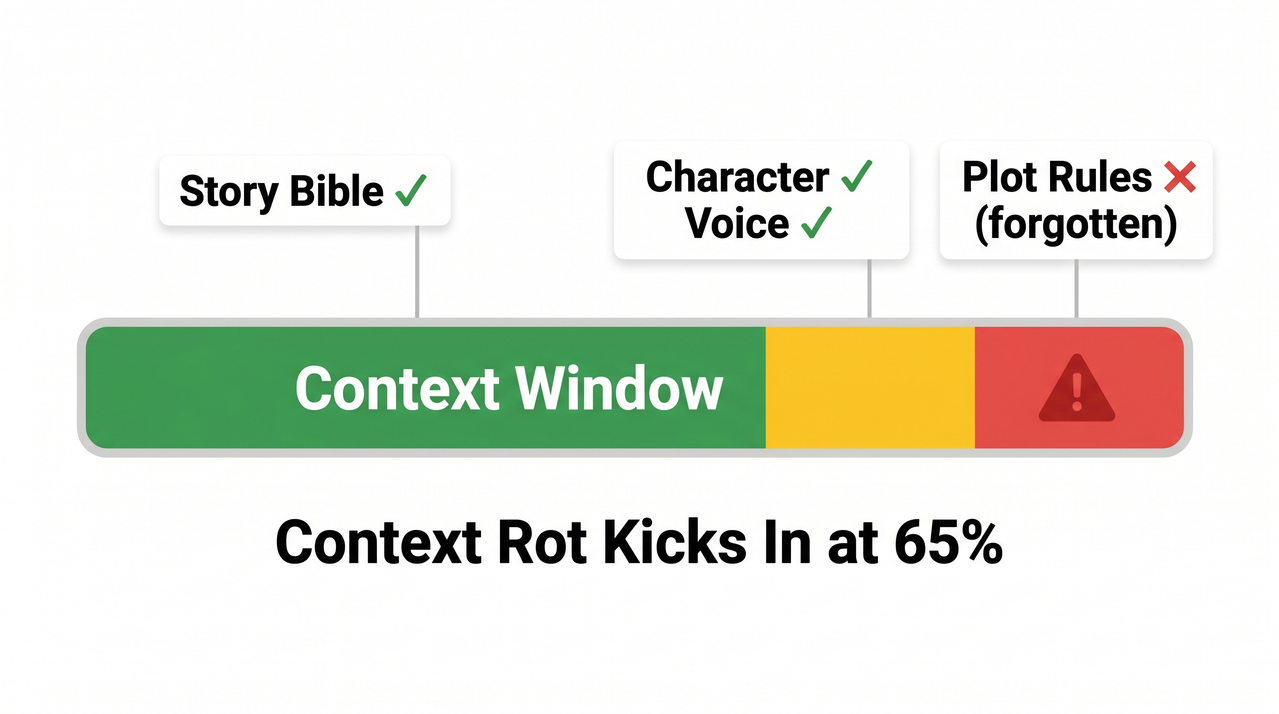
Context rot is the term practitioners use for the gradual, invisible degradation of output quality as a long conversation fills the context window. I first encountered this term in research from ProductTalk.org, and it accurately describes what writers experience: a slow rot, not a sudden crash.
Think of Claude’s context window like a whiteboard with a fixed surface. Every message — yours and Claude’s — gets written on it. When the board fills, old writing gets erased from the middle to make room. The opening instructions and the most recent message stay legible. Everything in between becomes smeared.
Why the Middle Gets Forgotten First
This is where the “Lost in the Middle” problem becomes critical for writers. Research on large language models confirms that attention is strongest at the beginning and end of the context window, and weakest for content buried in the middle. Practically, this means:
- Your Story Bible (pasted at the start of chat) holds well — initially
- Your most recent instruction is usually respected
- Everything you established in the middle third of a long session? High-risk erasure zone
By the time your chat has 40+ exchanges, the character rules you set in message 12 may as well not exist. TurboAI Dev Blog documents this pattern clearly: Claude begins asking for information already provided, then starts contradicting earlier decisions, and finally produces output that looks generically competent but is wrong for your specific story.
The Hidden System Prompt You Never See
There is one more mechanism most writers don’t know about. At certain context window thresholds, Anthropic injects a <long-conversation-reminder> — a hidden system-level instruction that nudges Claude’s behavior. This can shift tone, increase caution, change verbosity, and alter creative register mid-story. You didn’t change anything. Claude’s behavior changed anyway. This is why a conversation that starts with sharp, confident prose can suddenly produce cautious, hedged narration by Chapter 5.
The 4 Silent Warning Signs Your Context Has Rotted
Watch for these triggers. The moment you see any one of them, stop writing and reset — do not try to correct Claude in the same thread:
- Claude re-introduces a character you killed three chapters ago
- Claude asks for information you clearly provided in your opening prompt
- Your protagonist’s voice shifts — distinctive style replaced by generic prose
- Claude contradicts a world-building rule it previously honored without question (e.g., your magic system’s cost, your fictional geography)
How to Fix Claude Story Quality in Long Conversations: Step-by-Step
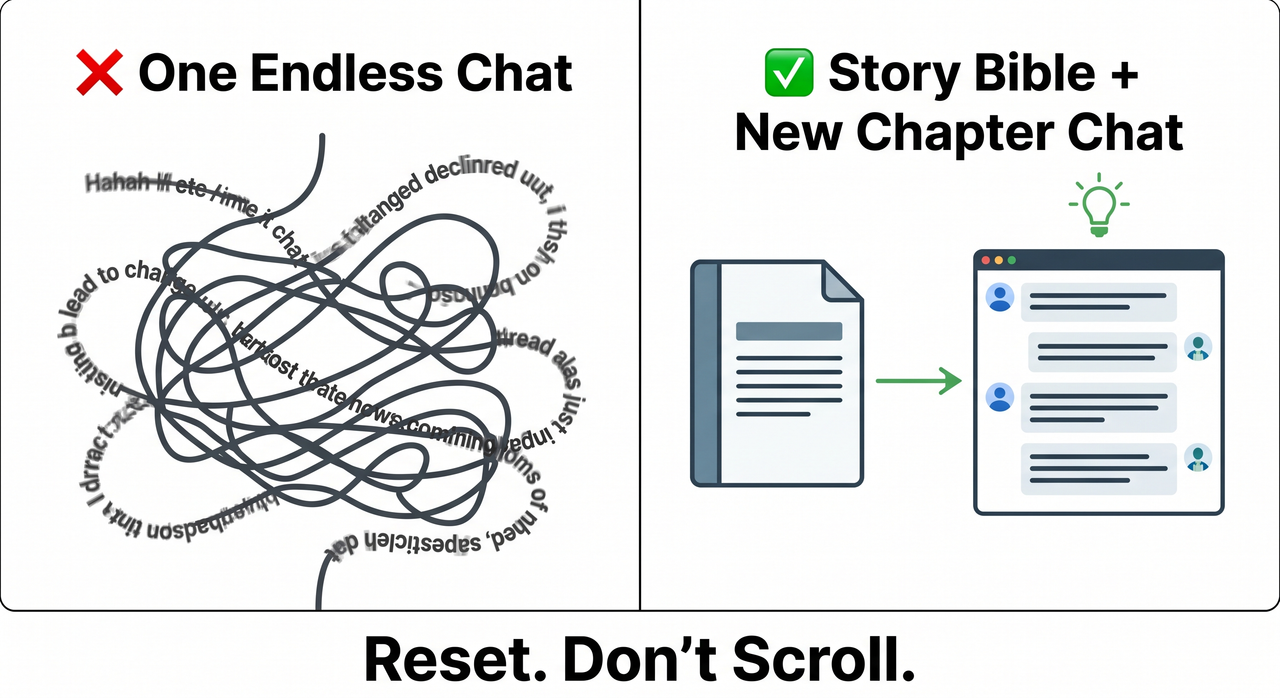
I’ve run these fixes across multiple long-form projects. What follows is not theory — it’s the exact workflow I use and recommend for any writer serious about using Claude for token limit creative writing work beyond a single session.
Step 1 — Start Each Chapter in a New Conversation
This is the single highest-impact change you can make. Context rot is cumulative and irreversible within a session. Once Claude’s working memory degrades, there is no in-thread recovery. You cannot prompt your way out of it.
The rule I follow: one major story beat or chapter = one new chat. Open fresh. Paste your context anchor. Write the scene. Close it.
Step 2 — Build a “Story Bible” Under 1,500 Tokens
Your Story Bible is a portable context document — the antidote to Claude story quality degrading in long conversation sessions. It should contain:
- Characters: Name, role, voice/speech pattern, key physical traits, emotional state at story-present
- World rules: The 5–7 rules that govern your setting (magic system, political structure, geography constraints)
- Tone & style guide: 3–5 sentences describing the prose register (e.g., “sparse, Cormac McCarthy-influenced, no dialogue tags other than ‘said’”)
- Plot-so-far: A tight 150-word summary of events to date
- What NOT to do: Explicit prohibitions — e.g., “Do not give Elena dialogue. She is mute.”
Keep it under 1,500 tokens. Longer bibles eat into the working space you need for actual writing.
Step 3 — Front-Load All Critical Instructions (Never Bury Them)
The “Lost in the Middle” problem is not a bug you can argue around — it is architecture. Work with it, not against it.
- Paste your Story Bible as the very first block of every new session
- Place explicit prohibitions and style rules in the opening message
- If a session runs long and you must add a critical instruction, repeat the most important constraints in your final message — not buried mid-thread
In my testing, instructions given in the first message and restated in the last message have the highest survival rate as context fills.
Step 4 — Use /compact or a Manual Summary Checkpoint
In Claude Code environments, the /compact command is your emergency brake. It intentionally compresses context before silent degradation steals your story state. ProductTalk.org covers this workflow in detail. Run it proactively — before you see symptoms, not after.
For claude.ai users without /compact:
- When you notice the first warning sign, stop writing
- Open a new chat
- Write a manual summary yourself (200–300 words: where the story stands, key active threads, emotional state of each character)
- Paste your Story Bible + the manual summary + the final 300 words of your last scene
- Prompt: “Continue from here. Maintain all established style and character rules.”
Do not wait for Claude to tell you context is degrading. It will not.
Step 5 — Keep Each Message to One Scene or One Task
Scope discipline matters more than most writers realize. When a single message asks Claude to handle multiple subplots, shift between character POVs, and maintain different emotional registers simultaneously, you accelerate context window degradation by fragmenting attention.
The rule: one message, one scene. If you need to write across three storylines in a session, treat each as a separate prompt — not a combined ask.
Step 6 — Activate Claude’s Memory Feature (Pro Users, 2026)
As of early 2026, Claude Pro on claude.ai supports cross-conversation memory — the Claude memory feature that allows the model to recall details from past sessions when explicitly prompted. MindStudio Blog notes this changes the long conversation consistency calculus for Pro subscribers.
Before starting a new chapter, use this exact prompt structure:
“Recall our previous story sessions. Summarize the characters, their current state, the plot events that have occurred, and the tone we established.”
Review what Claude returns. Correct any errors before writing the next scene. Memory recall is selective and prompted — it is not automatic, and it is not infallible. Use it as a bridge, not a replacement for your Story Bible.
Real Writer Workflow: Bad vs. Good
| ❌ Bad Workflow | ✅ Good Workflow | |
|---|---|---|
| Session structure | One single chat, Chapters 1–10 | New chat per chapter or major beat |
| Context anchor | None — rely on scroll history | Story Bible pasted at session start |
| What happens by Ch. 7 | Protagonist (mute) given dialogue | Voice and rules remain consistent |
| Recovery method | None — keep writing and hope | /compact or manual summary reset |
| Token awareness | No monitoring | Watch for the 4 warning signs |
| Memory use | None | Claude Pro memory recall before each session |
| Message scope | Multi-subplot, multi-character asks | One scene per message, always |
The mistake I see most from writers new to long-form AI collaboration is trusting the thread. They scroll back, see the original instructions sitting there, and assume Claude can see them clearly. Technically it can. Practically — when that thread is 90 messages deep and 70% context-full — it may as well be reading them through frosted glass.
Real Error Log: What Context Rot Actually Looks Like
There is no error code. No system alert. The degradation is completely silent. That is what makes it dangerous for writers. Based on community-reported symptoms documented by TurboAI Dev Blog, this is what context rot looks like verbatim:
"Claude tries solutions you already rejected...
asks for information you provided earlier...
solutions become increasingly random instead of reasoned...
simple tasks suddenly require multiple attempts."
(Community-reported pattern — not a system-generated error message)
"Your detailed instructions become compressed notes.
Your nuanced research becomes bullet points.
And the worst part? You have no visibility into any of it."
(Community-reported pattern — not a system-generated error message)
I’ve seen both of these patterns in my own sessions. The second one is particularly insidious for fiction writers — because “your detailed character voice becomes bullet-point description” is exactly what it feels like when narrative coherence AI breakdown hits your story.
Frequently Asked Questions
Does Claude Have a Context Window Limit for Creative Writing?
Yes. Depending on the model version, Claude’s context window ranges from 100K to 200K tokens. However, raw capacity is a misleading metric. Context quality vs. quantity is the real issue — quality degradation begins well before the limit is reached, typically around 65% fill. For practical story sessions, treat approximately 60,000–80,000 tokens as your working ceiling before a Claude compaction or context reset becomes necessary.
Will Starting a New Chat Make Claude Forget Everything I’ve Written?
Only if you don’t carry context forward intentionally. Claude has no automatic cross-session memory unless you are a Pro user actively using the Claude memory feature. Your story continuity lives in your Story Bible — a portable document you control, not the chat thread. The chat is disposable. The Story Bible is your real persistent layer.
What Is the “Lost in the Middle” Problem for Story Writers?
It is a documented behavior in large language models where information placed in the middle of a long context receives less reliable attention than content at the very start or end. For writers, this means: character rules buried in the middle of a long conversation thread will degrade faster than instructions in your first message or your last message. Front-loading is not optional — it is the primary mitigation for context window degradation in creative work.
Can I Use Claude’s Memory Feature Instead of a Story Bible?
No — and this is an important distinction. The Claude memory feature available to Pro users in 2026 helps bridge sessions by recalling general story state when prompted. But memory recall is selective and prompted, not automatic. It can misremember or omit details. Your Story Bible is precise, deterministic, and under your control. Use both together: memory for general orientation, Story Bible for rule-critical details like character constraints, magic systems, and tone specifications.
Why Did Claude’s Writing Style Change Mid-Story Without Me Doing Anything?
This is almost certainly the <long-conversation-reminder> system prompt that Anthropic injects at certain context thresholds. It’s an invisible behavioral nudge — you never see it, and Claude won’t reference it. It can shift register, increase hedging, reduce stylistic boldness, or change pacing mid-session. There is no way to suppress it within an active session. The fix is a context reset: open a new chat, front-load your Story Bible, and reestablish your stylistic instructions in the opening block.
How Do I Know When Claude Story Quality Degrades in a Long Conversation Session?
Watch for the four silent signals outlined above: dead characters returning, repeated information requests, voice shift to generic prose, and world-rule contradictions. In my testing, these symptoms typically begin appearing between the 40th and 60th message of a session, depending on message length. Don’t wait for a dramatic failure — act at the first sign. By the time Claude hands your mute protagonist a speech, the window for clean recovery has already closed.
Ice Gan is an AI Tools Researcher and IT practitioner with 33 years of systems experience, currently focused on practical AI workflows for creative and technical professionals at AIQnAHub.
Leave a Reply