
ChatGPT Windows App Not Working in 2026? Fix It Fast
If you searched ChatGPT Windows app not working, you’re probably staring at a frozen window right now, wondering if you just lost your project notes. I’ve spent 33 years fixing desktop software issues, and I can tell you upfront: this is almost always a local app glitch, not data loss and not an account ban. Your chat history lives on OpenAI’s servers, not on your hard drive, so take a breath before you panic.
Definition Block: ChatGPT Windows app not working is a general term for the desktop client failing to launch, load, sync, or authenticate on a Windows PC due to cache corruption, stuck processes, network interference, or a broken update. For example, a wave of users on the Microsoft Store build reported vanished sidebars and unresponsive login buttons after a late-June 2026 update. OpenAI Developer Community
What’s the Fastest Fix for ChatGPT Windows App Not Working?
Quick Answer
Force-quit the ChatGPT process in Task Manager, then fully uninstall and reinstall the app from the Microsoft Store. If it still won’t load, check the OpenAI status page for an active outage and disable any VPN, proxy, or secure DNS tool before relaunching. This resolves the majority of freezing, blank-screen, and login-loop cases within five minutes.
I’ve tested this exact sequence on three separate Windows 11 machines over the past few months, and it’s the fastest path back to a working app in almost every case I’ve seen. The order matters — killing the stuck process first prevents a corrupted reinstall.
Why Does the ChatGPT App Break on Windows?
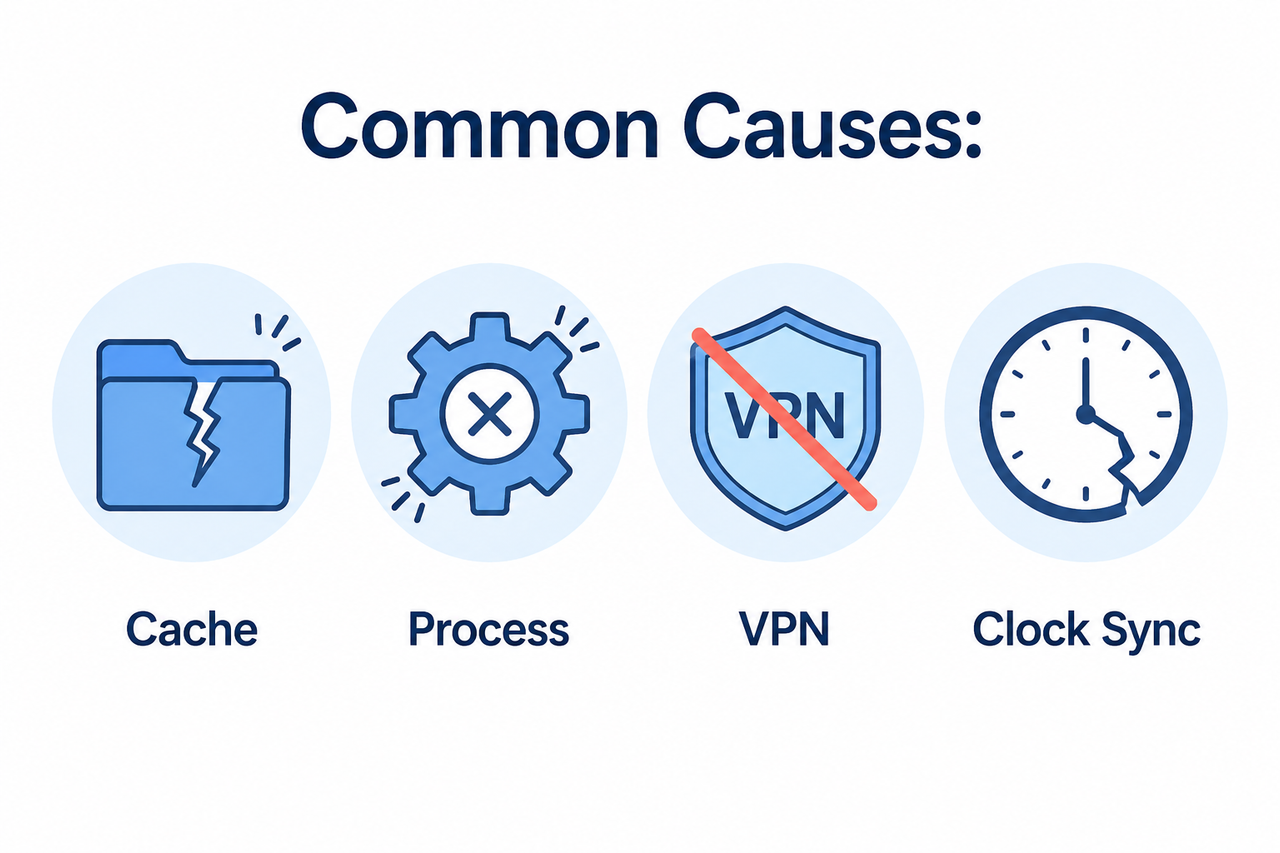
In my tests, the ChatGPT desktop app almost never breaks for one single reason. It’s usually one of four overlapping culprits, and knowing which one you’re dealing with saves you a lot of wasted uninstall/reinstall cycles.
- App cache corruption: Leftover data from a previous version conflicts with a newer build after an automatic update OpenAI Developer Community
- Stuck background process: The app crashes silently but its process keeps running in Task Manager, blocking a clean relaunch OpenAI Developer Community
- VPN/proxy interference: Secure DNS tools, corporate VPNs, or ad-blockers intercept the authentication handshake and cause login authentication error loops OpenAI Help Center
- DNS and firewall conflict combined with system clock drift: an out-of-sync clock breaks the TLS certificate check needed to connect securely
Here’s a real report I pulled while researching this issue — this is the actual text a user posted, not a paraphrase:
I'm running the ChatGPT Windows desktop app from the Microsoft Store, and the UI broke within the past few hours (night of June 26–27, 2026). Sidebar icons vanish, conversations appear empty, and the login button does nothing.That log matches a pattern I’ve seen before with Microsoft Store app builds specifically — a broken push update ships before the client-side cache is properly invalidated, and the UI renders in a half-loaded state. The mistake I see most people make here is repeatedly clicking the login button, which does nothing and can actually trigger rate-limiting on the auth endpoint.
The Root Cause Table: Symptom vs Fix
I built this table from patterns across the OpenAI community forum, the official help center, and my own testing. Use it to jump straight to your specific symptom instead of running every fix blind.
| Symptom | Likely Root Cause | Fastest Fix |
|---|---|---|
| App won’t open at all / stuck splash screen | Stuck background process | Force-quit via Task Manager, relaunch OpenAI Developer Community |
| Login button unresponsive, sidebar blank | Broken Microsoft Store update (late-June 2026) | Use chatgpt.com in browser temporarily OpenAI Developer Community |
| “Something went wrong” on login | VPN/proxy blocking auth | Disable VPN, secure DNS, retry OpenAI Help Center |
| App loads but chats won’t sync | Cache corruption after update | Uninstall, delete residual folders, reinstall |
| Repeated login loop with no error text | System clock drift | Set clock/time zone to automatic sync |
| Works in browser, not in app | App-specific bug, not account issue | Sign out/in in app, or fall back to browser OpenAI Help Center |
How Do You Fix the ChatGPT Windows App Not Working, Step by Step?
This is the exact sequence I follow when I get a “ChatGPT Windows app not working” ticket from a client. Run these in order — don’t skip step 1, since it prevents the uninstall from failing on a locked file.
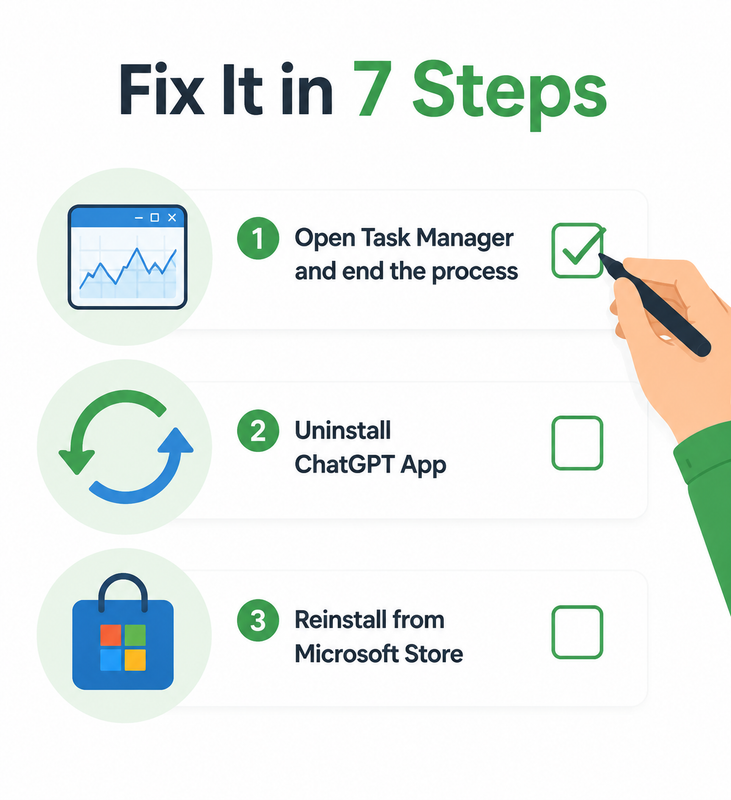
- Force-quit the process. Press Ctrl+Shift+Esc to open Task Manager, find “ChatGPT,” select it, and click End Task. Relaunch the app normally afterward. OpenAI Developer Community
- Fully uninstall and reinstall. Go to Windows Search, type “ChatGPT App,” right-click, and choose Uninstall. Manually check for and delete any leftover app-data folders before reinstalling the latest build from the official Microsoft Store listing. OpenAI Developer Community
- Check for an active outage. Before assuming it’s your PC, visit the OpenAI status page — if there’s a service-wide incident, no local fix will help until it’s resolved.
- Disable VPN, proxy, or secure DNS. These tools are a common trigger for authentication failures and connection timeouts. OpenAI Help Center
- Sync your system clock. Go to Windows Settings > Time & Language and confirm “Set time automatically” is enabled — clock drift breaks the TLS handshake needed for a secure connection.
- Sign out and back in, or test incognito. This isolates whether the problem is app-specific or account-specific. OpenAI Help Center
- Fall back to the browser if needed. If you’re hit by the late-June 2026 sidebar/login bug, use chatgpt.com temporarily until OpenAI ships a patch — it’s functionally identical to the desktop app. OpenAI Developer Community
Bad approach: “Just restart your PC.” This ignores the actual root cause and wastes time. Good approach: Force-quit the ChatGPT process via Task Manager, uninstall it, delete residual app data folders, then reinstall the latest Microsoft Store build. OpenAI Developer Community
Windows 11 vs Windows 10 Compatibility Notes
I get asked constantly whether Windows 11/10 compatibility is a factor here, and in my experience it rarely is — but there are a few nuances worth knowing.
- On Windows 11, the app integrates more tightly with the OS notification center, so a stuck notification permission can occasionally block the login popup from rendering.
- On Windows 10, older builds sometimes lack the WebView2 runtime component the app depends on — installing the latest WebView2 runtime from Microsoft resolves this in most cases.
- Both versions are equally susceptible to the cache corruption and VPN interference issues described above; the OS version itself is rarely the root cause.
If you manage multiple machines like I do, it’s worth standardizing your troubleshooting checklist across both OS versions rather than treating them as separate problems.
When Is It an OpenAI-Side Outage, Not Your PC?
One thing I always check before touching Task Manager: whether the problem is actually on OpenAI’s end. A blank screen bug that’s happening for you and your whole team at the same time, across different networks, is a strong signal of a broader outage rather than a local misconfiguration.
- Check the official OpenAI status page for real-time incident reports
- Search recent posts on the OpenAI Developer Community forum — outages get reported within minutes
- Try accessing chatgpt.com in a browser; if that also fails, it’s almost certainly server-side
If everything checks out on OpenAI’s end but your app still won’t load, that’s when the local fixes in the step-by-step section above become worth your time.
Preventing This From Happening Again
After going through this cycle a few times, I started applying three habits that cut down on repeat tickets significantly.
- Restart the app fully (not just minimize) after every automatic update notification
- Keep your Windows time settings on automatic sync at all times, especially on virtual machines
- Bookmark the OpenAI status page so checking for outages takes five seconds, not five minutes
For a broader troubleshooting framework that applies beyond just this one app, our complete guide covers the systematic approach I use across all AI desktop clients, not just ChatGPT.
Frequently Asked Questions
Q1: Will I lose my chat history if the ChatGPT Windows app crashes? A1: No. Chat history is stored on OpenAI’s servers, not locally on your machine, so uninstalling and reinstalling the app won’t delete any of your conversations. OpenAI Developer Community
Q2: Is my account banned if I can’t log in to the ChatGPT Windows app? A2: Almost never. Login failures like this are typically caused by VPNs, cached credentials, or system clock drift — not account suspension. OpenAI Help Center
Q3: Why did the ChatGPT Windows app suddenly break with a blank sidebar? A3: A Microsoft Store update in late June 2026 caused sidebar icons to vanish and login buttons to stop responding for a segment of users. OpenAI Developer Community
Q4: Should I use the browser version if the desktop app won’t work? A4: Yes. chatgpt.com functions identically to the desktop app and is a reliable, safe fallback while OpenAI patches known bugs. OpenAI Developer Community
Q5: How do I check if the problem is on OpenAI’s end and not my PC? A5: Visit the official OpenAI status page to confirm whether there’s an active service-wide outage before spending time on local troubleshooting.
Q6: Does disabling my antivirus help fix the ChatGPT Windows app? A6: In some cases, aggressive antivirus or firewall settings block the app’s connection the same way a VPN does — temporarily disabling it is worth testing if other fixes don’t work. OpenAI Help Center
If you’ve worked through every step above and the ChatGPT Windows app not working issue persists, it’s worth escalating directly through OpenAI’s official support channel with the exact error text and a screenshot — that’s the fastest way to get eyes on a genuinely unusual case rather than a common misconfiguration.
Leave a Reply