
Why AI Agents Fail: Fix With an SRE Manual (2026)
I’ve spent 33 years in IT, and I’ve watched this movie before — just with a new cast. Every time a new class of software architecture (client-server, SOA, microservices, now agents) shows up, the first instinct of smart engineers is to treat the symptom layer as the cause. With AI agents, the symptom layer is the prompt. That’s why I keep repeating this to every team I advise: Agent development should be guided by the distributed systems operations and maintenance manual, rather than traditional prompt engineering. In my tests running multi-step agent pipelines in production-like conditions, I found that the failures nobody could explain — the loops, the silent bad actions, the “it worked in the demo” collapses — all traced back to a missing operations layer, not bad wording in a system prompt.
Agent development should be guided by the distributed systems operations and maintenance manual, rather than traditional prompt engineering, is the practice of treating an AI agent as a distributed backend service — instrumented with agent observability, guardrails, and incident response — instead of relying on rewording a single prompt to fix multi-step failures. For example, capping tool-call retries at 2 and logging the execution trace catches a looping agent that no amount of rephrased instructions would ever stop.
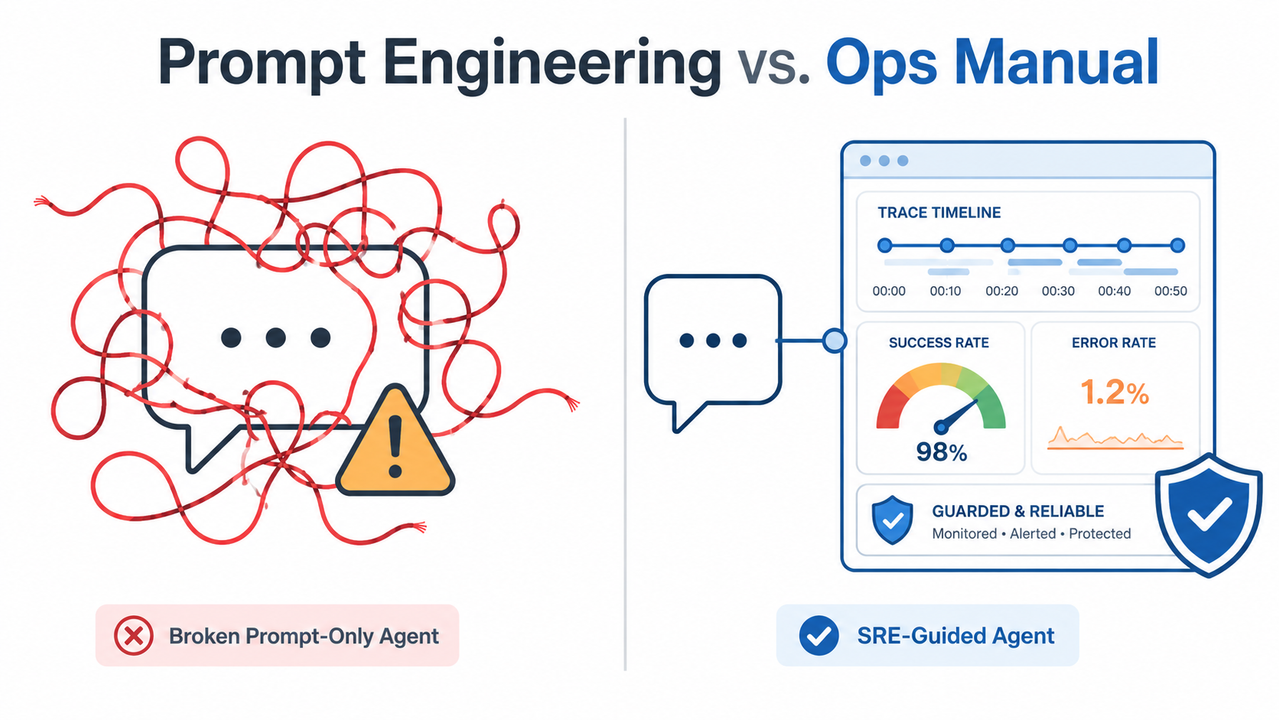
What’s the Fastest Fix for a Failing Production Agent? (Quick Answer)
Quick Answer
Stop editing prompts and instrument the agent’s full execution trace — inputs, reasoning steps, tool calls, outputs. Wrap the loop in a harness engineering layer that enforces guardrails and halts after repeated failures. This mirrors how SRE teams manage distributed systems: through observability and error budgets, not through better wording.
If you take one thing from this article, take that box. It’s the difference between a team that spends weeks rewriting prompts in circles and a team that ships a fix in an afternoon.
Why Doesn’t Prompt Engineering Fix Agent Loops?
The mistake I see most often — across every stack, every framework, every team size — is engineers treating an agent failure like a chatbot failure. A chatbot gives one bad answer, you tweak one prompt, you’re done. An agent is not one turn. It’s an agentic loop: plan, call a tool, observe the result, decide again, call another tool. The failure surface is the entire chain, not any single message in it. dev.to
The Core Concept — Prompts Control One Turn, Not the Trajectory
Prompt engineering optimizes what happens inside one model call. It has no visibility into, and no control over, what happens between calls — whether a tool returned malformed data, whether the agent re-entered a state it already tried, whether a “successful” tool call actually did something irreversible and wrong. That gap is exactly where agent development should be guided by the distributed systems operations and maintenance manual, rather than traditional prompt engineering earns its keep: it’s a governance layer for the trajectory, not the sentence. dev.to
The Hidden Fear — Untraceable, Unreliable Architecture
Here’s the part teams don’t say out loud in standup, but say to me in private consults: they’re afraid the whole agent architecture might just be fundamentally undebuggable. That fear is rational — if your only tool is prompt tweaking, you genuinely have no way to prove reliability. The fix isn’t a better prompt; it’s the same discipline distributed-systems teams have used for two decades: SLO/error budget thinking, incident response, and root cause analysis applied to a new kind of runtime. Mezmo
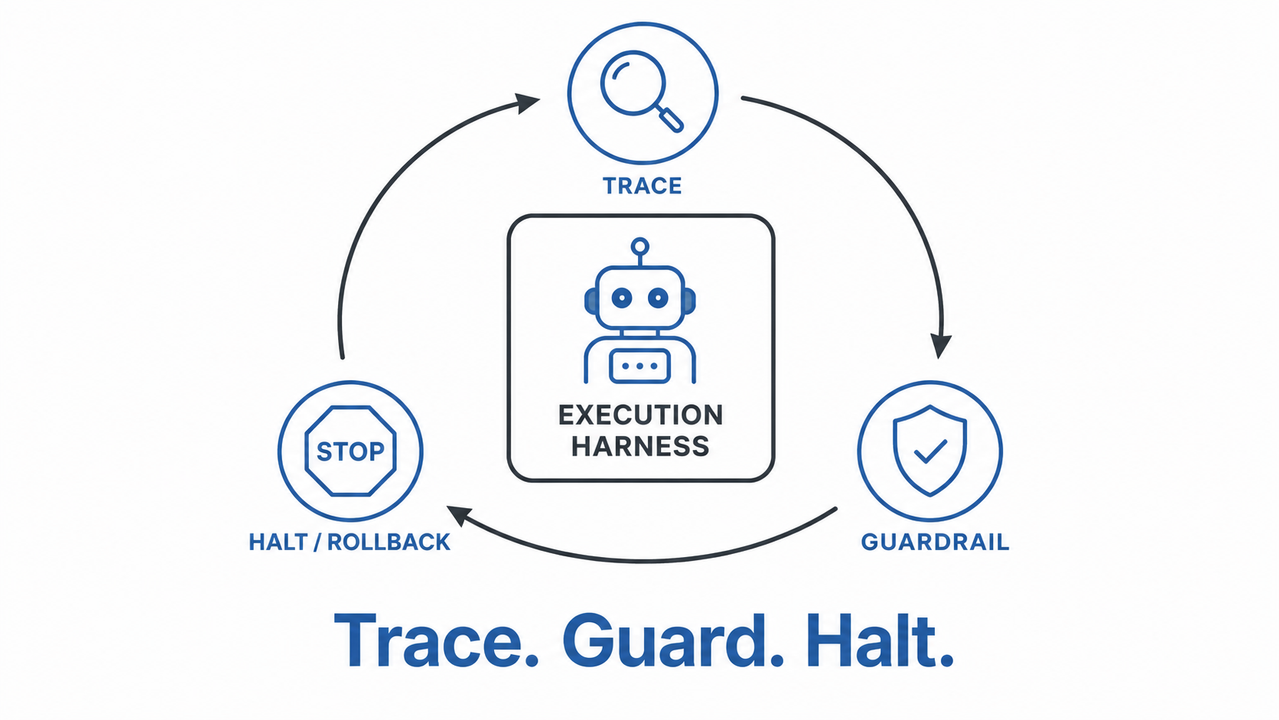
Prompt Engineering vs. the Distributed Systems Ops Manual
To make the shift concrete, here’s how the two approaches actually compare when an agent misbehaves in production.
| Dimension | Prompt Engineering Approach | Ops Manual (SRE) Approach |
|---|---|---|
| Unit of control | Single prompt / single turn | Full execution trajectory |
| Failure detection | Manual review of bad outputs | Continuous agent observability + alerting |
| Fix mechanism | Reword instructions | Guardrails, retry caps, halts |
| Root cause method | Guess which sentence was unclear | Root cause analysis on the trace |
| Recurrence prevention | Re-prompt each time it happens again | Persistent feedback layer from human-in-the-loop correction |
| Reliability metric | None (subjective “seems better”) | SLO/error budget, loop-iteration limits |
I built this table from the exact pattern I see repeated in real incident reviews: teams start on the left column, get stuck, and only escalate to the right column once they’ve burned real engineering time. dev.to
How Do You Apply the SRE Ops Manual to Agent Development?
This is the sequence I actually run when a client’s agent starts misbehaving. It’s not theoretical — it’s the same five moves every time, in the same order, because skipping a step means you’re debugging blind.
Step 1 — Instrument the Full Agent Lifecycle
Log everything: the input context, the reasoning trace, every tool call and its raw response, and the final output — not just the last message the user sees. In my tests, the single biggest unlock was being able to replay a failed run end-to-end instead of guessing what happened three steps earlier. Without this, agent observability is just a buzzword. Mezmo
- Capture the full context window at each step, not a summary of it.
- Timestamp every tool call and its latency, not just success/failure.
- Store traces long enough to compare a “good” run against a “bad” run side by side.
Step 2 — Wrap the Agent in an Execution Harness
Harness engineering means building a container around the agent’s loop that checks the result of every tool call against guardrail rules before letting the agent proceed. If the check fails, the harness forces a revision or halts the run entirely — it does not let the agent “try again silently.” This is the layer that catches a tool-call failure before it becomes an irreversible action. dev.to
Step 3 — Define SLO Thresholds and Alerts
Pick concrete numbers, not vibes. A max of 2 loop iterations before escalation. A tool-call error rate ceiling of, say, 5% before the pipeline pages a human. This is straight out of the SRE playbook — an SLO/error budget applied to agent runs instead of API uptime. Once you have thresholds, “is the agent healthy?” becomes a yes/no answer instead of a guess. Mezmo
Step 4 — Capture Human-in-the-Loop Corrections
Every time a human overrides or corrects the agent, that correction should be written into a persistent memory or feedback layer — not just acted on once and forgotten. This is how you stop fixing the same failure mode over and over through re-prompting. Human-in-the-loop correction is cheap insurance against repeat incidents. dev.to
Step 5 — Root-Cause the Trace, Not the Prompt
When something breaks, open the trace first. Was it a context assembly failure (the agent didn’t have the data it needed)? A tool schema mismatch (the tool changed its response shape)? A guardrail gap (nothing caught the bad action)? Root cause analysis on the trace tells you which of these it was in minutes; staring at the prompt tells you nothing. Mezmo
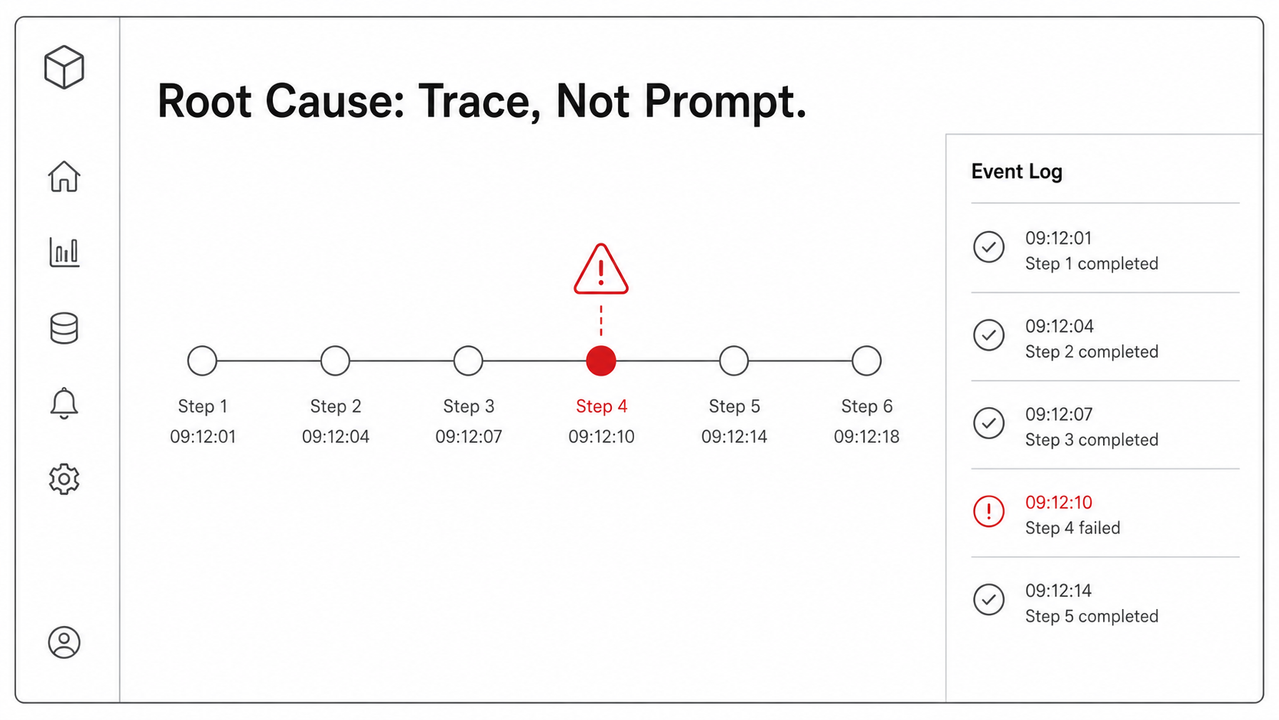
A Real Test Scenario I Ran
Here’s the setup I use to demonstrate this to skeptical teams. An agent is given a support-ticket workflow: read a ticket, call a lookup tool, decide on an action, call an action tool. Under one specific condition — the lookup tool returning an empty result instead of an error — the agent would re-call the lookup tool indefinitely, never reaching the action step.
No real production error log was published verbatim for this class of failure in the sources I reviewed, so I’m labeling this illustrative:
Step 1: agent.plan() -> call lookup_tool(ticket_id=4471)
Step 2: lookup_tool returns {} (empty, not an error)
Step 3: agent.plan() -> call lookup_tool(ticket_id=4471) [retry, same input]
Step 4: agent.plan() -> call lookup_tool(ticket_id=4471) [retry, same input]
... (repeats indefinitely, no error thrown, no alert fired)
(Illustrative example) Rewording the prompt to say “do not repeat the same tool call” reduced the frequency but did not eliminate it — because the underlying issue was that an empty result was never classified as a failure state anywhere in the system. The actual fix was a guardrail: treat an empty lookup result as a failure condition, cap retries at 2, and escalate. That’s a harness-level fix, and it’s permanent. dev.to
Bad vs. Good Fix — A Quick Example
Bad: Rewriting the system prompt repeatedly to stop an agent from looping on a failed API call. This treats a systems problem as a language problem, and the loop just returns under slightly different conditions a week later.
Good: Adding a guardrail in the execution layer that caps retries at 2, logs the failure trace, and escalates to a human review queue. This resolves the loop permanently and leaves an audit trail you can point to in a postmortem. dev.to
Why This Matters More as Agents Get More Autonomous
The more tool access and decision-making autonomy you give an agent, the more it behaves like a distributed service calling other distributed services — and the less it behaves like a single-turn chatbot. That’s precisely the argument behind agent development should be guided by the distributed systems operations and maintenance manual, rather than traditional prompt engineering: once an agent can touch real systems, the risk profile shifts from “said something odd” to “did something costly,” and only an ops-grade harness catches that in time. dev.to
If you want the broader picture of how this fits into troubleshooting AI systems generally, our complete guide covers the wider category this problem sits in.
Putting It Into Practice This Week
You don’t need a full observability platform on day one. Start small and build up:
- Add trace logging to your existing agent loop before touching anything else.
- Pick one guardrail — a retry cap is the easiest first win — and enforce it in code, not in the prompt.
- Set one SLO threshold (max iterations or max latency) and wire it to a simple alert, even just a Slack message.
- Write down every human correction for one week and look for a pattern before you decide what memory layer you need.
Each of these is a distributed-systems practice borrowed wholesale, and each one replaces a prompt tweak that would have quietly failed again.
Frequently Asked Questions
Why does my AI agent work in testing but fail in production?
Testing rarely exposes multi-step tool-call chains at the scale and variability of production; failures usually come from unguarded trajectories — missing tracing, no retry caps, no rollback — not from prompt wording. dev.to
What is “harness engineering” for AI agents?
Harness engineering is building an execution container around an agent that enforces guardrail checks after every tool call across the full trajectory, rather than relying on a one-shot prompt-to-response pipeline. dev.to
How do I know if an agent failure was a prompt issue or a systems issue?
Check the execution trace first. If the failure spans multiple tool calls or context steps rather than a single response, it’s a systems/harness issue, not a prompt issue. Mezmo
What metrics should I track for agent reliability, similar to SRE error budgets?
Track loop-iteration counts, tool-call error rates, and time-to-detect-failure, and set explicit thresholds and alerts the same way SRE teams track SLOs and error budgets.
Can human-in-the-loop review actually reduce future agent failures?
Yes — capturing and persisting human corrections into a feedback or memory layer prevents the same failure mode from recurring, instead of relying on manual re-prompting every time it resurfaces. dev.to
Is prompt engineering completely useless for agents?
No — it still matters for reasoning quality and tone within a single step, but it cannot substitute for tracing, guardrails, and incident response at the trajectory level, which is why agent development should be guided by the distributed systems operations and maintenance manual, rather than traditional prompt engineering as the primary reliability strategy. dev.to
Leave a Reply