
Keep AI Output Format Consistent (2026 Fix)
I’ve spent over three decades in IT, and if there’s one failure pattern I’ve chased down more times than I can count, it’s the bug that passes every test and then breaks unpredictably the moment real-world input gets even slightly unusual. How can I keep an AI output format consistent across repeated runs is exactly this pattern, and I want to walk you through the actual engineering fix, not another round of prompt tweaking that only works until it doesn’t.
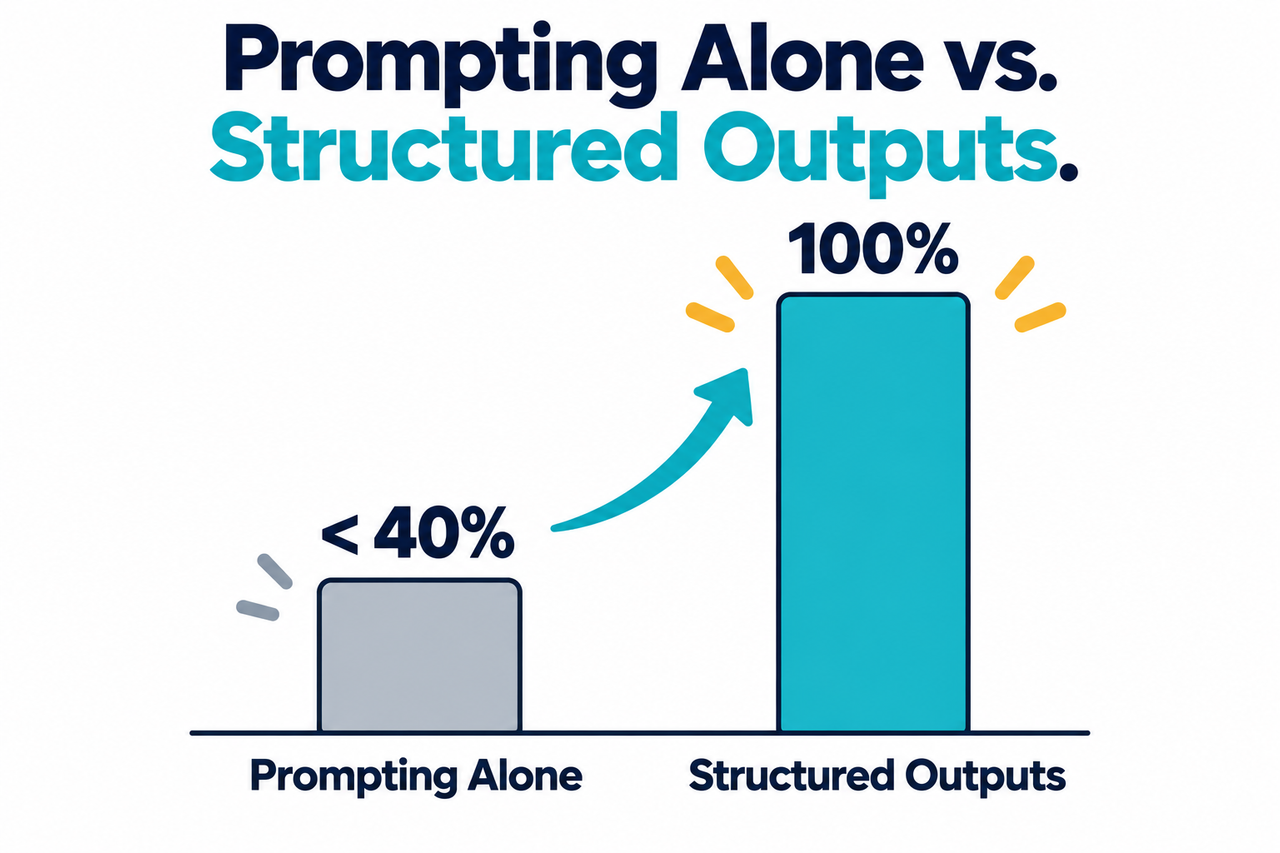
How can I keep an AI output format consistent across repeated runs means replacing prompt-based formatting instructions with schema-level enforcement that constrains which tokens the model is allowed to generate at each step. For example, OpenAI’s own internal benchmark found that prompting alone achieved under 40% reliability on a complex JSON schema, while the same model using Structured Outputs scored a perfect 100%.
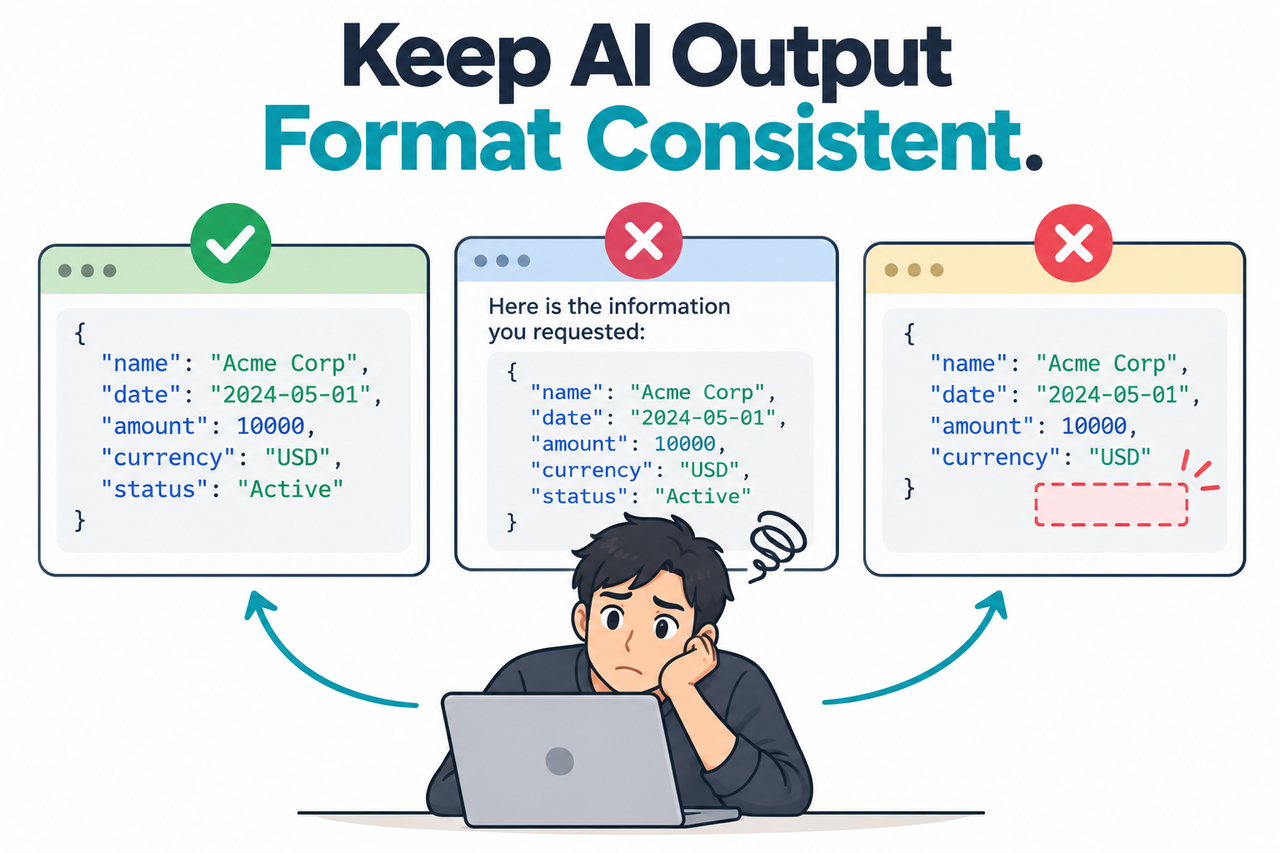
If your AI integration passed every test you threw at it and then started silently breaking in production the moment real-world input got even slightly unusual, you’re not imagining a flaky bug. You’re running into a well-documented, measurable reliability gap that has an actual engineering fix, not just better prompting.
How Can I Keep an AI Output Format Consistent Across Repeated Runs?
Quick Answer
Use structured outputs instead of relying on prompt instructions alone. Define your exact output structure as a formal JSON schema and pass it through the response format parameter with strict mode enabled. This constrains the model at the token level, guaranteeing schema-compliant output, unlike prompting alone, which OpenAI’s own testing found only achieves under 40% reliability on complex schemas.
In my years debugging integration failures long before AI entered the picture, this exact pattern — a fix that works in testing but fails under real production variance — almost always traces back to the same root cause: the system was never actually constrained, it just happened to behave well on the inputs you tried. That’s precisely what’s going on here.
Why Does the Same Prompt Produce Different Output Formats Each Time?
Before getting into the fix, I want to explain the actual mechanism, because once you understand why this happens, the solution stops feeling like a workaround and starts feeling like the obvious engineering choice.
The Model Samples Freely From Its Entire Vocabulary by Default
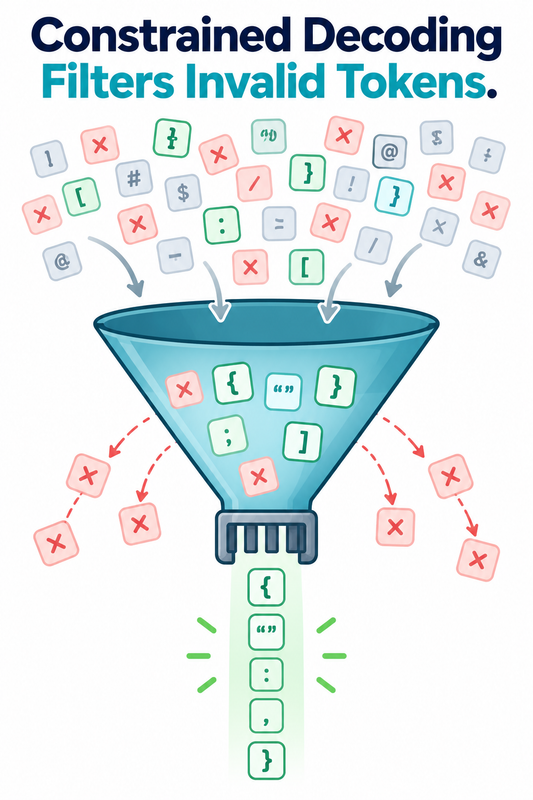
Without constraints, models “are generally free to sample a curly brace token at any time, even when that would not produce valid JSON,” according to OpenAI’s own documentation. OpenAI Announcement That single sentence explains the entire mystery: nothing is actually enforcing your desired format at the mechanical level, no matter how clearly you described it in the prompt.
Prompting Alone Was Never a Reliable Fix
OpenAI’s internal benchmark found a model using only careful prompting to match a complex JSON schema scored under 40% reliability, while the same model using structured outputs scored 100%. OpenAI Announcement I find this comparison genuinely clarifying, because it quantifies something that used to just feel like bad luck — a 60-percentage-point reliability gap is not noise, it’s the measurable size of the problem you’ve been fighting.
JSON Mode Guarantees Valid Syntax, Not Correct Structure
JSON mode ensures output will parse as valid JSON, but provides zero guarantee about which fields appear, their types, or the overall structure, as Microsoft’s own documentation confirms. Microsoft Learn This distinction trips up a lot of developers who assume “valid JSON” and “the JSON I actually need” are the same guarantee. They aren’t.
What’s the Real Difference Between JSON Mode and Structured Outputs?
I think this deserves its own clear breakdown, since conflating these two features is probably the single most common mistake I see in integration code that’s supposedly already “using JSON mode” and still breaking unpredictably.
| Feature | What It Guarantees | What It Doesn’t Guarantee |
|---|---|---|
| JSON Mode | Output parses as syntactically valid JSON | Which fields appear, their data types, or overall structure |
| Structured Outputs | Output matches your exact defined schema, field-for-field | Whether the actual field values are factually correct |
Microsoft’s own documentation is explicit about which one to actually prefer: “while JSON mode is still supported, when possible we recommend using Structured Outputs,” Microsoft Learn and once you see the table above, the reasoning is obvious — JSON mode solves half the problem, while Structured Outputs solves the half that actually matters for a downstream parser.
How Do You Keep an AI Output Format Consistent Across Repeated Runs? Step by Step
Here’s the exact sequence I’d walk any developer through, in order.
- Stop relying on prompt instructions alone. Recognize that describing your desired format in natural language was always the old workaround, not a reliable enforcement mechanism.
- Upgrade from JSON mode to full Structured Outputs. Move beyond plain JSON mode wherever your model and SDK support schema-level enforcement instead.
- Define your exact structure as a formal JSON Schema. Pass your schema via the response format parameter with strict mode enabled rather than describing the format only in natural language. OpenAI API Docs
- Know JSON mode’s specific real failure mode. If you must use JSON mode on an older model, omitting the word “JSON” from your messages produces an explicit error rather than a silent failure.
- Always check the finish_reason field before parsing. A response that stopped due to hitting the token limit will return genuinely incomplete JSON, which is a distinct problem from format inconsistency.
- Understand what Structured Outputs doesn’t fix. Schema enforcement guarantees correct shape, but doesn’t prevent the model from getting a specific fact or calculation wrong inside a correctly structured response.
- Check two specific technical restrictions first. Structured Outputs is incompatible with parallel function calling and isn’t eligible for Zero Data Retention, both relevant before adopting it. OpenAI Announcement
- Expect a one-time latency cost, not an ongoing one. The first call using a new schema takes longer to compile into a constraint grammar, but every subsequent call reusing that schema runs at normal speed.
I want to expand on step 2, because the actual mechanism behind Structured Outputs is genuinely elegant once you understand it. OpenAI describes it directly: “we constrain our models to only tokens that would be valid according to the supplied schema, rather than all available tokens.” OpenAI Announcement That’s the critical difference from prompting — instead of hoping the model chooses to follow instructions, invalid tokens are mechanically unavailable to it at every single generation step.
What Does the Real Error Actually Look Like?
I always prefer reproducing an exact error message rather than paraphrasing, since the precise wording matters when you’re trying to confirm you’re dealing with the same issue. Azure OpenAI’s official documentation shows the exact error returned when JSON mode is enabled but the required trigger word is missing from the conversation:
BadRequestError: Error code: 400 - {'error': {'message':
"'messages' must contain the word 'json' in some form,
to use 'response_format' of type 'json_object'.",
'type': 'invalid_request_error', 'param': 'messages', 'code': None}}
That’s a real, verbatim error from Microsoft’s own documentation, Microsoft Learn not an illustrative example. I’d also flag a related, subtler failure mode the same documentation describes: if you include the word “json” but don’t otherwise guide the model well, it “can cause the model to ‘generate an unending stream of whitespace and the request could run continually until it reaches the token limit.’” That’s a genuinely strange failure to debug the first time you hit it, since the request doesn’t error out — it just runs, consumes your entire token budget, and returns essentially nothing useful.
Why Doesn’t Structured Outputs Guarantee the Content Is Correct Too?
I think this limitation deserves more attention than a single bullet point gives it, because I’ve seen developers assume schema enforcement solves more than it actually does. Structured Outputs guarantees the shape of your response — the fields present, their types, the overall structure — matches your schema exactly, every single time.
What it explicitly doesn’t guarantee is that the values inside those fields are correct. A field typed as a number will always contain a number, but Structured Outputs provides no mechanism to confirm that number is the right number. This is a fundamentally different category of problem from formatting inconsistency, and conflating the two leads to a false sense of security: your pipeline will stop breaking on malformed JSON, but it still needs separate validation logic for factual accuracy.
What Should You Actually Check Before Trusting a Production Integration?
Given everything above, I’d recommend a specific verification habit once you’ve switched to Structured Outputs, rather than assuming the format problem is now fully solved and moving on. Check the finish_reason on every response first, since even a schema-constrained response can arrive truncated if it hits your token limit mid-generation.
Beyond that, build lightweight validation for the actual field values your business logic depends on most, treating schema compliance and content accuracy as two separate concerns that both need their own checks. I’d also recommend testing your schema against a handful of deliberately unusual or edge-case inputs before shipping, not because Structured Outputs is unreliable at the format level, but because confirming the schema itself captures every field you actually need is worth doing once, deliberately, rather than discovering a missing field requirement months into production.
Bad vs. Good Way to Enforce AI Output Format
Let me put these two approaches side by side, because the contrast is the entire difference between a bug that appears intermittently forever and one that’s actually fixed.
Bad: “I wrote a detailed system prompt telling the model exactly what JSON structure to return every time, tested it on ten sample inputs where it worked perfectly, shipped it to production, and now it intermittently returns the JSON wrapped in a sentence of commentary or drops a required field when the input is slightly unusual.”
Good: “I defined the exact output structure as a formal JSON Schema, passed it through the response_format parameter with strict mode enabled instead of just describing the format in the prompt, and now every response is constrained at the token level to match that schema exactly, regardless of how unusual the input is.”
The bad approach trusts the model’s willingness to follow instructions, which varies by input. The good approach removes the model’s ability to generate anything else in the first place.
Does This Same Underlying Problem Show Up in Other AI Platforms?
I don’t want to leave the impression this is unique to one specific API provider, because the underlying mechanism — free token sampling without constraint — is a property of how these models generate text in general, not a quirk specific to one company’s implementation. Other major providers have introduced comparable schema-enforcement features for exactly this reason, converging independently on the same basic solution.
The practical lesson generalizes well beyond any single platform: whichever AI provider you’re integrating with, check specifically whether they offer true schema-level constrained decoding, not just a looser “valid JSON” guarantee, before building any production pipeline that depends on consistent structure. The terminology may differ between providers, but the underlying question — does this actually constrain the model’s token choices, or does it just ask nicely — is the one that determines whether your integration will hold up under real production volume.
How Do You Migrate an Existing Integration From Prompting to Structured Outputs?
I think a lot of teams hesitate on this migration because it sounds like a bigger rewrite than it actually is. In most cases, the core logic of your integration — the prompt content, the business logic consuming the response, the downstream database or UI code — stays exactly the same. What changes is a single parameter in your API call and the addition of a formal schema definition.
Start by taking your existing prompt’s description of the desired format and translating it directly into a JSON Schema object: every field you described in prose becomes a schema property with an explicit type, and every “always include” instruction becomes a required field in the schema rather than a hopeful request. Most SDKs let you define this schema using familiar language constructs, like a Pydantic model in Python or a Zod schema in TypeScript, rather than writing raw JSON Schema syntax by hand, which makes this translation step faster than it sounds. Once the schema is defined, you can often leave your prompt’s actual instructional content almost unchanged, since the schema now does the structural enforcement that your prompt was previously trying and failing to guarantee through wording alone.
What Should You Do With Historical Data That Was Collected Before You Made This Fix?
If you’re like most teams I’ve worked with on this exact problem, you’ve likely already got a production database or log full of inconsistently formatted responses collected before you switched to Structured Outputs. I wouldn’t recommend simply discarding that historical data, since it often still contains genuinely useful information, just in an inconsistent shape.
Instead, I’d build a one-time cleanup pass specifically for that legacy data, using more permissive parsing logic that can handle the variety of formats you know existed historically — JSON wrapped in prose, missing optional fields, inconsistent key casing — and normalize it into the same schema your new Structured Outputs pipeline now produces going forward. This is genuinely a one-time cost, not an ongoing maintenance burden, since every new record created after your fix will already arrive in the correct, consistent shape. Think of it as a data migration task rather than a permanent parsing requirement, and once it’s done, you can retire the permissive parsing logic entirely rather than keeping it around indefinitely as unnecessary technical debt.
For a broader look at troubleshooting common AI integration issues, see our complete guide to troubleshooting AI tools.
Frequently Asked Questions
Is inconsistent AI output formatting a bug I can actually fix, or just something I have to work around?
It’s a fixable architectural problem — Structured Outputs constrains the model at the token level to guarantee schema-compliant responses, rather than relying on hopeful prompting. OpenAI Announcement
What’s the difference between JSON mode and Structured Outputs?
JSON mode only guarantees the output will parse as valid JSON with no guarantee of specific structure, while Structured Outputs enforces an exact schema through constrained decoding. Microsoft Learn
Does Structured Outputs slow down every single API call?
No — only the first call using a brand-new schema incurs extra processing time to compile the constraint grammar, and every subsequent call using that same schema runs at normal speed.
Can Structured Outputs still return factually wrong information inside a correctly formatted response?
Yes — schema enforcement guarantees correct shape and structure, but it doesn’t prevent the model from getting a specific fact, calculation, or detail wrong within that structure. OpenAI Announcement
Why did my JSON mode request fail with an error about the word “json”?
Azure OpenAI’s documentation confirms this is a real, specific requirement — JSON mode requires the word “json” to appear somewhere in your messages, and omitting it produces an explicit 400 error. Microsoft Learn
Are there any restrictions I should know about before switching to Structured Outputs?
Yes — it’s incompatible with parallel function calling, and schemas submitted through Structured Outputs are not eligible for Zero Data Retention, which may matter for compliance requirements. OpenAI Announcement
Leave a Reply