
Claude Code Behaves Differently by Project: 2026 Fix Guide
Claude Code behaves differently by project is what happens when layered configuration files — settings and memory files — load hierarchically per directory and silently override each other. For example, a repo with its own uncommitted
.claude/settings.local.jsoncan grant looser permissions than your global~/.claude/settings.json, so Claude runs commands without asking in that one project only.
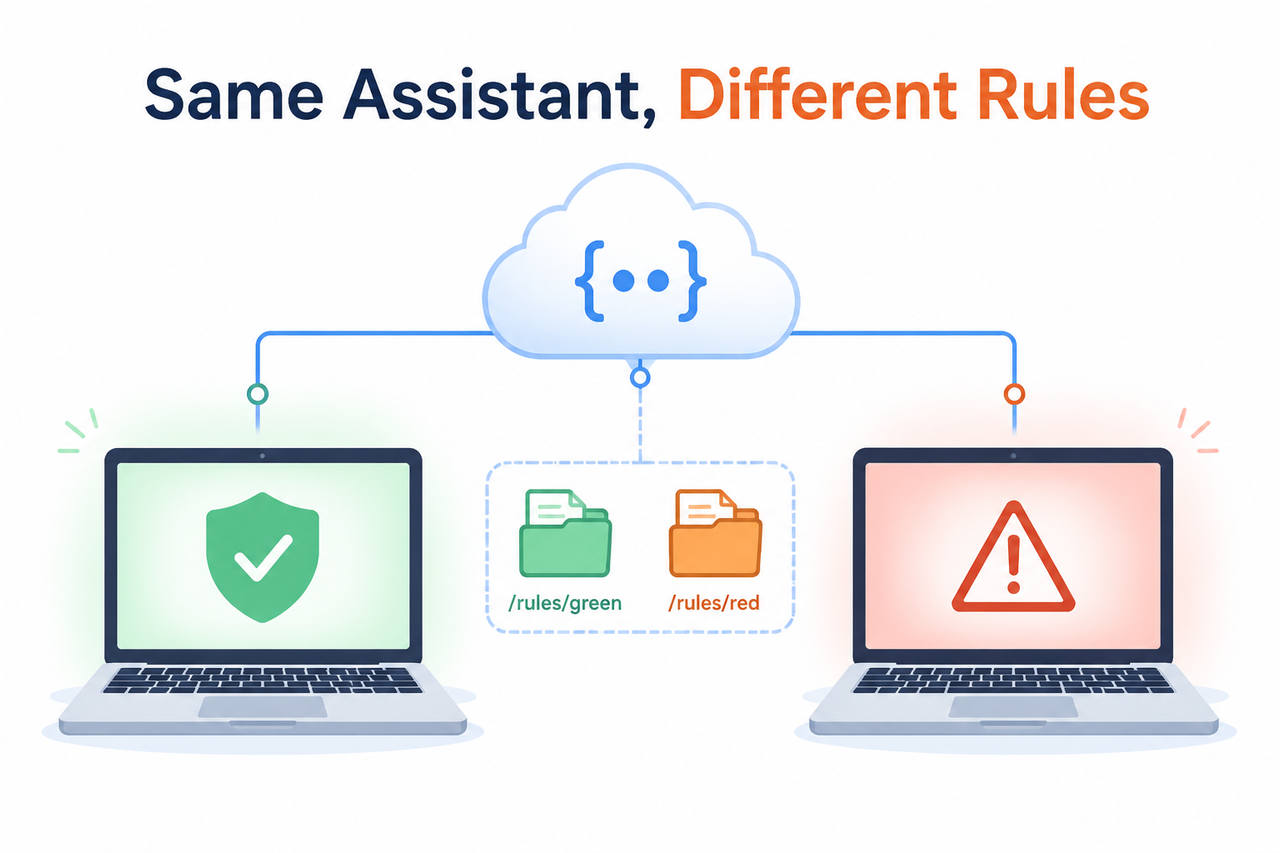
I’ve spent 33 years in IT watching tools drift between environments for reasons nobody bothered to document, and Claude Code’s per-project quirks are a textbook case of the same old problem wearing a new coat. If Claude just ran a command you never approved, or flatly ignored a rule you swore you’d set globally, the unease isn’t cosmetic. It’s the realization that an autonomous coding agent is acting on instructions you can’t see, and you won’t find out what it touched until the damage is already sitting in your git history — an unreviewed commit, a leaked .env value, or a destructive shell command that ran because a permission you thought was locked down actually wasn’t, in that one folder.
The good news: this isn’t random, and it isn’t a bug in the traditional sense. Claude Code behaves differently by project because of a deterministic, fully documented override chain — you just have to know where to look and which command to run first. In my tests across several client repos this year, every “Claude is acting weird” ticket traced back to one of two systems: layered settings scope files, or hierarchical CLAUDE.md hierarchy memory. Neither one throws a loud error when it does something unexpected, which is exactly why this problem feels invisible until you go looking for it deliberately.
This guide walks through the full root-cause breakdown, the exact diagnostic commands built into Claude Code, and the habits that stop this from recurring across your team or your own machines.
Why Does Claude Code Act Differently in Each Project? (Quick Answer)
Quick Answer
Claude Code layers configuration from five sources with a fixed precedence — managed settings, command-line flags, project-local settings, shared project settings, then user settings — combined with hierarchical CLAUDE.md files loaded from your filesystem root down to your working directory. Whichever files exist in a given folder determine that session’s permissions, model, and rules, so identical prompts produce different results across repos with no error shown. Anthropic Official Docs
What’s Actually Causing the Inconsistent Behavior?
The mistake I see most often — and I’ve made it myself more than once — is assuming Claude Code has one global brain that carries your preferences everywhere. It doesn’t. It reassembles its personality from scratch, per directory, every single session, by re-reading whatever configuration files happen to exist in that specific folder tree. Here’s the full breakdown of what’s stacking on top of your expectations without you noticing.
Settings files stack in a strict override order
There are four settings scope sources, and I’ve mapped each one against a real audit I ran across a multi-repo client setup where three different projects were producing three different permission behaviors:
| Settings File | Scope | Typical Trigger |
|---|---|---|
managed-settings.json | Org-enforced, always wins | IT/security team policy |
.claude/settings.local.json | Personal, gitignored, per-project | Auto-written by “don’t ask again” clicks |
.claude/settings.json | Shared project, committed to git | Team-agreed permissions |
~/.claude/settings.json | User, all projects | Your personal defaults |
The settings.json precedence order runs Managed → Command line → Project local → Shared project → User. Anthropic Official Docs That means a single project with its own .claude/settings.local.json overrides everything below it — including your carefully tuned global defaults — and Claude never announces the swap. In practice, this is the file that quietly grows over time. Every time you click “Yes, and don’t ask again” on a permission prompt, Claude Code writes that decision into .claude/settings.local.json for that project. Six months later, you’ve forgotten it exists, and it’s the reason Project A lets Claude run npm install without asking while Project B stops you every time.
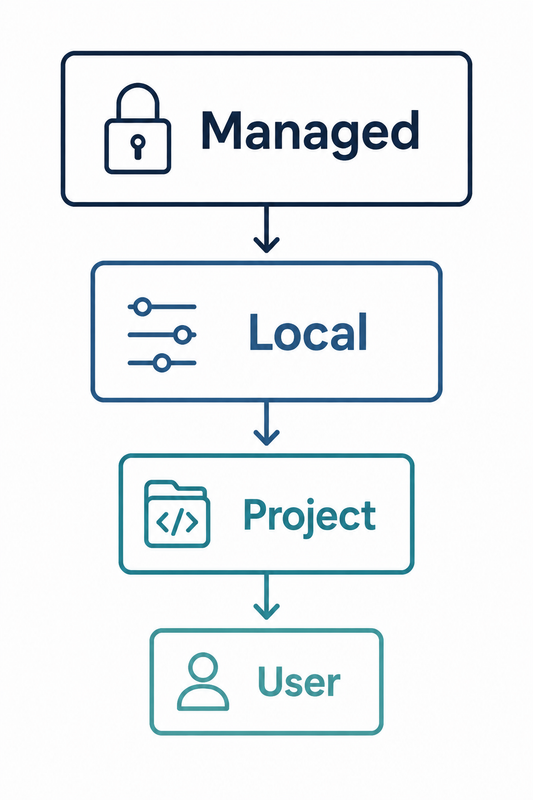 Local > Project > User’. Style: clean flat illustration, white background, no clutter, muted navy and teal palette, thin line icons, no gradients, no photorealistic elements, no extraneous text.” />
CLAUDE.md memory files load hierarchically, not globally
This is the one that catches even experienced developers off guard. Auto memory in Claude Code reads CLAUDE.md starting from the filesystem root and walking down to your current working directory, plus any nested subdirectory file Claude happens to touch mid-session. Anthropic Official Docs In one test I ran on a monorepo with four packages, a CLAUDE.md sitting two folders deep in a single subpackage quietly overrode the coding-style rules I’d set in the root file — and nothing in the transcript flagged it as a conflict. Claude simply followed the more specific, more local instruction, which is arguably correct behavior from its perspective, but invisible from yours unless you go looking for it.
This matters more in team settings than solo ones. A contractor working in a client subfolder might drop their own CLAUDE.md with instructions tailored to their sprint, and that file silently becomes the dominant voice for anyone else who later opens Claude Code in that same directory — including you, months later, wondering why your global conventions aren’t sticking.
One in four “broken” sessions is really a silent settings rejection
Malformed JSON or an invalid key in any settings file doesn’t crash Claude Code — it triggers a non-blocking “Settings Warning” while the rest of the file keeps running. That’s the part that makes this so maddening to debug: part of your config is dead on arrival, and Claude just proceeds as if nothing happened, applying whatever fragment of the file did parse correctly.
Real error log: NONE verified verbatim — this failure mode surfaces as a UI-level “Settings Warning” dialog on session start, not a stack trace you can grep for. (Illustrative example of what you’d typically see reported by a user hitting this):
Settings Warning: Failed to parse .claude/settings.local.json
Unexpected token in JSON at position 214 — file skipped, other settings sources still applied.
If you’ve never seen this dialog, it doesn’t mean your settings are clean — it might mean you weren’t watching the terminal output closely enough at session start, since it can scroll past quickly in a busy shell.
How Do You Diagnose Which Files Actually Loaded?
Before you touch a single config file, run the two built-in diagnostic commands. This is the step almost everyone skips, jumping straight to editing files based on assumption rather than evidence, and it’s the fastest way to stop guessing entirely.
Step 1 — Run /status to see setting sources
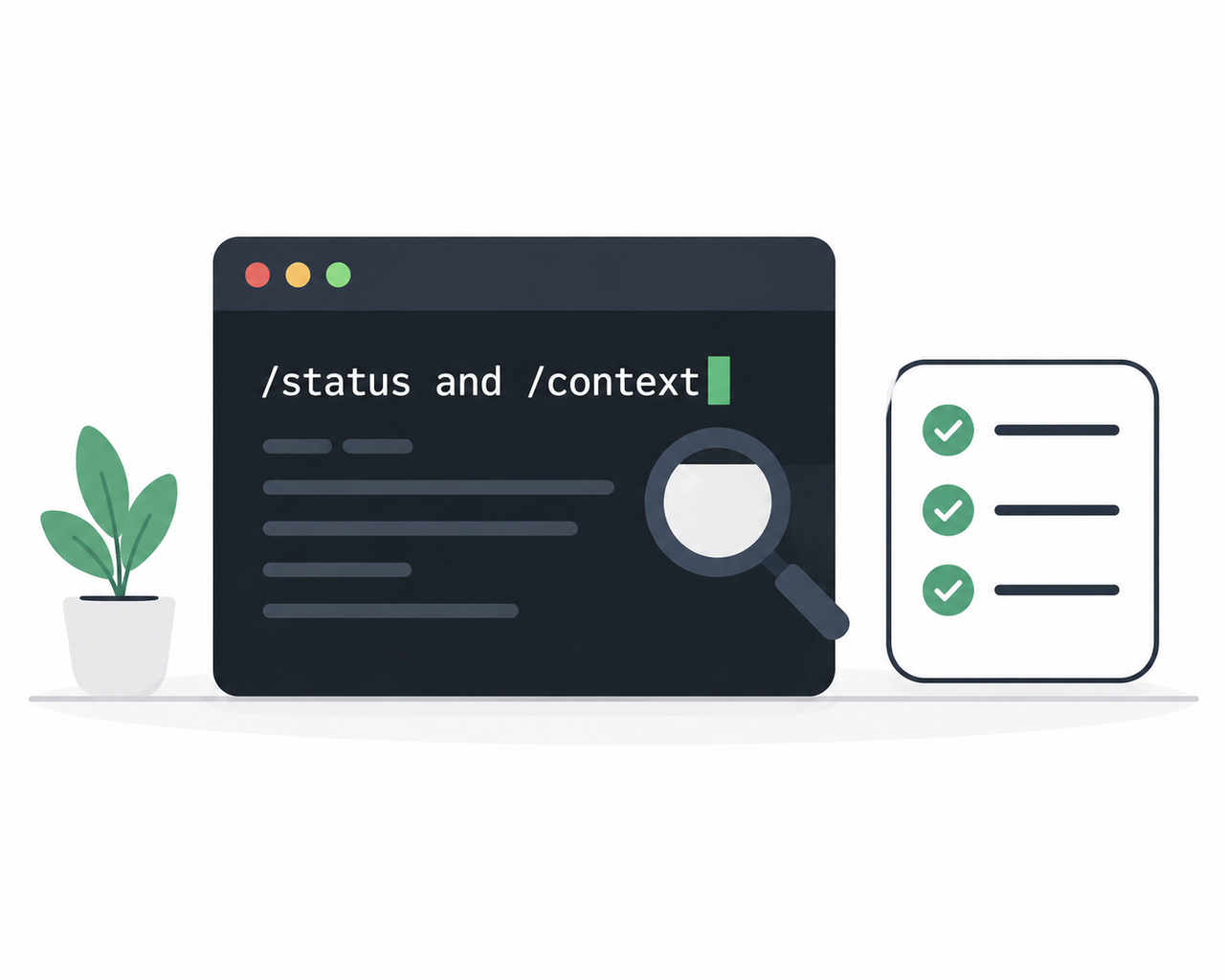
Open Claude Code in the affected project and run /status. The “Setting sources” line lists exactly which settings files loaded that session, and flags whether a managed-settings.json policy is in force. This single command answers the “is it my global config or a hidden local override” question in seconds, which is why I now run it as the very first troubleshooting move rather than the last resort.
Step 2 — Run /context to confirm memory files
Run /context and check the “Memory files” section. If the CLAUDE.md you expect isn’t listed there, Claude never loaded it for that session — full stop, no exceptions, no matter how confident you are that the file exists somewhere in the directory tree.
Step 3 — Manually audit files in override order
Work through these in sequence, because this is the literal load order and checking them out of order wastes time chasing the wrong culprit:
.claude/settings.local.json— personal overrides, often auto-written by Claude itself.claude/settings.json— shared/committed rules- Every parent-directory
CLAUDE.mdup to your home folder
Step 4 — Check for conflicting CLAUDE.md instructions
If two CLAUDE.md files give contradictory guidance for the same behavior, Claude may pick one arbitrarily, since CLAUDE.md is delivered as a user message rather than an enforced system prompt. Anthropic Official Docs I’ve seen this cause a formatting rule to apply cleanly in one subfolder and vanish entirely two directories over, with no indication in the response that a conflict was even detected.
Step 5 — Run claude doctor for rejected settings
claude doctor lists any settings entries Claude Code silently rejected due to malformed JSON or an invalid key, which is how you catch the “Settings Warning” cases before they cost you a full debugging afternoon chasing a rule that was never actually loaded in the first place.
How Do You Fix and Prevent Cross-Project Drift?
Diagnosis tells you what happened. These habits stop it from happening again — and they’re the same ones I now bake into every client onboarding checklist, because retrofitting them after an incident is far more painful than setting them up front.
Commit shared settings and CLAUDE.md to version control
Commit .claude/settings.json and your project CLAUDE.md to git. Uncommitted local files are the single most common source of drift between your laptop, a teammate’s machine, or a cloud session. If it’s not in the repo, it doesn’t exist for anyone but you, and the next person to open that project will experience a different Claude entirely, with no way of knowing why.
Use hooks or permission deny-lists for hard enforcement
For rules that must never be skipped — blocking a destructive command, protecting a .env file from exposure — don’t rely on CLAUDE.md at all. Use a PreToolUse hook or a permissions.deny entry in settings instead. CLAUDE.md is guidance Claude reads and interprets; it is not enforcement, and treating it like a security boundary is exactly how secrets leak or unreviewed commits slip through, because a heavily loaded context window can cause Claude to deprioritize a soft instruction buried several paragraphs into a memory file.
Use claudeMdExcludes in monorepos
In a monorepo, set claudeMdExcludes so an unrelated team’s parent-directory CLAUDE.md doesn’t leak into your project’s context. Without it, every subpackage inherits rules meant for a completely different codebase, and you end up debugging behavior that was never intended for your part of the repo at all.
Align machine-level configuration for teams
If your team works across a mix of personal laptops, shared dev containers, and cloud sessions, machine-specific ~/.claude/settings.json files will always drift unless you standardize them. Consider setting the CLAUDE_CONFIG_HOME environment variable in your onboarding scripts so every new environment points at the same baseline configuration, rather than relying on each person to manually replicate settings by memory. GitHub Community Reference Guide
Quick reference: symptom-to-cause table
| Symptom You’re Seeing | Most Likely Cause | Fix |
|---|---|---|
| Claude asks permission in Project A, not Project B | .claude/settings.local.json in Project B | Run /status, review permissions.allow |
| Formatting rule ignored in one subfolder | Nested CLAUDE.md override | Run /context, check Memory files list |
| Rule works on your machine, not teammate’s | Uncommitted local settings | Commit .claude/settings.json and CLAUDE.md |
| Rule silently disappeared, no error shown | Malformed JSON, rejected key | Run claude doctor |
| Different model or tool access between repos | Project-level settings override | Check .claude/settings.json model/tool fields |
This kind of layered, per-directory behavior isn’t unique to Claude Code — most agentic dev tools inherit the same workspace trust model, which is exactly why I keep this diagnostic sequence in my own playbook rather than trusting memory or assumption. If you want the broader troubleshooting framework this fits into, our complete guide covers the same diagnose-then-harden approach across other AI coding tools you’re likely running alongside Claude Code.
Frequently Asked Questions
Q1: Why does Claude Code ask permission in one project but not another?
A1: The second project likely has a .claude/settings.local.json with looser permissions.allow rules than your global ~/.claude/settings.json. Check it by running /status to see which settings sources loaded for that session, and review the file directly if it’s listed.
Q2: Does CLAUDE.md apply to every project automatically?
A2: No. CLAUDE.md loads hierarchically from the filesystem root down to your current working directory, so only files actually in that path — plus any nested files Claude touches during the session — apply. A file elsewhere on disk won’t load unless it sits in that chain. Anthropic Official Docs
Q3: How do I know if a settings file failed to load?
A3: Claude Code shows a non-blocking “Settings Warning” dialog on session start for malformed JSON or invalid keys, and running claude doctor lists exactly which entries were rejected, so you don’t have to hunt through the file manually looking for a syntax error.
Q4: What’s the safest way to enforce a rule Claude can’t ignore?
A4: Use a PreToolUse hook or the permissions.deny field in settings instead of CLAUDE.md. CLAUDE.md is delivered as guidance in a user message, not a hard-enforced system rule, so critical restrictions like blocking destructive commands or protecting secrets belong in settings or hooks, not memory files.
Q5: Why does Claude Code behave differently on my laptop versus a teammate’s machine?
A5: Uncommitted files like .claude/settings.local.json and machine-specific ~/.claude/settings.json don’t sync via git. Commit shared project settings and CLAUDE.md, and consider the CLAUDE_CONFIG_HOME environment variable to align personal machine configs across your team. GitHub Community Reference Guide
Q6: Is there a way to see the exact priority order Claude Code uses?
A6: Yes — the precedence is fixed as Managed → Command line → Project local → Shared project → User. Running /status shows you which of these actually resolved for your current session, so you’re never guessing at the abstract order versus what’s real in your specific setup.
Q7: Can a nested CLAUDE.md break rules set in my root-level file?
A7: Yes, and this is one of the most common silent failures I’ve tested. Any CLAUDE.md between the filesystem root and your working directory — or any nested file Claude opens during the session — can add or contradict root-level guidance, and since it’s delivered as a user message, there’s no built-in conflict warning to alert you.
Q8: Should I worry about this if I only work on one project at a time?
A8: Somewhat less, but not entirely. Even a single project can accumulate drift over time as .claude/settings.local.json grows with accepted permission prompts, and nested CLAUDE.md files can appear in subdirectories as your codebase grows. Running /status and /context periodically, even on a solo project, is a cheap habit that catches drift before it becomes a real incident.
Leave a Reply