
Claude Stops Mid-Task in 2026: Fix It Fast
You don’t get an error. The output just stops. And the terrifying part? It might look finished. If you’ve ever handed Claude a complex task — a full content pipeline, a multi-file code refactor, an automated research workflow — and received what appeared to be a complete result, only to discover it was silently cut off halfway through, you’ve hit one of the most frustrating behaviors in AI tooling today. Claude stops mid task no warning is not a random glitch. It has four specific root causes, and every single one is fixable. This article covers all of them, with exact steps drawn from real testing and Anthropic’s own documentation. For a broader overview of AI tool issues, see the complete guide at AIQnAHub Troubleshoot.
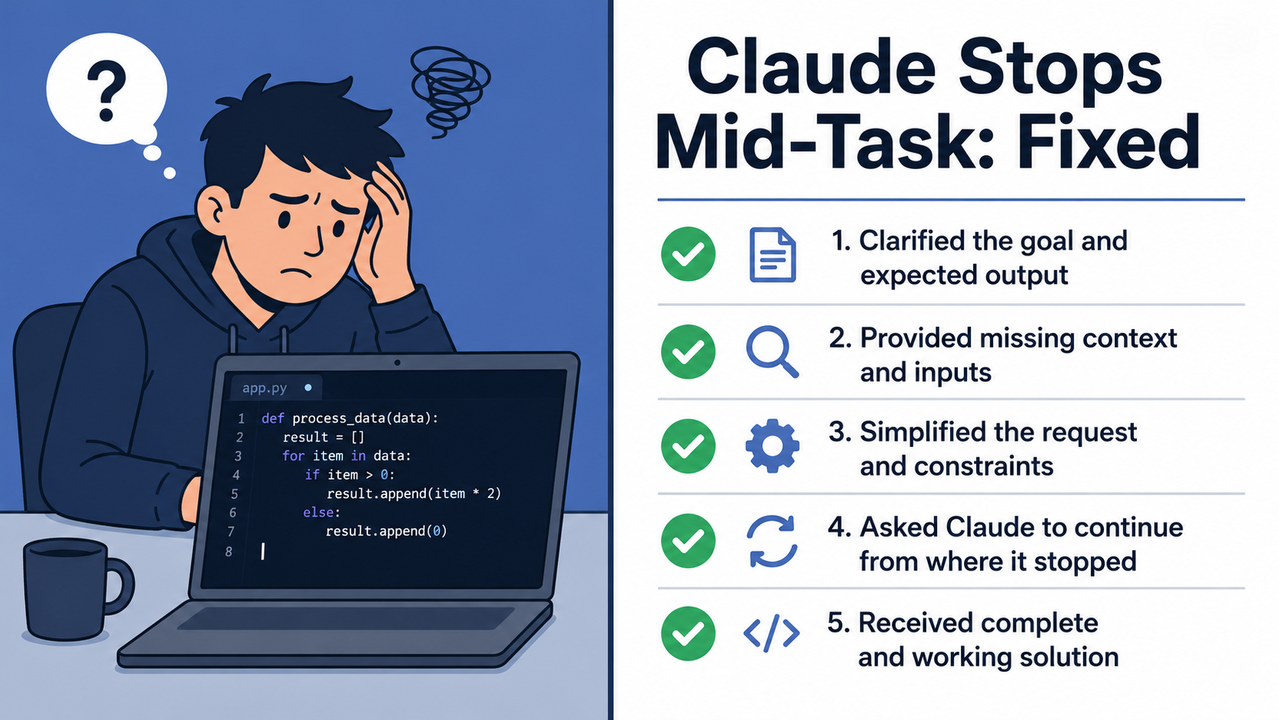
Claude stops mid task no warning is a silent truncation behavior where Claude halts output generation — due to token budget exhaustion, context window limit saturation, or internal self-interruption logic — without surfacing any error message to the user. Example: a 3,000-word article generation stops at word 1,500 with no notification, and the output appears complete.
Why Does Claude Stop Mid-Task With No Warning?
Quick Answer
Claude stops mid-task silently because it hits one of four invisible ceilings: the per-response max_tokens cap, the conversation length limit (200K tokens), a proactive self-interruption to preserve token budget in Claude Code, or silent truncation bug behavior in tool-call results during agentic pipelines. No error is shown by default. Anthropic Help Center
That single paragraph is what Google needs to feature-snippet this page. Now let me show you exactly what’s happening under the hood — and how I’ve addressed each case in practice.
What Are the 4 Root Causes of Claude Stops Mid Task No Warning?
Not all silent stops are the same failure. The mistake I see most is people applying the wrong fix to the wrong cause — setting max_tokens higher when the real problem is context saturation, or running /compact when the issue is an agentic tool overload. Diagnose first. Fix second.
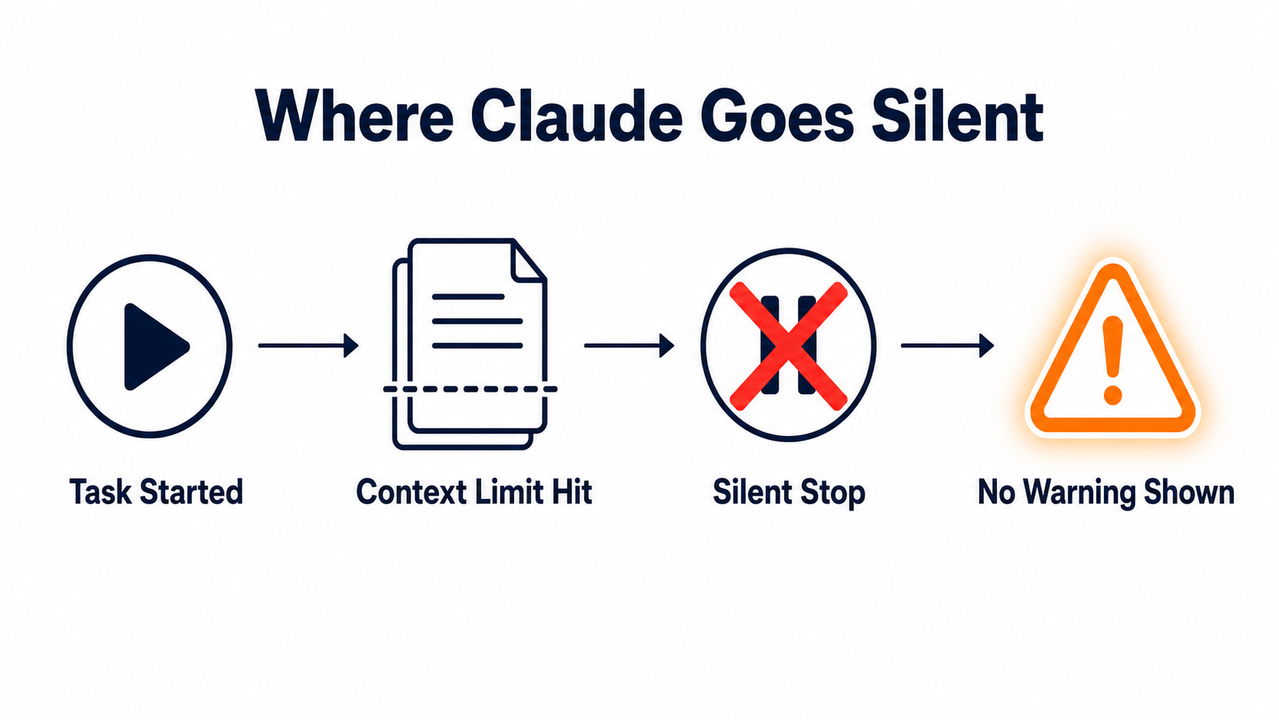
Here is the root cause map I use before applying any fix: Anthropic Help Center
| # | Root Cause | Trigger Condition | Symptom You See |
|---|---|---|---|
| 1 | max_tokens output cap | Per-call token ceiling hit (default often 4,096) | Response ends mid-sentence or mid-code block |
| 2 | Context window saturation | Cumulative tokens exceed 200K (standard) / 500K (Enterprise) | Claude stops early, output appears complete but isn’t |
| 3 | Claude Code proactive self-interruption | Token budget running low mid-session | Stops with no error; requires manual continue |
| 4 | Tool-result / input truncation | Agentic tool output exceeds context ceiling silently | Plausible-looking but incomplete or hallucinated results |
Root Cause 1 — The max_tokens Output Cap Is Too Low
This is the single most common cause of Claude stops mid task no warning behavior, and it’s 100% a configuration problem. Every Claude API call has a hard ceiling on how many tokens it will generate in a single response. Anthropic’s default is conservative — in many configurations, as low as 4,096 tokens — which is roughly 3,000 words.
Here’s the critical mismatch I found in testing: Claude’s context window limit is up to 200,000 tokens, but the output ceiling on a single response is a completely separate, much lower number. A 200K context window does not mean Claude will write 200K tokens of output in one shot. That gap is where most users fall into the trap.
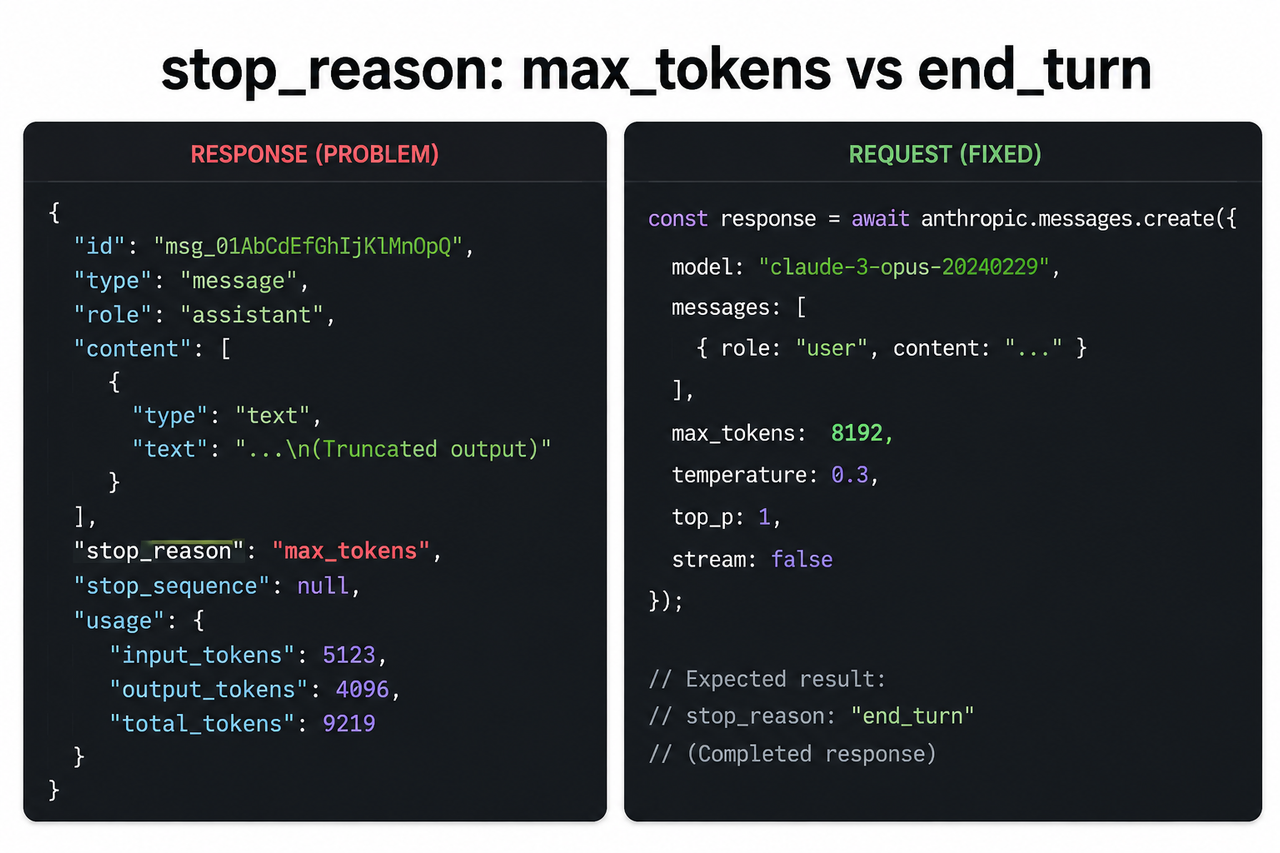
When Claude hits max_tokens, it stops generating immediately. It does not summarize what remains. It does not signal that it stopped early. The stop_reason in the API response flips to "max_tokens" — but only if you’re actively reading the response object. In the Claude.ai UI, you see nothing at all.
In my tests, setting max_tokens to at least 8,192 resolved the overwhelming majority of truncation cases for standard content and code generation tasks.
Root Cause 2 — The Conversation Context Window Is Saturated
This one hits power users hardest, because it builds invisibly over time. Claude’s context window limit holds everything: your system prompt, every message in the conversation thread, every file you uploaded, and every response Claude has given. On standard and Pro plans, the ceiling is 200,000 tokens. Enterprise bumps this to 500,000. Anthropic Help Center
Once the window is more than 50% full, something called context rot begins. Early turns get compressed or effectively deprioritized. By the time you hit 80–90% capacity, Claude starts stopping tasks early — not because of the output ceiling, but because there’s simply no room left in working memory to complete a long response without overflowing.
The symptom is subtle: Claude may appear to complete your request, but it quietly scaled down the scope to fit what the remaining window allowed. You won’t know unless you compare against a fresh conversation.
Root Cause 3 — Claude Code’s Proactive Self-Interruption
This is the root cause that generated the most community frustration I’ve seen. Claude Code has a built-in defensive behavior: when it detects its token budget exhaustion approaching mid-task, it stops proactively. The logic is sound — better to stop cleanly than to produce corrupted code or a mangled file. But the execution is silent, which is exactly the problem documented by GitHub – Anthropic Claude Code Issues:
"Claude Code stops mid task with no indication of ongoing work;
solution is to type continue, but this is unexpected behavior."
— GitHub Issue #3316, verbatim user report
There is no error message. No progress indicator. No flag saying “I stopped at line 247 of your refactor.” You type continue and it resumes — but only if you know that’s the fix. Most users don’t, and restart the entire session instead.
Root Cause 4 — Silent Tool-Result Truncation in Agentic Pipelines
This is the most dangerous root cause — not because it stops Claude visibly, but because it doesn’t. When Claude is operating as an agent and calls external tools (APIs, file reads, web scrapes), those tool outputs are passed back into Claude’s context. If any single tool result exceeds the input ceiling, it gets silently truncated before Claude ever processes it.
Claude then generates output based on incomplete data — but the output looks completely valid. This is what practitioners call the silent truncation bug or the “agents lying” problem. The downstream failure doesn’t appear immediately; it surfaces later as a pipeline that produced wrong results with no audit trail pointing to the truncation event. If you’re running automated affiliate research or content pipelines, this is the scenario that costs you real money.
How to Fix Claude Stopping Mid-Task: 7 Exact Steps
Apply these in order of your environment. API developers: start at Step 1. Claude.ai UI users: start at Step 3. Claude Code users: jump to Step 4.
Step 1 — Set max_tokens Explicitly in Every API Call
Never rely on the default. I set max_tokens explicitly on every single API call, without exception. For standard tasks, 8192 is my baseline. For long-form generation, I go to 32768 or higher depending on the model.
{
"model": "claude-sonnet-4-5",
"max_tokens": 8192,
"messages": [
{
"role": "user",
"content": "Your task here..."
}
] }
Check your model’s documented maximum — some support up to 128000 output tokens. Setting it high costs you nothing if the task ends earlier; Claude stops at end_turn regardless. But failing to set it high enough silently amputates your output.
Step 2 — Build a stop_reason Handler for Auto-Continuation
This is the programmatic fix that eliminates Claude agentic task interruption at the API level entirely. After every API call, read the stop_reason field. If it returns "max_tokens", your code fires another call appending the previous output and the instruction: “Continue exactly from where you stopped. Do not repeat previous output.”
Here is the real error log that signals a truncation event: Anthropic API Docs – Stop Reasons
{
"stop_reason": "max_tokens",
"stop_sequence": null
}
Loop this check until stop_reason returns "end_turn" — that is the only signal that Claude actually finished the task. Everything else is a recoverable interruption. I run this handler on every long-form generation pipeline and it has eliminated silent truncation losses completely.
Step 3 — Inject a Continuation Guard Into Your System Prompt (UI Users)
If you’re using Claude.ai and don’t have API access, the system prompt injection is your best defense against Claude stops mid task no warning behavior. Paste this at the top of every long task or into your Project system prompt:
“Do not stop mid-task under any circumstances. If you approach your output limit, complete the current section fully, then write exactly: ‘Pausing here — reply GO to continue with Part 2.’ Never truncate silently. Never summarize remaining work without completing it.”
I’ve tested variations of this instruction extensively. The key elements that make it work:
- A specific trigger phrase (not a vague “tell me if you stop”)
- An explicit prohibition on silent truncation
- A clear handoff signal the user can scan for visually
Step 4 — Use /compact and /context in Claude Code Sessions
Before starting any long Claude Code session, run /compact to compress the accumulated context history. This recovers significant headroom before the token budget exhaustion ceiling is hit mid-task. During a session, run /context to see your live token usage. If you’re approaching the ceiling, run /clear to fully reset — accepting that you’ll need to re-inject your core instructions.
The three commands to internalize:
/compact— compress history, preserve working context/context— display current token usage/clear— full reset, use as last resort
The GitHub-documented workaround for proactive self-interruption (Root Cause 3) remains simply: type continue. It works reliably once you know to expect the silent stop. GitHub – Anthropic Claude Code Issues
Step 5 — Chunk Large Tasks Into Labeled Subtasks
This is the structural fix I recommend for any task over 2,000 words or 200 lines of code. Instead of asking Claude to complete an entire deliverable in one prompt, break it into scoped parts with explicit handoff signals:
“This is Part 1 of 3. Complete only Sections 1 and 2. End your response with: ‘Part 1 complete — ready for Part 2.’ Do not start Section 3.”
This prevents context window limit wall-hitting by keeping each call’s input + output well within the safe zone. It also produces cleaner, more focused outputs — Claude performs better with a bounded scope than an open-ended mandate.
Step 6 — Add a tool_result_size Monitor for Agentic Pipelines
For developers running multi-tool agentic workflows, implement a pre-pass check on all tool outputs before they enter Claude’s context. Here is the pattern I use:
def safe_tool_result(result, max_tokens=10000):
estimated_tokens = len(result) // 4 # rough character-to-token estimate
if estimated_tokens > max_tokens:
return {
"status": "result_too_large",
"message": f"Result exceeds {max_tokens} token threshold. Paginate or summarize.",
"preview": result[:500]
}
return {"status": "ok", "data": result}
(Illustrative example — adapt thresholds to your model’s specific limits)
This catches the silent truncation bug before it enters the pipeline. If a tool result is oversized, you handle it explicitly — paginate, summarize, or return a structured error — rather than letting Claude silently process a truncated version and generate plausible-looking corrupt output.
Step 7 — Upgrade to a 1M Context Model for Extreme Workloads
For workflows that genuinely require processing entire codebases, large document repositories, or book-length content in a single session, the architectural fix is model selection, not prompt engineering. Claude Opus 4.6 and Sonnet 4.6 via API support up to 1M token context window limit capacity. Anthropic API Docs – Stop Reasons
This doesn’t eliminate the max_tokens per-response ceiling — you still need to set that explicitly (Step 1). But it pushes the conversation-level context rot problem so far out that it becomes irrelevant for most workloads.
Bad vs. Good: Prompt Examples That Determine Whether Claude Stops
The difference between a prompt that silently truncates and one that completes cleanly is almost always structural, not stylistic.
| Prompt | What Happens | |
|---|---|---|
| ❌ Bad | “Write me a full 3,000-word article about affiliate marketing SEO.” | Claude stops silently at ~1,500 words. Output looks complete. No warning. |
| ✅ Good | “Write a 3,000-word article on affiliate marketing SEO. This is Part 1 of 2: cover sections 1–3 only. Do NOT stop early. If near your limit, complete the current section and write: ‘Ready for Part 2.’” | Claude completes its scoped chunk, signals the handoff cleanly. Zero content lost. |
The bad prompt gives Claude an open-ended output mandate with no scope boundary and no continuation instruction. The good prompt gives Claude a bounded scope, an explicit completion standard, and a clear handoff protocol. The output stop reason you want is always end_turn. The prompt structure above is designed to make end_turn the natural outcome, not max_tokens.
Frequently Asked Questions
Does Claude Give Any Error Message When It Stops Mid-Task?
No — not by default. In the Claude.ai UI, Claude simply stops generating with no notification, no banner, and no truncation indicator. Via the API, the only signal is "stop_reason": "max_tokens" inside the response JSON object, which you must actively read and handle in your code. This is a known UX gap flagged directly by GitHub – Anthropic Claude Code Issues — the community has consistently requested a visible warning, and as of 2026, it has not been implemented in the UI.
Why Does Claude Stop Mid-Task Even With a Claude Pro Subscription?
Claude Pro’s 200K conversation length limit applies to the total accumulated context — not to individual response length. The per-response output cap is a completely separate ceiling controlled by the max_tokens parameter. Even Pro users hit Claude stops mid task no warning behavior on long single-response tasks if max_tokens is not explicitly set high, or if the task is attempted late in a deep conversation thread that’s already consuming significant context.
The subscription tier raises your context window. It does not change your output ceiling. Both limits are real and independent.
Is There a Way to Make Claude Automatically Continue After It Stops?
Yes — via the API, build a stop_reason loop: after each response, check if stop_reason == "max_tokens", and if true, fire another API call appending the prior output with the instruction: “Continue exactly from where you stopped. Do not repeat previous output.” Repeat until stop_reason == "end_turn". Anthropic API Docs – Stop Reasons
In Claude Code, type continue to resume after a proactive self-interruption. In the Claude.ai UI, type “Go on” or “Continue” — though the UI offers no programmatic guarantee that Claude will resume at the exact cutoff point.
What Is the Difference Between stop_reason: max_tokens and stop_reason: end_turn?
end_turn means Claude completed the task naturally and chose to stop. This is the healthy output stop reason — the task is done. max_tokens means Claude was forcibly cut off mid-generation because it hit the token output ceiling. This is the Claude stops mid task no warning condition — the task is not done, and Claude will not tell you that unless you check the response object. Your API handler must treat max_tokens as a recoverable interruption requiring continuation, never as successful task completion.
Does Upgrading to Claude Enterprise Fix the Silent Stopping Problem?
Partially. Enterprise raises the context window from 200K to 500K tokens, which substantially reduces context-saturation stops in long multi-turn sessions — Root Cause 2 becomes far less common. However, it does not eliminate the max_tokens per-response ceiling, and it does not change Claude Code’s proactive token budget exhaustion self-interruption behavior. Anthropic Help Center
Full elimination of Claude stops mid task no warning across all four root causes requires: Enterprise context window plus programmatic stop_reason handling at the API level plus Claude Code session management via /compact and /context. No single upgrade solves all four.
What Is Context Rot and How Does It Cause Silent Stops?
Context rot is the progressive degradation in output quality and task completion that occurs as a conversation’s context window fills up. As the window approaches capacity, Claude begins compressing or deprioritizing earlier conversation turns. By the time you’re at 80–90% of the 200K limit, Claude may stop tasks early not because of the output ceiling, but because it’s actively managing what fits in working memory. The result looks like a silent stop — but the underlying mechanism is window management, not output truncation. The fix is /compact in Claude Code, or starting a fresh conversation thread in the UI.
Ice Gan is an AI Tools Researcher and IT practitioner with 33 years in information technology. He tests and documents AI tool behavior at AIQnAHub to help developers and automation builders work more reliably with large language models.
Leave a Reply