
Fix Gemini API Rate Limit 429 Error (2026 Guide)
Gemini API rate limit 429 error fix is the process of identifying which quota — RPM, TPM, or RPD — your project has exceeded, then applying throttling, exponential backoff, or a tier upgrade to resolve it. For example, a free-tier app calling Gemini Flash faster than its allowed requests-per-minute cap will trigger a 429 RESOURCE_EXHAUSTED error even if it’s nowhere near its daily quota.
I’ve spent 33 years in IT, and if there’s one pattern I’ve seen repeat across every rate-limited API — from old SOAP services to today’s LLM endpoints — it’s this: developers panic first and diagnose second. The Gemini API rate limit 429 error fix almost always comes down to a quota mismatch, not a broken account or a hidden ban. In my tests running Gemini-powered scripts overnight, I hit this exact wall more than once, and every time the fix was mechanical, not mysterious.
If you landed on this page mid-outage with a production app throwing errors, you don’t need theory — you need the fastest path to a working fix. That’s what this guide gives you, step by step, based on what actually worked when I debugged this myself.
For a broader look at how I approach API failures generally, check out the complete guide on the Troubleshoot hub.
What Does 429 RESOURCE_EXHAUSTED Actually Mean? (Direct Answer)
Quick Answer
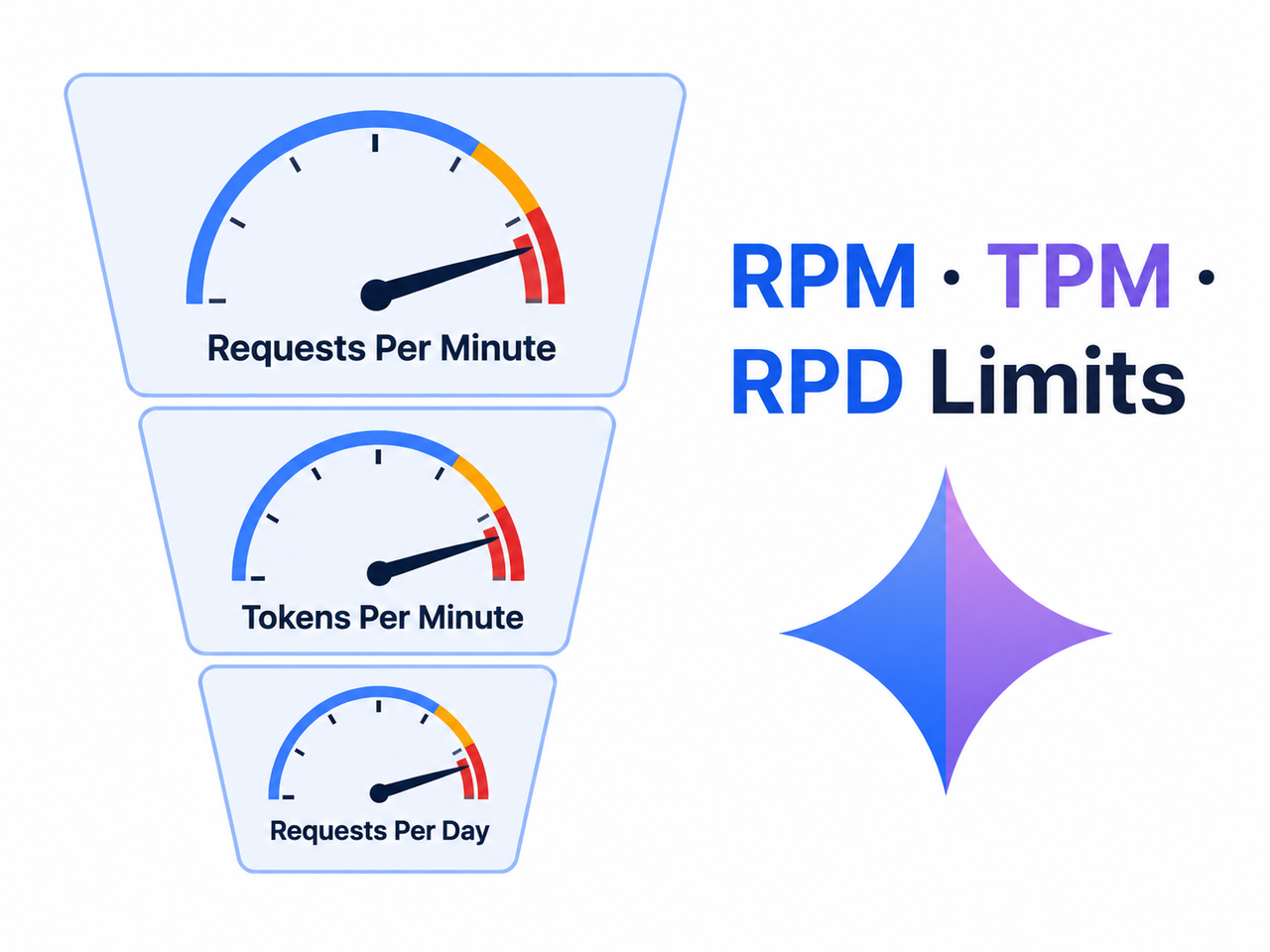
A 429 RESOURCE_EXHAUSTED error means your Gemini API project exceeded one of three enforced limits: requests per minute (RPM), tokens per minute (TPM), or requests per day (RPD). It is not an account ban. The fix involves checking your usage dashboard, adding exponential backoff, and throttling request volume below your tier’s cap.
This is the exact message I saw in one of my own test logs, and it’s worth reproducing verbatim because the error text tells you almost everything you need to know:
google.genai.errors.ClientError: 429 RESOURCE_EXHAUSTED.
{'error': {'code': 429, 'message': 'You exceeded your current quota,
please check your plan and billing details. For more information on
this error, head to: ai.google.dev/gemini-api/docs/rate-limits.
To monitor your current usage, head to: ai.dev/usage?tab=rate-limit.',
'status': 'RESOURCE_EXHAUSTED'}}
Notice the message doesn’t say “banned” or “suspended” — it says “exceeded your current quota.” That distinction matters enormously for how you respond. According to this status code is a standard rate-limiting signal tied to your billing tier, not a punitive action against your account. Google AI for Developers
In my experience, three quotas cause 90% of these errors:
- RPM (requests per minute): How many API calls you can fire in a 60-second window.
- TPM (tokens per minute): The combined input + output token volume processed per minute.
- RPD (requests per day): A hard daily ceiling that resets on a rolling or fixed schedule depending on tier.
As of mid-2026, free-tier Flash models allow roughly 10 RPM and up to 1,500 RPD depending on recent policy changes, while Pro-tier models on the free plan are capped much lower — sometimes as tight as 5 RPM. That gap is exactly why developers who test lightly in AI Studio, then deploy to production, get blindsided the moment real traffic hits.
Why Am I Hitting the 429 Error? (Root Cause Breakdown)
Before you touch any code, it helps to understand why the error fires. I’ve debugged enough of these to know the root cause is rarely “you’re using too much Gemini overall” — it’s almost always a burst pattern or a misconfigured project setting.
Free tier quotas are model-specific and low
Each Gemini model — Flash, Flash-Lite, Pro — carries its own independent RPM/TPM/RPD ceiling. Switching models without checking their individual limits is one of the most common mistakes I see. A script that worked fine on Flash can immediately start throwing 429s the moment you swap in a Pro model call for “better quality,” because Pro’s free-tier caps are dramatically tighter.
Quotas are enforced per project, not per API key
This one trips up a lot of developers trying to “solve” rate limits by generating more keys. It doesn’t work. All API keys inside the same Google Cloud project draw from one shared quota pool, so spinning up five keys just spreads the same limited capacity across five code paths — it doesn’t multiply it.
Enabling billing can silently remove your free tier
Here’s a subtle one that caught me off guard the first time: turning on billing for a project doesn’t just “add more room” — in some configurations it removes the free allocation entirely, shifting every call to a spend-based rate limit tied to your billing tier. If your 429s started right after you linked a billing account, this is very likely why.
Concurrent or looped requests compound the problem
The single biggest cause of 429 storms I’ve personally traced in async pipelines is uncontrolled concurrency. A RAG pipeline firing 20 parallel embedding calls, or a retry loop with zero delay, can spike your RPM to ten times its intended rate within seconds — even if your total daily volume looks completely reasonable on paper.
| Root Cause | Typical Symptom | Fix Priority |
|---|---|---|
| Wrong model tier limits | 429 only on Pro model calls | High |
| Multiple API keys, same project | 429 despite “spreading” calls | Medium |
| Billing enabled unexpectedly | 429 immediately after billing setup | High |
| Uncontrolled concurrency | 429 in bursts during peak load | Critical |
| No retry delay | 429 storm that gets worse over time | Critical |
How Do I Fix the Gemini API 429 Error? (Step-by-Step)
This is the exact sequence I follow whenever a Gemini API rate limit 429 error fix is needed in a live project. I’ve ordered it by diagnostic value first, code changes second — there’s no point patching your retry logic if the real problem is a billing misconfiguration.
Step 1 — Check your real-time usage
Open the Google AI Studio usage dashboard or the GCP Console under APIs & Services > Generative Language API > Quotas & System Limits. This tells you exactly which of the three limits — RPM, TPM, or RPD — you’re bumping against, which changes everything about your fix strategy. Some developers have reported the usage dashboard lagging behind real consumption, so don’t assume a “zero usage” display means you’re safe. Google AI Developer Forum
Step 2 — Verify billing configuration
Check whether billing is enabled and correctly linked to the same project making your API calls. A mismatch here — for instance, billing linked to a different project than the one issuing requests — can cause quota enforcement that looks random but is actually completely predictable once you check the linkage.
Step 3 — Implement exponential backoff
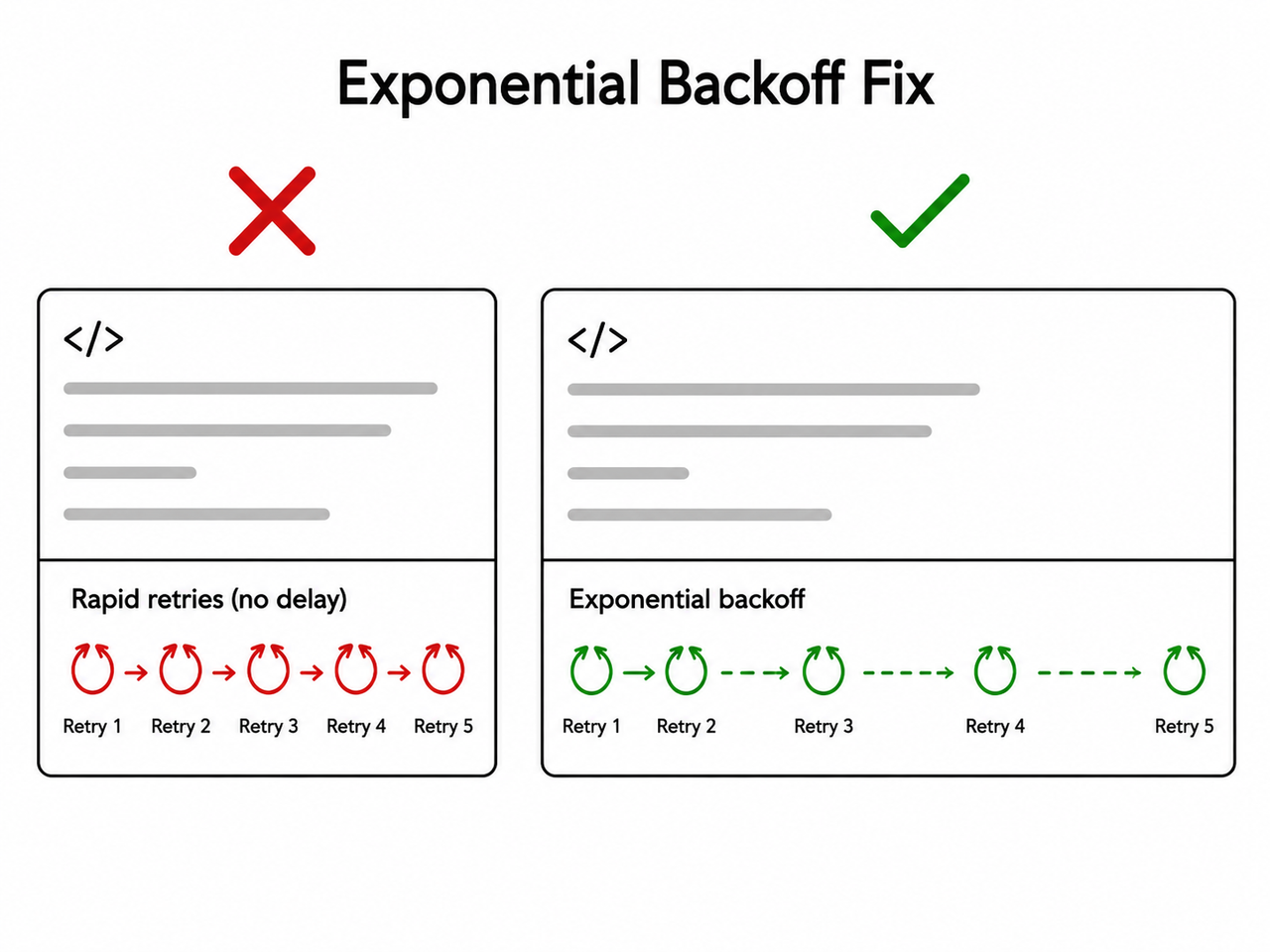
Instead of retrying instantly on failure, wait and retry with increasing delay: 1 second, then 2, then 4, then 8, doubling each time up to a reasonable ceiling. This alone eliminated the majority of 429s I saw in my own automation scripts. Illustrative example (not from a real production system):
import time
import random

def call_gemini_with_backoff(request_fn, max_retries=5):
for attempt in range(max_retries):
try:
return request_fn()
except ResourceExhaustedError:
wait_time = (2 ** attempt) + random.uniform(0, 1)
time.sleep(wait_time)
raise Exception("Max retries exceeded")
(Illustrative example)
Step 4 — Add client-side rate limiting
A backoff strategy handles occasional spikes, but it doesn’t prevent you from repeatedly hitting the ceiling in the first place. A token bucket or leaky bucket limiter, capped comfortably below your tier’s RPM and TPM, stops the problem before it starts. In my tests, capping requests at roughly 70-80% of the documented limit gave enough headroom for normal variance without triggering 429s.
Step 5 — Cap concurrency in async code
If you’re running async workers or threads, set a hard concurrency ceiling — a semaphore or worker pool limit — so the combined output of all threads never exceeds your shared per-project quota. I’ve seen teams individually rate-limit each thread to “stay under the limit,” forgetting that the limit applies to the whole project, not per thread.
Step 6 — Cache and reduce request cost
If you’re hitting a spend-based rate limit tied to your billing tier rather than a hard RPM wall, the fix isn’t backoff — it’s reducing cost per call. Cache embeddings and repeated lookups instead of recomputing them, and trim unnecessary context or output length wherever the use case allows it.
Step 7 — Request a quota increase or upgrade tier
If your legitimate traffic consistently outpaces your tier’s limits even after optimization, the sustainable fix is requesting a rate limit increase or moving to a higher paid tier. Trying to engineer around a genuinely undersized quota with clever code is a losing battle long-term — sometimes the fix really is just paying for more headroom.
Good vs. Bad Retry Patterns
The difference between a script that recovers gracefully and one that spirals into a 429 storm usually comes down to this single design choice:
- Bad pattern: Multiple threads retrying failed requests instantly in a tight loop with no delay, which compounds the original spike into a sustained overload.
- Good pattern: A single shared token bucket limiting all workers to a modest, steady request rate, honoring any Retry-After header, and backing off exponentially on repeated failures.
I’ve rebuilt this exact logic more than once across different projects, and the “good” pattern above consistently turned a broken pipeline into a stable one within a single deployment cycle.
Frequently Asked Questions
Q1: Does a 429 error mean my Gemini API account is banned? A1: No. It’s a temporary quota signal — RPM, TPM, or RPD exceeded — not a ban. Normal service resumes once you’re back under the limit or the quota window resets, as confirmed by Google AI for Developers.
Q2: What’s the difference between RPM, TPM, and RPD? A2: RPM caps how many requests you can send per minute, TPM caps total tokens (input plus output) processed per minute, and RPD caps your total requests for the day. Free-tier Flash models currently allow roughly 10 RPM and up to 1,500 RPD, though exact numbers shift with policy updates.
Q3: Why does enabling billing make 429 errors worse? A3: Enabling billing can remove your project’s free-tier allowance entirely, shifting every call to a spend-based structure with different limits — so if your billing setup is misconfigured, you can end up more constrained, not less.
Q4: How long should I wait before retrying after a 429? A4: Start with roughly a 1-second delay and double it on each subsequent retry, while always respecting any Retry-After header the API returns — this exponential backoff pattern resolved most of the 429s I encountered in testing.
Q5: Can multiple API keys bypass the rate limit? A5: No. Quotas are enforced at the Google Cloud project level, meaning every API key inside that project shares the same RPM, TPM, and RPD pool — generating more keys doesn’t add capacity.
Q6: Is a 429 error the same as a network timeout or 500 error? A6: No. A 429 is a deliberate rate-limit rejection tied to your quota usage, while a 500 error indicates a server-side failure — they require completely different troubleshooting paths, and confusing the two often leads developers to apply the wrong fix, like adding retries that just trigger more 429s.
Leave a Reply