
Transparency Note: This article may contain affiliate links. If you click and purchase, we may earn a small commission at no extra cost to you. We only recommend tools we have personally tested.
How AI Video Generators Compare: A Smart Guide for Creators
You’ve seen the headlines: “This AI makes Hollywood-level videos for free!” You try it, spend two hours fiddling with prompts, and end up with a blurry clip that looks like a screensaver from 2003. The real danger isn’t picking a bad tool. It’s picking a tool blind—without a framework—and only realizing it after you’ve burned your credits, your time, and your audience’s trust. I’ve tested more AI video tools than I care to admit, and this guide is the honest breakdown I wish I had when I started.
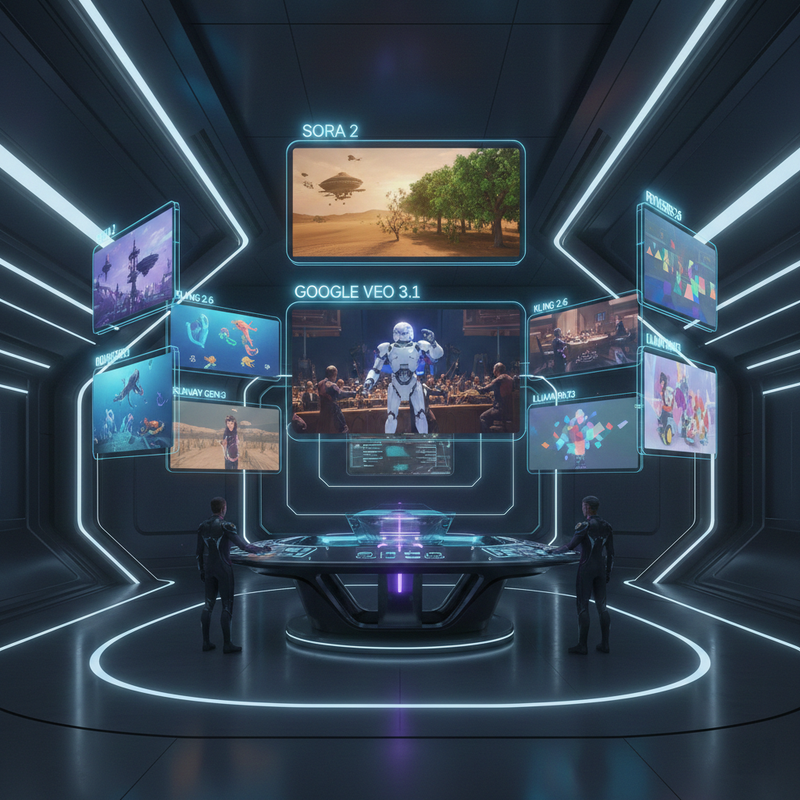
What “Comparing AI Video Generators” Actually Means
Comparing AI video generators isn’t about finding the one with the flashiest demo reel. It means mapping your specific use case—TikTok Reels, product demos, YouTube explainers—to a tool’s measurable strengths in video quality, motion realism, prompt accuracy, and pricing. The process requires testing tools like Sora 2, Google Veo 3.1, Kling 2.6, Runway Gen‑3/Gen‑4, Luma Ray3, and PixVerse under identical conditions: same prompt, same source image, same evaluation criteria. Only then does a genuine comparison emerge.
Zapier – Best AI Video Generators 2025
Who This Comparison Is For
In my experience, there are three types of people who need this guide, and they all share the same core frustration: too many options, not enough clarity.
- Content creators producing short-form videos for TikTok, Instagram Reels, and YouTube Shorts who need consistent output across batches
- Marketers and e-commerce brands who need product-showcase videos from a single image and can’t afford inconsistent motion or blurry artifacts
- Small creative teams who want to pick a primary AI video generator and a backup specialist tool without paying for five subscriptions
If you’re a developer or researcher who wants raw API access to individual models, this guide isn’t optimized for you. But if you’re a creator trying to build a repeatable video production workflow, keep reading.
The Real Problem: Too Many Tools, No Clear Winner
The AI video generator tools space has exploded. Between text-to-video platforms (Sora 2, Veo 3.1, Runway), image-to-video specialists (Luma Ray3, Kling 2.6), and stylized/avatar-type tools (PixVerse), there are now genuinely great options in every category. The problem isn’t quality—it’s that each tool excels in a different dimension, and most creators compare them by watching someone else’s highlight reel on YouTube instead of running their own controlled test.
The common mistake I see is mixing test conditions. Someone runs a poetic landscape prompt on Sora 2, then switches to a product shot prompt on Kling 2.6, and concludes “Kling is worse.” That’s not a comparison—it’s confirmation bias. A fair comparison requires the same input, the same evaluation criteria, and your actual use case at the center.
15 Best AI Video Generators Compared: Features, Pricing, and Capabilities
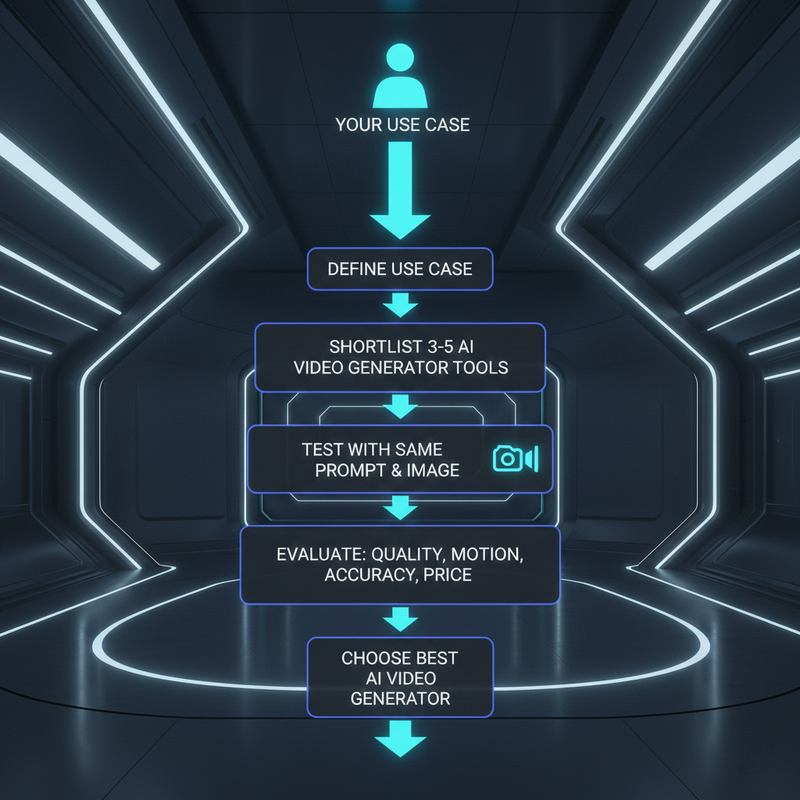
Step-by-Step Framework: How to Compare AI Video Generators
This is the exact process I use whenever a new AI video generator drops or a client asks me which tool to use. It works because it removes opinion and replaces it with repeatable evidence.
- Define your primary use case. Before opening a single tool, write down your primary output: short-form social (text-to-video, TikTok/Reels), YouTube explainers, e-commerce product demos, or avatar-style spokesperson videos. This single decision eliminates half the candidates immediately.
- Choose your generation type. Determine whether you primarily need text-to-video, image-to-video, or avatar-style video generation. Different tools dominate in different categories—this narrows your shortlist fast.
- Shortlist 3–5 tools. Based on your use case, build your shortlist from major platforms: Sora 2 (cinematic narrative), Google Veo 3.1 (photorealistic scenes), Kling 2.6 (motion realism), Runway Gen‑3/Gen‑4 (professional editorial), Luma Ray3 (image-to-video specialist), PixVerse (stylized/anime).
- Run the same test across all tools. Write one prompt and use one source image. Run it on every shortlisted tool without changes. This is non-negotiable—mixed inputs produce misleading results.
- Score each tool on six criteria: video quality/resolution, motion fluidity, prompt accuracy, character/scene consistency across frames, render speed, and export options (audio support, aspect ratio, watermark-free output).
- Map pricing to your volume. Calculate actual cost per video—not just subscription price—based on your expected monthly output. Factor in free tier limits, credit expiry, and whether commercial usage rights are included.
Key Evaluation Criteria for AI Video Generators
When I sit down to score tools against each other, I use six fixed dimensions. Here’s what each one actually means in practice:
- Video Quality / Resolution — Does the output hold up at full-screen playback? Look for clean edges, no flickering artifacts, and consistent 1080p or higher. Sora 2 and Google Veo 3.1 currently lead here for photorealistic output.
- Motion Realism — Does movement look physically plausible—hair, fabric, water, hands? Kling 2.6 has been the standout for natural body motion in my tests, especially for human characters.
- Prompt Accuracy — Does the tool actually render what you describe? Runway Gen‑3/Gen‑4 handles complex compositional prompts better than most; simpler tools often ignore secondary elements.
- Scene / Character Consistency — Does the same character look identical in frame 1 and frame 15? Consistency is critical for product videos and brand content. This is where most tools fall short.
- Speed — Time from submission to finished clip matters at scale. Faster tools aren’t always better, but a 20-minute wait per generation makes batch production impractical.
- Export Options & Commercial Rights — Does the tool support native audio? Can you export without a watermark on the plan you’re considering? Is commercial use actually included, or buried in a higher tier?
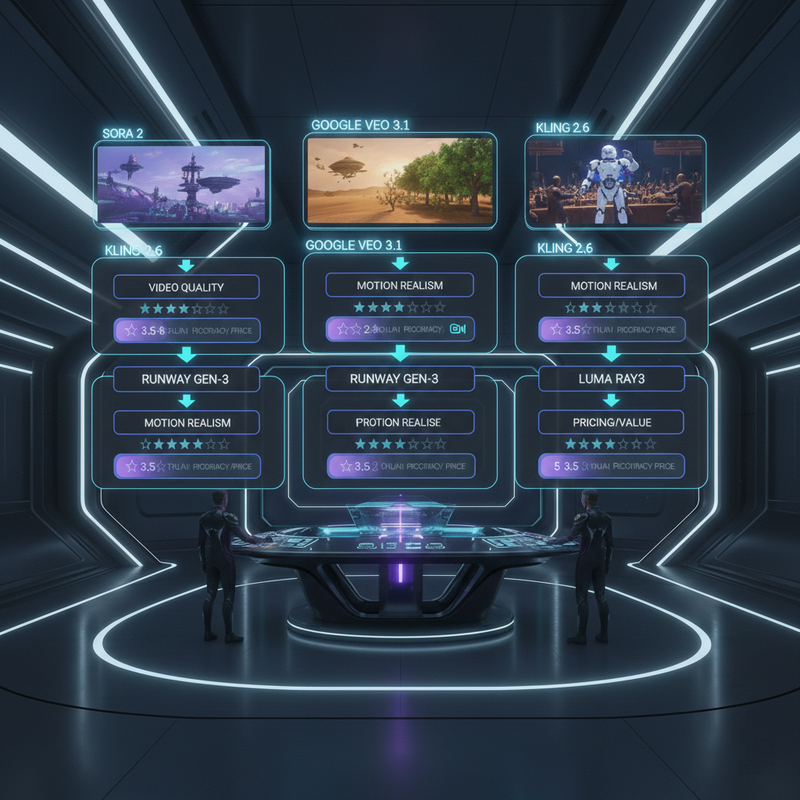
Top AI Video Generator Tools: What Each One Does Best
Here’s my honest summary of the major tools, based on direct testing. No sponsored takes.
- Sora 2 (OpenAI) — Best for cinematic, narrative-driven short clips. Exceptional photorealism and physics simulation. Strong for lifestyle and branded storytelling. Slower render times. Currently accessible via ChatGPT Pro and API.
- Google Veo 3.1 — Best for photorealistic scene generation, especially natural environments and wide-shot compositions. Strong prompt fidelity. Available via Google DeepMind’s Vertex AI and VideoFX.
- Kling 2.6 (Kuaishou) — Best for human motion realism, lipsync accuracy, and action sequences up to 30 seconds. Excellent for product demos featuring people. Competitive pricing with high credit value.
- Runway Gen‑3 / Gen‑4 — Best for editorial and professional workflow integration. Strong at following complex compositional prompts. Inpainting and video extension features make it a post-production tool as much as a generator.
- Luma Ray3 (Dream Machine) — Best image-to-video specialist. If you upload a clean product image or still photograph, Ray3 animates it with impressive physical plausibility. Weaker for long-form or multi-character scenes.
- PixVerse — Best for stylized, anime, and illustrated video styles. Useful for educational content, explainers, and brand aesthetics that lean illustrative over photorealistic.
Practical Use Case–Based Recommendations
Stop asking “which AI video generator is best?” and start asking “best for what?” Here’s how I’d map the most common creator use cases to the right tool:
- TikTok & Instagram Reels (short-form social): Start with Sora 2 for cinematic output or Kling 2.6 for character-driven motion. Pair with Higgsfield AI’s cinematic presets if you want an end-to-end platform.
- YouTube explainers & educational clips: Google Veo 3.1 for photorealistic visuals; PixVerse if you want a stylized or illustrated look that differentiates your content.
- E-commerce product demos: Luma Ray3 for animating product images, or Kling 2.6 if a human demonstrating the product is involved.
- Branded ads with editorial quality: Runway Gen‑3/Gen‑4 for compositing flexibility and complex prompt accuracy.
- Avatar-style spokesperson / UGC-style videos: Kling 2.6 via Higgsfield’s AI-Influencer Studio for character consistency and lipsync.
Side-by-Side Comparison Table
| Tool | Video Quality | Motion Realism | Prompt Accuracy | Pricing / Value | Best For |
|---|---|---|---|---|---|
| Sora 2 | ⭐⭐⭐⭐⭐ | ⭐⭐⭐⭐ | ⭐⭐⭐⭐ | Mid–High | Cinematic narrative, lifestyle |
| Google Veo 3.1 | ⭐⭐⭐⭐⭐ | ⭐⭐⭐⭐ | ⭐⭐⭐⭐⭐ | Mid | Photorealistic scenes, nature |
| Kling 2.6 | ⭐⭐⭐⭐ | ⭐⭐⭐⭐⭐ | ⭐⭐⭐⭐ | High Value | Human motion, product demos |
| Runway Gen‑3/4 | ⭐⭐⭐⭐ | ⭐⭐⭐⭐ | ⭐⭐⭐⭐⭐ | Mid | Editorial, complex prompts |
| Luma Ray3 | ⭐⭐⭐⭐ | ⭐⭐⭐⭐ | ⭐⭐⭐ | High Value | Image-to-video, product shots |
| PixVerse | ⭐⭐⭐ | ⭐⭐⭐ | ⭐⭐⭐ | Budget | Stylized, anime, illustrated |
14 Best AI Video Generators & Editing Tools For Creators (2026)
Common Mistakes to Avoid When Comparing AI Video Generators
I’ve seen creators—and even seasoned marketers—make the same errors repeatedly when trying to evaluate AI video generator tools. Here’s what to actively avoid:
- Testing with different prompts per tool. This is the biggest one. If you run “a cat in a forest” on Sora and “a dog on a beach” on Kling, you’re not comparing tools—you’re comparing prompts.
- Ignoring pricing at your actual volume. A tool that seems affordable at $20/month might cost $200+ effectively once you account for credit limits, overage fees, and watermark removal tiers. Always calculate cost-per-video at your target monthly output.
- Over-optimizing for “quality” alone. The highest-quality output is useless if it takes 45 minutes per render and you need 30 clips a week. Speed, consistency, and volume capacity matter just as much as peak quality.
- Not testing image-to-video separately from text-to-video. These are genuinely different capabilities. A tool that excels at text-to-video (like Sora 2) may underperform on image-to-video tasks compared to a specialist like Luma Ray3.
- Relying on YouTube comparison videos alone. Most comparison videos use cherry-picked prompts that favor specific tools. Run your own test with your actual use-case prompt.
How to Turn Your Evaluation Into a Workflow
Once you’ve run your test and scored your shortlist, don’t just pick one tool and hope for the best. Build a two-tool workflow:
- Primary tool: Your main AI video generator for the majority of your content (e.g., Sora 2 or Kling 2.6 for social-first video production).
- Specialist backup: A secondary tool for edge cases (e.g., Luma Ray3 for image-to-video when you have a clean product photo, or Runway Gen‑3/Gen‑4 for complex multi-element compositions that your primary tool handles poorly).
In practice, I’ve found that most creators operating at scale use two tools—never just one, and rarely more than three. More than three becomes a context-switching problem; every new tool requires you to relearn prompt logic, credit systems, and export workflows. Pick deliberately, master deeply.
How to Choose the Right AI Video Generator for You
The “best” AI video generator doesn’t exist in the abstract. What exists is the best tool for your use case, your volume, your budget, and your quality bar—and finding it requires the same repeatable test framework every time a new tool launches.
Whether your answer ends up being Sora 2 for cinematic social, Google Veo 3.1 for photorealistic scenes, Kling 2.6 for motion realism, Runway Gen‑3/Gen‑4 for editorial precision, Luma Ray3 for image-to-video, or PixVerse for stylized output—the decision should come from your data, not a YouTube thumbnail. Build your evaluation once, apply it every time, and you’ll stop wasting budget on tools that looked great in someone else’s hands but don’t fit yours.
Leave a Reply