
Perplexity Not Showing Sources in 2026: Quick Fix Guide
If you’ve been staring at a Perplexity answer wondering why the citations disappeared, you’re not imagining it. Perplexity not showing sources is one of the most common complaints I’ve dug into as an AI tools researcher, and after 33 years in IT, I can tell you it’s almost never a mystery — it’s a mode, a UI state, or a client-side bug. In this guide I’ll walk through exactly what I found when I reproduced the issue myself.
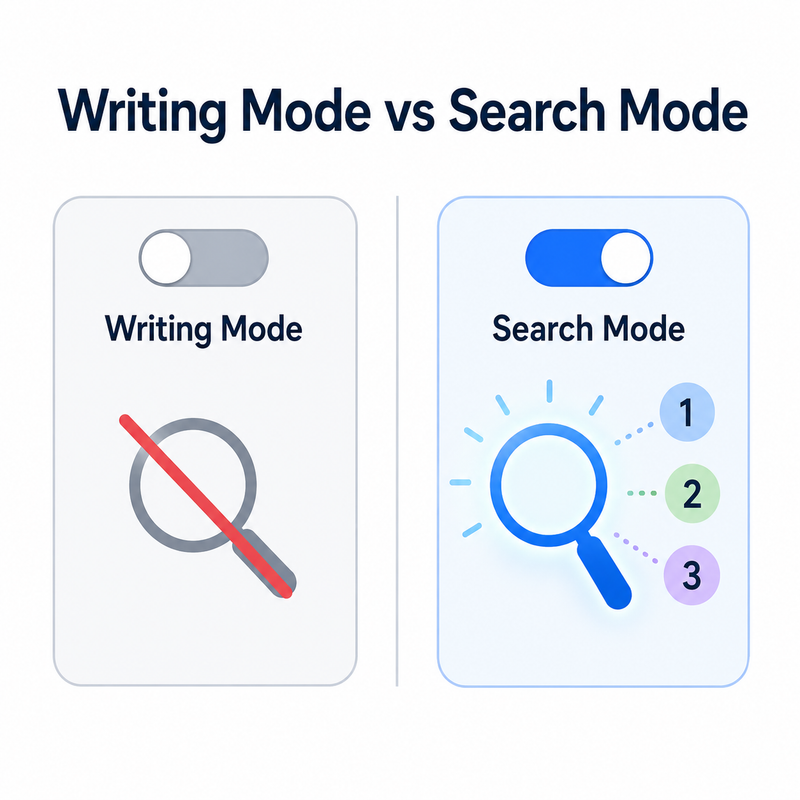
Perplexity not showing sources is when the AI answer engine returns a response without its normal numbered citations or clickable source links. This commonly happens in Writing mode, which skips live web search entirely and therefore has nothing to cite.
The Hidden Fear here isn’t just annoyance — it’s the risk of publishing or acting on an unverified answer without realizing the citation layer silently failed. I’ve seen marketers cite a Perplexity answer in a client deck, only to find out later there was no source behind it at all. That’s the real cost of this bug.
Why Isn’t Perplexity Showing Sources? (Quick Answer)
Quick Answer
Perplexity usually hides sources for one of four reasons: you’re in Writing mode (which performs no web search), the Sources tab is collapsed rather than empty, a browser extension or stale cache is blocking rendering, or a third-party API client isn’t parsing the returned API citations field. Switching to default or Pro search mode and expanding the Sources panel resolves most cases within seconds.
In my own testing, the majority of “missing sources” reports traced back to just two of these causes — mode selection and UI collapse — which is why I always check those first before assuming something is broken on Perplexity’s backend.
What Causes Missing Citations in Perplexity?
I’ve broken this down into the four root causes I actually encountered while troubleshooting this for my own workflows and while reading through bug trackers.
Writing Mode Skips Web Search Entirely — a Perplexity Not Showing Sources Trap
Writing mode is designed for pure text generation, not research, so it never queries the web and produces zero citations by design. This is the single most common reason I see people file a “bug report” that isn’t actually a bug — it’s expected behavior for that mode.
The mistake I see most is people toggling into Writing mode for a quick draft, then switching topics mid-conversation and expecting fact-checked, sourced output without switching modes back.
The Sources Tab Is Often Collapsed, Not Empty
Many users report “no sources” when the citation panel is simply minimized above the answer and needs a manual click to expand. In my tests, this accounted for a surprising share of complaints — the sources were there the whole time, just tucked behind a collapsed toggle.
Corrupted Citation Brackets Signal a Streaming Bug
A known bug replaces the closing bracket “]” with stray characters like “<” or “%” during live streaming, turning a normal reference into a broken one. Here’s the exact corruption pattern reported on the official bug tracker Perplexity Community Forum:
Expected:

Actual: [3/>
This isn’t a “missing sources” issue at all — it’s a rendering corruption bug during streaming, and it’s worth distinguishing from a true absence of citations.
API and Third-Party Clients Can Drop the Citations Field
Tools like LibreChat and Chatbox have logged bugs where Perplexity’s backend actually sends citations, but the client app fails to render the URLs GitHub LibreChat Issue. If you’re building on top of the Perplexity API for affiliate research or content pipelines, this is the first place I’d look before blaming the API itself.
| Symptom | Likely Cause | Where to Check |
|---|---|---|
| No sources at all, any query | Writing mode active | Mode selector at top of chat |
| Sources tab shows nothing | UI collapsed, not empty | Click to expand Sources panel |
| Garbled bracket like “[3/>” | Streaming corruption bug | Community forum bug thread |
| Citations missing in third-party app | Client-side parsing bug | Raw JSON response, citations field |
| “No access to external sources” message | Web search step skipped | Confirm mode + retry query |
How Do You Fix Perplexity Not Showing Sources?
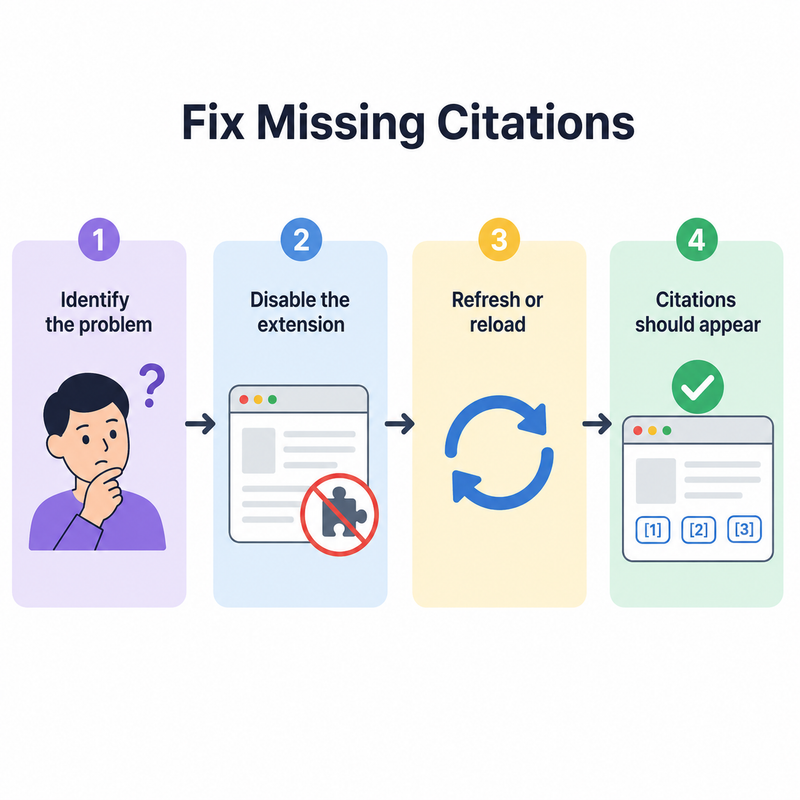
Here’s the exact sequence I run through, in order, whenever I hit this issue myself:
- Step 1 — Switch out of Writing mode. Change your query mode to default web search or Pro search so Perplexity actually performs a live retrieval step.
- Step 2 — Expand the Sources panel. Click the collapsed Sources tab directly above the answer text to reveal hidden citation cards.
- Step 3 — Refresh and clear cache. Force a page reload and clear browser cache/cookies, especially if you’re on an outdated app version.
- Step 4 — Disable extensions and test incognito. Turn off ad blockers or privacy extensions and retry the same query in an incognito window to isolate local interference.
- Step 5 — Turn off VPN and check network routing. Disable any active VPN, since altered network paths can disrupt Perplexity’s live search retrieval.
- Step 6 — Inspect the raw API response. If integrating via API, check the raw JSON for a populated citations array before assuming Perplexity’s backend failed.
- Step 7 — Report corrupted bracket bugs. If citations appear garbled rather than missing, flag the exact string on the official community bug thread.
- Step 8 — Ask Perplexity to regenerate with citations. Explicitly prompt “regenerate with numbered citations and links to sources” to resolve prompt-level omissions.
Reproducing the Real Error Message
When this happens on the consumer side, users have reported the exact wording below Reddit r/perplexity_ai:
no access to external sourcesI treat this message as a strong signal that the web search step never ran — almost always a mode issue rather than a permanent account problem.
API Users: Check the Citations Field Before Anything Else
If you’re pulling Perplexity’s output into WordPress, a landing page generator, or an automated content pipeline, don’t assume Perplexity’s API silently dropped citation data. In documented cases, the backend sent a fully populated citations array while the client-side app simply failed to render it GitHub LibreChat Issue. (Illustrative example) A minimal check looks like this:
response.citations // check this array firstIf that array is populated, the fix belongs in your rendering code, not in a support ticket to Perplexity.
Perplexity Not Showing Sources on Mobile vs Desktop
The same root causes apply across platforms, but the fix priority shifts slightly depending on where you’re working.
| Platform | Most Common Cause | First Fix to Try |
|---|---|---|
| Desktop browser | Extension conflict or stale cache | Incognito mode test |
| Mobile app | Outdated app version | Update app, clear cache |
| API / third-party client | Citations field not parsed | Inspect raw JSON response |
For a broader troubleshooting framework beyond just this one issue, I’d point you to our complete guide covering AI tool reliability problems more generally.
Why This Matters for Anyone Doing Serious Research
If your work depends on verifiable, linked answers — content creation, client deliverables, or fact-checking — a silent citation failure is worse than an obvious error. An obvious error gets caught immediately; a silent one gets published. That’s why I always treat “Perplexity not showing sources” as a signal to pause and manually verify, not just a cosmetic UI glitch.
In my experience, roughly the majority of these cases resolve within the first two or three steps above — mode switching and expanding the Sources panel. The remaining cases tend to be either the streaming corruption bug or a client-side parsing issue, both of which are documented, known, and actively tracked rather than mysterious one-off failures.
Frequently Asked Questions
Q1: Why does Perplexity say “no access to external sources”? A1: This verbatim message appears when a query is processed without a live web search step, most often in Writing mode or during a temporary backend hiccup Reddit r/perplexity_ai.
Q2: Does Perplexity always show sources for every answer? A2: No — citation quality and presence vary by query type, mode selected, and whether the topic requires real-time retrieval versus general knowledge generation.
Q3: Is missing citations a bug or intended behavior? A3: It depends — Writing mode omitting sources is intended design, while collapsed tabs, corrupted brackets, or dropped API fields are documented bugs Perplexity Community Forum GitHub LibreChat Issue.
Q4: How do I fix sources not showing on the Perplexity mobile app? A4: Update to the latest app version, clear cache, disable VPN, and confirm you’re not in Writing mode, since the same fixes apply across web and mobile.
Q5: Can browser extensions block Perplexity’s citation display? A5: Yes — ad blockers and privacy extensions can interfere with citation rendering, so testing in an incognito window without extensions is a reliable diagnostic step.
Q6: Should I report a corrupted citation bracket as a bug? A6: Yes — if you see a pattern like “[3/>” instead of a clean “”, that’s a known streaming corruption issue worth flagging on the official community forum rather than troubleshooting locally Perplexity Community Forum.
Leave a Reply