
How should I choose AI video tools for corporate training is a workflow-selection question about matching learning needs, delivery requirements, accessibility, and data governance before purchasing a platform. For example, pilot an onboarding lesson in your actual learning platform, verify its completion record, and test one policy update before committing.
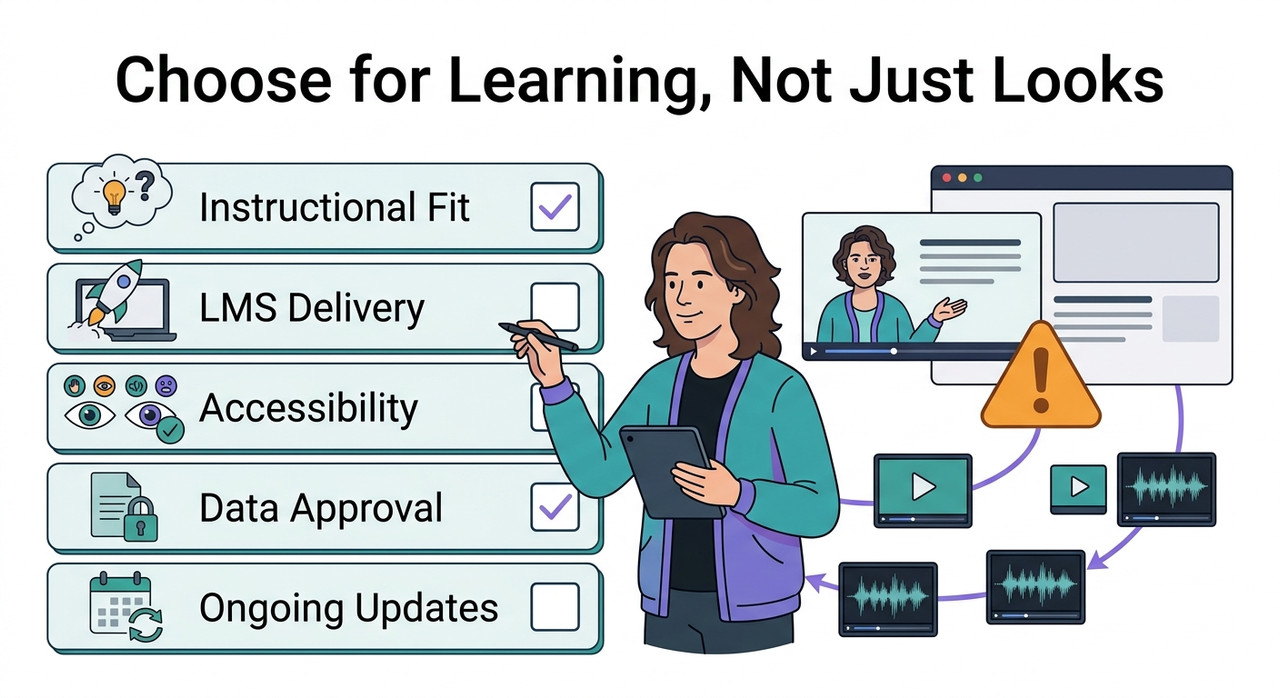
A convincing demo is easy to admire. A training workflow is harder to approve: it must help employees learn, work in your existing systems, and remain maintainable when a policy changes.
I recommend evaluating the complete journey rather than the generated video alone. Here, AI video tools include presenter generation, narration, localization, and editing. Course authoring and assessment may require separate tools.
Evidence note: The sources support documented features and selection considerations, not a completed comparative experiment. The onboarding pilot below is a proposed test scenario. I do not claim firsthand test outcomes, measured savings, or a winning platform that the evidence does not establish.
How should I choose AI video tools for corporate training?
Quick Answer
Choose AI video tools by testing instructional fit, LMS delivery, accessibility, localization, data handling, and update effort—not just avatar realism. Pilot the same representative lesson in each shortlisted workflow, verify required completion and assessment records in your LMS, and compare approved-output costs. Eliminate tools that fail mandatory requirements before scoring presentation quality.
The practical distinction is between mandatory requirements and preferences. A platform that fails your approved data-handling requirements cannot compensate with a better presenter. Similarly, an inexpensive subscription is not a saving if every lesson requires extensive manual repair.
Your learning management system (LMS) is part of the evaluation, not merely the destination for the finished file. Confirm what it accepts, how it records completion, and which assessment information your organization actually needs.
| Selection criterion | Evidence to request or test | Why it matters |
|---|---|---|
| Instructional fit | A lesson demonstrating the actual learning task | Explanation alone may not support practice |
| LMS delivery | Import, launch, completion, and reporting tests | Playback does not establish a usable training record |
| Accessibility | Caption, visual-information, and player checks | The delivered experience must work for learners |
| Localization | Review of terminology, pronunciation, and meaning | Language availability does not establish accuracy |
| Data handling | Approved terms and documented processing | Marketing assurances do not settle procurement |
| Maintenance | One approved revision published successfully | Initial generation speed can hide recurring work |
| Cost | Total cost for accepted output | Subscription price excludes some human effort |
When colleagues ask, “How should I choose AI video tools for corporate training?”, I suggest starting with this table rather than a vendor ranking. Write down the evidence each department will accept before anyone becomes attached to a demo.
Why do AI training videos fail after a successful demo?
A demo usually shows the strongest visible output. Your organization also needs reliable publication, appropriate learning design, accurate language, and a defensible approval process. A weakness in any of those areas can block deployment.
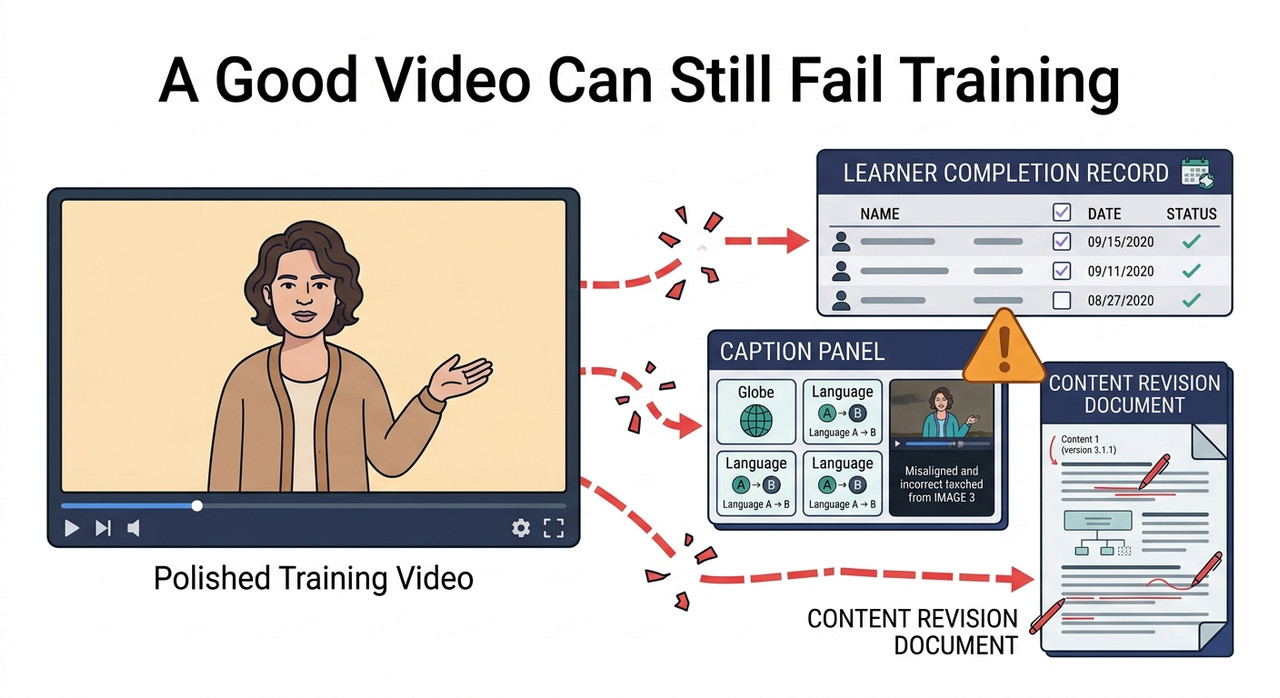
The following symptoms are diagnostic possibilities, not reported incidents from the cited sources. No real error log was supplied.
| Observed symptom | Possible cause | First diagnostic check |
|---|---|---|
| Video plays, but completion is missing | Delivery format or completion settings do not match requirements | Inspect the package, LMS configuration, and learner record |
| Learners finish but cannot perform the task | Lesson or assessment does not match the objective | Compare the objective with the required demonstration |
| Narration mishandles specialist terms | Pronunciation support or language review is inadequate | Review a terminology-heavy sample |
| Captions exist, but the lesson remains inaccessible | Essential visuals or player controls are inaccessible | Review the delivered lesson rather than the editor |
| Small changes cause extensive rework | Updates affect disconnected assets | Trace one revision through every language version |
| Security review blocks publication | Data requirements were checked too late | Review intended uploads and applicable agreements |
Strong instructional design connects a lesson to an observable outcome. Realistic AI avatars can introduce a topic, but they do not automatically demonstrate a software procedure or establish that an employee can make the correct decision.
The question “How should I choose AI video tools for corporate training?” therefore includes choosing the right production method. Sometimes the missing capability is a screen recorder, an assessment tool, or a better script—not a different avatar generator.
I would record the failure in a neutral diagnostic note before changing vendors:
Proposed pilot observation: The lesson plays in the learner account. The expected completion record is not visible. Checks to perform: - Confirm the intended delivery format and completion rule. - Verify that the learner reached the configured completion condition. - Inspect the LMS report using the agreed reporting settings. - Record the package version and reproduce the test. Status: illustrative diagnostic note, not a captured system error.(Illustrative example)
This wording separates observation from explanation. It avoids blaming the video tool for a problem that might belong to LMS configuration, report filtering, or a misunderstood completion condition.
How can I evaluate AI video tools before purchasing?
Use the same small lesson and acceptance criteria across shortlisted workflows. I recommend a controlled pilot because it exposes the connections between production, delivery, review, and maintenance without requiring a full course migration.
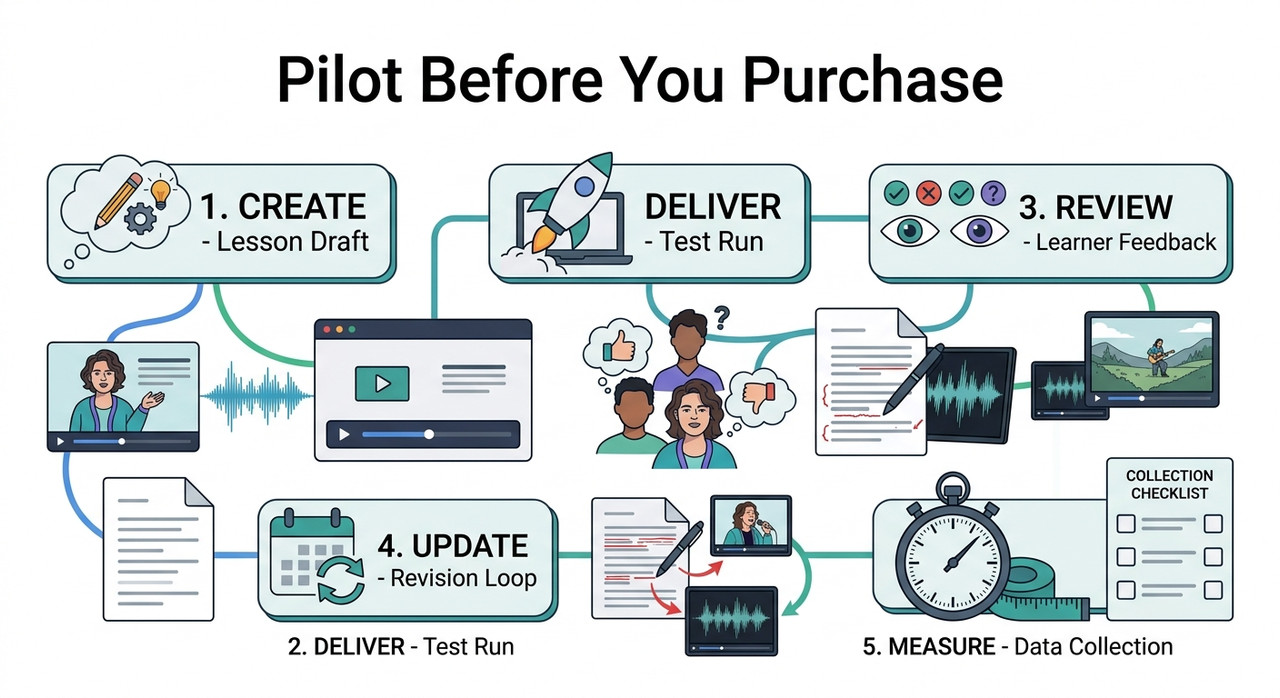
The protocol below is an editorial recommendation, not a validated industry benchmark. A short pilot can reveal blocking problems, but it cannot establish reliability across every course, language, or learner environment.
1. Define one observable learning outcome
Start with what the employee should do, not what the video should contain. Replace “Understand incident reporting” with “Select the correct reporting route for a sample incident.” The second statement gives reviewers something concrete to assess.
Separate learning assessment from viewing completion. A watched-percentage threshold records a viewing condition; it does not establish that the learner can apply a policy correctly.
Document the following before production:
- Intended audience and observable learning outcome.
- Required languages, devices, and delivery environments.
- Accessibility target and relevant organizational requirements.
- Required completion records, assessment results, and retention needs.
- Content owner, reviewers, and final approval authority.
“How should I choose AI video tools for corporate training?” becomes easier to answer once these requirements are explicit. A general introduction and an assessed compliance module can reasonably need different workflows.
Decide which failures would block purchase. For example, missing a required training record may be unacceptable, while a limited choice of presenter backgrounds may be a tolerable preference. Make that distinction before scoring candidates.
2. Match the production method to the task
Presenter-led video is useful for introductions, explanations, and contextual narration. For software procedures, learners may need to see the real interface and the exact sequence of actions. For physical tasks, appropriate demonstrations may matter more than a talking presenter.
I recommend drawing a simple workflow that identifies which component creates the media, which delivers the lesson, and which records learning results. This prevents a video generator from being evaluated as though it were a complete learning platform.
Consider these combinations:
- Presenter video plus an LMS knowledge check for policy explanations.
- Screen recording plus narration for software procedures.
- Demonstration footage plus accessible explanations for physical tasks.
- Course authoring plus suitable media for branching decisions or practice.
Do not add tools without a reason. Every extra component introduces permissions, handoffs, maintenance, and potential version mismatches. Choose the simplest workflow that meets the actual learning and operational requirements.
A useful answer to “How should I choose AI video tools for corporate training?” may therefore be a combination of capabilities rather than one platform. Evaluate that combination as a whole, including the work required to connect its parts.
3. Eliminate workflows that fail mandatory requirements
Confirm features for the exact subscription being considered. An advertised capability may be available only on a different plan, with additional limits or procurement conditions. Record the proposed plan beside every requirement.
If SCORM is required, establish whether your LMS needs SCORM 1.2 and SCORM 2004 compatibility or only one of those versions. Verify the actual supported export rather than treating “LMS compatible” as sufficient evidence.
For example, Synthesia’s SCORM export documentation states that export is available on Enterprise plans. That is a specific procurement constraint, not a reason to rank the product above or below unrelated alternatives. Synthesia Knowledge Base
Send the data processing agreement (DPA) and intended data flows to the appropriate security or legal reviewers. Use synthetic or nonconfidential pilot material until the proposed uploads have been approved.
Review at least these areas:
- Data retention, deletion, subprocessors, and processing locations.
- User permissions, collaboration access, and administrative controls.
- Avatar and voice consent, usage rights, and commercial terms.
- Export formats, caption options, usage limits, and exit arrangements.
Synthesia states that customer inputs and outputs are not used to pre-train its AI components. Its governance statement separately addresses fine-tuning under customer written instructions and governing agreements. Do not expand that into a claim that no customer-data processing occurs. Synthesia AI Governance Practices
At this stage, “How should I choose AI video tools for corporate training?” is a procurement question as much as a creative one. Require evidence for mandatory controls before scoring presentation quality.
4. Build the same two-to-three-minute pilot
Use one approved source script and a consistent acceptance checklist. A recommended two-to-three-minute lesson keeps the initial exercise manageable while exposing several connected requirements. It is not a substitute for later testing of longer or more complex courses.
Include representative difficulty rather than an artificially easy script:
- Specialist terms that employees actually use.
- One meaningful visual procedure or decision.
- Captions that reviewers can inspect and correct.
- A knowledge check linked to the learning outcome.
- A second language if multilingual delivery is required.
Evaluate text-to-speech pronunciation with your terminology, not just the vendor’s sample narration. Check whether corrections are practical to apply and whether they remain consistent when the lesson is regenerated.
For multilingual localization, review narration, captions, and on-screen text together. A translated voice track can sound fluent while conflicting with the labels learners see on screen.
I would keep the source content stable between candidates and record any adaptation required by a particular workflow. Otherwise, you risk comparing an easy lesson in one tool with a more demanding lesson in another.
“How should I choose AI video tools for corporate training?” deserves a fair comparison. Give each shortlisted workflow equivalent source material, review criteria, and opportunities for correction, then document the effort required to reach approval.
5. Verify delivery using a real LMS learner account
Import the output into your actual LMS and use a learner account with representative permissions. An administrator’s preview is useful, but it may not expose the same launch conditions or reporting behavior employees encounter.
For Synthesia’s documented workflow, the export sequence is:
- Generate the video and open Share.
- Select Create link.
- Under Download SCORM, choose the supported export version and completion percentage.
- Download the ZIP package and upload it to the LMS.
These are documented product steps, not a universal SCORM procedure. Confirm the current interface and subscription before relying on them. Synthesia Knowledge Base
Test import, launch, playback, and completion separately. When assessment reporting is required, test the score and any required pass/fail status separately as well. Do not assume the video package contains an assessment because it can report viewing completion.
“How should I choose AI video tools for corporate training?” should include a learner-side delivery test, not merely a successful export. An MP4 is not a SCORM package, although some LMS platforms can track native video through their own mechanisms.
If interruption and resume behavior matter, stop the lesson and return under the conditions learners will use. Record what resumes, what resets, and whether the resulting training record matches the requirement.
When a check fails, retain the relevant package version and settings. Change one suspected cause at a time where practical. That produces a more useful diagnosis than changing the export format, completion threshold, and LMS settings simultaneously.
6. Review accessibility in the delivered lesson
Evaluate WCAG media accessibility as part of the complete learner experience. Captions in the editing interface are not enough if the published player makes them difficult to use or important visual information remains unexplained.
W3C’s planning guidance addresses captions, transcripts, description of visual information, and accessible media players. The appropriate requirements depend on the content and applicable accessibility target. W3C Web Accessibility Initiative
Check the following in the delivered version:
- Caption accuracy, synchronization, speaker identification, and meaningful sounds.
- Readability of on-screen text at the intended viewing size.
- Availability of essential visual information through appropriate alternatives.
- Keyboard operation, focus visibility, and usable playback controls.
- Consistency between translated narration, captions, and screen content.
A transcript does not automatically replace synchronized captions. Similarly, captions alone do not establish accessibility conformance. Identify the applicable requirements with qualified reviewers rather than treating a feature checkbox as a complete audit.
For a visual procedure, ask whether someone who cannot see the screen can still obtain the essential instructions through the provided alternatives. For language review, ask whether the translation preserves the required action, not merely whether it sounds natural.
If accessibility is central to “How should I choose AI video tools for corporate training?”, involve reviewers before procurement. Discovering a major limitation after producing an entire course makes remediation more disruptive.
7. Publish one controlled policy update
A platform may create a first draft quickly and still be expensive to maintain. Test a small revision: change one policy sentence and one visual step, then trace both changes through every affected output.
Treat content version control as a requirement with an owner. Decide which approved version learners should receive and how earlier material and associated training evidence will remain identifiable.
Record these stages independently:
- Script and visual editing.
- Regeneration or re-rendering.
- Caption correction and language review.
- Approval and publication.
- Verification of the live lesson and retained version evidence.
Synthesia’s SCORM guide describes automatic updates when a video is replaced, without re-exporting or re-uploading the package. Test the behavior in your deployment rather than inferring what happens to historical records or previously approved content. Synthesia Knowledge Base
When revisiting “How should I choose AI video tools for corporate training?”, this update test can provide more useful decision evidence than another polished sample. It reveals work your team must repeat after purchase.
Check whether one language can be updated independently or whether the workflow creates dependencies across versions. Also confirm who can publish changes and how reviewers distinguish a draft from the approved lesson employees should see.
8. Compare accepted output and learning results separately
Apply mandatory requirements first. Then compare qualifying workflows on production effort, review burden, update turnaround, and accepted-output cost. A combined score must not hide a failed requirement that your organization considers essential.
Measure learning against the objective you defined earlier. A policy knowledge check and a practical software demonstration answer different questions; choose the assessment that matches the intended employee behavior.
I would maintain separate production and learning records. That makes it harder to confuse fast generation with effective training or to interpret a short pilot as proof of long-term performance.
“How should I choose AI video tools for corporate training?” ultimately requires two judgments: whether the workflow is operationally suitable and whether the lesson supports the intended learning outcome. Neither judgment should be inferred solely from visual polish.
Treat a small learner sample cautiously. Report the assessment conditions and limitations rather than announcing a general improvement in training effectiveness. The pilot is decision support, not automatically a robust learning-impact study.
How should I choose AI video tools for corporate training on a limited budget?
Compare the cost of approved, usable output rather than the advertised price of generation. A low subscription price may still produce high total cost if reviewers repeatedly repair terminology, captions, translations, or delivery settings.
Do not start with an elaborate scoring model. First agree on the cost boundary and record the same categories for every candidate. Include human effort when it is attributable to producing and approving the pilot.
| Metric | Definition | What it tells you |
|---|---|---|
| Cost per approved minute | Total attributable pilot cost divided by approved video minutes | Cost of accepted output |
| Review effort | Total reviewer time for the pilot | Human workload hidden behind generation |
| Update turnaround | Elapsed time from approved change request to published revision | Maintenance responsiveness |
| Correction rounds | Review-and-revision cycles before approval | Repeated production friction |
| LMS test pass rate | Passed predefined checks divided by executed checks | Tested delivery behavior |
| Assessment performance | Results against the predefined learning rubric | Performance on the chosen learning outcome |
Include attributable subscription or usage charges, editing, review, localization, and publication labor. If a subscription supports several projects, state how you allocated its cost rather than assigning the full bill to one candidate arbitrarily.
If nothing is approved, report no approved output. Do not calculate a misleading cost-per-approved-minute ratio with a zero denominator or count unfinished drafts as accepted minutes.
“How should I choose AI video tools for corporate training?” is not answered by the lowest number in one column. Review the cost alongside mandatory requirements, unresolved issues, and the effort needed to keep lessons current.
Distinguish elapsed time from hands-on work. A revision might wait for an approver without requiring additional editing. Both matter operationally, but they describe different constraints and should not be merged into an unexplained efficiency claim.
Likewise, a high LMS test pass rate does not cancel a failed critical check. If required completion reporting fails, several successful cosmetic or playback checks cannot make that requirement disappear.
What should a final purchasing brief include?
The purchasing brief should let someone outside the pilot understand why the workflow was selected. Keep the recommendation specific to your use case rather than declaring a universal winner across all corporate training needs.
Include the following decision evidence:
- Intended training use and the selected production, delivery, and assessment components.
- Mandatory requirements, supporting evidence, and approval owners.
- Exact plan, feature constraints, usage assumptions, and commercial dependencies.
- Pilot observations, unresolved issues, and limits of the testing.
- Production costs, review effort, and update results.
- Accessibility and data-handling approvals or outstanding actions.
- Version-retention arrangements and an exit plan for usable content.
Bad: “Buy the cheapest realistic avatar tool and upload the internal handbook. The generated video should be enough for compliance training.”
Good: “Choose a workflow that passes our data review, accessibility checks, and LMS reporting tests. Compare approved-output cost and revision effort, and use a suitable assessment component where evidence of learning is required.”
If the brief answers “How should I choose AI video tools for corporate training?” with only a price and a demo score, it is incomplete. Add the evidence showing how the lesson reaches employees and how the team will maintain it.
I recommend ending with a clear decision: approve, approve subject to named conditions, or do not proceed. Assign unresolved items to an owner rather than letting them disappear into a general statement that the pilot looked promising.
Keep this evaluation alongside your complete guide to AI troubleshooting. The aim is to identify the failing stage and its owner before replacing tools or expanding the subscription.
Frequently Asked Questions
Do AI training videos need SCORM?
Not always. The requirement depends on your LMS and the records your organization needs. Verify the supported delivery mechanism and test completion and assessment reporting where required. Native video tracking may be sufficient for some uses, but an ordinary video file is not itself a SCORM package.
Is a realistic AI avatar the most important selection criterion?
No. Avatar quality can improve presentation, but instructional fit, accessibility, data handling, delivery, and maintenance determine whether the workflow is usable. Evaluate aesthetics after mandatory requirements pass. A realistic presenter cannot substitute for a necessary demonstration or a valid learning assessment.
Does watching a training video prove that an employee understands it?
No. A viewing threshold establishes a completion condition, not mastery. Use an appropriate knowledge check or task demonstration when you need evidence that employees can apply the material. Keep completion records and assessment results distinct in the purchasing requirements and pilot report.
Are automatic captions enough for accessible corporate training?
No. Review accuracy, synchronization, meaningful sounds, essential visual information, and player accessibility. Requirements depend on the content and applicable accessibility target. W3C’s planning guidance treats accessible media as a combination of content alternatives and delivery considerations, not a single caption setting. W3C Web Accessibility Initiative
Can I upload an internal handbook during a free trial?
Only after your organization approves the proposed use and data handling. Use synthetic or nonconfidential material while reviewers assess the relevant terms. A free trial does not remove confidentiality obligations, and a general statement about model training does not settle retention, deletion, access, or consent requirements.
How should I compare multilingual AI video tools?
Test the same representative lesson in the languages you actually need. Have qualified reviewers check terminology, pronunciation, translated meaning, captions, and on-screen text. Record correction effort and repeat the review after a revision. A large language count is not evidence that your specialist material will be accurate.
What is the best way to test ongoing maintenance?
Revise one policy sentence and one visual step, then follow the change through regeneration, captions, localization, approval, and publication. Record elapsed time and hands-on effort separately. Confirm what happens to the live lesson, earlier approved versions, and the evidence your organization needs to retain.
How should I choose AI video tools for corporate training if no candidate passes?
Do not average away the failure. Identify which requirement is blocking each candidate and whether another component can legitimately satisfy it. Reassess the workflow, narrow the intended use, or postpone the purchase. The defensible decision is the one supported by evidence—not necessarily a subscription bought immediately.
The practical next step is small: choose one representative lesson, write the acceptance criteria, and schedule the learner-side delivery and update tests. Buy only after you understand both what the workflow produces and what your team must do to keep it reliable.
Leave a Reply