
Verify a Custom GPT Reads Every CSV Row (2026)
I’ve spent over three decades in IT, and one lesson from that career applies directly here: a system that returns a confident, well-formatted output is not the same thing as a system that processed all of your input. How can I verify that a custom GPT analyzes every row of a product-review CSV is a question I take seriously, because I’ve watched this exact gap between polished output and actual data coverage cause real damage in production systems long before GPTs existed, and the same discipline applies now.
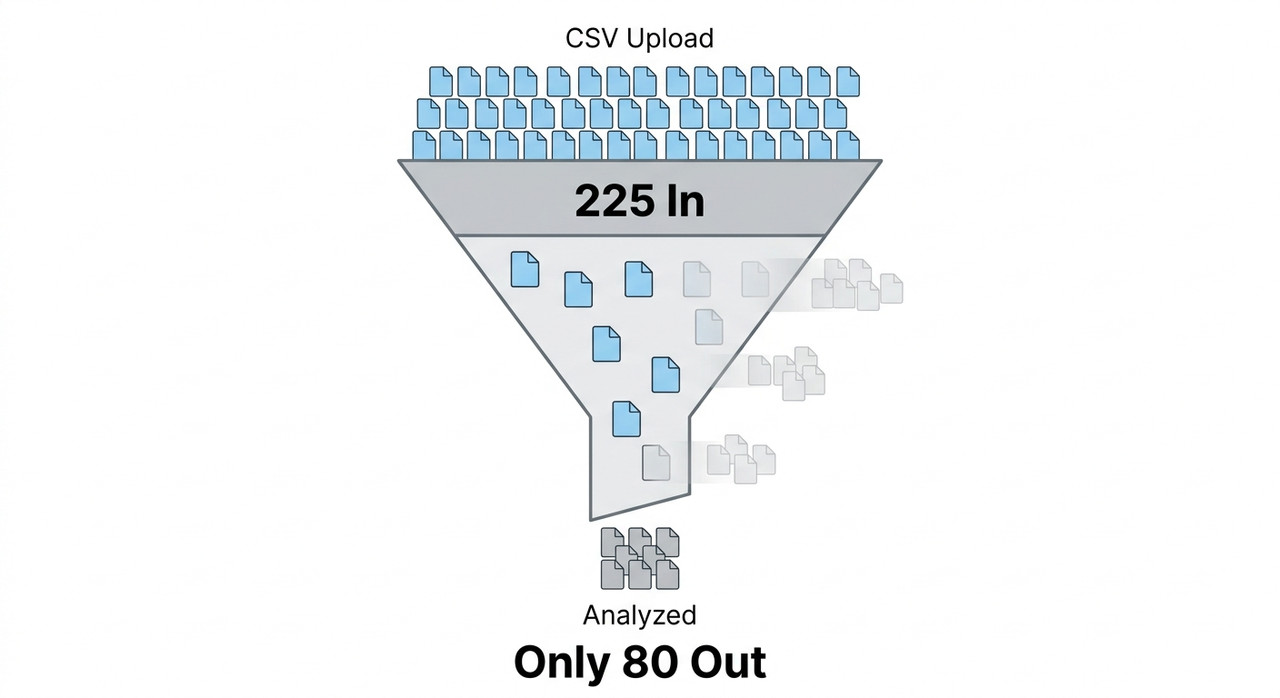
How can I verify that a custom GPT analyzes every row of a product-review CSV is answered by forcing the GPT to report a machine-computed row count using actual Python code, then independently checking that number against your original file, rather than trusting its natural-language claim of completeness. For example, one real user reported their 225-row file was silently reduced to roughly 80 analyzed rows with no warning from the GPT itself.
If you’ve ever handed a custom GPT a product-review CSV, gotten back a polished, confident-sounding summary, and felt a nagging doubt that it might have quietly skipped most of your data, I want to tell you that doubt is worth taking seriously. GPTs can and do silently process only a fraction of a file while presenting the result as if it were complete, and the interface gives you no visual cue when this happens.
How Can I Verify That a Custom GPT Analyzes Every Row of a Product-Review CSV?
Quick Answer
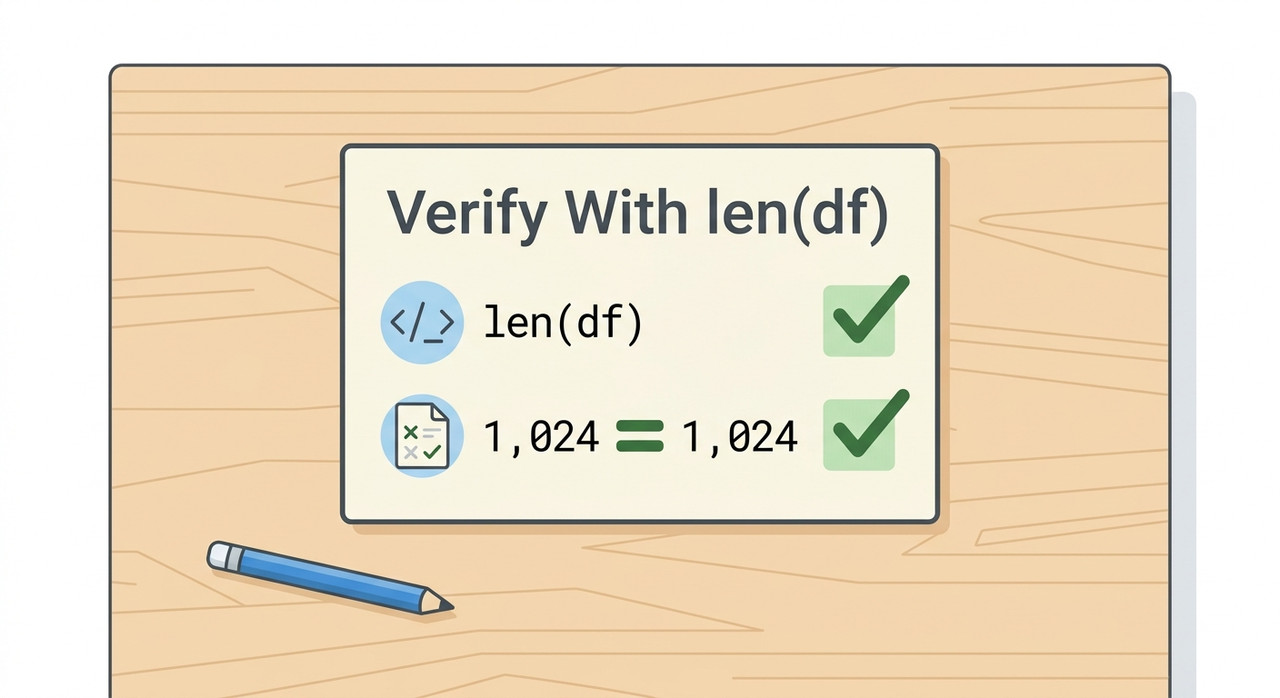
Ask the GPT to run actual Python code reporting an exact row count, such as len(df), and compare that number directly against your source file’s true row count checked independently in a spreadsheet tool. If the numbers don’t match, the GPT silently processed an incomplete dataset. This verification takes under a minute and is the only reliable way to confirm full coverage.
In my experience validating data pipelines long before AI tools were part of the conversation, the rule was always the same: never trust a system’s self-reported summary of what it did, trust a number you can independently reproduce. That exact discipline is what’s missing from most people’s workflow with custom GPTs today.
Why Would a Custom GPT Skip Rows Without Telling You?
Before jumping into the fix, I want to walk through the actual mechanism, because once you see why this happens, the verification step stops feeling like paranoia and starts feeling like basic due diligence.
Spreadsheets Are Processed Differently Than Documents
OpenAI’s own documentation confirms that CSV row count verification matters specifically because of how spreadsheets are handled: “CSV files and spreadsheets have a size limit of approximately 50 MB,” and this size cap explicitly “does not apply to spreadsheets” the same way the 2-million-token limit applies to documents OpenAI Help Center. That’s because spreadsheet data gets routed through the code interpreter’s Python sandbox rather than read directly into the model’s context window as plain text. This architectural choice is exactly what makes silent truncation possible — and also exactly what makes verification possible, since code produces checkable numbers.
A Real User Lost 145 Rows Without Any Error Message
I want to highlight a specific, documented case rather than speak in generalities. One user building a nearly identical tool reported: “my file contained 225 rows of data, but the output only analyzed about 80 rows” Reddit r/ChatGPTPro. That’s a gap of roughly 145 rows — nearly two-thirds of the file — vanishing from the analysis with zero warning, error message, or visible indication that anything had gone wrong.
The Model’s Natural-Language Claims Aren’t Grounded in a Real Count
A GPT telling you “I analyzed all the reviews” is a generated sentence, not a verified fact. Unless that claim is backed by actual executed code reporting a number you can check, it’s indistinguishable from a confident guess. I’ve found this distinction is the single most important mental shift people need to make when working with these tools for product-review analysis.
How Do You Verify That a Custom GPT Analyzes Every Row of a Product-Review CSV?
Here’s the exact sequence I’d walk anyone through, built around turning a vague feeling of trust into a concrete, checkable fact.
- Record your true row count independently first. Open the CSV in a spreadsheet tool before uploading and note the exact number of data rows, excluding the header, as your trustworthy baseline.
- Confirm Code Interpreter is enabled on your custom GPT. Check your GPT’s Configuration settings, since a GPT without Advanced Data Analysis enabled may fail to parse a CSV’s structure reliably at all.
- Demand a computed row count, not a guess. Ask the GPT to run and display len(df) or df.shape[0] rather than asking it to describe how many rows it analyzed in plain language.
- Compare the computed number against your baseline. Any mismatch between your independently recorded count and the GPT’s reported count is concrete proof of incomplete processing.
- Ask for the actual code behind a discrepancy. Request the exact Python used to load and filter the data, since silent truncation often traces to a hidden row limit or leftover filter condition.
- Spot-check specific reviews from across the file. Pick reviews from the beginning, middle, and end of your file and ask the GPT to quote or reference them directly to catch gaps a row-count match might miss.
- Use batch processing if rows are still being dropped. Instruct the GPT to process the file in defined segments and combine results, a fix that resolved this exact issue for real users facing the same problem. Reddit r/ChatGPTPro
- Build verification into your GPT’s permanent instructions. Direct your custom GPT to always report its processed row count alongside any analysis and flag discrepancies automatically going forward.
- Treat this check as mandatory before any business decision. Never present a GPT-generated analysis as complete until the row count has actually been verified against your source file.
I want to expand on step 3, because it’s the single step people most often get wrong. Asking “did you analyze all the rows?” invites a confident but ungrounded “yes.” Asking the GPT to run specific code and show you the literal output is a completely different request — one that produces a data completeness check you can actually verify, not a reassurance you have to take on faith.
Verification Prompt Template (Illustrative example)

"Please run the following Python code on the uploaded file and
show me the exact output:

import pandas as pd
df = pd.read_csv('product_reviews.csv')
print(len(df))
print(df.shape)

Report the number exactly as printed, with no rounding or
summarizing."
This forces a specific, reproducible number into the conversation, rather than a natural-language impression of completeness. This isn’t a workaround I invented either — OpenAI’s own developer cookbook demonstrates this exact pattern of validating data programmatically through executed code rather than trusting a model’s self-reported summary, treating actual computed output as the ground truth for any data validation task. OpenAI Developers Cookbook
What Does a Real Silent Truncation Report Look Like?
I always prefer citing the actual documented case rather than a hypothetical, because the specific numbers matter. A real user working on essentially the same task — a custom GPT built to process product reviews — reported this discrepancy directly:
My file contained 225 rows of data, but the output only
analyzed about 80 rows.
That’s a verbatim account from an actual case Reddit r/ChatGPTPro, not a constructed example. What stands out to me is what’s absent from that report: no error, no warning, nothing in the chat interface signaling that two-thirds of the file had been silently dropped. The output simply looked like a complete analysis. A separate real user reported a related but distinct failure mode worth knowing about too: “Seems like GPTs have a problem properly reading CSV files. I see it create a table in chat but then the file can’t be read” Reddit r/ChatGPTPro — illustrating that CSV failures in custom GPTs range from this kind of silent partial truncation all the way to outright inability to access the file’s contents.
How Do File Upload Mechanics Explain This Behavior?
I think it’s worth understanding the underlying plumbing here, because it explains why this isn’t really a bug in the traditional sense — it’s a predictable consequence of how the system is built. When you upload a CSV to a custom GPT, that file doesn’t get read into the model’s context window the way a short document might.
Instead, it’s placed into a sandboxed environment where the model writes Python code to interact with it, commonly using a library like pandas to load the file into a DataFrame structure. The model then writes additional code to analyze that DataFrame, and anything that code does — or fails to do — determines what actually gets processed. If the model writes code that, for example, only displays a preview of the first 100 rows, or applies an implicit sampling step to keep its response concise, the output can look complete without ever touching the full dataset.
Is There a Meaningful Difference Between File Size Limits and Row Limits?
This distinction trips up a lot of people I’ve talked to, so I want to address it directly in its own section.
| Limit Type | What It Actually Restricts | Why It Matters for Row Verification |
|---|---|---|
| File size cap (~50MB for CSVs) | Whether the file uploads successfully at all | A file under the cap can still be silently under-processed once inside |
| Token limit (2 million, documents only) | Applies to text documents, not spreadsheets | Does not explain CSV row-skipping, since it doesn’t apply to spreadsheets |
| Row count processed by code | How much of the data the GPT’s Python code actually loads and analyzes | This is the real variable at risk, and the only one you can verify with len(df) |
A file successfully uploading under the size limit tells you nothing about whether every row inside it was actually analyzed. These are two entirely separate checkpoints, and conflating them is exactly how people end up trusting an incomplete analysis.
Bad vs. Good Way to Trust a Custom GPT’s CSV Analysis
Let me contrast these two approaches directly, because the difference between them is the entire point of this article.
Bad: “I uploaded a CSV of 225 product reviews to my custom GPT, asked it to summarize sentiment across all reviews, received a polished, confident-sounding report back, and presented it to my team as the complete picture — only to discover weeks later while manually checking a customer complaint that the review in question was never actually included in the analysis, because the GPT had silently only processed about a third of the file.”
Good: “After uploading my 225-row product-review CSV, I asked the GPT to run len(df) in Python and report the exact number, confirmed it matched my source file exactly, then spot-checked three specific reviews from different parts of the file to confirm they appeared in the output — only after both checks passed did I trust the summary enough to share it with my team.”
The bad approach substitutes a confident tone for actual verification. The good approach treats the GPT’s output the way I’d treat any unverified data source: useful, but not trustworthy until checked.
How Should You Set Up a Custom GPT for Reliable Review Analysis From the Start?
Given everything above, I’d recommend building verification into your custom GPT’s instructions permanently rather than remembering to ask for it every single time. In the GPT’s configuration, add explicit instructions directing it to always begin any CSV analysis by running and reporting len(df), and to flag clearly if that number seems inconsistent with the file’s apparent size or structure.
I’d also recommend instructing the GPT to process genuinely large files — several hundred rows or more — in explicit batches rather than attempting the entire dataset in a single unverified pass, since batching both reduces the risk of silent truncation and makes any partial failure easier to isolate and fix. For a broader look at troubleshooting common custom GPT and data analysis issues, see our complete guide to troubleshooting AI tools.
What About Reproducibility Beyond Just the Row Count?
A matching row count is necessary but I don’t think it’s sufficient on its own for every use case. If you’re using a custom GPT’s output to inform a real decision — a product recall, a leadership report, a prioritization call — I’d recommend going one step further and asking the GPT to show its actual working code for how it categorized or scored each review, not just how many rows it touched.
This matters because a GPT can genuinely process all 225 rows while still applying inconsistent logic between early and late portions of the file, particularly in very long conversations where earlier context can drift. Spot-checking specific reviews, as outlined in step 6 above, is your safeguard against this more subtle failure mode, which a row count alone won’t catch.
Does This Problem Get Worse as Your Review Dataset Grows?
I think it’s worth addressing directly, because the intuitive assumption — that a bigger, more powerful model handles bigger files more reliably — doesn’t match what I’ve seen in practice. The risk of silent truncation generally increases, not decreases, as your CSV grows larger, simply because there’s more opportunity for a sampling shortcut, a preview-only display, or an implicit row cap to kick in somewhere in the processing chain.
A file with twenty or thirty reviews is small enough that a GPT can often genuinely process every row without any shortcut being necessary or even tempting from a computational standpoint. A file with several hundred or several thousand reviews is exactly where the architecture’s incentives to summarize, sample, or truncate become strongest, and exactly where the gap between a confident-sounding output and actual full coverage becomes most dangerous. This is precisely why I’d treat the verification habit described above as more important, not less, the larger your product-review export gets.
I’d also point out that this scaling problem compounds with how review platforms typically export data. Amazon, Shopify, and most feedback tools tend to produce exports that grow linearly with your product’s popularity and time in market — meaning the CSVs most worth analyzing carefully, from your highest-volume or most complained-about products, are often exactly the files most likely to trigger silent truncation in the first place. Building the row-count verification habit now, while your datasets might still be manageable, means you won’t have to retrofit good practices onto a workflow you’ve already come to trust blindly.
Frequently Asked Questions
Q1: Why would a custom GPT claim it analyzed everything when it didn’t?
A1: The model’s natural-language summary is a generated sentence, not a verified fact, and spreadsheets are routed through a Python sandbox where silent truncation can occur without triggering any visible error. OpenAI Help Center
Q2: What’s the fastest way to check if rows were skipped?
A2: Ask the GPT to run len(df) or df.shape[0] and compare that exact number against your source file’s row count checked independently beforehand.
Q3: Does enabling Code Interpreter fix this automatically?
A3: No, but it’s a prerequisite — a custom GPT without Advanced Data Analysis enabled may fail to parse a CSV’s structure reliably at all, so confirming it’s on is step one, not the full fix.
Q4: What should I do if the row counts don’t match?
A4: Ask for the actual Python code the GPT used to load and filter the data, since the gap often traces to a hidden row limit or a leftover filter condition from earlier in the conversation.
Q5: How many rows were actually lost in the documented real-world case?
A5: A real user reported their 225-row file was reduced to roughly 80 analyzed rows, a loss of about 145 rows with no warning from the GPT. Reddit r/ChatGPTPro
Q6: Can batch processing help if the GPT keeps dropping rows?
A6: Yes, instructing the GPT to process the file in smaller defined segments and combine the results has resolved this exact issue for real users facing the same problem. Reddit r/ChatGPTPro
Leave a Reply