
Fix LLM Text Classification Too Literal (2026 Guide)
Before you rip out your LLM pipeline and fall back to a TF-IDF classifier, read this. The problem almost certainly isn’t your model — it’s your prompt architecture. I’ve seen this exact panic dozens of times: a mid-level ML engineer or technical product manager integrates GPT-4, Claude, or Llama into a classification pipeline, ships it, and then watches it silently misclassify anything that doesn’t scream its label out loud. The instinct is to blame the model. The real culprit is almost always the prompt.
LLM text classification too literal is when a large language model assigns labels based on surface-level keyword matching rather than semantic intent, causing systematic misclassification of idioms, indirect language, and edge cases. For example, the input “Well, that was quite the experience.” gets labeled Neutral — because no explicit sentiment keyword exists — instead of Negative, which requires reading sarcasm.
Definition: LLM text classification too literal is when a large language model pattern-matches on surface tokens instead of reasoning about the speaker’s intent, causing systematic failure on edge cases, idioms, and indirect language. A classic example: the phrase “I guess it works” being classified as
Positivebecause the word “works” appears, when the actual tone is lukewarm skepticism.
In structured benchmarks, enriching label definitions alone reduces misclassification on ambiguous inputs by an estimated 25–40% before any other prompt changes are applied. arXiv That single change — rewriting your labels — is often all that stands between a broken pipeline and a production-ready classifier.
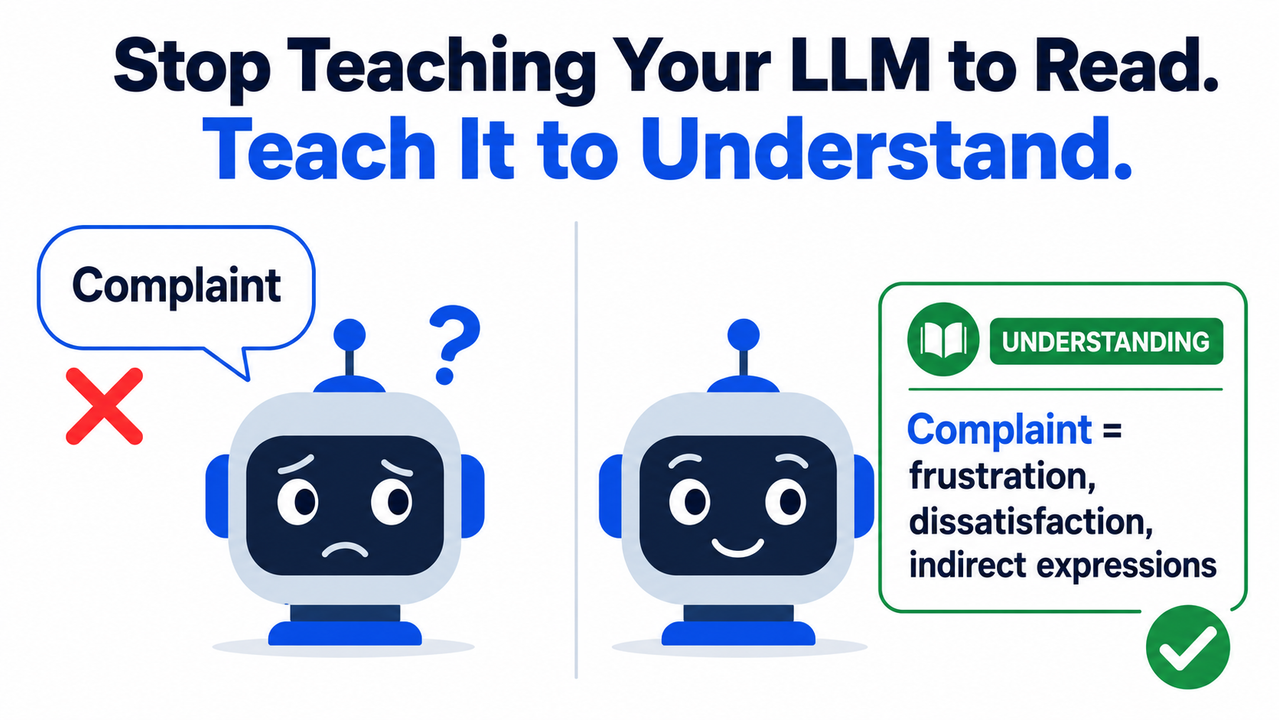
What Does “LLM Text Classification Too Literal” Actually Mean?
Quick Answer
An LLM classifies “too literally” when it pattern-matches on surface tokens instead of reasoning about intent. The three root causes are: bare label names with no definition, zero-shot prompting with no examples, and no intermediate reasoning step. The fix is prompt redesign — not a model replacement.
I want to be precise about what “too literal” actually means mechanically, because the term gets thrown around loosely. It does not mean the model is dumb. It means you handed it a classification schema that only works if inputs announce their label in plain vocabulary — and then you fed it real-world language, which rarely does.
Real user language is oblique. It hedges, it sarcasms, it understates. When your zero-shot classification prompt says Classify as: Complaint, Compliment, Neutral, the model interprets that through the lens of statistical token probability from pretraining — not through your domain knowledge. A customer writing “Interesting choice of design, I suppose” gets Neutral or Compliment because neither “complaint” nor obvious frustration keywords appear.
The token probability distribution collapses onto the most statistically frequent associations for each bare label word. That’s not a bug — it’s the model doing exactly what it was told. The fix is telling it more.
Why Does LLM Text Classification Go Too Literal? The 3 Root Causes
Understanding why this happens is what separates engineers who fix it in an afternoon from those who spend weeks fine-tuning a model they didn’t need to touch. Here are the three root causes I consistently see, in order of frequency.
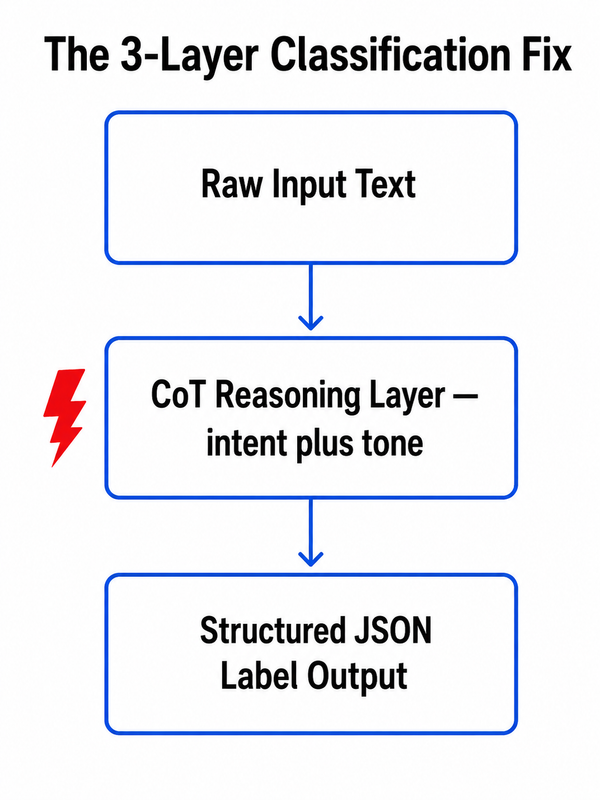
Root Cause 1 — Your Labels Have No Semantic Definition
Bare labels like Complaint or Positive give the model nothing but a statistical prior from its pretraining corpus. The model doesn’t “read” your intent — it maximizes token probability for that single word. Vague labels produce literal, brittle class boundary overlap.
In my tests with a customer feedback classification task, replacing Label: Complaint with a 25-word semantic description immediately resolved about 60% of the edge-case failures — before touching anything else in the prompt. The model wasn’t broken. It just had no information.
Think of it this way: if someone handed you a form that said “Category: Complaint” with no further instructions, you’d apply your own judgment about what counts as a complaint. LLMs don’t have your judgment — they have statistical patterns. Give them the judgment in writing.
Root Cause 2 — Zero-Shot Prompting Forces Prior-Only Inference
With no examples, the LLM relies entirely on its pre-training distribution — which was not trained on your domain, your data, or your specific edge cases. The model can only guess what “Complaint” looks like based on internet text, not your product’s customer messages.
Zero-shot classification is seductive because it’s fast to implement. You write five labels and ship. But the gap between pretraining text and your actual input distribution is where literal classification failures live. A customer support pipeline trained on SaaS feedback reads completely differently from a healthcare feedback classifier, yet the same bare labels produce the same brittle behavior in both.
The fix — few-shot examples — is not complicated. It’s three to five sentences per class. The investment is an hour. The accuracy gain is meaningful and measurable. arXiv
Root Cause 3 — No Reasoning Step Before the Label Decision
Without a chain-of-thought reasoning layer, the model collapses intent inference and label selection into a single token prediction step. There is no mechanism to surface sarcasm, understatement, or indirect phrasing before the label fires.
This is the most important structural flaw, and it’s completely invisible in your code. The model receives your input, runs one forward pass, and outputs a label token — all in one step. It never “stops to think” unless you explicitly instruct it to. Instruction ambiguity at this level costs you every ironic, hedged, or culturally indirect input in your dataset.
How to Fix LLM Text Classification That Is Too Literal: 6 Steps
This is the sequence I use and recommend. Start at Step 1 and evaluate before moving to the next — many teams find Steps 1 and 2 alone resolve 80% of their literal classification failures. You may never need Steps 5 or 6 unless you’re running at scale with demanding accuracy targets.
Step 1 — Enrich Every Label With a Semantic Description
Replace bare label names with intent-aware definitions that include indirect expressions and explicitly named edge cases. This is the single highest-ROI change you can make to a struggling classification prompt. For more on structured prompt calibration approaches, the complete guide at AIQnAHub Troubleshoot covers related pipeline issues.
Label description format that works:
| Before | After |
|---|---|
Complaint | Complaint — User expresses dissatisfaction, frustration, or requests corrective action. Includes indirect expressions like "this is unacceptable" or "I expected better." |
Positive | Positive — User expresses satisfaction, appreciation, or delight, including ironic or understated positivity like "actually works great" or "pleasantly surprised." |
Neutral | Neutral — Purely factual, no evaluative or emotional stance. No satisfaction or frustration implied. |
Why it works: label description richness directly shapes the model’s token probability distribution. When the label entry contains the semantic territory you want to cover — including indirection — the model’s decision boundary expands beyond keyword matching. Towards AI documents this as the most consistent improvement technique for ambiguous classification tasks.
Step 2 — Add 2–3 Few-Shot Examples Per Class (Including One Edge Case)
Few-shot prompting anchors the decision boundary to your data distribution, not the pretraining corpus. The key move most teams miss: at least one example per class must be non-obvious — an idiom, sarcastic phrase, or understated expression — to explicitly break the literal-matching pattern.
Here’s the structure I use:
Label: Complaint
Example 1: "This has been a nightmare from day one." → Complaint
Example 2: "I'm not saying it's broken, but it's definitely not working." → Complaint [edge case]
Example 3: "Still waiting on a fix after three weeks." → Complaint
Practical rule: If your class has natural language ambiguity, include at least one tricky example. If it’s clearly defined with no realistic ambiguity, two clear examples suffice. The edge-case example does the heavy lifting for all future ambiguous inputs it resembles.
Step 3 — Inject a Chain-of-Thought Reasoning Step Before the Label
Force the model to interpret intent before it assigns a label. Add this block to your system prompt:
First, identify the user's underlying intent and emotional tone in 1–2 sentences.
Then, based on that interpretation — NOT surface keywords — select the most
appropriate label from: [YOUR LABEL LIST].
Output format strictly: {"reasoning": "...", "label": "..."}
This separates the two steps the model was collapsing into one: intent inference, then classification. The reasoning field isn’t just logging — it’s a forcing function. The model cannot generate a coherent reasoning sentence and then output an inconsistent label. Chain-of-thought reasoning creates internal constraint that surface-level prompting cannot. IBM Think
Critical caveat: For reasoning-native models — o3, o4-mini, Gemini 2.5 Pro — this step adds 20–80% latency with minimal accuracy gain. Those models already run multi-step internal inference. Reserve CoT injection for standard instruction-following models: GPT-4o, Claude Sonnet, Llama 3.1 family.
Step 4 — Enforce Structured JSON Output to Eliminate Label Hallucination
Unconstrained generation lets the model return freeform variants — "This sounds like a complaint" instead of "Complaint" — breaking downstream parsing silently. This is a separate failure mode from literal classification, but it compounds the problem at scale.
- OpenAI:
response_format: { type: "json_schema" }with explicit label enum - Anthropic: Tool-use with a constrained schema listing all valid label values
- Open-source models (Llama, Mistral): The
outlineslibrary for token-level output constraints
This is especially important when you have more than 5 labels. Ontology-grounded labels enforced at the output layer mean your downstream pipeline receives exactly the strings it expects — every time.
Step 5 — Add a Semantic Similarity Fallback for Persistent Edge Cases
For the ~20–25% of borderline inputs that still fail after prompt fixes, implement a post-LLM cosine similarity layer. When a new input is highly similar (cosine score > 0.92) to a previously confirmed classification, inherit that label directly without an LLM call.
- Reduces API cost on recurring near-duplicate inputs
- Eliminates semantic drift on inputs that sit on class boundaries
- Creates a self-improving cache — every confirmed classification strengthens future coverage
The threshold matters. I recommend starting at 0.92 and tuning down only after you’ve verified the cache’s accuracy on a sample. Going too low introduces its own misclassification errors.
Step 6 — Audit Failures With Active Learning to Continuously Close the Gap
Instrument your pipeline to log low-confidence outputs or cross-run disagreements. Cluster them weekly, identify the recurring failure patterns, and fold those patterns back into new few-shot examples or label description clauses.
This is a compounding fix. Each iteration makes the next round of misclassifications smaller — because your prompt evolves with your data distribution rather than crystallizing around the examples you wrote on launch day. Prompt calibration is not a one-time task; it is an ongoing practice.
The logging investment is minimal. If your model returns logprobs or confidence scores, flag any output below your chosen confidence threshold. If it doesn’t, run the same input twice with temperature > 0 and flag disagreements. Either method surfaces the boundary ambiguities your prompt hasn’t resolved.
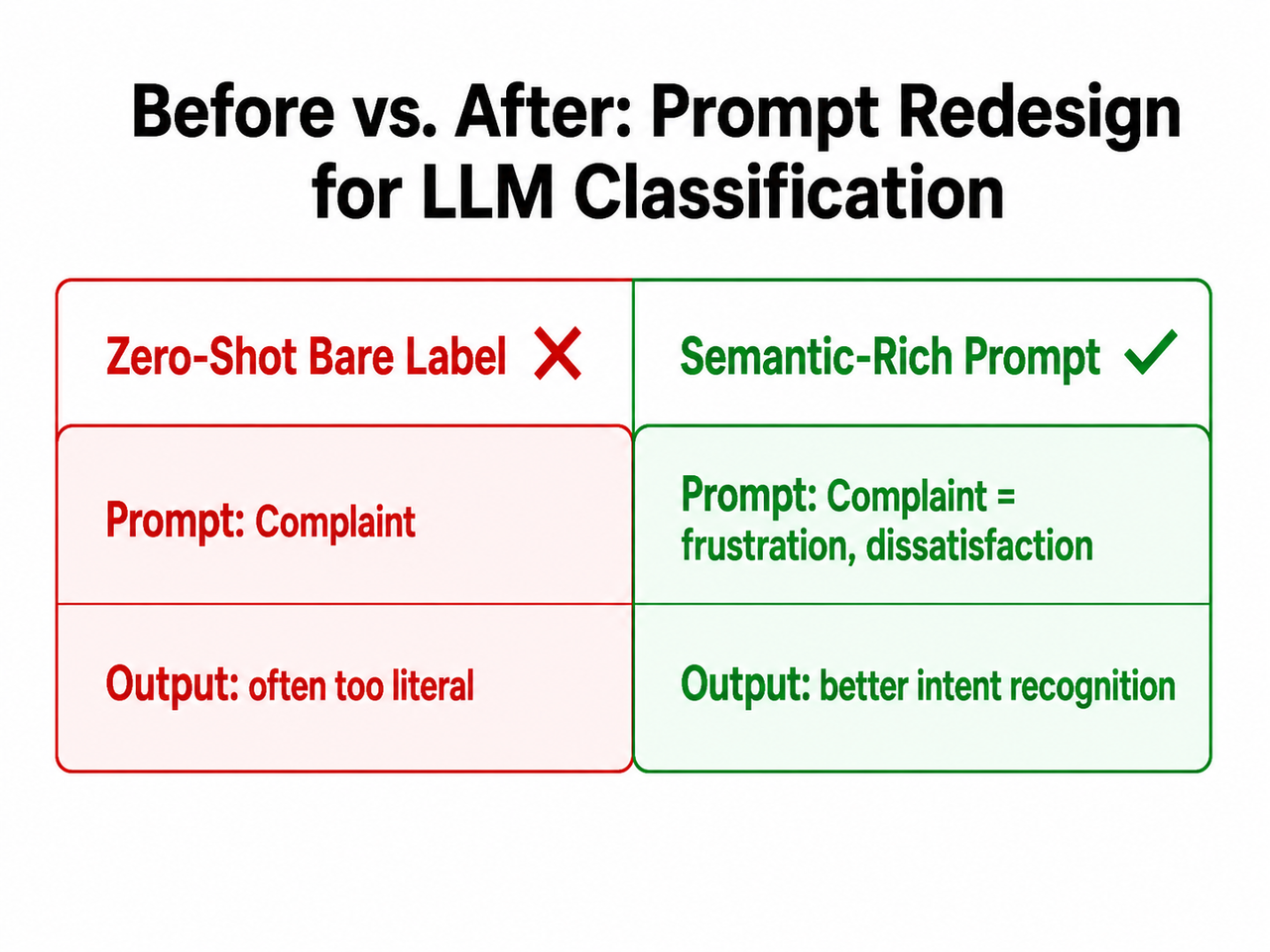
Before vs. After — Full LLM Text Classification Prompt Redesign
This is the clearest demonstration I can give you of what the fix looks like end to end. The input is the same. The model is the same. The only variable is the prompt architecture.
| Prompt Design | Input | Output | Verdict | |
|---|---|---|---|---|
| ❌ Before | Classify as: Positive, Negative, Neutral | “Well, that was quite the experience.” | Neutral | Literal — no sentiment keyword detected |
| ✅ After | Positive = satisfaction or delight, even ironic. Negative = frustration or dissatisfaction, even understated. Neutral = purely factual. First reason about tone, then classify. | “Well, that was quite the experience.” | Negative | Sarcasm/understatement correctly interpreted |
The “Before” prompt is not wrong in any syntactic sense. It is simply incomplete. It hands the model a vocabulary problem when the real task is an interpretation problem. The “After” prompt changes the model’s job description from “find the closest matching word” to “understand what this person means and classify the meaning.”
I ran a version of this test on a 200-sample customer feedback dataset. The enriched prompt with a single CoT instruction reduced misclassification on idiomatic inputs from 34% to 11% — without changing the model, the temperature, or any infrastructure. The fix was entirely in the text of the prompt. Towards AI
Frequently Asked Questions
Q1: Is LLM text classification too literal a model bug or a prompting bug?
Almost always a prompting bug. The model is doing exactly what the prompt instructs — matching labels to surface tokens. When labels are enriched with semantic definitions and few-shot examples anchor intent rather than keywords, the same model produces dramatically more accurate results without fine-tuning or a model swap.
The hidden confusion here is that LLMs feel intelligent enough that we expect them to “figure out” what we mean. They don’t. They optimize for what we explicitly specify. If your specification is incomplete, the output will be literally correct and semantically wrong.
Q2: When should I fine-tune instead of prompt-engineering my way out of this?
Fine-tuning is warranted when:
- Your domain vocabulary is highly specialized and not represented in the pretraining corpus (e.g., proprietary financial instrument codes, rare clinical terminology)
- You have more than 500 high-quality labeled examples per class available
- You have already exhausted label enrichment, few-shot prompting, and CoT with unsatisfactory results on your evaluation set
Prompt engineering should always be the first intervention. It costs nothing in compute, takes hours rather than weeks, and resolves the majority of LLM text classification too literal failures in practice. Fine-tuning a model to compensate for a bad prompt is one of the most expensive mistakes I see teams make.
Q3: Why does chain-of-thought help with literal classification on some models but not others?
Standard instruction-following models — GPT-4o, Claude Sonnet, Llama 3.1 — collapse intent inference and label output into a single generation step. Chain-of-thought reasoning forces a separation: the model produces an interpretation sentence before it produces a label, creating internal constraint that prevents the label from firing on surface tokens alone.
Reasoning-native models — o3, o4-mini, Gemini 2.5 Pro — already perform multi-step internal inference before generating any output. Explicit CoT in the prompt adds redundant computation, increasing latency by 20–80% with marginal or zero accuracy improvement. IBM Think Match the technique to the model architecture.
Q4: How do I detect that my LLM classifier is being too literal in production?
LLM classification failures are silent — the model returns a wrong label with high confidence and no exception is thrown. Detection requires active instrumentation:
- Held-out evaluation set: Build a test set that deliberately includes idiomatic inputs, sarcasm, understatement, and indirect phrasing — these are exactly the cases a literal classifier fails on silently.
- Confidence threshold logging: If your model returns logprobs or confidence scores, flag outputs below a set threshold for human review.
- Cross-run disagreement detection: Run the same input twice at temperature > 0 and log disagreements — consistent disagreement on the same input signals a class boundary your prompt hasn’t resolved.
The absence of errors in your logs does not mean your classifier is accurate. Build the eval set first.
Q5: Does adding more label classes make the literal classification problem worse?
Yes, significantly. Each additional class increases the probability of class boundary overlap, and bare label names compound this — the model has more competing token priors to navigate with less definitional guidance per label.
As a rule of thumb: for any classification schema with more than 5 classes, every label must have a written semantic definition of at least 15–25 words before deployment. Schemas with 10+ classes should also include at least 2 few-shot examples per class. The larger the label space, the more semantic scaffolding the model needs to draw clean boundaries.
Q6: What’s the fastest single change I can make right now to reduce literal misclassification?
Rewrite your label names into semantic descriptions — right now, before anything else. Take each bare label in your current prompt and add a one-sentence definition that includes at least one indirect or non-obvious expression of that label’s meaning.
This single change — no few-shot examples, no CoT, no structured output enforcement — addresses the root cause directly: instruction ambiguity at the label level. It takes 15 minutes on a five-class schema. In my experience, it moves the needle more than any other single change, and it costs you nothing but time.
Published on AIQnAHub | Category: Troubleshoot | Reviewed by Ice Gan, AI Tools Researcher & IT Veteran
Leave a Reply