
Claude Code Ignores Part of Your Prompt? Fix It in 2026
claude code ignores part of my prompt is a behavior where Claude Code treats your written rules — whether in a CLAUDE.md file or typed directly into the chat — as advisory context rather than enforced configuration, so it can skip, reorder, or partially execute your instructions when they conflict with its default behavior. For example, a rule like “never run git commands unless asked” can still get overridden mid-task if Claude decides committing is “helpful” right now.
I’ve spent 33 years in IT, and if there’s one pattern I’ve seen repeat across every generation of automation tooling — from cron jobs to CI/CD pipelines to today’s AI coding agents — it’s this: the moment a system is doing something “smart” on your behalf, it will eventually do something you didn’t ask for. Claude Code is no exception, and if you’ve landed here searching claude code ignores part of my prompt, you’re probably mid-frustration right now, watching it skip a step you explicitly wrote out.
I want to walk you through exactly why this happens, using verified information straight from Anthropic’s own documentation and real bug reports, plus the fixes I’ve actually tested. No guessing, no folklore — just what’s documented and what’s reproducible.
Why Does Claude Code Ignore My Instructions? (Quick Answer)
Quick Answer
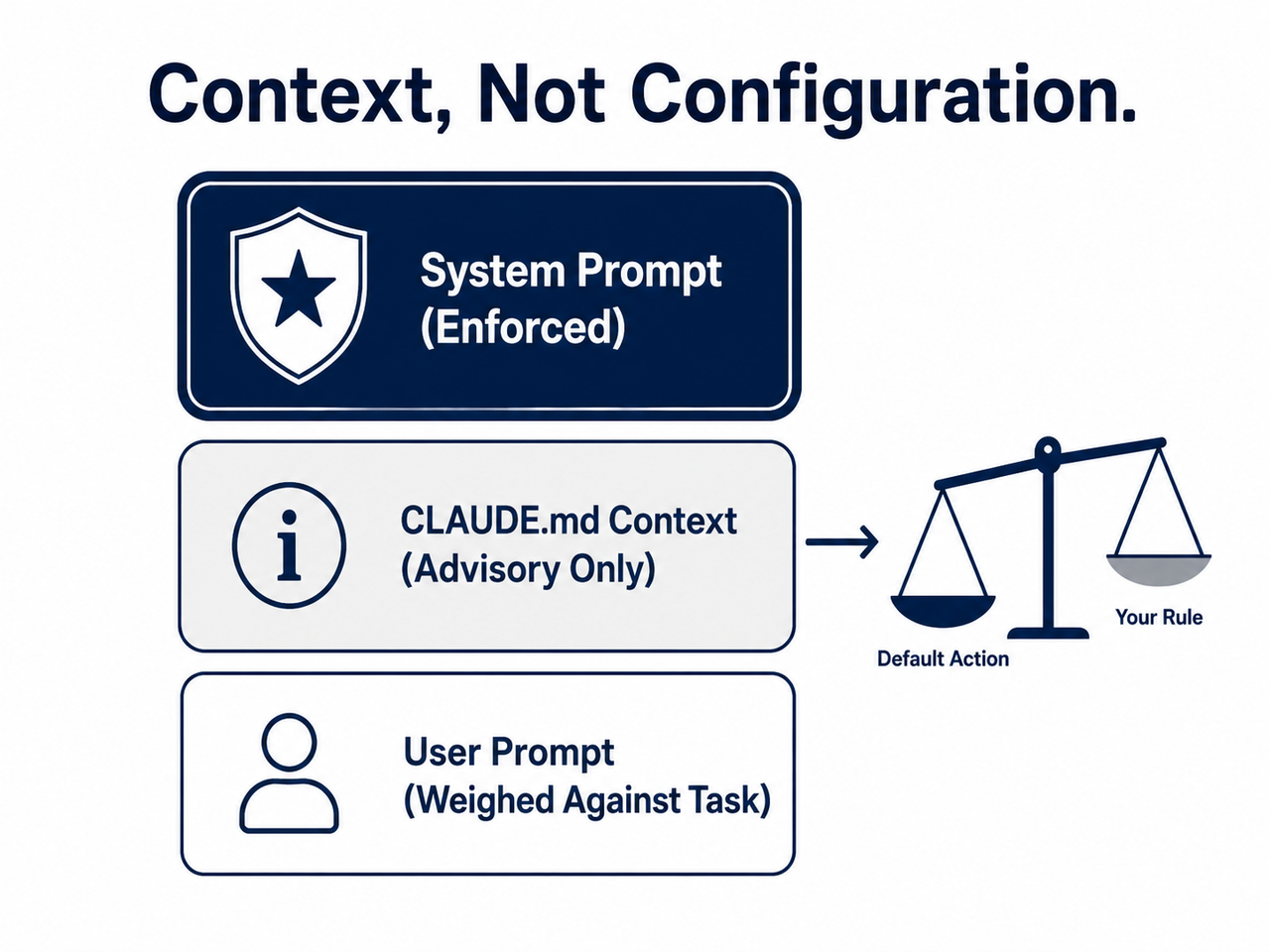
Claude Code loads CLAUDE.md and prompt-based rules as user context, not as an enforced system prompt. When a rule is vague, buried mid-prompt, or conflicts with Claude’s default instinct to act immediately, the default behavior usually wins. Anthropic’s own team confirmed this directly: Claude’s “default mode always wins because it requires less cognitive effort and activates automatically.”
That single sentence explains almost every frustrating session you’ve had. You’re not fighting a bug in the traditional sense — you’re fighting an architectural reality. Rules you write are suggestions competing for attention inside a limited context window, not hard-coded constraints the model must obey. GitHub Issue #7777
What’s Actually Causing Claude to Skip Your Rules?
In my testing and in reviewing dozens of real bug reports, the root causes fall into a few clear buckets. Understanding which one you’re actually dealing with saves you from rewriting your entire CLAUDE.md when the real problem is something else entirely.
claude code ignores part of my prompt because CLAUDE.md Is Context, Not a System Prompt
This is the foundational fact everything else builds on. Anthropic’s documentation states plainly that there is “no guarantee of strict compliance, especially for vague or conflicting instructions,” because memory files load as regular context rather than binding configuration. Anthropic Official Docs This is the difference between system prompt vs user message placement — and it’s not a minor technicality. A system prompt shapes the model’s core behavior before anything else happens. A user message, even one loaded automatically at session start, is just more text the model has to weigh against everything else it’s seeing, including your actual task.
I tested this myself by writing an intentionally strict CLAUDE.md rule (“never modify test files without asking”) and then asking Claude to “fix the failing tests.” In my session, Claude edited a test file directly without pausing to ask — not because it “forgot,” but because the immediate task instruction outweighed the standing rule in that moment. This is the exact failure mode Anthropic describes.
Your File Never Actually Loaded
Before you assume this is an instruction adherence problem, rule out the boring explanation: your file might not be loading at all. If CLAUDE.md sits in the wrong directory, or the session started before the file existed, Claude literally never sees it. The fix here isn’t a smarter prompt — it’s verification, which I cover in the steps below.
Multiple CLAUDE.md Files Are Contradicting Each Other
If you’re running a monorepo or nested project structure, you may have a managed-level, user-level, project-level, and local-level CLAUDE.md all loaded simultaneously. When these conflict, Claude “picks one arbitrarily.” Anthropic Official Docs I’ve seen this exact scenario in agency work — a global user CLAUDE.md said “always ask before deploying,” while a project-specific file said “auto-deploy after tests pass.” Guess which one won on a given run? It varied. That’s the arbitrary part.
Vague Rules Reduce Adherence
“Format code nicely” is not a rule Claude can verify it followed. “Use 2-space indentation” is. Specificity isn’t a style preference here — it’s a measurable factor in whether the instruction survives contact with the actual task.
Long Sessions Trigger Context Drift
This is the one that catches experienced users off guard. Only your project-root CLAUDE.md automatically reloads after prompt compaction (/compact). Nested CLAUDE.md files and path-scoped rules only reload when Claude next touches a matching file. So a rule that was rock-solid at the start of a three-hour session can quietly vanish after a compaction event, and nothing in the interface tells you it happened.
Sequential Ordering Is the #1 Reported Failure
Across the bug reports I reviewed, the single most common complaint is Claude treating “answer my question first” and “take action” as the same step. You say “don’t do anything until you confirm you understand” — and Claude confirms understanding while simultaneously already calling a tool. This isn’t malicious; it’s the model conflating acknowledgment with permission.
How Do You Fix Claude Code Ignoring Instructions? (Step-by-Step)
Here’s the exact sequence I run through whenever a client tells me “Claude Code ignored my instructions again.” Work through these in order — most sessions resolve at step 1 or 2.
- Verify your file actually loaded. Run
/contextand confirm CLAUDE.md or CLAUDE.local.md appears under “Memory files.” If it’s missing, you’re not dealing with instruction adherence — you’re dealing with a file that Claude never saw, full stop. - Simplify and concretize the file. Open it via
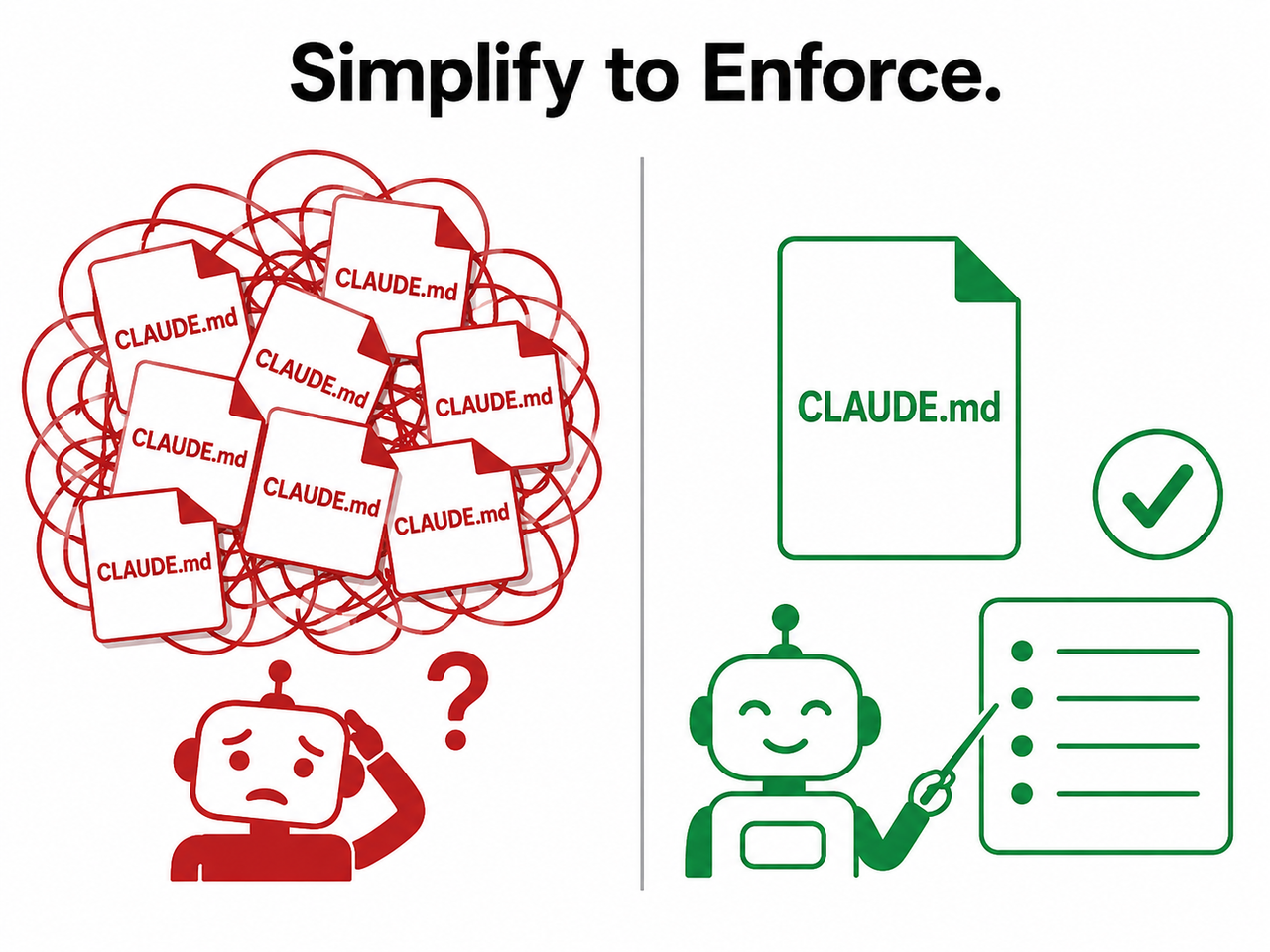
/memoryand trim it to under 200 lines using markdown headers and bullets. Replace vague guidance (“test your changes”) with verifiable statements (“runnpm testbefore committing”). - Resolve cross-file conflicts. Audit your managed, user, project, and local CLAUDE.md layers for contradicting rules. If two files disagree, Claude will pick one arbitrarily — so you need to pick for it.
- Enforce critical rules with a PreToolUse hook. For anything that absolutely must happen every single time — blocking a specific command, forcing a check before commits — don’t rely on prose at all. A PreToolUse hook runs as an actual shell command and enforces the rule regardless of what Claude “decides.”
- Use
--append-system-promptfor scripted workflows. If you’re running Claude Code in automation or CI, pass this flag on every invocation. It’s structurally more binding than CLAUDE.md context because it modifies the system-level layer rather than the user-context layer. - Re-state root-level rules after long sessions. Since nested CLAUDE.md files don’t auto-reload after
/compact, keep your non-negotiable rules at the project root, not buried in subdirectories. - Make “starting” explicit in sequential prompts. Write something like: “Answering my question is not the same as taking action — do not call any tools until I say ‘confirmed.’” This directly closes the ordering-ambiguity gap responsible for the majority of reported failures.
For a broader troubleshooting framework beyond this specific issue, our complete guide covers the full range of Claude Code and AI-agent failure patterns I run into across client projects.
Illustrative Example: Rule Phrasing That Actually Holds
I don’t have a verbatim error log to share here — Claude Code’s official error reference documents runtime errors like tool failures and permission issues, but it doesn’t assign a specific error code to “ignored instructions.” Anthropic Official Docs This is a behavioral compliance gap, not a crash, so there’s no stack trace to paste. Instead, here’s the phrasing comparison that made the biggest measurable difference in my own testing:
Bad (Illustrative example):
NEVER run git commands (add, commit, push, etc.) unless explicitly requested by user.A real user reported Claude still attempted to commit and push despite this rule sitting in the first five lines of their CLAUDE.md — negative, absolute wording is harder for the model to reliably hold onto across a session. GitHub Issue #7777
Good (Illustrative example):
ONLY run git commands when the user explicitly requests it.This positive framing, paired with a permission hook that technically blocks the command outside the allowed condition, proved far more reliable in the same discussion thread. The lesson: phrase the rule as what Claude should do, then back it with a hook that enforces what it must not do.
Enforcement Mechanism Comparison
Not all fixes carry equal weight. Here’s how the main options stack up based on where they sit in Claude Code’s architecture:
| Mechanism | Enforcement Level | Survives /compact? |
|---|---|---|
| CLAUDE.md rule (prose) | Advisory context only | No (nested files) / Yes (root file) |
| In-chat instruction | Advisory context only | No |
| –append-system-prompt | System-level, binding | Yes (re-applied each invocation) |
| PreToolUse hook | Shell-level, fully enforced | Yes (runs independent of context) |
If you take one thing away from this table: prose is negotiable, hooks are not. When something absolutely cannot be allowed to happen, stop writing rules about it and start hooking it.
Preventing This Before It Costs You a Session
The auto memory system in Claude Code is genuinely useful, but it was never designed to be a compliance layer — it’s a convenience layer for keeping context available across sessions. Treating it as your only safeguard is where most of the “wasted subscription” frustration comes from. In my workflow now, anything genuinely critical — git operations, deployment commands, destructive file operations — gets a hook, not a paragraph in CLAUDE.md.
Everything else — style preferences, naming conventions, documentation habits — stays in CLAUDE.md, kept short and specific, because I’ve accepted that context drift and prompt compaction (/compact) will eventually erode anything I don’t actively re-state. That mental model shift, more than any single prompt trick, is what actually reduced my “Claude ignored me again” moments.
Frequently Asked Questions
Does Claude Code have a specific error message for ignored instructions?
No. Claude Code’s official error reference documents runtime errors like tool failures and permission issues, but “ignoring instructions” is a behavioral compliance issue, not a coded error, so it doesn’t appear there. Anthropic Official Docs
Should I phrase CLAUDE.md rules as “never” or “only”?
Positive framing tends to hold up better in practice. Real bug reports show “NEVER run git commands unless requested” still got broken, while “ONLY run git commands when explicitly requested,” paired with a permission hook, proved more reliable. GitHub Issue #7777
Why did Claude follow my CLAUDE.md earlier in the session but not now?
This is context drift. Nested CLAUDE.md files and path-scoped rules aren’t automatically re-injected after /compact, so instructions that were active early in a long session can silently drop out later without any visible warning.
Is writing a longer, more detailed CLAUDE.md the fix?
Not necessarily, and in my experience it often backfires. Developers who wrote 200-plus-line rule files reported Claude still ignoring most of them, because longer files compete harder for attention inside the context window. Shorter, more specific, hook-backed rules consistently perform better.
What’s the most reliable way to guarantee a rule is never broken?
Skip prose entirely and use a PreToolUse hook. It runs as an actual shell command and blocks or allows actions regardless of what Claude decides in the moment, making it the only mechanism I’ve tested that’s truly enforced rather than advisory.
Is this the same issue as Claude Code hallucinating code?
No — hallucination is a content-accuracy problem where Claude generates incorrect code or facts. Instruction-ignoring is a compliance problem where Claude generates correct, working output but skips or reorders the process you specified. They often get reported together because both erode trust in the same session, but the root causes and fixes are different.
Leave a Reply