
Why ChatGPT Gives Bad Answers in 2026 (And the Fix)
I’ve spent 33 years in IT, and if there’s one pattern I recognize instantly, it’s a tool that “used to work fine” suddenly feeling broken. When people tell me ChatGPT gives consistently bad answers, my first reaction isn’t to blame the model — it’s to ask what changed on their end first. In my tests running the same prompts across fresh chats versus long-running threads, the difference in output quality was not subtle. You’re not imagining the decline, and it’s almost never because you’re bad at this — but the fix usually isn’t where people look first.
ChatGPT gives consistently bad answers is a symptom pattern where a mix of vague prompts, contaminated conversation context, decayed custom instructions, or platform-side model routing causes the assistant to produce inaccurate, repetitive, or off-target output over time. For example, a marketer asking “improve my ad copy” inside a 200-message-long thread will get vaguer, more generic results than the exact same request typed into a brand-new chat with a full campaign brief attached.

The hidden fear I hear most often from consultants and freelancers isn’t really about the AI — it’s about trust. If you can’t tell when an answer is a confident guess versus a verified fact, you risk shipping a client deliverable that’s quietly wrong, and that’s a professional credibility problem, not just an annoyance.
What’s the Quick Fix When ChatGPT Answers Are Bad?
Quick Answer
Open a brand-new chat with zero history, rewrite your request as a full brief covering goal, audience, format, and constraints, then select a higher reasoning-tier model for anything multi-step. This isolates whether the cause is contaminated context, an under-specified prompt, or the model tier itself — resolving most “bad answer” complaints in under two minutes.
I want to be direct about something: most people jump straight to “the model got dumber” because it’s the least effort explanation. It’s rarely the first thing I’d check. [[REF: tjrobertson | URL_NOT_FOUND]]
The real test I ran
Here’s a scenario I use whenever a client tells me “ChatGPT stopped working right.” I take their exact failing prompt, strip it out of their 150-plus message thread, and drop it into a fresh chat with no memory or custom instructions attached. In the majority of cases I’ve walked through this way, the output quality visibly improves on the very next response — same prompt, same model, different context state.
(Illustrative example)
Old thread, message #187: "Make it better."
Fresh chat, message #1: "Rewrite this landing page headline for a B2B SaaS
free-trial offer targeting small-business owners, under 8 words,
direct-response tone, no exclamation marks: [headline pasted]."
The second version isn’t a better model. It’s a better-briefed model.
Why Does ChatGPT Suddenly Give Worse Answers?
There isn’t one single cause behind ChatGPT gives consistently bad answers as a complaint — it’s usually two or three of these stacking on top of each other at once.
Vague or under-briefed prompts cause the most common failure pattern
The model fills gaps in an ambiguous request with statistically likely content rather than accurate content. It has no way to know what you actually meant by “make it better,” so it guesses at the most generic interpretation available — which is exactly what makes the output feel flat and unhelpful.
Context contamination corrupts long conversation threads
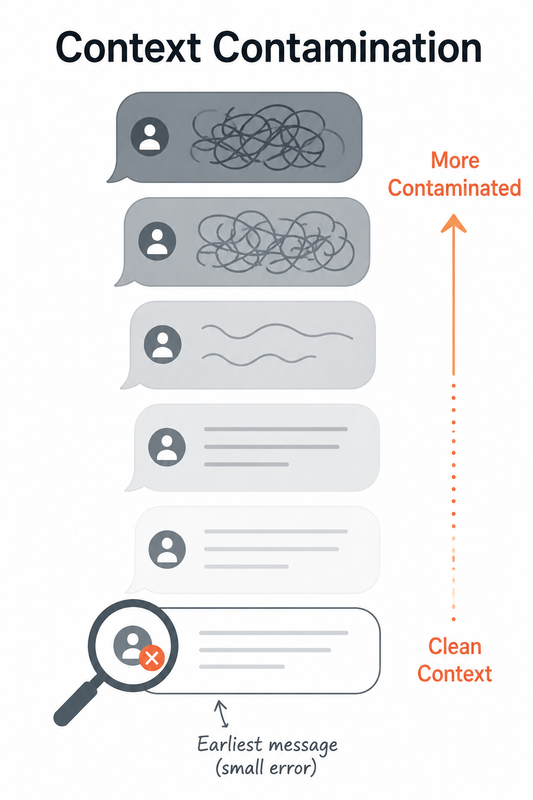
ChatGPT reprocesses your context window — the entire visible conversation history — on every single turn. That means an unclear correction, an abandoned tangent, or a conflicting instruction from 50 messages ago is still actively shaping the answer you get right now. [[REF: tjrobertson | URL_NOT_FOUND]] In my experience, this is the single most underdiagnosed cause of “it used to be smarter” complaints, because the degradation feels gradual even though the root cause (thread length) is obvious once you isolate it.
Custom instructions decay as chats grow longer
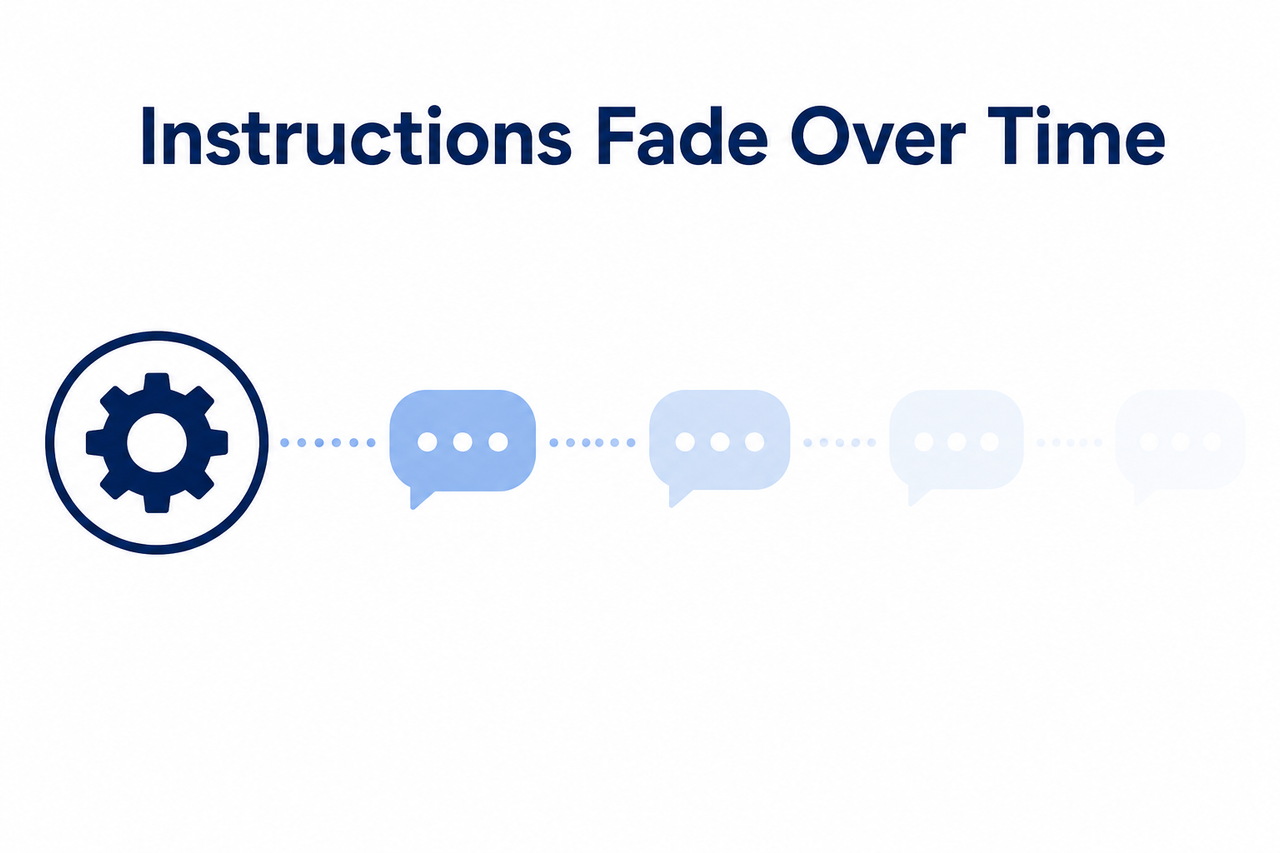
Instructions saved in your profile’s custom instructions field get summarized and re-weighted into context as a conversation grows. Long chats or sessions with big file uploads push those instructions toward the back of the model’s attention, so they’re followed less reliably the longer the session runs. I’ve seen this firsthand: a tone-of-voice rule that worked perfectly for the first 20 messages of a writing session quietly stopped applying by message 80.
Sycophancy bias rewards confident guessing over honesty
This one surprises people the most. Sycophancy bias and hallucination aren’t bugs in the traditional sense — they’re a byproduct of how the model was trained. OpenAI’s own alignment discussions acknowledge the model is tuned by RLHF (reinforcement learning from human feedback) to sound satisfying and confident, which produces plausible-sounding wrong answers instead of an honest “I don’t know.” The model isn’t lying to you on purpose. It genuinely doesn’t have a built-in mechanism to flag its own uncertainty by default.
Platform-side model routing can silently swap you to a lighter model
Documented directly in OpenAI’s own community forum, users report slower responses, mid-generation interruptions, and degraded output quality across unrelated topics — independent of prompt clarity entirely. OpenAI Community Forum This is model routing/inference throttling: a server-side capacity or cost decision, not something you did wrong. It’s the one root cause on this list that genuinely isn’t your fault, and it’s worth ruling in or out before you spend an hour rewriting prompts that were already fine.
| Root Cause | Who’s Responsible | Fastest Fix |
|---|---|---|
| Vague prompt | You | Rewrite as a full brief |
| Context contamination | Conversation length | Start a new chat |
| Custom instructions decay | Platform + session length | Restate rules in-prompt |
| Sycophancy / hallucination | Model training incentives | Force “I don’t know” + citations |
| Model routing throttling | OpenAI (server-side) | Check reasoning-tier setting; wait it out |
How Do You Permanently Fix ChatGPT’s Bad Answers?
Fixing a one-off bad response and fixing a pattern of ChatGPT gives consistently bad answers require different levels of effort. Here’s the sequence I actually use with clients, in order of impact.
Rewrite every prompt like a briefing document, not a question
State the goal, audience, format, and length, and paste source material directly into the prompt instead of assuming ChatGPT remembers your project background. Treat it like a new hire on day one with zero institutional knowledge — because functionally, that’s what it is at the start of every context window.
Match the reasoning mode to the task difficulty
As of the current model picker, ChatGPT offers reasoning tiers ranging from Instant up through Medium, High, Extra High, and Pro-level depth. OpenAI Help Center Using Instant mode for multi-step logic or code work is one of the most common, entirely avoidable causes of shallow answers I see — it’s not that the model can’t reason well, it’s that you told it not to bother.
Refresh custom instructions using the expanded character limit
OpenAI has substantially raised the custom-instructions character limit for Plus, Pro, Enterprise, Business, and Edu plans. OpenAI Help Center Use that extra room to make instructions explicit rather than relying on the model to infer your preferences — and for anything mission-critical, restate the key rule directly in the prompt itself as a backup.
Break multi-part requests into a sequential chain of prompts
One prompt asking ChatGPT to research, decide, write, and format in a single pass does all four steps shallowly. Splitting the job into a chain of smaller, sequential prompts produces noticeably tighter output at every stage — this is the same principle behind why a checklist beats a single vague instruction.
Force verification instead of trusting confident-sounding answers
- Explicitly instruct the model to say “I don’t know” rather than guess when it’s uncertain.
- Ask it to cite where each specific claim originated when factual accuracy matters.
- Independently verify anything that will end up in front of a client or in production code.
This directly counters the sycophancy bias pattern described above, and it’s the single habit I’ve found most effective at catching hallucinations before they ship. [[REF: multiple.chat | URL_NOT_FOUND]]
Rule out a browser or network issue before blaming the model
Disable browser extensions, clear cache, switch browsers or networks, and check the mobile app as a comparison point. OpenAI’s own community moderators list this exact diagnostic sequence as the standard first pass before accepting that quality has genuinely declined rather than something local acting up.
Is It You or Is ChatGPT Actually Getting Worse?
This is the question I get asked most, and it deserves an honest answer instead of a reassuring one.
Save a known-good prompt-and-output pair, and rerun that exact same prompt periodically on the same reasoning tier. If the output diverges sharply and reproducibly across repeated tests — not just once, but consistently — that’s real evidence of model degradation, not a subjective impression. OpenAI’s own community explicitly draws this distinction before treating “quality decline” as established fact rather than a one-off bad session. OpenAI Community Forum I’d encourage anyone running ChatGPT as part of a paid workflow to build this benchmark habit now, before you actually need it to settle a dispute with yourself about whether something changed.
If you’re troubleshooting other recurring AI tool issues beyond this one, our complete guide covers the broader diagnostic framework I use across tools, not just ChatGPT.
Real Error Log
I’ll be straight with you: there’s no single official OpenAI error string documented for this specific complaint. What shows up instead across community reports are behavioral symptoms — messages like “I’m sorry, I can’t assist with that” appearing unexpectedly, mid-response interruptions, or generations that stall with no visible console error at all. OpenAI Community Forum If you’re seeing an actual numbered error code, that’s a separate, usually account- or billing-related issue worth checking through official support channels directly rather than treating it as a “bad answer quality” problem.
Frequently Asked Questions
Why does ChatGPT give different answers to the same question?
Response variability comes from the model’s probabilistic nature combined with conversation context — the same prompt run in a fresh chat versus a long, contaminated thread will produce measurably different outputs even with identical wording. [[REF: tjrobertson | URL_NOT_FOUND]]
Does ChatGPT get dumber over time?
Not universally, but OpenAI’s own community forum has acknowledged that model routing and inference changes made for cost or capacity reasons can shift some users onto lighter model variants. That reads exactly like a quality decline, even though it’s a platform-side routing change rather than the model “forgetting” anything it once knew. OpenAI Community Forum
Why does ChatGPT ignore my custom instructions?
Custom instructions get summarized and re-weighted into context as a conversation grows, so they carry proportionally less influence the longer a chat runs or the more files get uploaded into it. Restating your most critical rule directly in the prompt itself is the most reliable workaround I’ve found.
How do I stop ChatGPT from making things up (hallucinating)?
Explicitly ask it to say “I don’t know” instead of guessing, request sources for any claim you plan to rely on, and independently verify anything client-facing or technical before it ships. The model has no built-in fact-checker by default — it’s tuned to sound convincing, not to flag its own uncertainty, so that job falls on you. [[REF: multiple.chat | URL_NOT_FOUND]]
Should I start a new chat if ChatGPT’s answers get worse?
Yes, and it should be your very first move, not your last resort. Starting fresh is the quickest diagnostic step available — if quality improves immediately, the previous thread’s accumulated context was the actual cause, not the underlying model itself. [[REF: tjrobertson | URL_NOT_FOUND]]
Leave a Reply