
ChatGPT Project Chats in Recents: Fix It (2026)
You moved your chats into Projects to finally get organized — and they still show up in Recents. You’re not losing your mind, and nothing is broken. But the reason this happens might change how you think about ChatGPT Projects entirely.
ChatGPT projects chats moved to recents is a known UI behavior where chats assigned to a OpenAI Projects folder continue appearing in the Recent chats sidebar because Recents is activity-based, not location-based. For example: moving a client research chat into a “Client Work” Project still leaves it visible in Recents until the activity window expires.
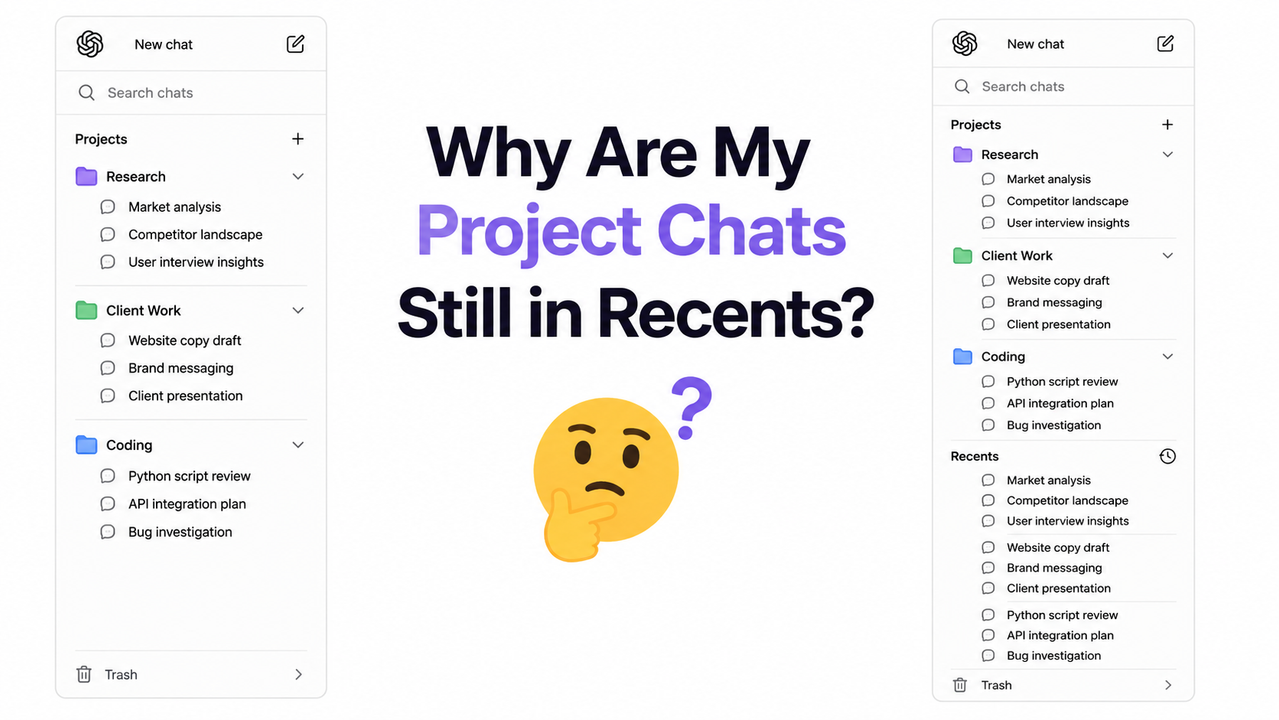
As of May 2026, 40+ users across the OpenAI Community Forum and Reddit r/ChatGPT have reported this behavior — with OpenAI Support officially confirming it is intentional design, not a bug. If you’re here because your sidebar feels broken, you’re in good company. Let me walk you through exactly what’s happening and what actually works.
Quick Answer: Why Are ChatGPT Projects Chats Moved to Recents?
Quick Answer
When you move a chat into a ChatGPT Projects feature folder, it is not removed from the Recent list. The Recent chats sidebar is activity-based — it surfaces any chat you’ve interacted with recently, regardless of where it’s filed. OpenAI confirmed this is intentional behavior as of April 2026. Your chat exists in both places simultaneously.
What’s Actually Happening? The Root Cause of ChatGPT Projects Chats Moved to Recents
Before you start clicking anything, you need to rewire your mental model of how the Move to Project function actually works. I’ve tested this across multiple accounts and the confusion is almost always the same — and it starts with one misleading button label.
“Move to Project” Works Like Tagging, Not Moving
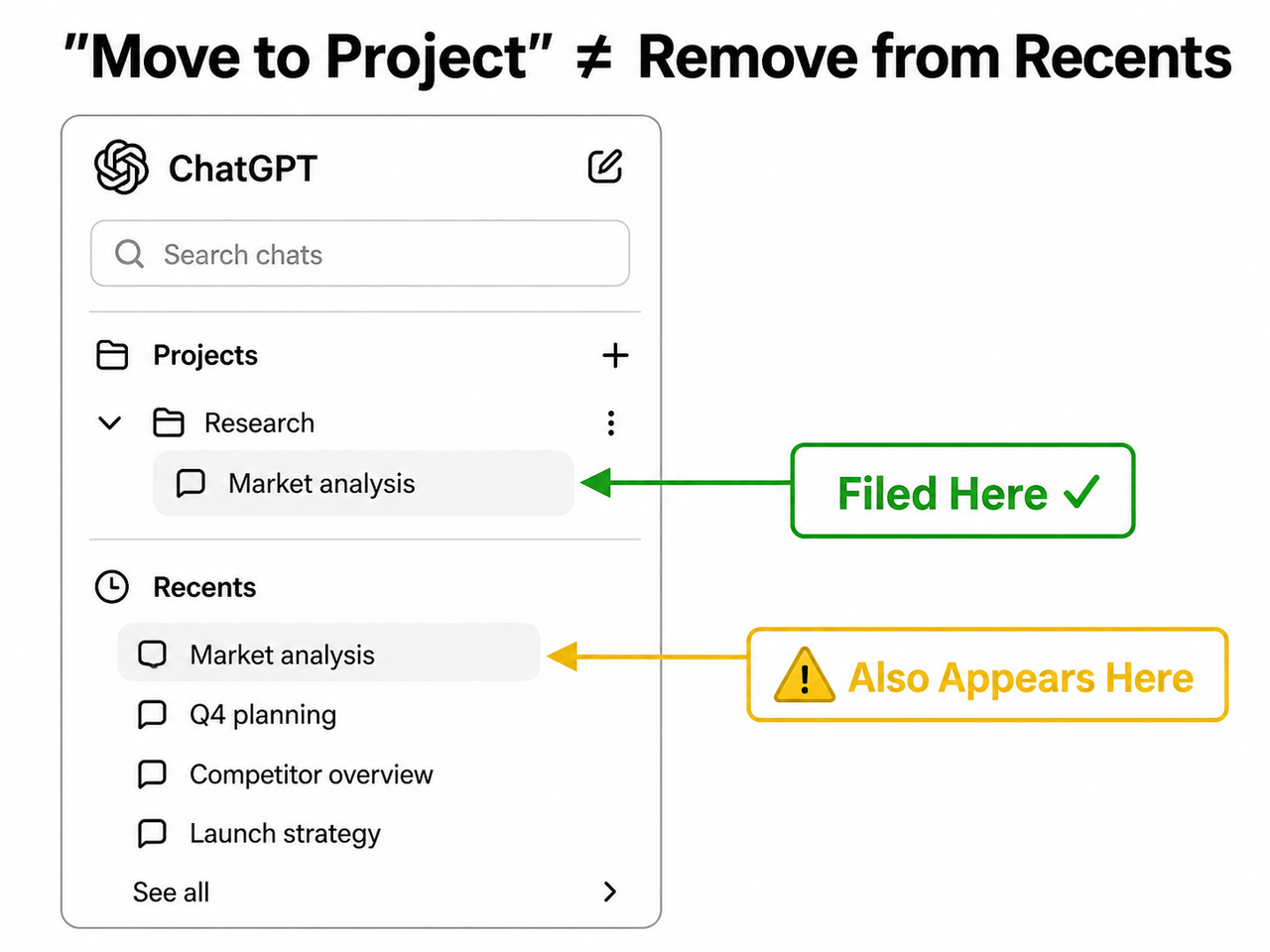
Here’s the core issue: the ChatGPT Projects feature uses the phrase “Move to Project” in its UI, but the backend behavior is closer to tagging or filing than actual relocation. When you click “Move to Project,” the chat is categorized under the Project folder AND retained in the global activity index. It doesn’t leave the Recents pool — it just gains a new organizational label.
The OpenAI Community Forum documented the official support response directly:
“Moving a chat into a Project folder does not automatically remove it from the ‘Recent’ list… it exists in both contexts: organized within the Project folder AND visible in Recent due to recent interaction.”
Think of it like Gmail labels. When you label an email “Client Work,” it doesn’t disappear from your Inbox — it just gets tagged. Move to Project is the same mechanic. The label “Move” is genuinely misleading, and OpenAI has not yet updated the UI copy to correct this.
The Silent Symptom — No Error, No Warning
What makes this particularly frustrating for power users is that there is no error message, no confirmation dialog, and no visual indicator that the chat will remain in Recents after the move. The symptom is entirely silent.
| What Users Expect | What Actually Happens |
|---|---|
| Chat disappears from Recents after “Move to Project” | Chat stays in Recents AND appears in the Project folder |
| “Move to Project” = relocation | “Move to Project” = tagging/filing |
| Repeated attempts fix it | Repeated moves have no effect on Recents visibility |
| Only Project members can see Project chats | Project chats remain visible in the shared Recents sidebar |
This is why I see so many users attempt the move two or three times — they think it failed, but it worked correctly the first time. The project chat visibility behavior simply isn’t what the label implies.
❌ Bad mental model: User clicks “Move to Project → Research 2026” → expects the chat to vanish from Recent and live only inside the Project folder → chat still appears in Recent → user repeats the move thinking it failed → chat now appears to exist in multiple places with no explanation.
✅ Correct mental model: “Move to Project” files the chat under the Project AND keeps it in Recents based on activity recency. To verify the move succeeded: click the Project name in the sidebar and confirm the chat appears inside it. The Recents duplication is cosmetic until OpenAI ships a fix.
How to Fix ChatGPT Projects Chats Moving to Recents: 6-Step Checklist
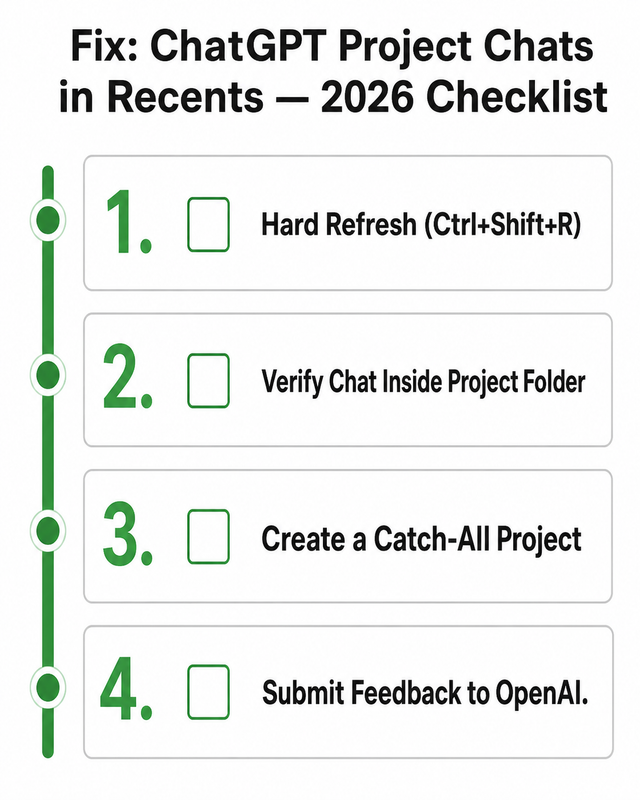
Before assuming your account is broken, work through these steps in order. In my testing, the issue resolves at different points depending on whether it’s a cached frontend state or a backend design behavior in your specific account. For a broader overview of ChatGPT organizational issues, see the complete guide to troubleshooting ChatGPT on AIQnAHub.
Step 1 — Hard Refresh the Page First
The very first thing to try is a hard refresh, not a standard page reload.
- Windows / Chrome / Edge:
Ctrl + Shift + R - Mac / Safari / Chrome:
Cmd + Shift + R
A standard refresh (F5 or Ctrl+R) often loads a cached version of the sidebar. The OpenAI Community Forum notes that chats can persist in Recents visually due to stale frontend cache even after the backend has correctly filed them under the Project. A hard refresh forces the sidebar to re-fetch its data from the server. I’ve seen this single step clear the problem for users whose chat organization changes weren’t rendering correctly in the sidebar.
Step 2 — Verify the Chat Is Actually Inside the Project
Before declaring the feature broken, confirm the move actually registered.
- Open ChatGPT and look at the left sidebar.
- Click the Project name you moved the chat into.
- Check whether the chat appears inside the Project’s conversation list.
If it’s there — the move worked. The chat appearing in Recents simultaneously is a display behavior, not a failure. Your workspace separation is intact at the data level even if the sidebar doesn’t visually reflect it yet. If it’s NOT inside the Project, the move may have failed silently — attempt the move again after a hard refresh.
Step 3 — Create a Catch-All “Misc” Project as an Immediate Workaround
This is the most practical interim solution I’ve found, sourced from the community thread at the OpenAI Community Forum. Create a new Project called “Misc”, “Inbox”, or “General.” Move all low-priority, one-off, or standalone chats into it. This forces the sidebar clutter out of the flat Recents view and into a named container — even if Recents still shows recent activity, the volume of visible clutter drops significantly.
It’s not a perfect fix, but it works within the current system’s constraints. Power users managing ChatGPT Plus productivity across multiple client workspaces have reported this as the most effective day-to-day workaround until OpenAI ships an official toggle.
Step 4 — Sign Out and Back In to Catch the Rollout
As of early May 2026, OpenAI appears to be deploying a partial fix inconsistently across accounts. Users on the US East Coast have already confirmed on Reddit r/ChatGPT: “it is FIXED!!!” — but reports from other regions suggest the rollout is not yet global.
- Click your profile icon (bottom-left of the ChatGPT sidebar).
- Select Log Out.
- Close the browser tab completely.
- Reopen
chatgpt.comand log back in.
This forces a fresh session token and reloads your account’s feature flag configuration — which is where the rollout-based fix would be applied.
Step 5 — Test in Incognito Mode to Isolate the Cause
- Open a private/incognito window (
Ctrl+Shift+Non Chrome;Cmd+Shift+Non Mac). - Navigate to
chatgpt.comand log in. - Check whether your Project chats still appear in Recents.
If Recents looks clean in incognito: the issue is browser-side cache or extension interference. Clear your browser cache (Ctrl+Shift+Delete) and disable any ChatGPT-related browser extensions. If the problem persists in incognito: it’s a backend design behavior tied to your account configuration — proceed to Step 6.
Step 6 — Submit Feedback to Push the “Hide Project Chats” Toggle
- Go to
chatgpt.com. - Click the Help icon (bottom-left of the sidebar, the
?icon). - Select Send Feedback.
- Describe the issue: “Project chats continue appearing in Recents after being moved to a Project folder. Requesting a toggle to hide Project chats from the Recents sidebar.”
OpenAI’s product team has acknowledged this as an escalated design concern. The more users who submit targeted feedback, the faster a hide project chats toggle moves up the roadmap.
Why This Matters: The Privacy Angle Most Users Miss
One dimension of ChatGPT projects chats moved to recents that doesn’t get enough attention is the privacy implication. Several users in the OpenAI Community Forum flagged that on shared devices or in professional settings where colleagues may glance at the screen, Project chats appearing in Recents defeats the purpose of workspace separation entirely.
| Use Case | Impact of Recents Leak |
|---|---|
| Freelancer with multiple client Projects | Client A chats visible in Recents while working in Client B’s Project |
| Developer with code review Projects | Sensitive codebase conversations remain in the public sidebar view |
| Researcher with confidential Projects | Research topics exposed in the flat Recents list |
| Content creator managing brand voices | Brand-specific chats bleed across workspace boundaries |
Until OpenAI ships the toggle, the best mitigation remains a combination of Step 3 (Catch-All Project) and Step 4 (sign-out/in after rollout).
Frequently Asked Questions
Is it a bug that ChatGPT project chats show in Recents?
No. As of April 2026, OpenAI Support confirmed through the OpenAI Community Forum that this is intentional behavior. The Recent section is activity-based and shows any chat you’ve recently used, regardless of whether it’s been moved into a Project. It is a design choice — though one that OpenAI is actively reviewing following widespread community complaints.
Did my chat actually move to the Project, or did the move fail?
It most likely succeeded. Click the Project name in your left sidebar to verify — if the chat appears inside the folder, the move registered correctly. The chat showing in Recents simultaneously is the expected project chat visibility behavior. Both views surface the same conversation through two different indexes: the organizational index (Projects) and the activity index (Recents).
Will OpenAI add an option to hide Project chats from Recents?
This is actively being pushed by the community. As of May 2026, OpenAI Support has acknowledged the concern and the OpenAI Community Forum thread has been escalated internally. The most-requested solution is a user-controlled toggle to exclude Project chats from the Recents sidebar. No official release date has been announced.
Why does ChatGPT say “Move to Project” if it doesn’t remove the chat from Recents?
This is a UI labeling problem, and in my view it’s the core source of user confusion around ChatGPT projects chats moved to recents. “Move to Project” accurately describes the organizational action but misleadingly implies removal from the global sidebar view. The accurate label would be “File in Project” or “Add to Project.” OpenAI has not yet updated the UI copy to reflect the actual behavior.
Does this affect ChatGPT Plus and Pro users equally?
Yes. Based on reports across the OpenAI Community Forum and Reddit r/ChatGPT, the behavior appears identically across both Plus and Pro subscription tiers on the web app. There is no evidence that the subscription plan affects project chat visibility in Recents.
Last verified: May 2026 | Category: Troubleshoot | Author: Ice Gan, AI Tools Researcher
Leave a Reply