
Fix Claude Code CLAUDE.md Configuration Issues in 2026
I’ve spent 33 years in IT, and I still remember the sinking feeling the first time an automated tool quietly ignored my configuration. That same feeling shows up constantly with Claude Code CLAUDE.MD configuration — you write clear rules, Claude follows them for a while, then silently drifts back to its own habits. If you’re running production workflows on this, that drift isn’t just annoying. It’s the kind of thing that burns through API tokens, ships code that violates your conventions, and makes you question whether you can trust the agent at all.
Claude Code CLAUDE.MD configuration is the practice of writing persistent project instructions into a CLAUDE.md file that Claude Code automatically loads at session start. For example, a root-level CLAUDE.md can define your tech stack and coding conventions so Claude never has to be told twice.

In my tests running Claude Code across several client repos, the pattern was always the same: a fresh CLAUDE.md worked beautifully for the first few sessions, then compliance quietly degraded as the file grew and accumulated contradictions. This article walks through exactly why that happens and the fix sequence I use every time.
Why Does Claude Code Ignore My CLAUDE.md? (Quick Answer)
Quick Answer
Claude Code wraps your CLAUDE.md file in a system prompt injection that tells the model the contents “may or may not be relevant” — turning your rules into optional guidance rather than hard requirements. Long files, contradictory instructions, and stale references make this worse. Keeping the file lean and placing critical rules near the top measurably improves adherence.
That single sentence is the root of nearly every complaint I’ve seen about Claude Code CLAUDE.MD configuration not “sticking.” It’s not a bug exactly — it’s the model treating your instructions as context rather than command, and that distinction matters a lot once your file gets messy. HumanLayer
What Causes Inconsistent CLAUDE.md Behavior?
Before you touch a single line of your file, it helps to understand which failure mode you’re actually dealing with. In my experience, it’s almost always one of these four.
Root Cause 1 — File Bloat Past 200 Lines Dilutes Instruction Priority
The single biggest predictor of a CLAUDE.md that stops working is length. Once a file crosses roughly 200 lines, the model has to weigh dozens of competing directives inside a single context window, and priority naturally gets diluted. AICodex
I’ve seen 500+ line files where testing conventions, deployment steps, and architecture notes were all crammed together with zero hierarchy — and Claude started skipping half of them.
Root Cause 2 — Contradictory Rules Stacked Over Time Confuse the Model
CLAUDE.md files rarely get written once and left alone. They get patched every time something goes wrong, and old instructions rarely get removed. The result is a file where one section says “always use async/await” and another, added six months later, says “avoid async in this module” — with no note explaining why. The model has no way to know which instruction wins, so it picks inconsistently. AICodex
Root Cause 3 — Stale References to Renamed Files or Old Architecture Break Trust in the File
If your CLAUDE.md still references a utils/helpers.js file that got renamed three refactors ago, Claude either hallucinates around the gap or starts treating the whole document with more skepticism. This is the quiet killer — your file looks fine at a glance but has silently drifted out of sync with the actual codebase.
Root Cause 4 — Poor Placement Buries Important Rules Below Less Critical Content
Placement matters more than most people expect. Rules placed near the top of the file get noticed more reliably than rules buried three-quarters of the way down, because of how the model processes sequential instructions before starting work.
Here’s a quick comparison of what I typically find in a “broken” versus “healthy” CLAUDE.md setup:
| Symptom | Broken CLAUDE.md | Healthy CLAUDE.md |
|---|---|---|
| File length | 400–600+ lines, single file | Under ~200 lines, split into .claude/rules/ |
| Instruction placement | Critical rules mixed in randomly | Critical rules placed at the top |
| Conflict handling | Old and new rules coexist unresolved | Conflicts audited and resolved on update |
| Reference accuracy | Points to renamed/deleted files | Verified quarterly against real structure |
| Situational logic | Everything treated as always-on | Conditional important tags used |
How Do You Fix a Broken CLAUDE.md Setup?
Once you know which root cause applies, the fix sequence is mechanical. I run through these seven steps on every project where compliance starts slipping.
Step 1 — Run /memory to Confirm Which CLAUDE.md Files Are Actually Loading
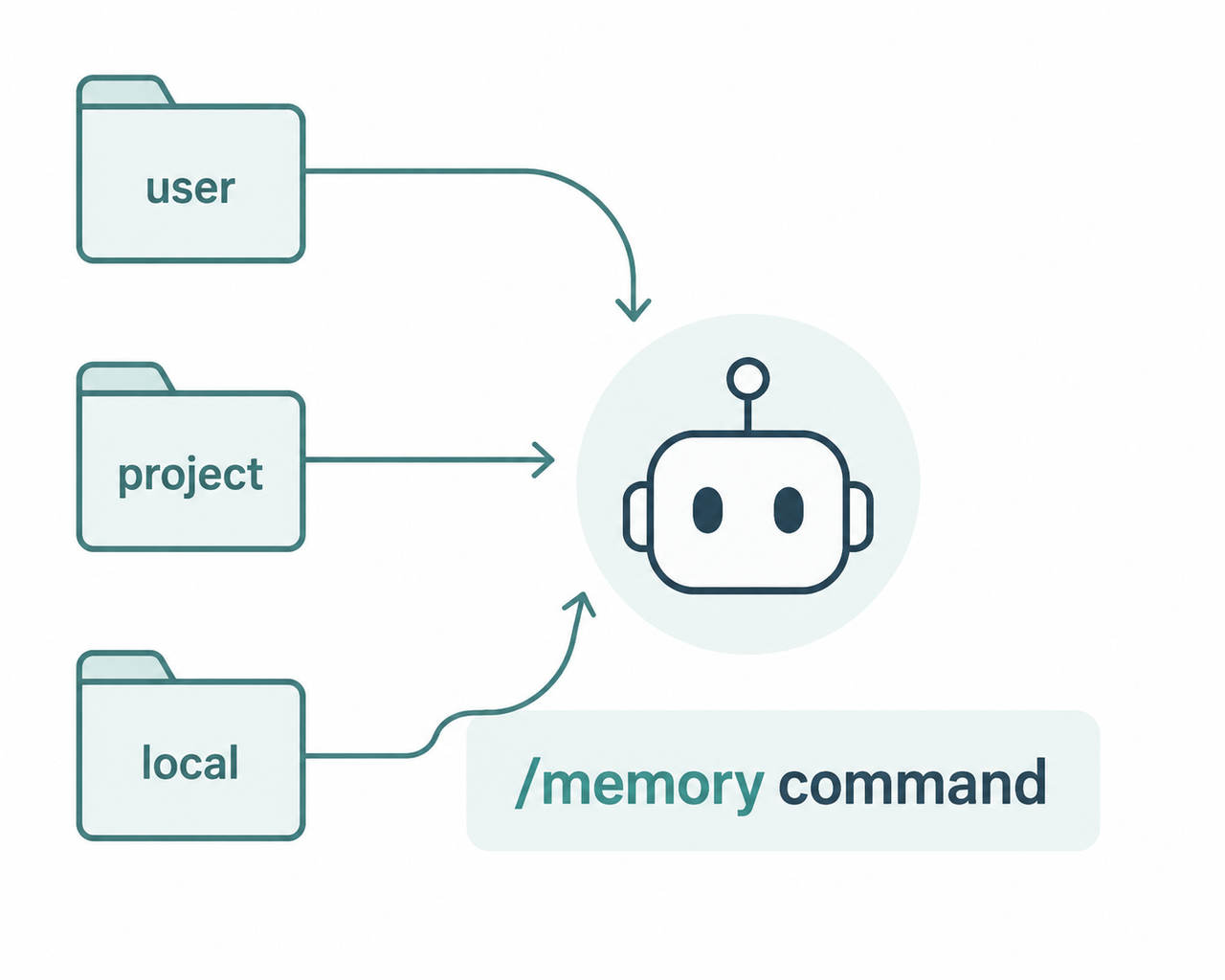
Before assuming your file is broken, confirm Claude Code is even reading the version you think it is. The /memory command lists every active memory file across the hierarchical memory layers — user, project, and local — so you can rule out a simple loading mismatch first. YouTube
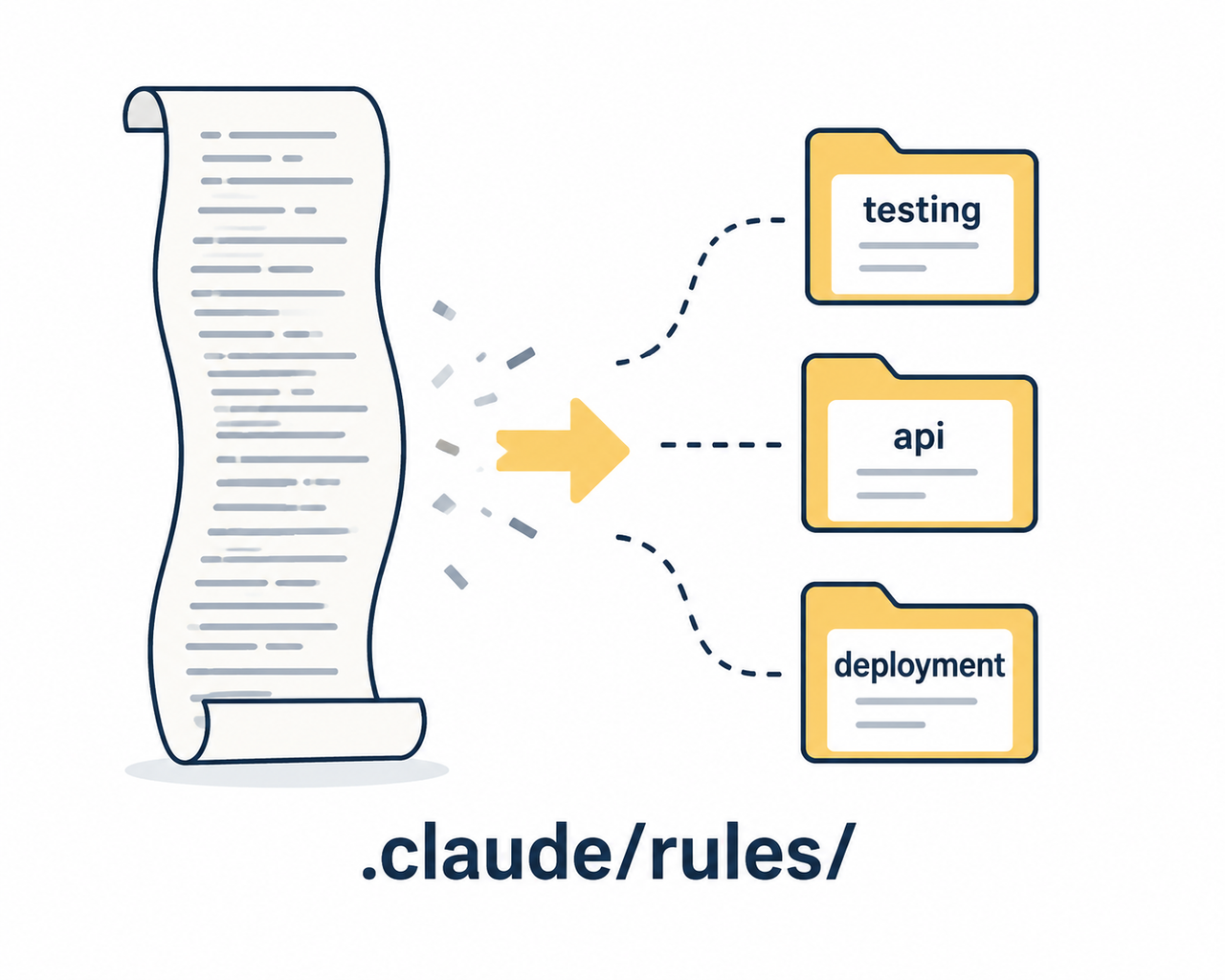
Step 2 — Trim the Root File to Under 200 Lines and Offload Details to .claude/rules/
This is the single highest-leverage fix I’ve tested. Move testing conventions, API patterns, and deployment steps into separate files inside a .claude/rules/ directory, and keep only project identity and core structure in the root CLAUDE.md. AICodex
Illustrative example of a restructured layout:
CLAUDE.md              (project identity, tech stack, ~150 lines)
.claude/rules/
  ├── testing.md        (test conventions)
  ├── api.md            (API design rules)
  └── deployment.md     (deploy checklist)
(Illustrative example)
Step 3 — Ask Claude Itself to Flag Contradictions Inside the File
One trick I use constantly: paste the entire CLAUDE.md into a fresh conversation and simply ask the model to identify contradictory instructions. It’s far faster than manually diffing a long document, and it catches conflicts a human skim easily misses. AICodex
Step 4 — Move Mission-Critical Rules to the Top of the Document
If there’s one rule you absolutely need followed every session — a security constraint, a strict formatting rule, a “never touch this file” instruction — put it in the first few lines, ahead of general project context.
Step 5 — Wrap Situational Rules in Conditional Important Tags
Not every instruction applies to every task. Wrapping situational rules — testing setup, deployment steps — inside conditional important-if blocks lets them activate only when relevant, while your universal project identity and tech-stack information stays unwrapped and always visible. HumanLayer
Step 6 — Run a Quarterly Accuracy Audit Against Real Project Structure
Set a recurring reminder to walk through your CLAUDE.md line by line and check every referenced script, path, and library name still exists. Projects evolve faster than documentation, and stale references are one of the fastest ways to erode Claude’s trust in the file.
Step 7 — Use @file/path References to Auto-Sync Docs and Schemas
Instead of copy-pasting API schemas or style guides directly into CLAUDE.md, reference them with @file/path syntax. Claude automatically incorporates the referenced file’s content and gets notified when it changes, which keeps your instructions synced without manual upkeep. Reddit
Putting all seven steps together, the sequence looks like this:
- Confirm loaded files with /memory
- Trim and split the root file
- Resolve contradictions with a Claude-assisted audit
- Reorder for priority placement
- Add conditional logic for situational rules
- Audit quarterly for architecture drift
- Reference external files instead of duplicating content
If you want the broader troubleshooting context beyond just CLAUDE.md — covering the full range of Claude Code setup issues — our complete guide walks through the rest of the workflow.
The Reality Check: There’s No Error Log Here
This is worth stating plainly because people keep searching for one: there is no console error, no crash, no thrown exception when Claude Code ignores your CLAUDE.md. The failure mode is purely behavioral — inconsistent instruction-following with zero diagnostic output. That absence of a log is exactly why the fix has to be structural (file length, placement, contradiction cleanup) rather than something you can debug with a stack trace.
Frequently Asked Questions
Q1: Does Claude Code read CLAUDE.md automatically every session?
A1: Yes, the root and any relevant subdirectory CLAUDE.md files load automatically at session start without any manual action required.
Q2: How long should a CLAUDE.md file be?
A2: Keep it under roughly 200 lines; anything longer should be split into topic-specific files inside a .claude/rules/ folder.
Q3: Is there an error message when Claude Code ignores CLAUDE.md?
A3: No, there’s no thrown error — it’s a silent behavioral issue where instructions get treated as optional guidance rather than triggering a crash or log entry.
Q4: Can I check which memory files Claude Code is actually using?
A4: Yes, running the /memory command inside a session lists all active user, project, and local memory files currently loaded.
Q5: What’s the difference between CLAUDE.md and the newer auto memory feature?
A5: CLAUDE.md is a manually written persistent instruction file, while auto memory lets Claude accumulate learnings automatically across sessions without you writing them down.
Q6: Should every rule in CLAUDE.md always apply, or can some be conditional?
A6: Not every rule needs to be always-on — situational instructions like testing or deployment steps work better wrapped in conditional important tags so they only activate when relevant.
If there’s one thing 33 years in IT has taught me, it’s that any configuration file — whether it’s a legacy .ini file or a modern CLAUDE.md file — degrades the same way: through unchecked growth and unresolved contradictions. Treat your Claude Code CLAUDE.MD configuration like production code, not a scratchpad, and the inconsistency mostly disappears.
Leave a Reply