
Reduce Claude Code Duplicate Code With Prompts in 2026
How to Use Prompts to Reduce Redundant Code Generation in Claude Code is not about asking an AI to “write less code.” It is about forcing a better engineering sequence: inspect the repository, identify the existing owner of a behavior, reuse or extend it, and justify every new file. In my tests, this approach has been far more reliable than telling Claude to “make it reusable.”
How to Use Prompts to Reduce Redundant Code Generation in Claude Code is a repository-aware prompting method that requires Claude to find existing implementations before editing, then reuse or extend the canonical path whenever possible. For example, instruct Claude to search for email-validation schemas and signup tests before it creates a new validation helper.
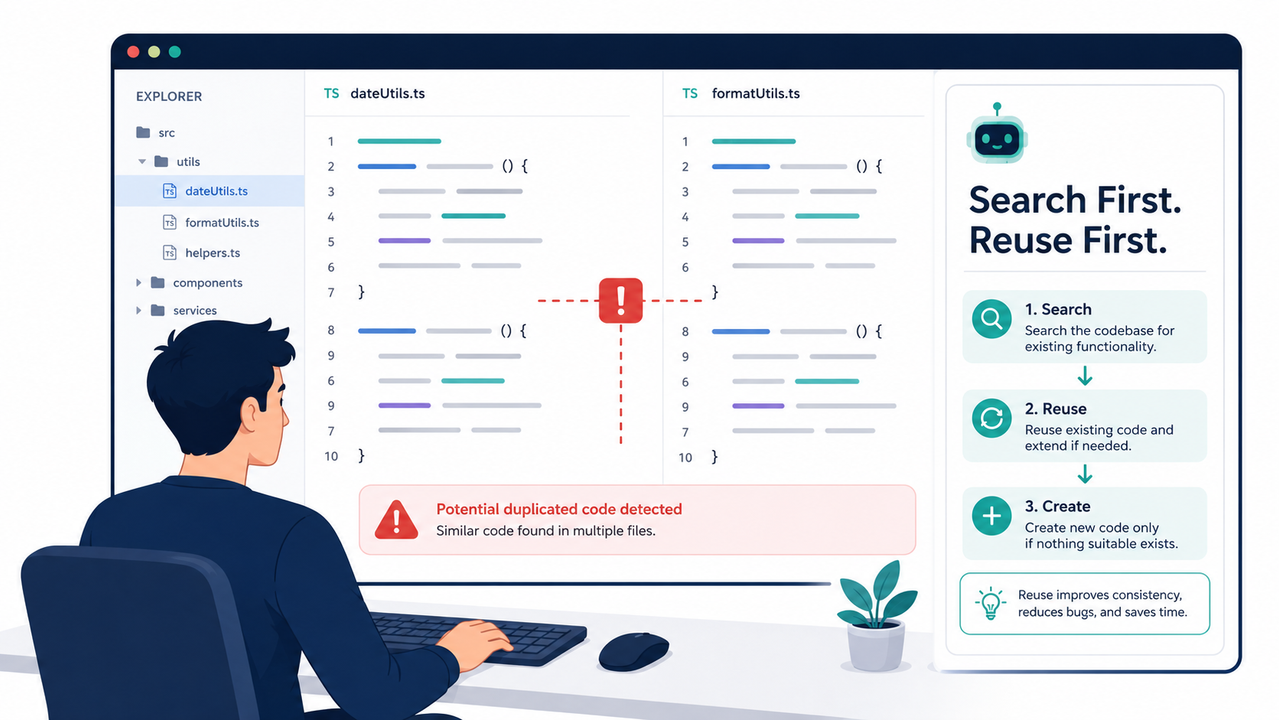
After 33 years in IT, I have learned that duplicate code rarely begins as a dramatic failure. It begins as a harmless-looking helper, a second API wrapper, or one more component that “just handles this case.” When AI is involved, that drift can happen faster because a vague request makes a new implementation appear reasonable.
The mistake I see most is treating redundant generation as a model-quality issue. Usually, it is an instruction-quality issue. Claude Code can search files, inspect imports, and reason across an existing codebase, but your prompt must tell it to make discovery a gate rather than an optional detour. Claude Code Docs
How to Use Prompts to Reduce Redundant Code Generation in Claude Code
Quick Answer
To reduce redundant code in Claude Code, require a discovery phase before edits: search the repository, identify the canonical implementation, reuse or extend it, and create a new file only when no existing owner fits. Put durable rules in CLAUDE.md, use Plan mode for complex work, and require a final duplication audit.
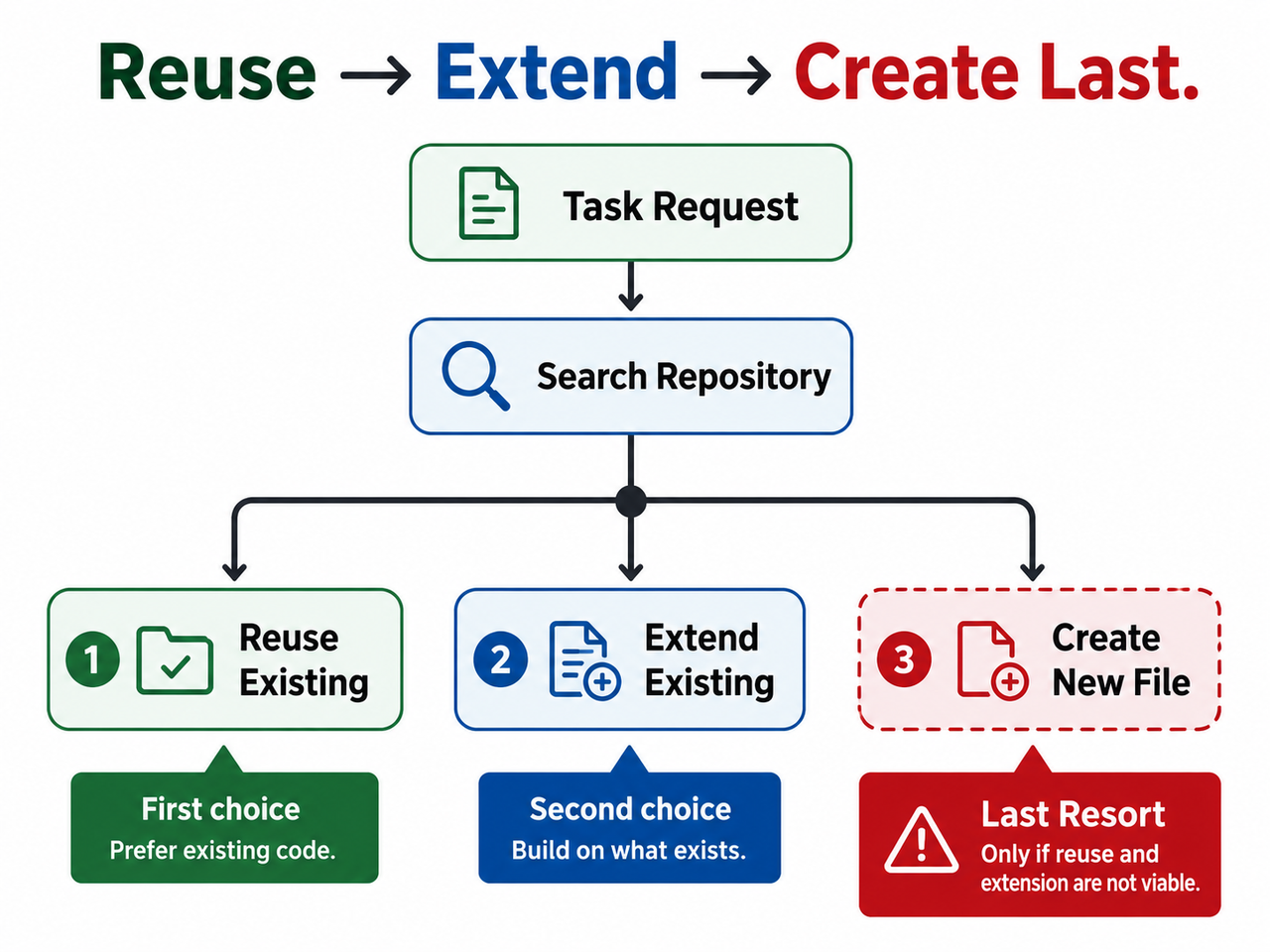
Use this decision order for every non-trivial task:
Search → Reuse → Extend → Refactor only if required → Create new as a last resort
That order turns a broad coding request into a constrained engineering workflow. It does not forbid new code; it makes new code a decision that must be explained.
My recommended operating target is simple: zero unjustified new files per task. That does not mean every task should modify an existing file. It means any new utility, service, hook, component, schema, or configuration file must have a clear ownership reason that survives code review.
The practical benefit is not just fewer files. It is less merge-conflict risk, less reviewer cleanup, more consistent error handling, and fewer situations where two implementations begin to evolve separately.
Why Does Claude Code Generate Redundant Code?
Redundant generation is usually a prompt engineering and context window problem, not a Claude Code runtime error. A request like “add a helper” leaves too many design decisions open: where should it live, what similar code already exists, and whether a new abstraction is actually justified.
| Root cause | What Claude may do | Prompt-level correction |
|---|---|---|
| Vague task scope | Build a second helper or component | Name the feature, target area, and ownership boundary |
| No discovery gate | Create files before checking the codebase | Require repository search and a plan before edits |
| No reuse hierarchy | Treat a new abstraction as equally valid | State that reuse and extension are the preferred paths |
| Context drift | Lose earlier constraints during long work | Keep durable rules in CLAUDE.md and clear unrelated work |
| No audit requirement | Finish without proving reuse | Require searches, reused symbols, and file-creation rationale |
Ambiguous Requests Leave Ownership Undefined
Consider this prompt:
Add a product API client.It sounds clear to a human who already knows the repository. It is not clear to an AI agent entering a large codebase. It does not say whether product lookup already belongs in src/api, src/services, a generated SDK, a domain module, or a shared transport layer.
A better request names both the desired behavior and the architectural boundary:
Search existing API and service modules for product lookup behavior.
If a canonical product client exists, extend it rather than creating another client.
Preserve its current error-handling and caching conventions.
This is the first major rule I use when working with existing codebase projects: do not ask Claude to infer ownership when you can make ownership a required discovery outcome.
Missing Discovery Lets New Files Become the Shortcut
If you do not explicitly ask for a search, a new file can look like the shortest path to completing the request. That is not necessarily irrational from the model’s perspective; it is simply insufficiently constrained.
Use this one-line gate before any implementation request:
Do not edit yet; first return matching implementations, their file paths,
their related tests, and your recommendation for the canonical reuse path.
I found that asking for a short discovery report changes the task dynamic immediately. Claude must first produce evidence of what it found instead of moving directly into file creation.
The discovery report should contain:
- Existing candidate files and symbols
- Related tests, schemas, utilities, components, or services
- The recommended canonical implementation
- The minimum files that need changes
- Whether a new file is necessary and why
This is not bureaucratic overhead. It is a low-cost architecture review before code is written.
Long Sessions Can Weaken Earlier Constraints
Long coding sessions create another form of duplication risk: instruction drift. Claude Code automatically manages its context as it fills, including compacting older conversation material, so an early instruction such as “never create duplicate helpers” may not remain as prominent as current task details. Claude Code Docs
That is why persistent CLAUDE.md rules matter. Claude Code documents CLAUDE.md as user-authored persistent project context, distinct from memory generated from prior corrections. Claude Code Docs
When you switch from one unrelated feature to another, use /clear rather than assuming the old conversation is harmless. Stale context can make Claude reuse patterns from a previous task that do not belong in the current one.
What Prompt Structure Prevents Duplicate Files?
The prompt structure I recommend is D-S-R-V:
- Discover existing implementations.
- Select the canonical owner.
- Restrict scope and file creation.
- Verify reuse, tests, and final changes.
This structure works because it separates exploration from execution. Anthropic’s prompting guidance supports using clear instructions, examples, and XML-style sections when prompts combine context, constraints, and required outputs. Claude Platform Docs
Discover Existing Code Before Any Edit
Start with a discovery phase. Do not blend discovery and editing into one vague command.
<task>
Add [FEATURE] to [TARGET AREA].
</task>

<discovery_rules>
Do not edit files yet.

Search for existing implementations, related types, services, helpers,
components, schemas, imports, and tests.

Look in the target directory and adjacent architectural layers.
</discovery_rules>

<required_output>
Return:

Candidate implementations and file paths

Relevant symbols and tests

The recommended canonical owner

The minimum files likely to change

Whether any new file is necessary
</required_output>
XML tags are not magic. Their value is organizational: they distinguish the job, constraints, and expected response format. That makes it harder for a long prompt to become a mixed set of vague suggestions. Claude Platform Docs
The important phrase is “Do not edit files yet.” I use it whenever the repository is unfamiliar, the task crosses several modules, or duplicated behavior would be costly.
Select the Canonical Implementation Explicitly
Finding three similar implementations is not enough. Claude must choose one owner and explain the choice.
Add this requirement:
If multiple candidates exist, identify one canonical implementation.
Explain why it is the correct owner of this behavior and why the others
should not be duplicated or extended for this task.
This prevents a common failure pattern: Claude sees two partial solutions, treats both as precedent, and creates a third implementation that combines them.
The canonical owner should normally be the module that already owns the domain behavior, not merely the first file containing a similar function name. For example, an email rule in a form schema should not automatically become a standalone validation utility just because a utility folder exists.
Restrict Scope and New-File Creation
The next prompt layer is scope control. Without it, an AI can interpret “improve” as permission to refactor adjacent modules, invent abstractions, or reorganize folders.
Use a direct constraint block:
<implementation_constraints>

Prefer reusing or extending existing logic.

Do not create a utility, hook, component, schema, service, or abstraction
if an equivalent project pattern already exists.

Do not refactor unrelated code.

Modify only the approved files unless a new dependency is required.

Create a new file only if no existing module has a valid ownership boundary.

Explain the need for a new file before creating it.
</implementation_constraints>
This rule matters especially when you use words such as “reusable,” “clean,” or “scalable.” In my experience, those words can invite premature abstraction. A task that needs a local fix does not automatically need a generalized framework.
Use this safer replacement:
Use the minimum structure required for the current task.
Do not generalize for hypothetical future needs.
Claude’s prompting documentation emphasizes clarity and structured constraints, while Claude Code best-practice guidance warns against unnecessary complexity in task execution. Claude Platform Docs Claude Code Docs
Verify Reuse With a Duplication Audit
The final D-S-R-V step is verification. Most developers ask whether the code compiles or tests pass. Those are necessary checks, but they do not prove that the implementation belongs in the right place.
Add a duplication audit to the definition of done:
<verification>
Run the narrowest relevant test or type-check command.

Before finishing, report:

Searches performed

Existing code reused or extended

Files changed

Files created

Why each new file was necessary

Test or type-check result
</verification>
Set a simple review policy: 100% of new files require a written ownership rationale before merge.
That one rule makes it much harder for an accidental parallel implementation to slip through. It also gives reviewers an efficient checklist instead of forcing them to rediscover the architecture from scratch.
How to Use Prompts to Reduce Redundant Code Generation in Claude Code With Plan Mode
For complex, unfamiliar, or multi-file tasks, start with Plan mode. Claude Code supports Plan mode so the agent can explore the repository and propose an approach before you authorize implementation. Claude Code Docs
Use /plan or cycle modes with Shift+Tab until Plan mode is active. Do not approve edits merely because the plan sounds polished. Approve it only after it identifies an existing owner or provides a credible reason why no existing owner fits.
Run This Plan-Mode Discovery Prompt
Copy this prompt for architecture-sensitive tasks:
<task>
Add [FEATURE] to [TARGET AREA].
</task>

<discovery_rules>
Do not edit files yet.
Search for existing implementations, related types, services, helpers,
components, schemas, and tests.
</discovery_rules>

<decision_rules>
Prefer reuse.
If reuse is insufficient, extend the canonical module.
Create a new file only if no existing module has a valid ownership boundary.
Do not refactor unrelated code.
</decision_rules>

<required_plan>
Return:

Candidate implementations and file paths

Recommended canonical owner and reasoning

Exact files to modify

Proposed tests or type-checks

Any new file required, with justification
</required_plan>
This is deliberately short. Long prompts are not automatically better prompts. The useful content is the sequence: discovery, decision, scope, and proof.
Approve Only a Minimal Change Plan
A good plan normally contains:
- One canonical owner for the requested behavior
- A small set of files that need modification
- Relevant existing tests or a narrow new test
- A reasoned decision on whether a new file is necessary
- No speculative cleanup work
A warning sign is a plan that proposes a new helper, wrapper, or service before showing any search findings. Another warning sign is a plan that includes broad “cleanup” or “modernization” work unrelated to the requested outcome.
For a tiny, obvious edit, Plan mode can be unnecessary overhead. Claude Code’s best-practice guidance makes the same distinction: use planning for work with meaningful uncertainty, not every typo or one-line change. Claude Code Docs
What Should You Put in CLAUDE.md?
Your CLAUDE.md should contain the rules you want applied repeatedly across tasks. Think of it as project-level operating context, not a place to paste every temporary instruction from a single ticket.
I recommend adding an anti-duplication policy like this:
## Anti-duplication policy

Before creating a component, utility, service, hook, type, test helper,
or configuration:

Search for equivalent behavior, names, imports, and tests.

Reuse the canonical implementation when it meets the requirement.

Extend an existing module before proposing a new abstraction.

Create a new file only when no existing module has a clear ownership boundary.

Do not refactor adjacent code unless it is necessary for this request.

Before finishing, report searches performed, reused code, changed files,
new files, and why each new file was necessary.
This policy covers the parts developers forget to repeat: searching tests, preserving ownership boundaries, and explaining new files.
Keep CLAUDE.md Under 200 Lines
A short CLAUDE.md is easier to audit and less likely to become a stale mix of historical preferences, contradictory rules, and one-off exceptions. Claude Code guidance recommends keeping the file concise—under 200 lines—and using focused task prompts for work-specific details. Claude Code Docs
In practice, I separate instructions into two layers:
- Persistent rules: architecture conventions, test commands, naming rules, anti-duplication controls
- Task-specific rules: feature behavior, affected directories, acceptance criteria, prohibited changes
Do not put temporary requirements such as “use the current ticket’s API field names” into the permanent file. That is how repository instructions become noise.
What Does a Bad vs Good Prompt Look Like?
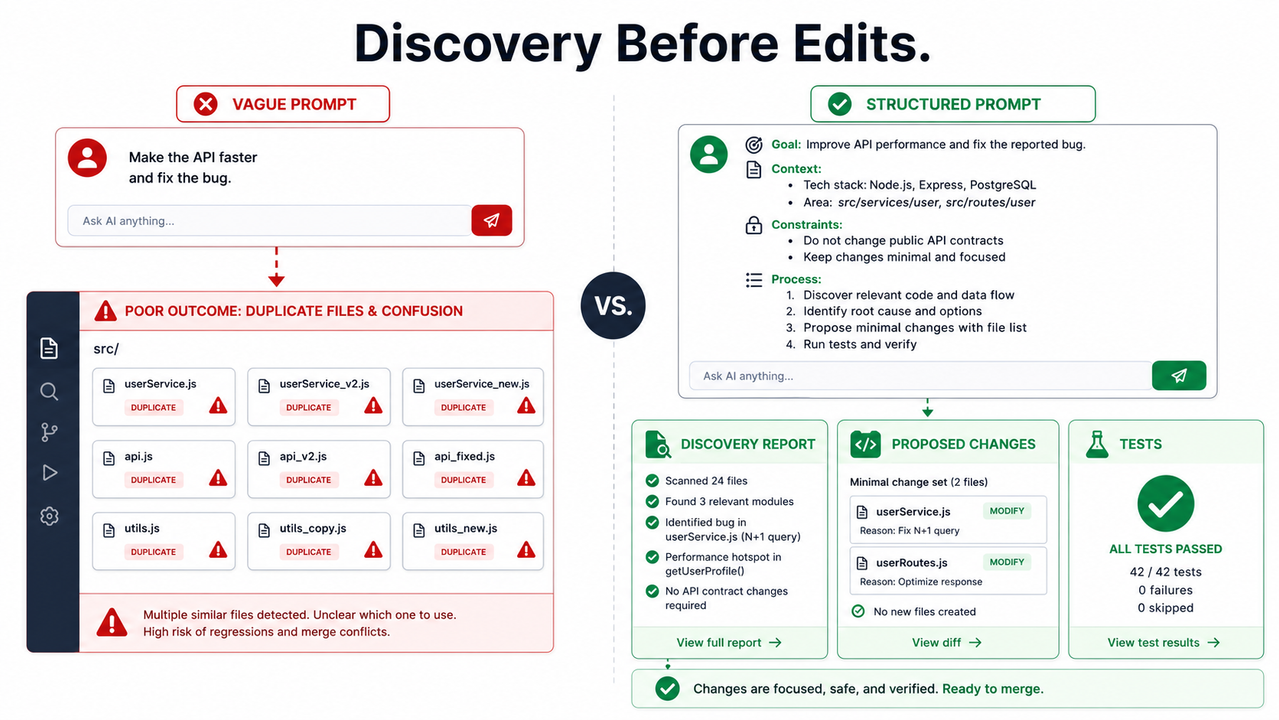
The contrast below captures the difference between asking for output and directing an engineering process.
| Weak prompt | Repository-aware prompt |
|---|---|
| “Add a reusable email validation helper and update signup.” | “Before editing, search src/ for email validation, schemas, form helpers, and signup tests. Reuse or extend the canonical path. Do not create a utility, hook, schema, or new file unless no existing owner fits. Return a discovery plan first, then run the narrowest test and provide a duplication audit.” |
The weak version assumes the solution is a new helper. It has already prejudged the architecture. The repository-aware version states the desired user outcome—email validation in signup—without dictating a new abstraction.
Fix a Duplicate API Client Request
Here is a second example based on a real pattern I have seen repeatedly in code review.
Bad prompt:
Create a new API client for product lookup.Good prompt:
First search src/api, src/services, imports, and tests for product lookup
behavior. Extend the canonical client if it exists. Preserve current
error-handling and cache conventions.

Do not create a parallel client unless you first explain why the existing
owner cannot support this behavior. Return the search findings and change
plan before editing.
The difference is not just wording. The good prompt turns the current architecture into an explicit input. Claude must account for what the repository already knows before it produces something new.
How Can You Measure Less Redundant Generation?
You should not judge this workflow by whether Claude produces fewer lines of code. A good change may still be substantial. Judge it by whether the resulting code fits the existing architecture with less review rework.
Track the following metrics for comparable Claude Code tasks:
| Metric | Baseline | Target after prompt policy |
|---|---|---|
| Unjustified new files | Record current rate | 0 per task |
| Duplicate symbols caught in review | Record weekly count | Downward trend |
| Lines removed after AI-generated changes | Record per pull request | Downward trend |
| First-pass narrow test success | Record percentage | Upward trend |
| New files with ownership rationale | Record percentage | 100% |
Track Four Numbers Per Claude Code Task
For each task, record:
- New files created
- Duplicate symbols or parallel implementations found in review
- Lines removed or rewritten after review
- Narrow test or type-check result
Start with ten similar tasks. Compare five tasks using your previous prompting style against five tasks using D-S-R-V. You do not need a complicated analytics system; a spreadsheet is enough.
The most revealing metric is often not “new files created.” It is “lines removed after review.” That number shows whether Claude generated plausible but unnecessary code that a human later had to unwind.
Use /usage and Clear Unrelated Context
Use /usage to inspect current usage information and use /clear when moving to unrelated work. Claude Code’s cost guidance recommends focused sessions and task boundaries because stale context can lead to inefficient exploration. Claude Code Docs
Lower token use is a secondary benefit. The real success condition is fewer unnecessary implementation branches, less reviewer uncertainty, and fewer duplicate behaviors that must be consolidated later.
For broader troubleshooting patterns around AI tools and coding workflows, see this complete guide.
What Errors Should You Avoid?
There is usually no single Claude Code error log that says “duplicate code generated.” Redundant output is a behavioral failure: the request did not require enough architectural discovery or verification.
The most common errors are:
- Starting with implementation rather than repository search
- Asking for “a reusable helper” before proving a helper is needed
- Leaving the canonical owner undefined
- Permitting broad cleanup or unrelated refactors
- Continuing unrelated work in stale context
- Skipping the final duplication audit
Do Not Ask Claude to “Make It Reusable” by Default
“Make it reusable” sounds like a quality request, but it can encourage over-engineering. I have seen this lead to abstractions that have only one caller, wrappers that merely forward arguments, and utility modules that duplicate existing domain logic.
Instead, use this instruction:
Use the minimum structure required for the current task.
Do not create general-purpose abstractions for hypothetical future uses.
This keeps the implementation proportional to evidence, not speculation. It also makes code review easier because reviewers evaluate a specific change rather than an imagined future platform.
Do Not Mix Unrelated Tasks in One Session
A session that begins with payment-flow work and later shifts into a dashboard feature may carry along irrelevant assumptions. The result can be misplaced helpers, mismatched naming patterns, or copied conventions that do not belong.
When you change domains, clear the working context. Then provide the new task’s repository location, desired behavior, reuse hierarchy, and verification requirement again.
That small reset is often faster than correcting an AI-generated detour.
Frequently Asked Questions
Can Claude Code guarantee that it will never create duplicate code?
No. Prompts and CLAUDE.md provide context and direction; they are not a formal duplicate-code detector. The practical safeguard is a workflow that requires repository search, a named canonical owner, restricted scope, relevant tests, and a final duplication audit. Claude Code Docs
Should I always force Claude Code to reuse existing code?
No. Reuse is the preferred starting point, not an absolute rule. If an existing module has the wrong ownership boundary, would introduce harmful coupling, or cannot support the behavior cleanly, a new module may be correct—but Claude should explain that decision before creating it.
Is Plan mode necessary for every small edit?
No. Use Plan mode for multi-file changes, unfamiliar repositories, ambiguous ownership, or architecture-sensitive work. For a small, obvious change in a known file, a concise prompt requiring search and verification may be sufficient. Claude Code Docs
Why put anti-duplication rules in CLAUDE.md instead of repeating them in every prompt?
CLAUDE.md provides persistent project context, while long sessions may compact older conversational details. Keep the permanent rules short, then add task-specific constraints when the change is particularly risky. Claude Code Docs
What is the fastest anti-duplication prompt for daily use?
Use this:
Search before editing. Reuse or extend the canonical implementation.
Do not create a new file unless no existing owner fits.

Show the files and symbols found, then report tests run and why any new file
was necessary.
How do I know whether the prompt policy is working?
Measure unjustified new files, duplicate symbols caught in review, lines removed after review, and first-pass narrow test success across comparable tasks. A successful policy produces less avoidable code and less review rework—not merely shorter AI sessions.
Leave a Reply