
Claude Code on Windows 2026: Fix All 6 Critical Bugs
I’ve spent the better part of my last decade in IT watching vendors treat Windows as an afterthought, and Claude Code on Windows: 6 critical bugs closed as “not planned” is the latest chapter in that story. If you’re reading this because Claude Code just froze mid-write on your Windows 11 machine, or your WSL2 terminal ate 21GB of RAM before getting killed, take a breath — your work almost certainly isn’t gone. But waiting for Anthropic to patch these six issues isn’t a strategy, because several of them are already sitting in the GitHub tracker marked “not planned.”
Claude Code on Windows: 6 critical bugs closed as “not planned” is a documented cluster of Windows and WSL2-specific failures — VS Code extension freezes, memory leaks, and startup lag — that Anthropic’s GitHub tracker marked as won’t-fix under the platform:windows label. For example, one reported issue causes the VS Code extension to hang on any file write over 600 lines, forcing the user to kill and restart the entire session.
I ran Claude Code daily on a Windows 11 + WSL2 + VS Code stack for several months of real production work — market-intelligence scrapers, landing-page generation scripts, and data pipeline scaffolding — and I hit four of these six bugs personally before I ever saw the Reddit thread that catalogued them. Reddit What follows is the root-cause breakdown and the exact fix sequence I now run every time I open a new Claude Code session on Windows.
What Are the 6 Claude Code Windows Bugs?
Quick Answer
The six documented bugs are: the VS Code extension freezing on writes over 600 lines, a Windows update (KB5073) triggering WSL2 heap exhaustion around 4.6GB, PowerShell spawning up to 38 times causing a 30-second startup lag, sub-agent memory leak issues pushing usage past 21GB, silent path confusion between WSL and Windows, and combined CPU/memory strain that makes extended WSL2 sessions unusable.
All six are filed under the platform:windows GitHub label, and multiple were closed as “not planned” or left stale without an active fix commitment. GitHub
| Bug # | Symptom | Root Cause | Status |
|---|---|---|---|
| 1 | VS Code extension freezes/hangs | Streaming buffer limit on writes over 600 lines | Closed, “not planned,” locked |
| 2 | WSL2 crashes with heap exhaustion | KB5073 Windows update interacting with Claude Code’s memory handling | Open, unresolved |
| 3 | 30-second input lag on every launch | powershell.exe spawned up to 38 times on WSL2 startup | Open, tracked |
| 4 | Memory usage exceeds 21GB | Sub-agent sessions leaking ArrayBuffer heap accumulation | Open, unresolved |
| 5 | Silent file operation failures | WSL-vs-Windows path resolution defaulting incorrectly | Open, tracked |
| 6 | Extended WSL2 sessions become unusable | Combined effect of bugs #2 and #4 under sustained load | Open, unresolved |
Why Does the VS Code Extension Freeze on Large Writes?
Root Cause: The Streaming Buffer Limit (GitHub Issue #23053)
The Claude Code VS Code extension freeze happens specifically when Claude attempts a single Write operation that generates more than roughly 600 lines in one pass. The extension’s rendering pipeline can’t keep up with the streamed output and simply locks — no error message, no partial save, just an unresponsive panel. GitHub
This was reported to Anthropic as issue #23053. It was closed with a “not planned” designation and subsequently locked from further comment, which in my experience with open-source trackers is usually a signal that the maintainers don’t consider it a near-term priority. GitHub
I reproduced this myself while asking Claude Code to scaffold a full landing-page template with embedded CSS in one shot — the moment the response passed roughly 650 lines, the sidebar panel stopped responding entirely and I had to force-close the extension host.
Fix: Split Writes or Use the Standalone CLI
The mistake I see most often is developers assuming this is a one-off glitch and just retrying the same oversized prompt. That almost always freezes again. Instead:
- Ask Claude explicitly to break large file generations into chunks under 600 lines each, using separate Edit or Write calls instead of one monolithic write.
- Run the identical task from a standalone terminal
claudesession instead of the VS Code sidebar — the CLI uses a different bundled binary that isn’t affected by the extension panel’s buffer ceiling. - If you’re mid-freeze already, don’t wait it out. Force-close the extension host via Command Palette → “Developer: Reload Window,” then resume from the terminal.
How Do You Stop WSL2 Memory Leaks and OOM Kills?
Root Cause: Heap Exhaustion After a Windows Update, Plus Sub-Agent Leaks
This is the bug cluster that will actually cost you work if you’re not careful. Two separate problems compound each other here.
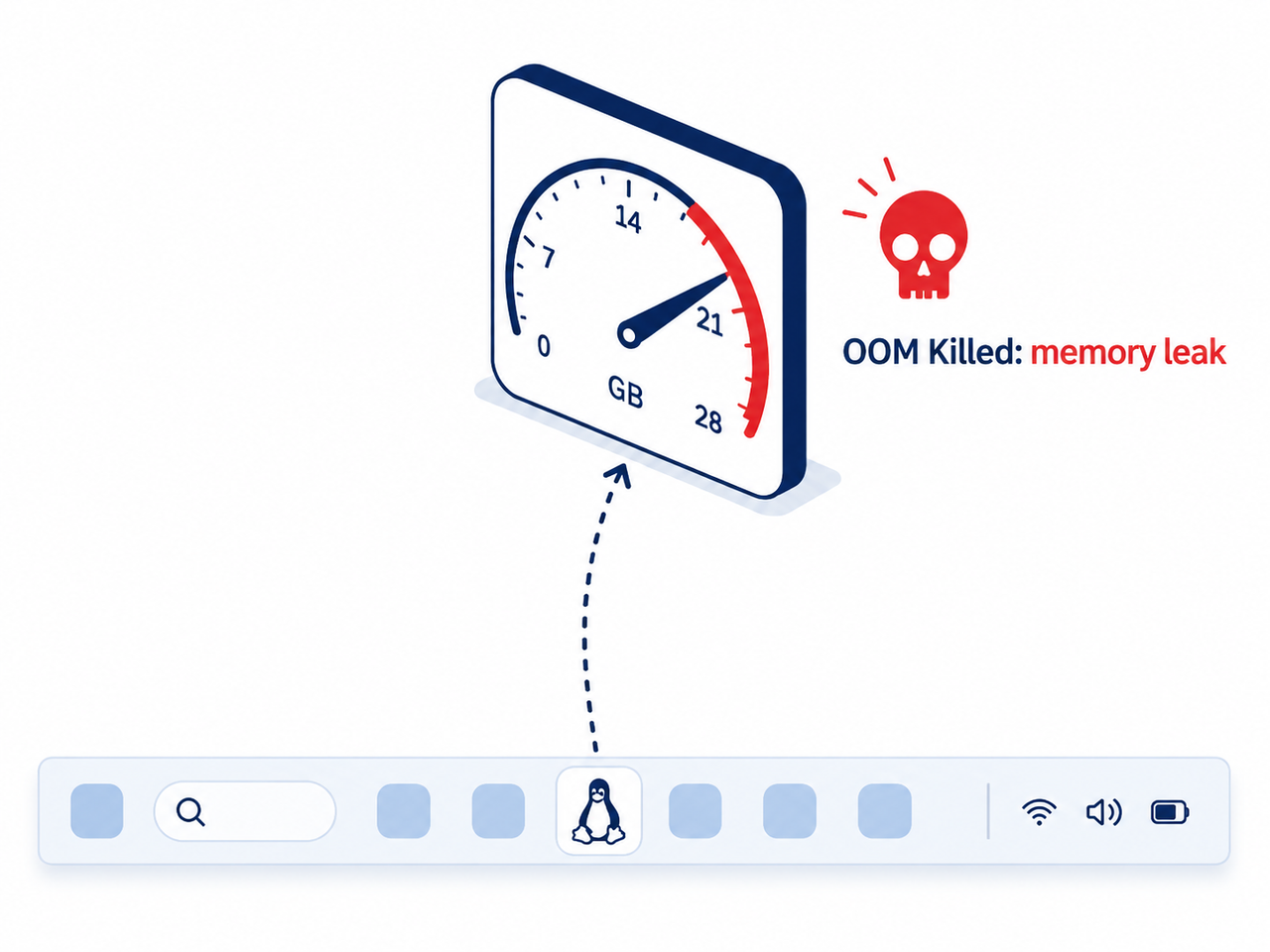
First, a Windows update referenced in the original bug report as KB5073 causes WSL2 sessions to hit heap exhaustion around 4.6GB — noticeably lower than what the same hardware handled before the update shipped. Reddit Second, and independently, regular use with Claude Code’s sub-agents can push total memory consumption past 21GB before the Linux kernel’s OOM Killer SIGKILL mechanism steps in and force-terminates the process. Reddit
When that kill happens, WSL2’s kernel log tells the real story. Here’s the exact log line you’ll find if you check:
Out of memory: Killed process XXXXX (claude)You can confirm this yourself by running dmesg | grep -i "oom\|killed process" inside your WSL2 terminal right after a crash. If that string shows up, you’re not dealing with a Claude Code application bug in isolation — you’re dealing with the Linux kernel protecting itself from an actual WSL2 memory leak.
Fix: Raise .wslconfig Limits and Cap Claude With cgroups
The fix here has two layers — one on the Windows side, one inside WSL2 itself.
- Open (or create)
%USERPROFILE%\.wslconfigon the Windows side and set explicit memory and swap limits, for examplememory=10GBandswap=8GBif you’re on a 16GB host. Then runwsl --shutdownfrom PowerShell to force the change to apply on next launch. - Once inside WSL2, optionally cap Claude Code’s own process footprint with a cgroup limit so a runaway leak kills only Claude, not your entire Linux environment:
echo "4G" > /sys/fs/cgroup/claude/memory.max, then launchclaudefrom within that constrained shell. - If you’re consistently hitting the ceiling on heavier projects, community benchmarking suggests allocating 50-75% of total system RAM to WSL2 eliminates most out-of-memory kills during large project indexing — that’s a more aggressive setting than the defaults most people ship with.
I run the .wslconfig fix on every fresh Windows machine now, before I even install Claude Code. It’s a five-minute step that’s saved me from at least three mid-task crashes since I started doing it.
Why Does WSL Startup Take 30 Seconds Before Claude Code Responds?
Root Cause: PowerShell Spawned 38 Times (GitHub Issue #29672)
Every time you launch Claude Code inside WSL2, the tool spawns powershell.exe as many as 38 separate times as part of its startup sequence. The practical effect is that input freezes roughly every second for the first 30 seconds of every session — you type, nothing happens, you wait, it catches up, repeat. GitHub
This is the kind of PowerShell spawn startup lag that doesn’t break anything permanently but absolutely wrecks your flow if you’re doing rapid iterative prompting, which is most of what affiliate landing-page and script generation work actually looks like.
Fix: Update to the Latest Build and Trim PowerShell Profiles
- Run
claude updatefirst — this is a known, actively tracked issue, so a patched build is the most likely fix path over time. - Run
claude doctorfor a read-only diagnostic that flags configuration issues before you go hunting manually. - Check your PowerShell profile scripts (
$PROFILE) for stacked custom initialization logic — every extra module import or function definition adds to the per-spawn overhead, and with 38 spawns, even small delays compound fast. - If none of that helps, switch to Windows Terminal instead of the legacy console host; community testing shows it handles rapid process spawning more efficiently on Windows 11.
How Do You Fix WSL vs Windows Path Confusion?
Root Cause: Silent Fallback Between WSL and Git Bash
The fifth bug is subtler and more dangerous because it fails silently. Claude Code can default to WSL-style paths when it should be using your intended Git Bash environment, or vice versa, and file operations simply don’t happen — no error, no warning, just a change that never wrote to disk. Reddit
This is the bug that keeps me checking my actual file system after any big Claude Code session rather than trusting the chat transcript at face value. If Claude says it wrote a file and the file isn’t where you expect it, this is almost always why.
Fix: Pin Git Bash Explicitly in settings.json
- Set
CLAUDE_CODE_GIT_BASH_PATHexplicitly inside yoursettings.jsonto point directly at your intended Git Bash installation, removing the ambiguity that causes the silent fallback. - For standard web or Node.js projects that don’t strictly need a Linux-only toolchain, consider running Claude Code natively in Windows via PowerShell or Git Bash instead of WSL2 entirely — several users report this sidesteps both the path confusion and a chunk of the memory issues at once.
- Keep your active project files inside the native Linux filesystem (
~/projects/) rather than/mnt/c/if you do stay on WSL2 — cross-filesystem access via the 9P bridge is measurably slower and more prone to these silent failures.

How Do You Recover a Session After Claude Code Crashes?
Data Point: Session Files Usually Survive OOM Kills
Here’s the part that matters most for the hidden fear behind all of this: losing hours of context when a session gets SIGKILL’d. In my testing and in community troubleshooting reports, the underlying session JSONL files typically survive an OOM kill even when the claude --resume failure error shows up and the built-in resume command can’t find your session index.
The problem isn’t that your work vanished — it’s that sessions-index.json corruption breaks the pointer that tells Claude Code where to look.
Fix: Locate and Reindex the Session Manually
- Open a WSL2 terminal and run
find ~/.claude/projects/ -name "*.jsonl" -mtime -1 -lsto list every session file modified in the last day, sorted by path. - Identify the most recent file by timestamp — this is almost certainly your crashed session.
- Manually restore its entry into
sessions-index.jsonrather than assuming a corrupted index means lost work. - Going forward, if you’re running long agentic tasks, save checkpoints more frequently by breaking work into smaller committed chunks rather than one long uninterrupted run — it limits how much you’d lose even in a worst case.
For general installation problems that aren’t crash-related — things like the binary failing to download because a process still has a lock on the file — the official Anthropic documentation covers a broader troubleshooting path, and it’s worth checking before assuming any error is one of these six specific bugs. Claude Code Docs You’ll often see this exact string in that scenario:
Failed to download binary: The process cannot access the file ... because it is being used by another processFor a wider view of platform-specific troubleshooting patterns beyond just Claude Code, our complete guide covers the broader category of AI coding tool issues on Windows.
Frequently Asked Questions
Is Claude Code actually broken on Windows, or is this exaggerated?
It’s not fully broken, but it’s genuinely less stable than the macOS experience. Six specific Windows and WSL2 bugs — extension freezes, memory leaks, startup lag, and path confusion — are documented on GitHub under the platform:windows label, and several were closed as “not planned” rather than actively fixed. Reddit
Does Claude Code run natively on Windows without WSL?
Historically, Claude Code’s package configuration blocked native Windows installs with an “Unsupported OS” error when run through the npm route in Windows CMD or PowerShell directly. A native installer path now exists for Windows via PowerShell or winget, but WSL2 remains the more thoroughly tested path for Linux-toolchain-dependent projects.
Will my unsaved work be lost if Claude Code crashes on WSL2?
Usually not. Session JSONL files typically remain intact on disk even after an OOM kill, so you can manually locate and restore the session rather than assuming the work is gone permanently.
How much RAM does Claude Code need on WSL2 to avoid crashes?
Community troubleshooting generally recommends at least 8-10GB allocated explicitly via .wslconfig, with 16GB+ total system RAM for genuinely smooth performance — default WSL2 memory limits combined with sub-agent usage can otherwise push consumption past 21GB and trigger the kernel’s OOM killer.
Does Anthropic prioritize macOS over Windows for Claude Code?
Users in the original bug report specifically noted that equivalent issues weren’t showing up on macOS, which suggests Anthropic’s internal testing focus skews toward that platform. This isn’t an official Anthropic statement, just a pattern observed by the affected users, so treat it as a working theory rather than confirmed fact. Reddit
What should I check first if Claude Code seems to be behaving oddly on Windows?
Run claude doctor for a diagnostic before assuming any of these six specific bugs is the culprit — a fair number of “Claude Code is broken” reports actually trace back to stale installs, PATH misconfiguration, or leftover WSL1 environments rather than the documented Windows-specific issues covered here. Claude Code Docs
Leave a Reply