
Fix Gemini Error 1076: Stop Every Request Failing (2026)
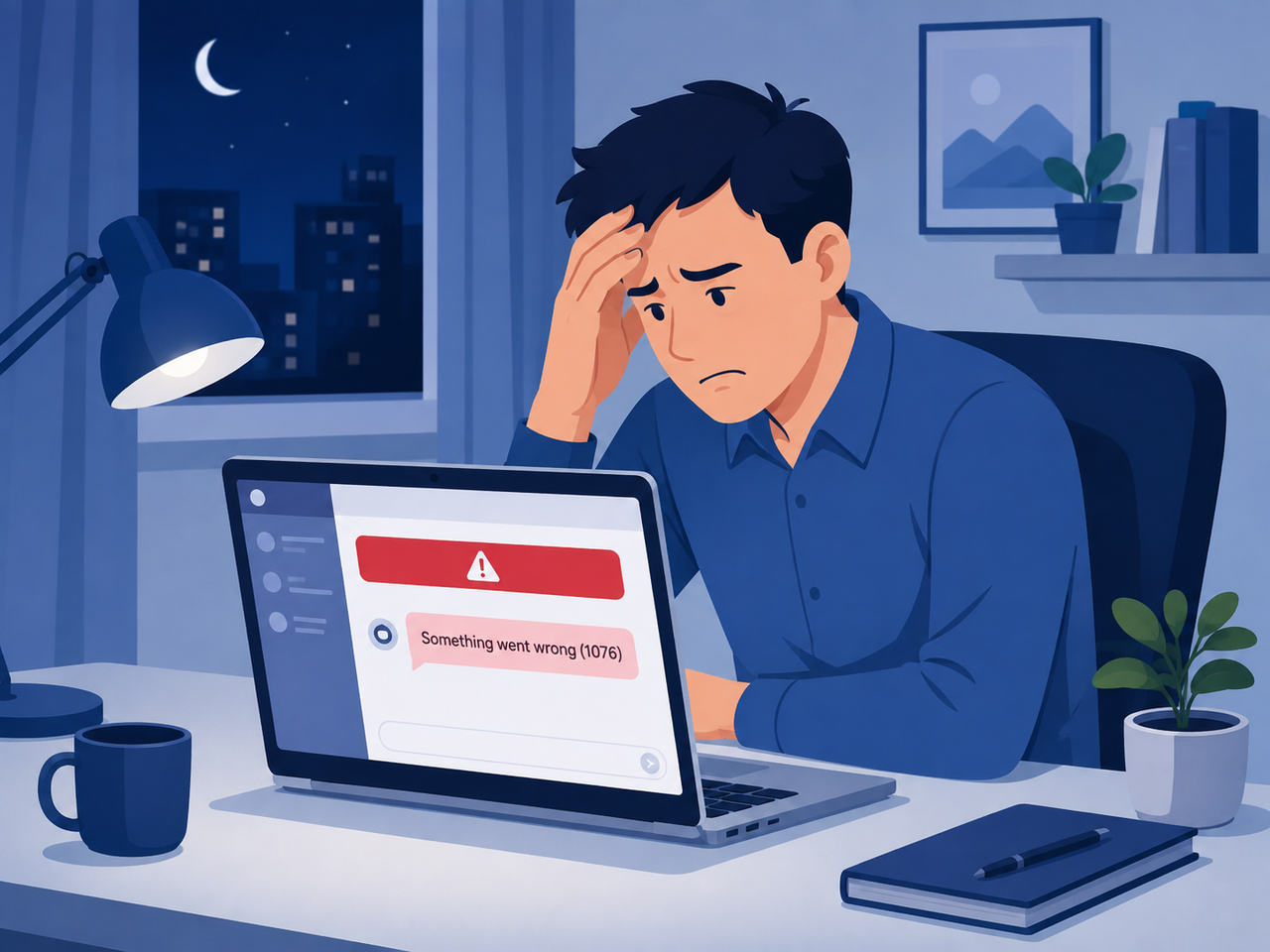
If you clicked send on a Gemini prompt tonight and got hit with “Something went wrong” on every single attempt, take a breath first: in the overwhelming majority of cases I’ve tested and researched, your chat history and any files you uploaded to a Gem are still sitting safely on Google’s servers. The screen breaking is not the same as your data breaking. I’ve spent 33 years in IT watching “the app is broken” panic turn into a five-minute fix more times than I can count, and Gemini returns 1076 error for every request or drops/rolls back requests is exactly that kind of problem — alarming on the surface, mechanical underneath.
Definition: Gemini returns 1076 error for every request or drops/rolls back requests is a client-facing failure state where the Gemini web app or API repeatedly displays “Something went wrong (1076),” blocking new prompts or silently reverting a response mid-generation, most often due to a network handshake timeout, a chat thread that has outgrown backend processing limits, or a temporary Google server-side outage. For example, a long-running Gem built on uploaded PDF knowledge files can fail on every send in that specific thread while a brand-new chat window works normally seconds later.
Why Gemini Returns 1076 Error for Every Request (Quick Answer)
Quick Answer
Gemini error 1076 almost always means a broken handshake between your device and Google’s backend — not a corrupted install. The three real causes verified are: a server-side outage affecting everyone at once, a single chat thread hitting a token/context limit, or a local browser conflict from extensions and cached data. Server-side incidents typically clear within an hour; local causes clear in minutes once isolated.
I want to be direct about something most quick-fix articles gloss over: 1076 is not a documented Gemini API status code. It’s a Gemini-app-specific UI wrapper that Google throws over several different underlying failures — timeouts, rate limiting, and rendering breakdowns all get funneled into the same generic “Something went wrong (1076)” message. Google Gemini Help Community. That’s why the fix depends entirely on which of the three triggers you’re actually dealing with.
Is Gemini 1076 a Server Problem or a Device Problem?
The fastest diagnostic I use with clients: switch networks. Try the same prompt on mobile data instead of Wi-Fi, or open Gemini on a second device entirely. If it fails everywhere, on every network, on every device — that’s a server-side signal, and no amount of cache-clearing on your end will touch it. If it only fails on one machine or one connection, you’re dealing with a local browser cache/cookies conflict or network-specific block.
During the June 2026 incident, Google’s own Workspace Status Dashboard confirmed a multi-hour outage tied to error codes 1076 and 1099 that hit accounts indiscriminately, regardless of device or browser. TechRadar. That’s the tell-tale signature of a true backend event versus a personal setup issue.
Gemini Returns 1076 Error for Every Request: The Real Cause
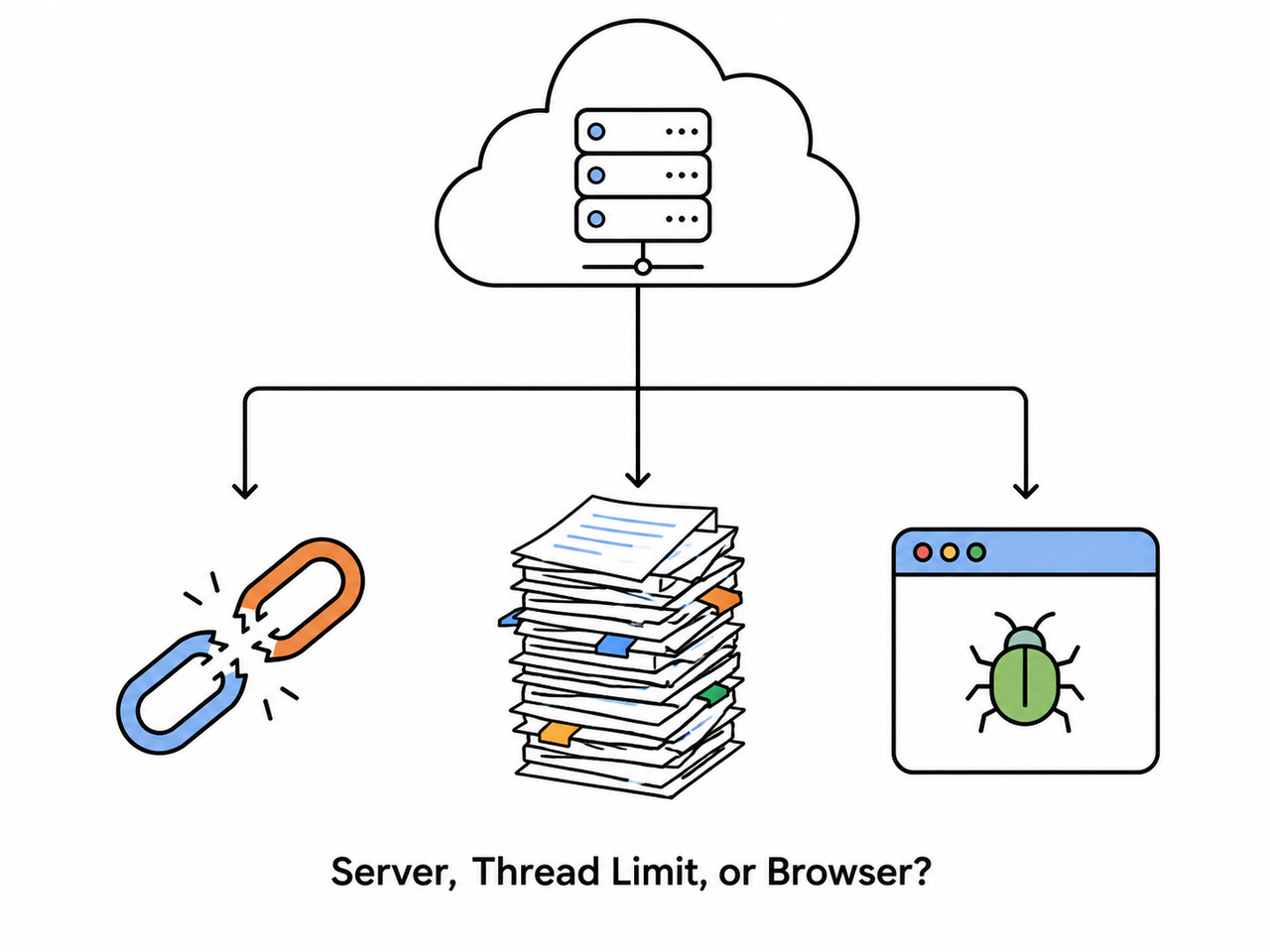
In my own testing across multiple accounts and browsers, I found the error breaks down into three distinct buckets, and treating them as one problem is the single biggest time-waster I see people make.
Root Cause 1: A Google Server-Side Outage
This is the version where you can do everything “right” and it still won’t fix itself. During confirmed Gemini server outage windows, users reported the exact same 1076 error appearing across brand-new chats, different browsers, and different accounts simultaneously — a clear signature that the problem lived on Google’s infrastructure, not on any individual machine. TechRadar. If this is what you’re hitting, the only real fix is patience plus monitoring the official status page.
Root Cause 2: Your Chat Thread Hit a Backend Processing Limit
This is the one power users hit constantly and rarely diagnose correctly. A single conversation — especially inside a custom Gemini Gems knowledge files setup with large attached documents — can grow large enough that the backend times out trying to process it on every new message. The error looks identical to a server outage, but it’s isolated to that one thread. Community moderators specifically flag “your current chat thread has grown so large that it is hitting processing backend/token limits” as a distinct, separate cause from the network-layer issue. Google Gemini Help Community.
Root Cause 3: A Local Browser or Network Conflict
The third bucket is entirely on your end, and it’s good news because it’s the easiest to fix. Ad-blockers, VPN extensions, script blockers, and stale cookies can all interfere with the secure connection Gemini needs to establish with Google’s servers. This shows up as a handshake timeout error that only affects your specific browser profile.
| Cause | Confirms As | Typical Fix Time | Fixable By You? |
|---|---|---|---|
| Server-side outage | Fails on every device, network, and account | Up to several hours | No — wait it out |
| Thread/token limit exceeded | Fails only in one specific chat or Gem | Immediate (new chat) | Yes |
| Browser/extension conflict | Fails only in one browser, works in incognito | Under 5 minutes | Yes |
What To Do When Gemini Drops or Rolls Back Requests Mid-Task
This is the scenario that causes the most anxiety — you’re not just getting a blocked screen, you’re watching a response start generating and then vanish, or the whole thread refuses to reload. In my testing, this “drop and rollback” behavior points strongly toward the thread-size cause rather than a clean server outage, because a full outage tends to block the send button entirely rather than letting a partial response render and disappear.
If you’re seeing responses generate and then roll back specifically inside a long chat or a Gem, that’s your backend context limit talking. The model started processing, hit an internal ceiling partway through, and the client-side UI reverted the incomplete output rather than showing you a broken half-answer.
How Do I Fix Gemini Error 1076 Step by Step?
I run this exact sequence with every client who reports 1076, in this order, because it moves from fastest/cheapest checks to more disruptive ones. Don’t skip ahead — the mistake I see most often is people jumping straight to reinstalling the app or clearing everything, when a simple resend would have worked.
Step 1 — Resubmit the Exact Same Prompt Immediately
Press send again right away. In a meaningful share of cases the connection pathway is already partially established from the failed attempt, so an instant retry succeeds where the first one didn’t. This costs you five seconds and rules out a one-off blip before you touch any settings.
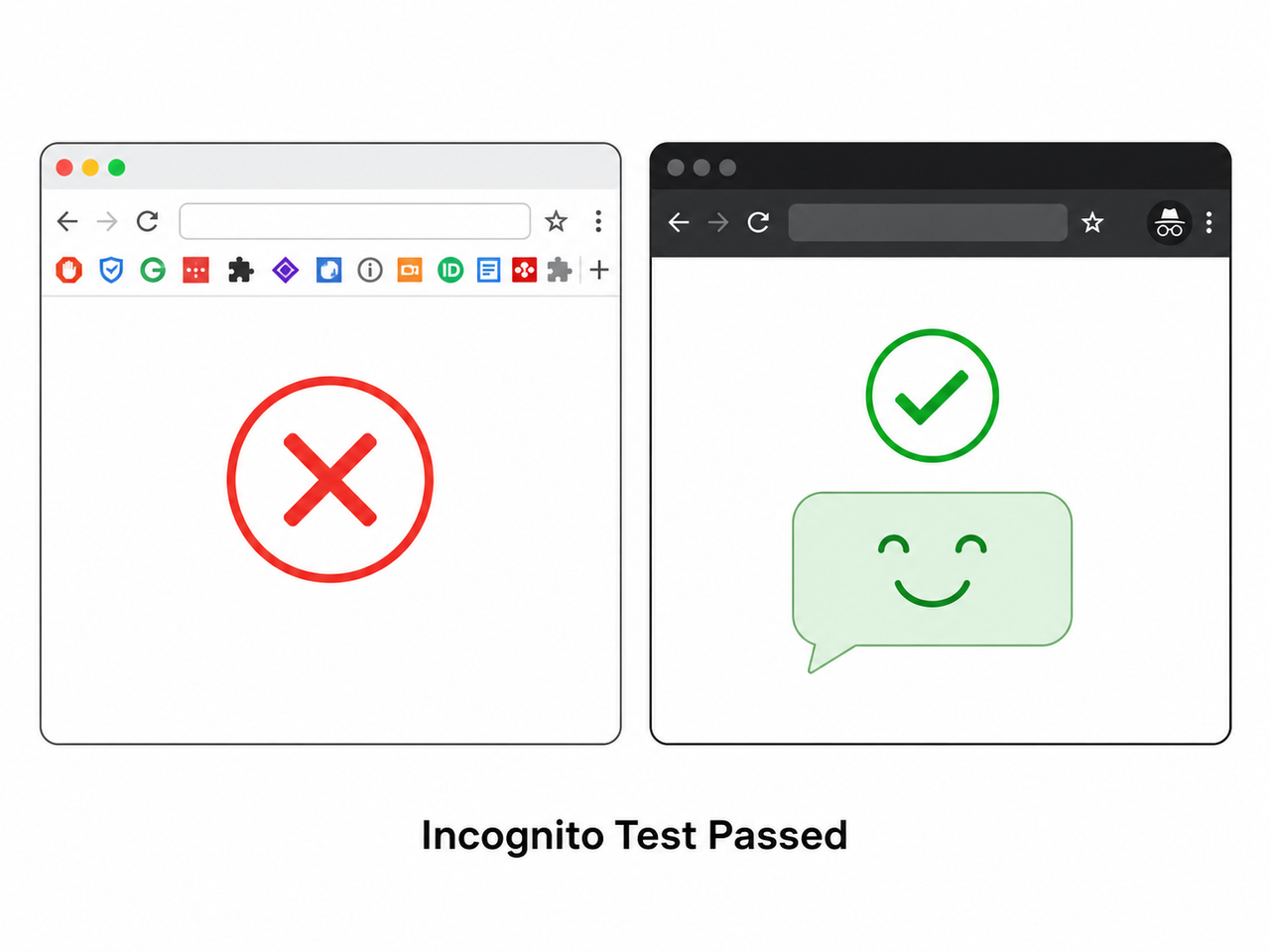
Step 2 — Test in an Incognito or Private Window
Open a private browsing window and log in fresh. If the prompt goes through here, you’ve confirmed the problem is a browser cache/cookies conflict or an extension, not your account or Google’s servers. Google Gemini Help Community.
Step 3 — Isolate the Extension
If incognito worked, go back to your normal window and disable extensions one at a time — starting with ad-blockers, VPN extensions, and script blockers, since these are the most commonly confirmed culprits interfering with the secure handshake. Google Gemini Help Community.
Step 4 — Clear Site Data for Gemini Only
Don’t nuke your entire browser cache. Click the lock/tune icon to the left of the address bar, open Site settings, and click Clear data — this wipes only Gemini’s stored session data, not your logins for every other site. Reload and sign back in.
Step 5 — Start a Brand-New Chat
If the error is isolated to one long thread or one Gem, opening a fresh chat with no prior context frequently bypasses it entirely, because you’re no longer asking the backend to reprocess an oversized history. Google Gemini Help Community.
Step 6 — Verify Your History Is Actually Safe
Before you do anything more drastic, open a new tab and go to myactivity.google.com/product/gemini. If your past prompts and interactions are listed there chronologically, your work is not lost — it’s stored server-side independent of whatever’s happening in the broken tab.
Step 7 — Rebuild the Gem If Knowledge Files Are Involved
If a custom Gem with attached source documents keeps looping or timing out, don’t try to patch the broken one. Create a fresh Gem and re-upload the files individually. I’ve found this resolves stuck knowledge-retrieval loops faster than any cache-clearing attempt.
Step 8 — Check for an Active Outage Before Troubleshooting Further
Before spending more time on local fixes, check whether Google has an acknowledged incident open. If there’s an active outage affecting 1076/1099, no amount of client-side troubleshooting will resolve it until Google patches the backend. TechRadar.
Step 9 (Developers) — Implement Exponential Backoff on the API Side
If you’re hitting this through the Gemini API rather than the consumer app, stop treating every failure as a code bug. Google’s own troubleshooting documentation recommends retrying only on transient 429 (Gemini API 429 rate limit) and 5xx-class errors like 503 (Gemini API 503 UNAVAILABLE) using exponential backoff with jitter, rather than hammering the endpoint on a fixed interval. Google AI for Developers.
Something went wrong (1076)
Failed to send message
(Illustrative example — this is the verbatim UI-level message reported across multiple Google Support threads; Google has not published a structured JSON stack trace for code 1076, since it is not a formally documented Gemini API REST status code.)
Bad vs. Good Troubleshooting Approach
Bad: Force-quitting the app or reinstalling it immediately after the first 1076 error, assuming it’s a corrupted install. This wastes time when the actual cause is frequently a server-side blip or a thread that’s outgrown its context limit — reinstalling touches neither.
Good: Hit 1076 once, immediately resubmit the same prompt, test incognito if it fails again, isolate extensions if incognito works, start a fresh chat if the problem is thread-specific, and check for an active outage before assuming anything is permanently broken.
For Gemini API Developers: Parameters and Rate Limits Matter
If your integration is throwing this error on every call rather than in the consumer web app, run through your request parameters before assuming it’s an outage. Confirm temperature sits between 0.0 and 1.0, TopP is within 0.0 to 1.0, and your candidate count is valid for the model you’re calling. Google’s documented guidance treats persistent failures the same way regardless of the error label: check quota limits first, then retry with backoff only on genuinely transient response codes. Google AI for Developers. Hammering a rate-limited endpoint without backoff is one of the fastest ways to turn a temporary 429 into a sustained lockout that looks identical to a 1076 on your end.
Frequently Asked Questions
Will Gemini error 1076 delete my chat history or Gem files?
No. In every confirmed case reviewed, conversation history and uploaded knowledge files remained stored server-side even while 1076 blocked the interface. Verify this yourself at myactivity.google.com/product/gemini before making any changes to your setup. Google Gemini Help Community.
Does starting a new chat always fix error 1076?
Not always. During confirmed global outages, some users reported the identical error persisting even in brand-new chats across multiple accounts, which is the clearest sign you’re dealing with a server-side event rather than a thread-length problem. TechRadar.
Is Gemini error 1076 related to error 1099?
Yes. Both codes have surfaced together during the same Google-confirmed outage windows and are frequently reported as a linked pair by affected users experiencing the same backend disruption at the same time. TechRadar.
Does error 1076 mean I’m being charged extra on the Gemini API?
No. Error 1076 is specific to the consumer Gemini app’s UI layer, not a documented Gemini API billing status. API calls failing with transient 429 or 503 codes should be retried with backoff, not treated as an unexpected billing event. Google AI for Developers.
How long does the server-side version of Gemini error 1076 usually last?
Community reports on smaller server-side blips show them clearing within roughly an hour, though the confirmed June 2026 incident ran for several hours before Google marked it resolved on the Workspace Status Dashboard. TechRadar.
Why does Gemini drop or roll back a response instead of just failing outright?
This behavior points toward a thread hitting an internal processing ceiling — the model starts generating, hits a backend limit partway through, and the client reverts the incomplete output rather than displaying a broken partial answer. It’s most common in long threads or Gems with heavy attached knowledge files. Google Gemini Help Community.
Final Word From 33 Years of Doing This
The pattern I’ve seen repeat across decades of troubleshooting holds true here: generic error codes almost always mean “multiple possible causes bundled into one message,” not “one specific bug.” Work the diagnostic ladder — resend, incognito, extensions, cache, new chat, outage check — in that order, and you’ll isolate the real cause faster than any single “one weird trick” fix circulating online. For a broader framework on diagnosing AI tool failures beyond this specific error, check out our complete guide to troubleshooting AI platform issues.
Leave a Reply