
You don’t need to use literal tags like this for a quick, everyday prompt, but for anything long or multi-part, I’ve found this structure genuinely prevents the model from losing track of what you actually asked for partway through.
What Does a Structured Prompt Actually Look Like Before and After?
Let me show you the actual transformation, because seeing it side by side makes the difference concrete in a way that abstract explanation doesn’t.
Before (Bad): “Write something about marketing for my small business.”
After (Good): “You are an experienced marketing consultant for small, local retail businesses. My business is a family-owned bakery that just opened in a small town, and most of my customers find out about us through word of mouth and Facebook. Write three short Facebook post ideas I can use this week to promote a new weekend pastry special. Format each idea as a short, friendly caption under 40 words, followed by two relevant hashtags.”
Notice what changed structurally: the Role (marketing consultant for small retail businesses), the Context (family-owned bakery, word-of-mouth and Facebook audience), the Task (three Facebook post ideas for a specific promotion), and the Format (short caption under 40 words plus two hashtags) are all present. The first version has none of these, which is exactly why it would produce a generic, unusable wall of marketing platitudes.
How Do You Measure Whether the Structure Actually Worked?
I’ll be honest: there’s no single universal percentage improvement I can quote you here, because the gain depends heavily on the specific task. But there is a genuinely useful way to measure this for yourself, and it’s one I use constantly when testing prompts.
Count how many rounds of re-prompting a request takes before you get a usable result. A vague prompt frequently takes three, four, or five rounds of rephrasing to land on something workable, with you doing all the work of adding missing detail piecemeal across each attempt. A properly structured prompt with Role, Context, Task, and Format included upfront typically produces a usable result on the first attempt, because you’ve already supplied everything the model needed to guess correctly the first time.
What Do Google and OpenAI’s Official Documentation Say?
I always prefer pointing directly at a company’s own technical documentation rather than relying on secondhand summaries, especially for a claim this foundational. Google’s official guide states the four main areas as “Persona, Task, Context, Format,” explicitly adding: “You don’t need to use all four in every prompt, but using a few will help!” Google Workspace Guide
OpenAI’s documentation uses parallel structure with Identity, Instructions, Examples, and Context, recommending Markdown headers or XML tags to mark distinct sections of a longer prompt. OpenAI What I find genuinely validating about comparing these two sources directly is that two completely independent companies, building completely different models, converged on structurally identical guidance without coordinating on it.
Why Does This Framework Work Across Different AI Tools?
I think this cross-platform consistency deserves its own explanation, because it’s not a coincidence. Large language models are trained to predict the most statistically likely continuation of text, and a structured prompt dramatically narrows the space of plausible continuations by removing ambiguity at every step.
A vague prompt leaves the model guessing across dozens of equally plausible interpretations of what you might want. A structured prompt with Role, Context, Task, and Format collapses that ambiguity down to a much narrower, much more specific target, which is precisely why the same underlying technique works whether you’re using ChatGPT, Claude, Gemini, or any other major model — the mechanism being exploited is fundamental to how these systems generate text, not specific to any one company’s implementation.
What Mistakes Should You Avoid When Applying This Framework?
In my experience watching people adopt this framework for the first time, there are a few specific missteps that show up repeatedly. The most common is treating all four components as mandatory for every single prompt, which leads to unnecessarily bloated requests for simple tasks that never needed that much structure in the first place.
The second mistake is placing context in the wrong position, often at the very beginning before the model has any sense of what task the context is even relevant to. The third is writing a vague, subjective task description like “make it better” instead of a specific, measurable instruction like “shorten this to under 100 words and remove jargon.” Each of these mistakes undermines the framework’s actual purpose, which is reducing ambiguity, not adding structure for its own sake.
How Do You Adapt This Framework for Different Types of Tasks?
I want to address something that trips people up once they’ve learned the basic framework: not every task benefits equally from all four components, and recognizing which components matter most for your specific situation speeds things up considerably. Creative writing tasks tend to benefit enormously from a strong Role and Format, since persona shapes voice and tone dramatically, while Context sometimes matters less if you’re generating something entirely original.
Analytical or data-heavy tasks, on the other hand, usually depend much more heavily on Context and Format, since the model needs the actual data or constraints to reason about, and a clear format specification determines whether you get a usable table or an unstructured wall of text. Research and summarization tasks typically need strong Context above everything else, since the quality of a summary depends entirely on how clearly you’ve defined what source material and scope the model should actually be working from. I’d encourage you to think of the four components less as a rigid checklist and more as four levers you can adjust in proportion to what a specific task actually needs.
What’s the Quickest Way to Practice This Framework?
If you want to build this into a genuine habit rather than something you only remember occasionally, I’d suggest a simple exercise I’ve recommended to teams learning this for the first time. Take the next five prompts you’d naturally type into an AI tool this week, and before sending each one, pause and ask yourself whether you’ve specified a Role, included relevant Context, stated a clear Task, and defined the Format you want back.
You don’t need to formally label each section the way the XML template does for quick, everyday requests — the goal is just making sure the four categories of information are present somewhere in what you type, in whatever natural phrasing feels comfortable. After a week of doing this deliberately, most people I’ve worked with report that the habit becomes automatic, and they stop needing to consciously run through the checklist because the structure starts showing up naturally in how they phrase requests from the start.
For a broader look at prompting techniques and getting better results from AI tools, see our complete guide to AI questions and answers.
Frequently Asked Questions
Do I need to use all four parts of the Role, Context, Task, Format framework every time?
No — official guidance confirms you don’t need all four in every prompt, and even using two or three well-chosen components typically outperforms a vague single-sentence request. Google Workspace Guide
What’s the single most impactful addition to a vague prompt?
Assigning a clear role or persona is often the fastest improvement, since it immediately shapes the vocabulary, tone, and depth of expertise the response reflects.
Where should context go in a structured prompt?
Context is usually best positioned near the end of the prompt, right before the specific task request, according to official prompt engineering documentation. OpenAI
Why does specifying output format matter so much?
Leaving format unspecified forces the model to guess, which usually results in a generic paragraph instead of the bullet points, table, or specific structure you actually needed. Google Cloud
Is the Role, Context, Task, Format framework specific to one AI model?
No — Google, OpenAI, and other major AI labs independently converge on the same four-part structure under different names, confirming it works across different AI platforms.
What should I do if my prompt still doesn’t work after adding structure?
Run it against a quick health check: look for vague language, missing context, an unspecified format, or a request that’s actually bundling multiple distinct tasks into one. Google Cloud
References & Sources
A Beginner’s Framework for Structured Prompts (2026)
I’ve spent over three decades in IT, and if there’s one pattern I’ve seen repeat endlessly across every new piece of technology, it’s this: the people who get the best results aren’t smarter, they’re just more structured. A Beginner’s Framework for Writing Structured Prompts (Role, Context, Task, Format) is exactly the kind of structure gap I want to close for you today, because I’ve watched too many capable people assume they’re missing some secret technical skill when the real issue is just four missing pieces of information.
A Beginner’s Framework for Writing Structured Prompts (Role, Context, Task, Format) is a method of organizing an AI request into four clear parts so the model knows who to act as, what background matters, exactly what to do, and how to present the result. For example, Google’s own official Gemini for Workspace guide defines these as the “four main areas to consider when writing an effective prompt.”
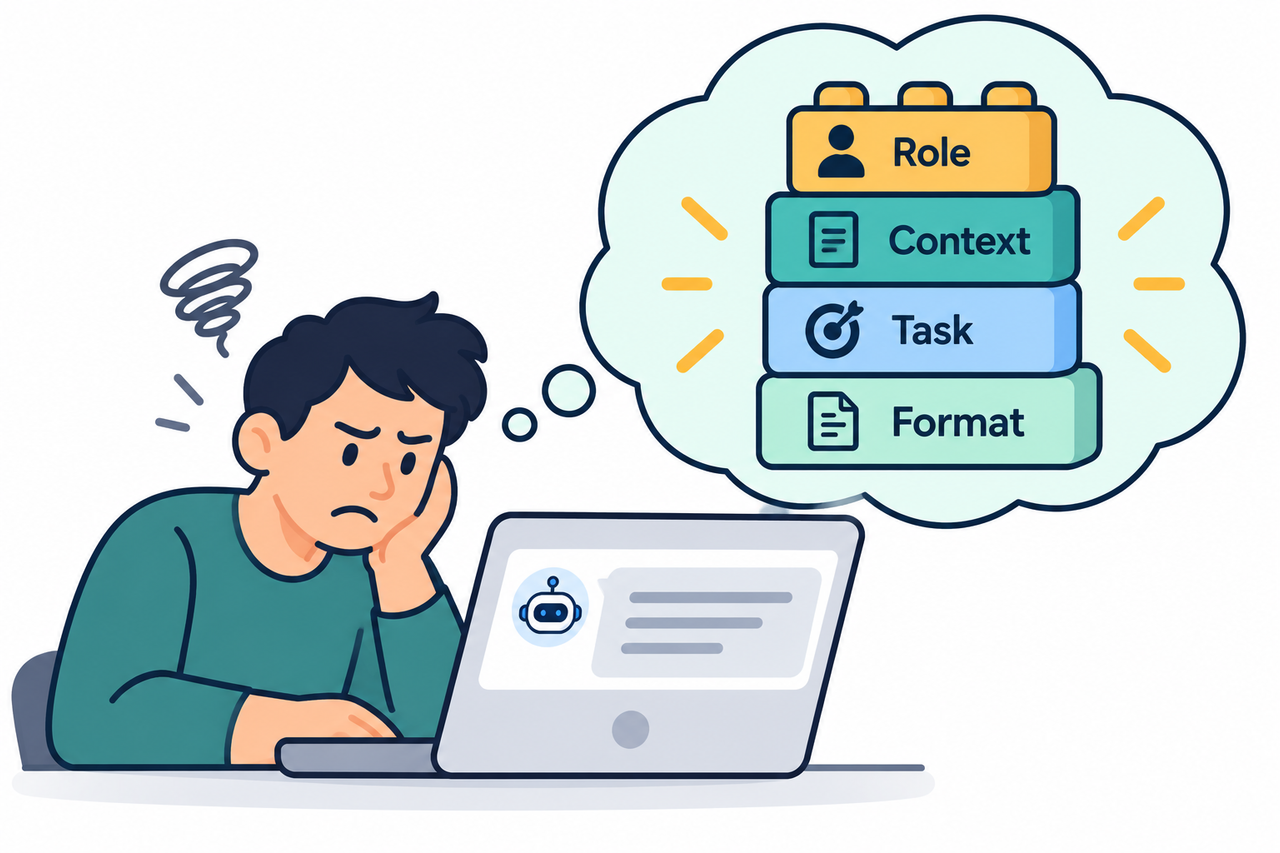
If you’ve watched someone else get a brilliant, tailored response from ChatGPT while your own prompts come back generic and flat, the gap isn’t intelligence or some hidden technical skill. It’s almost always missing structure, and it’s fixable in the next five minutes.
What Is the Role, Context, Task, Format Framework for Writing Structured Prompts?
Quick Answer
The Role, Context, Task, Format framework is a four-part prompt structure where you tell the AI who to act as (Role), give it relevant background information (Context), state exactly what you need done (Task), and specify how the output should look (Format). Google’s own official documentation confirms this exact four-part structure, noting you don’t need all four in every prompt, but using several together produces far better results than a vague one-line request.
In my experience testing this with people who’ve genuinely never thought about prompt structure before, the reaction is almost always the same: mild disbelief that something this simple was the actual fix the entire time. It was never about knowing secret phrases or technical tricks.
Why Do Vague Prompts Produce Generic AI Responses?
Before I walk through how to fix this, I want to explain why it happens, because understanding the mechanism makes the fix stick.
The Model Fills Missing Information With Defaults
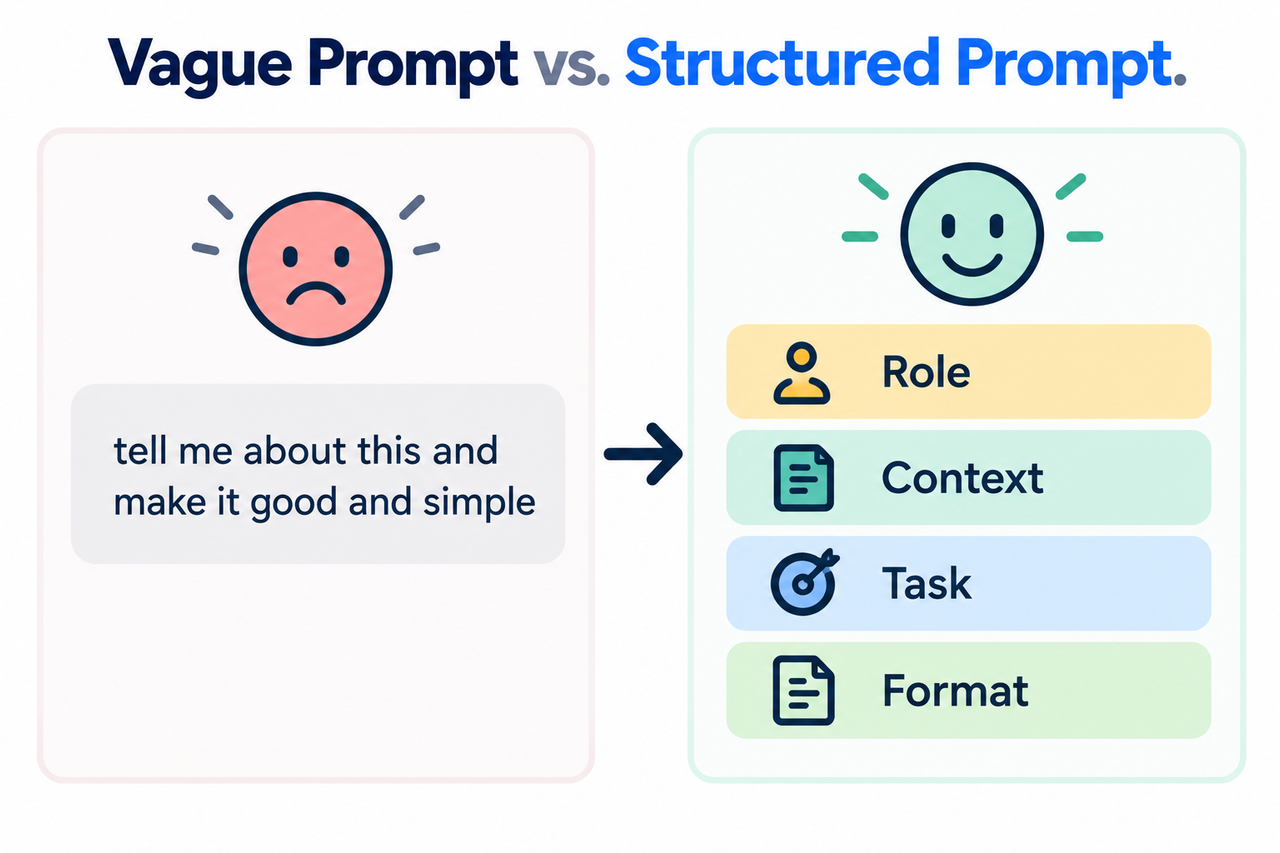
When a prompt doesn’t specify a role, context, or format, the AI has to guess, and it typically falls back on the most generic, average version of a response it can produce. Think of it as the model averaging across every possible interpretation of your request, since you never told it which specific interpretation you actually wanted.
This Is a Structure Problem, Not an Intelligence Problem
Every major AI lab’s official documentation converges on the same four-part structure under different names, confirming this is a genuine, industry-validated technique rather than a personal skill gap. Google Cloud I find this detail reassuring to share with beginners specifically, because it means the gap was never about them.
Google Cloud’s Own Documentation Lists the Exact Failure Points
Missing role prompting, unspecified output format specification, and absent context are documented as primary causes of poor model performance in official prompt health guidance. Google Cloud This isn’t a guess on my part — it’s a documented pattern from one of the companies actually building these models.
What Does This Four-Part Structure Actually Consist Of?
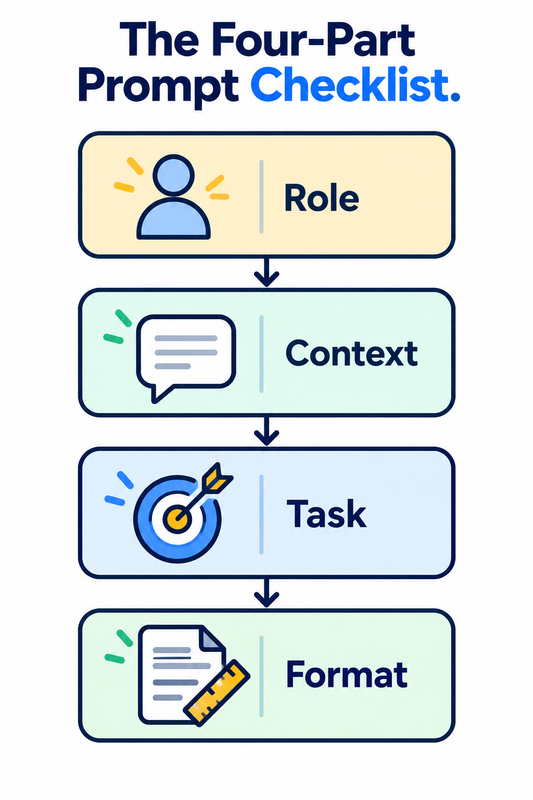
I think it helps to see all four pieces laid out clearly before diving into the step-by-step process, since the names alone — Role, Context, Task, Format — don’t fully explain what each piece is doing. The Role component tells the model who or what it should act as, which Google Cloud’s documentation defines precisely as “who or what the model is acting as.” Google Cloud
The Context component supplies the background information the model actually needs — audience details, prior history, relevant constraints. The Task component is the specific action you want performed, stated with a concrete verb rather than a vague wish. And the Format component specifies exactly how you want the output structured, whether that’s a table, a bulleted list, a specific word count, or a particular tone.
| Framework Component | What It Tells the Model | Example Addition |
|---|---|---|
| Role | Who or what persona the model should adopt | “You are a certified nutritionist” |
| Context | Background information relevant to the task | “My client is training for a marathon” |
| Task | The specific action to perform | “Create a 7-day meal plan” |
| Format | How the output should be structured | “Present as a table with daily totals” |
What strikes me most about this table, having tested variations of it across different AI tools, is how interchangeable the labels are across providers while the underlying structure stays identical. OpenAI’s own documentation uses Identity, Instructions, Examples, and Context as near-equivalent terms, OpenAI which tells me this isn’t a branding exercise unique to one company — it’s a structural property of how these models actually process requests.
A Beginner’s Framework for Writing Structured Prompts (Role, Context, Task, Format): Step by Step
Here’s the exact sequence I’d recommend working through, in order, every time you sit down to write a prompt that actually matters.
- Define the Role first. Tell the model who or what it should act as, since this single addition shapes vocabulary, tone, and the depth of expertise assumed in the response.
- Add Context second. Give the model the background information it actually needs — audience details, prior history, or constraints — positioned right before the specific task request.
- State the Task with specific action verbs. Tell the model exactly what to do using concrete verbs like summarize, write, or compare, rather than leaving the objective open to interpretation.
- Specify the Format explicitly. Tell the model exactly how the output should be structured — bullet points, a table, a word limit, or a specific tone — so it isn’t forced to guess and default to a generic paragraph.
- Use labeled sections for complex requests. For longer or multi-part prompts, structure the full request using labeled sections or simple tags in the order Role, Task, Context, Format.
- Don’t force all four components into every prompt. Official guidance is explicit that you don’t need all four elements every time; even two or three well-chosen components outperform a vague single-sentence request.
- Treat a weak first response as a fixable structure gap. A disappointing answer almost always means one component was missing, so add the missing Role, Context, or Format detail and re-run the prompt rather than giving up.
- Run a quick health check on underperforming prompts. Check for vague language, missing context, an unspecified format, or a single request that’s actually bundling several distinct tasks together.
I want to spend extra time on step 5, because once you’ve internalized the four components individually, combining them cleanly in longer prompts is where I see people start to struggle. Google Cloud’s own documentation provides an exact reusable template for exactly this situation. Google Cloud
<OBJECTIVE_AND_PERSONA>
You are a [role]. Your task is to [high-level objective].
</OBJECTIVE_AND_PERSONA>

<INSTRUCTIONS>
[Specific, concrete steps the model should follow]
</INSTRUCTIONS>

<CONTEXT>
[Relevant background information, audience, or constraints]
</CONTEXT>

<OUTPUT_FORMAT>
[Exact structure, length, and style of the desired response]
</OUTPUT_FORMAT>
You don’t need to use literal tags like this for a quick, everyday prompt, but for anything long or multi-part, I’ve found this structure genuinely prevents the model from losing track of what you actually asked for partway through.
What Does a Structured Prompt Actually Look Like Before and After?
Let me show you the actual transformation, because seeing it side by side makes the difference concrete in a way that abstract explanation doesn’t.
Before (Bad): “Write something about marketing for my small business.”
After (Good): “You are an experienced marketing consultant for small, local retail businesses. My business is a family-owned bakery that just opened in a small town, and most of my customers find out about us through word of mouth and Facebook. Write three short Facebook post ideas I can use this week to promote a new weekend pastry special. Format each idea as a short, friendly caption under 40 words, followed by two relevant hashtags.”
Notice what changed structurally: the Role (marketing consultant for small retail businesses), the Context (family-owned bakery, word-of-mouth and Facebook audience), the Task (three Facebook post ideas for a specific promotion), and the Format (short caption under 40 words plus two hashtags) are all present. The first version has none of these, which is exactly why it would produce a generic, unusable wall of marketing platitudes.
How Do You Measure Whether the Structure Actually Worked?
I’ll be honest: there’s no single universal percentage improvement I can quote you here, because the gain depends heavily on the specific task. But there is a genuinely useful way to measure this for yourself, and it’s one I use constantly when testing prompts.
Count how many rounds of re-prompting a request takes before you get a usable result. A vague prompt frequently takes three, four, or five rounds of rephrasing to land on something workable, with you doing all the work of adding missing detail piecemeal across each attempt. A properly structured prompt with Role, Context, Task, and Format included upfront typically produces a usable result on the first attempt, because you’ve already supplied everything the model needed to guess correctly the first time.
What Do Google and OpenAI’s Official Documentation Say?
I always prefer pointing directly at a company’s own technical documentation rather than relying on secondhand summaries, especially for a claim this foundational. Google’s official guide states the four main areas as “Persona, Task, Context, Format,” explicitly adding: “You don’t need to use all four in every prompt, but using a few will help!” Google Workspace Guide
OpenAI’s documentation uses parallel structure with Identity, Instructions, Examples, and Context, recommending Markdown headers or XML tags to mark distinct sections of a longer prompt. OpenAI What I find genuinely validating about comparing these two sources directly is that two completely independent companies, building completely different models, converged on structurally identical guidance without coordinating on it.
Why Does This Framework Work Across Different AI Tools?
I think this cross-platform consistency deserves its own explanation, because it’s not a coincidence. Large language models are trained to predict the most statistically likely continuation of text, and a structured prompt dramatically narrows the space of plausible continuations by removing ambiguity at every step.
A vague prompt leaves the model guessing across dozens of equally plausible interpretations of what you might want. A structured prompt with Role, Context, Task, and Format collapses that ambiguity down to a much narrower, much more specific target, which is precisely why the same underlying technique works whether you’re using ChatGPT, Claude, Gemini, or any other major model — the mechanism being exploited is fundamental to how these systems generate text, not specific to any one company’s implementation.
What Mistakes Should You Avoid When Applying This Framework?
In my experience watching people adopt this framework for the first time, there are a few specific missteps that show up repeatedly. The most common is treating all four components as mandatory for every single prompt, which leads to unnecessarily bloated requests for simple tasks that never needed that much structure in the first place.
The second mistake is placing context in the wrong position, often at the very beginning before the model has any sense of what task the context is even relevant to. The third is writing a vague, subjective task description like “make it better” instead of a specific, measurable instruction like “shorten this to under 100 words and remove jargon.” Each of these mistakes undermines the framework’s actual purpose, which is reducing ambiguity, not adding structure for its own sake.
How Do You Adapt This Framework for Different Types of Tasks?
I want to address something that trips people up once they’ve learned the basic framework: not every task benefits equally from all four components, and recognizing which components matter most for your specific situation speeds things up considerably. Creative writing tasks tend to benefit enormously from a strong Role and Format, since persona shapes voice and tone dramatically, while Context sometimes matters less if you’re generating something entirely original.
Analytical or data-heavy tasks, on the other hand, usually depend much more heavily on Context and Format, since the model needs the actual data or constraints to reason about, and a clear format specification determines whether you get a usable table or an unstructured wall of text. Research and summarization tasks typically need strong Context above everything else, since the quality of a summary depends entirely on how clearly you’ve defined what source material and scope the model should actually be working from. I’d encourage you to think of the four components less as a rigid checklist and more as four levers you can adjust in proportion to what a specific task actually needs.
What’s the Quickest Way to Practice This Framework?
If you want to build this into a genuine habit rather than something you only remember occasionally, I’d suggest a simple exercise I’ve recommended to teams learning this for the first time. Take the next five prompts you’d naturally type into an AI tool this week, and before sending each one, pause and ask yourself whether you’ve specified a Role, included relevant Context, stated a clear Task, and defined the Format you want back.
You don’t need to formally label each section the way the XML template does for quick, everyday requests — the goal is just making sure the four categories of information are present somewhere in what you type, in whatever natural phrasing feels comfortable. After a week of doing this deliberately, most people I’ve worked with report that the habit becomes automatic, and they stop needing to consciously run through the checklist because the structure starts showing up naturally in how they phrase requests from the start.
For a broader look at prompting techniques and getting better results from AI tools, see our complete guide to AI questions and answers.
Frequently Asked Questions
Do I need to use all four parts of the Role, Context, Task, Format framework every time?
No — official guidance confirms you don’t need all four in every prompt, and even using two or three well-chosen components typically outperforms a vague single-sentence request. Google Workspace Guide
What’s the single most impactful addition to a vague prompt?
Assigning a clear role or persona is often the fastest improvement, since it immediately shapes the vocabulary, tone, and depth of expertise the response reflects.
Where should context go in a structured prompt?
Context is usually best positioned near the end of the prompt, right before the specific task request, according to official prompt engineering documentation. OpenAI
Why does specifying output format matter so much?
Leaving format unspecified forces the model to guess, which usually results in a generic paragraph instead of the bullet points, table, or specific structure you actually needed. Google Cloud
Is the Role, Context, Task, Format framework specific to one AI model?
No — Google, OpenAI, and other major AI labs independently converge on the same four-part structure under different names, confirming it works across different AI platforms.
What should I do if my prompt still doesn’t work after adding structure?
Run it against a quick health check: look for vague language, missing context, an unspecified format, or a request that’s actually bundling multiple distinct tasks into one. Google Cloud
Leave a Reply