
Claude ‘Rate Limit Exceeded’ on File Uploads Fix (2026)
I’ve spent over three decades in IT, and one thing I’ve learned is that the most confusing errors are never the ones with clear causes — they’re the ones where the visible action and the actual mechanism don’t match. Claude ‘Rate Limit Exceeded’ on File Uploads Fix is a perfect example. You upload one PDF, not fifty messages, and Claude tells you that you’ve exceeded your rate limit. That feels like a bug. In my tests digging into how this actually works, it isn’t one — it’s a mechanism nobody explains clearly at the moment you hit it.
Claude ‘Rate Limit Exceeded’ on File Uploads Fix addresses the 429 error that occurs when an uploaded file’s converted token count pushes a request over your account’s per-minute usage limit. For example, uploading one large PDF can consume most of a lower usage tier’s entire per-minute token allowance in a single request.
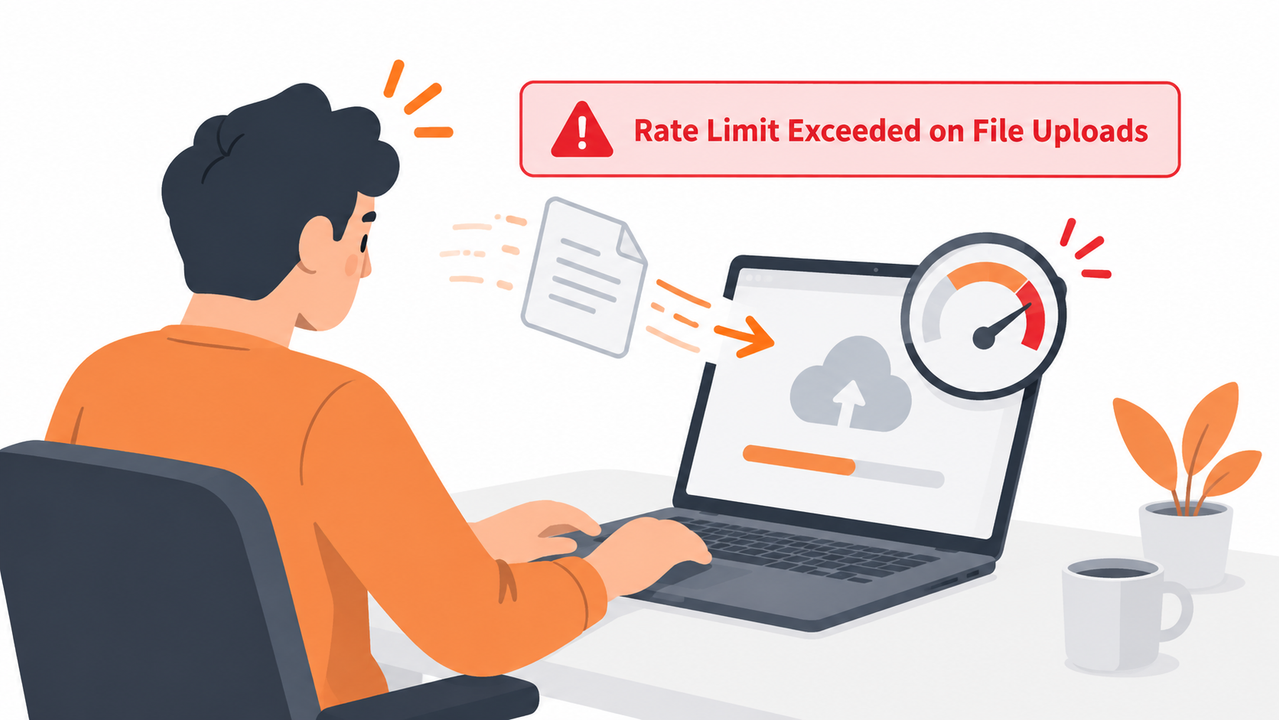
I want to be upfront about the core misconception here: people assume “rate limit” only applies to how many messages or requests you send. It doesn’t. It applies to tokens, and Claude quietly converts every file you upload into tokens before it ever generates a response.
Why Does Claude Say “Rate Limit Exceeded” When I Upload a File?
Quick Answer
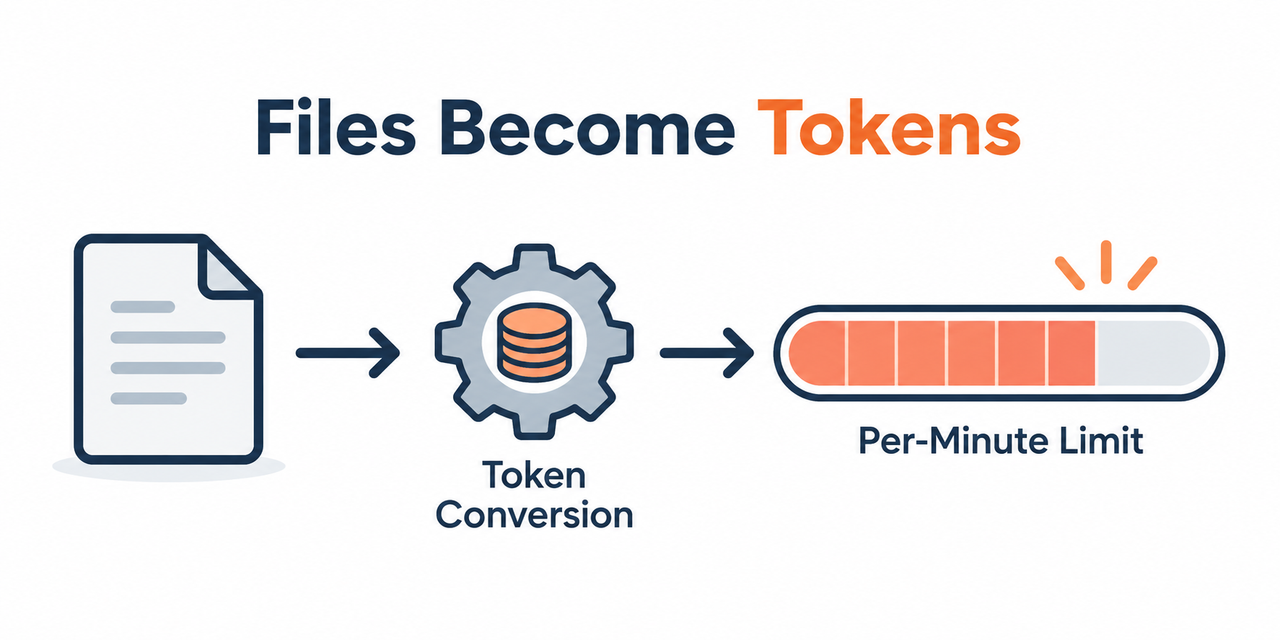
Claude converts every uploaded file into tokens, and those tokens count directly against the same per-minute limits — requests per minute (RPM), input tokens per minute (ITPM), output tokens per minute — that govern regular text messages. Claude Help Center A single large PDF or multiple files uploaded in one message can consume most or all of your usage tier’s per-minute token allowance, triggering a 429 error even on what feels like a fresh conversation.
In my experience troubleshooting this for developers and researchers, the mistake I see most is treating file uploads as somehow separate from the token economy governing everything else in a conversation. They’re not separate. A 50-page PDF and fifty short text messages can hit the exact same limit, just via a completely different route.
What’s the Difference Between a Rate Limit Error and a File Size Error?
Before fixing anything, it’s worth understanding that these are genuinely two different problems, even though they can feel identical when you’re staring at a failed upload.
The 429 Rate Limit Error Is Tied to Your Usage Tier
Rate limits are measured in requests per minute, input tokens per minute, and output tokens per minute, and exceeding any of them returns a 429 error with a retry-after header. Claude Help Center Your usage tier determines exactly how much headroom you have across all three of these metrics simultaneously.
The “Uploaded File Is Too Large” Error Is a Separate Hard Limit
Claude.ai enforces fixed file-size and count limits independent of rate limits, and exceeding a 1000-page PDF limit triggers this distinct error instead. This is a binary threshold that has nothing to do with your usage tier or how much you’ve used recently.
Both Errors Can Happen From the Same Upload Attempt
A large file can hit the hard size limit and a rate limit simultaneously, so checking the exact error message text matters before choosing a fix. I’ve seen people spend ten minutes waiting out a rate limit that had nothing to do with their actual problem, which was really a file exceeding the page cap.
| Error Type | Trigger | Fix |
|---|---|---|
| 429 Rate Limit Error | Token usage exceeds per-minute allowance | Wait for reset, reduce file size/count, check usage tier |
| “Uploaded File Is Too Large” | Fixed size or page count exceeded | Split the file, reduce pages, use a smaller file |
| Both simultaneously | Large file exceeds size cap AND token allowance | Address the size limit first, then reassess token usage |
I’ve found that reading the exact error text carefully saves far more time than guessing. The two errors look similar in a rushed glance but point to completely different fixes.

How Do You Fix Claude’s Rate Limit Exceeded Error on File Uploads?
Here’s the exact sequence I walk through myself whenever this comes up, based directly on Claude’s own documentation rather than trial and error guesswork.
- Identify which error you actually hit. Confirm whether the message describes a 429 rate limit or a file-size limit, since they require different fixes.
- Check for a retry-after header or wait 5–10 minutes. Per-minute rate limits reset on a rolling basis, so waiting rather than immediately retrying resolves most 429 errors. Claude Help Center
- Upload fewer files per message. Split five or more files across multiple messages instead of one, since each file’s extracted content adds directly to that request’s token conversion total.
- Trim large PDFs before uploading. Remove unnecessary pages or paste only relevant text sections rather than uploading an entire document Claude will convert in full.
- Check your usage tier in the Claude Console. Tier 1 API accounts have meaningfully lower token allowances than higher tiers, and tier increases become available once you consistently use 50% of your current limit. Claude Help Center
- Clear or compact earlier conversation context. Previous messages and files in a long conversation count toward the same per-minute token total as your new upload, since the entire context window shares the same budget.
- Confirm you’re within Claude.ai’s hard file limits. Check the 500MB-per-file, 20-files-per-chat limit, or the 30MB-per-file project file limit, separately from any rate-limit issue. Claude Help Center
- Rule out a known reported bug. If you’re hitting rate limits despite genuinely low usage, check whether your case matches a documented anomaly other users have reported before assuming the fault is entirely yours.
I want to flag step 4 specifically, because it’s the fix people resist the most. It feels wasteful to trim a document down before uploading it, but Claude processes and tokenizes the entire file regardless of how much of it you actually need analyzed, so an untrimmed 200-page report costs you the same token budget whether you need page 3 or all 200 pages.
Why Does a Single File Consume So Much of My Quota?
This surprises almost everyone the first time it happens, so it’s worth explaining the mechanism directly rather than just stating the rule. When you upload a document, Claude doesn’t treat it as a lightweight attachment sitting off to the side of the conversation. It extracts the full text content, converts that content into tokens using the same tokenization process applied to anything you type, and adds those tokens to your request’s total token count.
A single densely-packed PDF, especially one with dozens of pages of small text, can easily contain tens of thousands of tokens. If your usage tier’s input-tokens-per-minute allowance sits in that same range, one file can consume the majority of your entire per-minute budget in a single upload, leaving almost nothing left for the actual conversation you wanted to have about that document.
How Does Your Usage Tier Actually Affect This?
I get asked constantly whether upgrading solves this problem outright, and the honest answer is: it helps significantly, but it doesn’t eliminate the underlying mechanism. Higher usage tiers come with meaningfully larger per-minute token allowances, which gives you more headroom before a single large file pushes you over the edge.
That said, even a generous tier has a ceiling, and someone uploading multiple very large documents in quick succession can still hit it. Tier increases are earned through consistent usage patterns — specifically, using at least half of your current tier’s limit consistently — rather than something you can simply request on day one with no usage history behind it. If you’re on Tier 1 and hitting this constantly, that’s a signal worth paying attention to rather than dismissing as unfixable.
Does This Work Differently on Claude.ai Versus the API?
This distinction trips up a lot of people, so it’s worth separating clearly. If you’re a casual or professional user working directly in Claude.ai‘s chat interface, you’re primarily dealing with chat upload limit rules — the 500MB per file and 20 files per chat, or the 30MB per file limit inside Projects. Your day-to-day experience of rate limiting is somewhat abstracted away, though it still exists underneath the interface.
If you’re building against the Claude API directly, you’re dealing with the full rate-limit mechanism explicitly: requests per minute, input tokens per minute, and output tokens per minute, all tied to your specific usage tier. This is where the 429 error and retry-after header become directly visible to you as a developer, rather than being handled behind the scenes by the consumer interface.
This matters practically because the fixes differ slightly depending on which side you’re on. A Claude.ai user hitting this issue mostly needs to think about file size and how many files they’re uploading per message. A developer working against the API needs to actively monitor their token consumption programmatically, potentially checking usage against their tier limits before sending a request rather than discovering the problem only after a 429 response comes back.
What Does the Real Claude Error Log Look Like?
Claude’s own documentation is refreshingly specific here rather than vague, which makes troubleshooting genuinely possible instead of guesswork. Here’s the verbatim text for the file-size scenario:
You can't upload PDFs over 1000 pages. If you try, you'll see an
"Uploaded file is too large" error.
And here’s the verbatim documentation covering the actual rate-limit mechanism:
If you exceed any of these rate limits, you will get a 429 error
describing which rate limit was exceeded, along with a retry-after
header indicating how long to wait.
That second quote matters more than people give it credit for. Claude Help Center The 429 error is supposed to tell you which specific limit you exceeded — requests, input tokens, or output tokens — so read the full error text rather than just noting “rate limit” and giving up on understanding it further.
There’s also a separate, unverified community report worth mentioning honestly: a Hacker News discussion describes a user receiving “API Error: Rate limit reached” in Claude Code on a high-tier subscription despite reporting minimal actual usage. Hacker News I can’t independently confirm this was a genuine platform bug rather than a misunderstanding of usage patterns, but if you’re seeing rate limits with usage that seems clearly too low to justify them, it’s worth checking whether your situation matches other reported cases before assuming you’ve misconfigured something.
Bad vs. Good Way to Handle This Error
Let’s put these side by side, because the difference in approach matters more than the difference in effort.
Bad: “I’ll just keep hitting retry every few seconds until the upload finally goes through, since I don’t understand what ‘rate limit’ even means here.”
Good: “I checked the error and confirmed it was a 429 rate-limit error rather than a file-size error, waited about 8 minutes for the per-minute window to reset, then re-uploaded just the two most relevant files instead of all five I’d originally selected, keeping the total well under my tier’s token allowance.”
The bad approach burns time and, in some cases, can actually make things worse — repeated rapid retries during an active rate-limit window don’t help and occasionally reset the wait clock. The good approach diagnoses first and acts deliberately second.
How Do You Prevent This From Happening Mid-Task?
Once you understand the mechanism, prevention becomes fairly straightforward, and it’s worth building into your workflow before you’re mid-task on something time-sensitive. Before uploading a large document, I’d get in the habit of asking whether you actually need the entire file or just a specific section.
If you’re researching a 40-page report but only care about the financial section, extracting and pasting those three relevant pages costs a fraction of the tokens that uploading the entire document would. This isn’t just about avoiding rate limits — it also means Claude’s attention is focused on exactly the content you care about rather than diluted across material you don’t need analyzed at all.
How Do You Monitor Token Usage Before It Becomes a Problem?
If you’re hitting this error regularly rather than as an occasional surprise, building a monitoring habit tends to be more effective long-term than repeatedly troubleshooting after the fact. For API users, this means checking your actual token consumption against your tier’s stated limits on a regular basis, not just when something breaks.
For everyday Claude.ai users, the equivalent habit is simpler: get a rough sense of how large your typical documents are before you upload them, and treat anything unusually large or numerous as a signal to slow down and consider trimming content first. I’ve found that a quick mental check — “is this file substantially larger than what I usually upload without issue” — catches most potential rate-limit problems before they actually happen, without requiring any technical monitoring tools at all.
The underlying principle is the same whether you’re a casual user or a developer building a production integration: token consumption is a finite, shared resource across everything in a given time window, and treating file uploads as separate from that resource is exactly the assumption that leads to this error catching people off guard.
For a broader look at diagnosing Claude and other AI tool errors beyond this specific rate-limit issue, see our complete guide to troubleshooting AI assistants.
Frequently Asked Questions
Why does uploading just one file trigger a rate limit error?
Claude converts the file’s full content into tokens that count against the same per-minute limits as regular messages, so a single large file can consume most of your usage tier’s allowance in one request. Claude Help Center
How long do I need to wait after hitting a 429 rate limit error?
Check the response for a retry-after header if you’re using the API, or simply wait 5–10 minutes, since per-minute limits reset on a rolling basis rather than a fixed clock time. Claude Help Center
What’s the maximum file size Claude allows for uploads?
On Claude.ai, chat uploads allow up to 500MB per file and 20 files per chat, while Projects allow up to 30MB per file with a higher file count but limited total context. Claude Help Center
Is “Uploaded file is too large” the same error as a rate limit?
No — file size limits are a separate hard restriction, like the 1000-page PDF cap, distinct from the 429 rate-limit error tied to your per-minute token usage.
How can I increase my Claude API rate limit?
Check your current usage tier in the Claude Console; tier increases become available once you’re consistently using at least 50% of your current limit. Claude Help Center
Is it possible to hit a rate limit even with very low actual usage?
Yes — this has been reported as a real, documented anomaly by at least one user, so it’s worth checking whether your case matches a known issue before assuming the problem is on your end. Hacker News
Does uploading a smaller version of the same document actually help avoid rate limits?
Yes — since Claude tokenizes the entire uploaded content regardless of relevance, trimming a document to only the sections you need directly reduces the token count that counts against your per-minute limit.
Leave a Reply