
ChatGPT Ignoring Instructions: Bug Or Glitch Diagnosis (2026)
I’ve spent over three decades in IT, and one diagnostic habit has saved me more time than almost any other: always separate “is this broken on their end” from “is this something I’m doing” before you spend a single minute troubleshooting further. ChatGPT Suddenly Ignoring Instructions: Bug vs. Glitch Diagnosis exists because most people skip that first step entirely and jump straight to either panic or a full conversation restart, when the actual answer takes about ten seconds to check.
ChatGPT Suddenly Ignoring Instructions: Bug vs. Glitch Diagnosis is the process of distinguishing a temporary platform-side outage from a structural context window issue when ChatGPT stops following previously given rules. For example, checking OpenAI’s status page first tells you within seconds whether you’re dealing with a documented incident or a fixable prompting problem.

I want to be direct about something before we go further: in my tests and in the real incident data I dug through for this exact moment, both explanations are genuinely common. Neither one is the “obvious” answer, which is exactly why guessing wrong wastes real time either way.
Is ChatGPT Ignoring My Instructions Due to a Bug or a Glitch?
Quick Answer
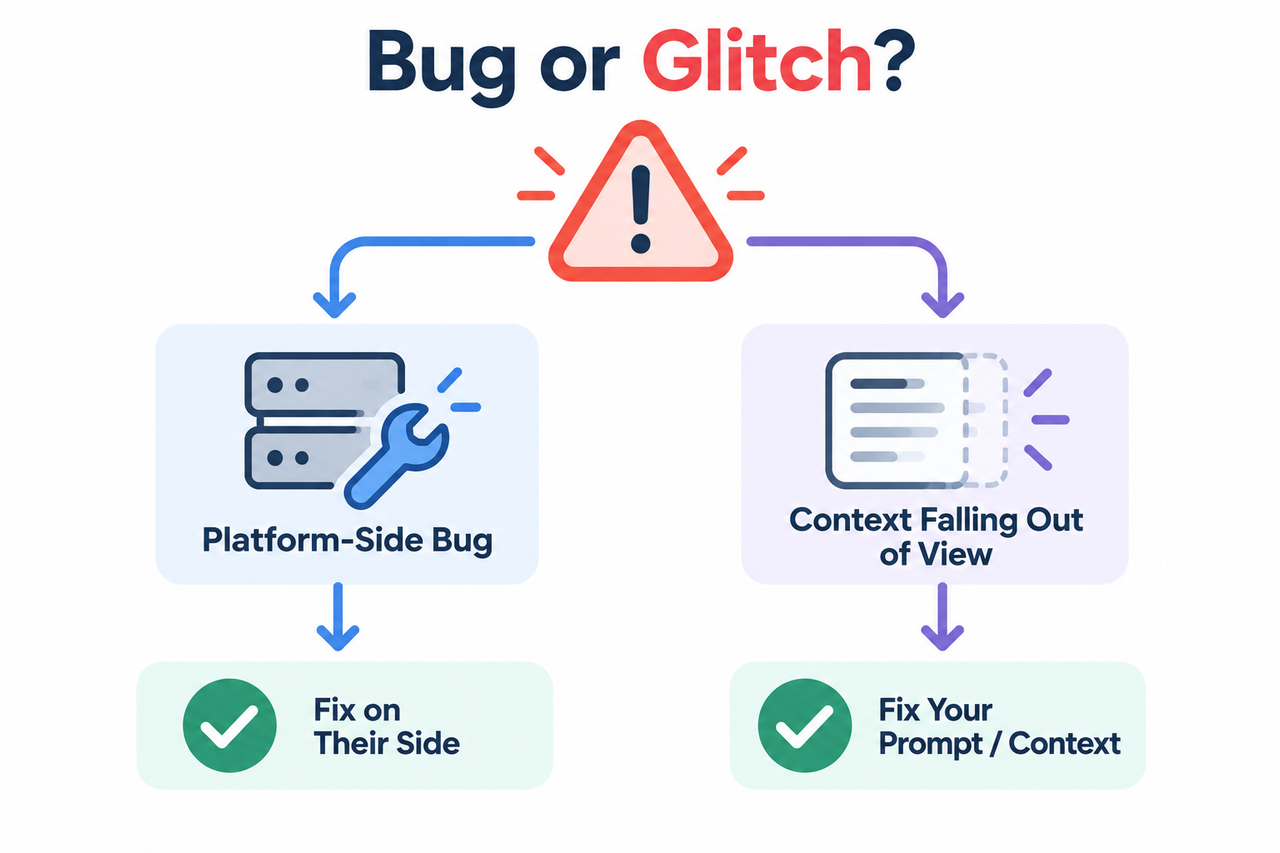
“Sudden” instruction-ignoring has two distinct causes: a platform-side bug, meaning a real, temporary OpenAI status page incident. OpenAI Status Or a structural glitch, meaning context window truncation or attention dilution as your conversation grows long. PromptRift HQ Checking status.openai.com first tells you which one you’re actually dealing with.
In my experience, people jump to the bug explanation far more often than they jump to the glitch explanation, probably because it feels less like a personal mistake. But in practice, I’ve found the structural cause is actually the more common one day to day, even though the platform incidents are real and do happen with some regularity.
What’s the Difference Between a Platform Bug and a Context Glitch?
Before diagnosing anything, it helps to understand that these are genuinely two different categories of problem, with completely different timelines and completely different fixes.
Platform Bugs Are Documented, Temporary Incidents
OpenAI’s status page has recorded multiple real incidents specifically affecting the Conversations component for Plus and Pro users, reflecting genuine elevated error rate and degraded performance conditions. Unite.AI These are not rumors or guesses — they’re logged, timestamped incidents with an investigating state, an update, and eventually a resolution.
Context Glitches Are Structural and Predictable
Context window truncation and attention dilution are mechanical consequences of how long conversations work, not random malfunctions. Once you understand the mechanism, this stops feeling like an unpredictable bug and starts feeling like something you can anticipate and manage.
The Status Page Clears Resolved Incidents Quickly
A documented incident can open and fully resolve within roughly ninety minutes. Unite.AI This is exactly why checking at the moment something feels wrong matters more than checking later. If you wait an hour to look, a genuine platform bug that already caused your problem may no longer show up at all.
I’ve found that once people internalize this distinction, they stop treating every instance of ChatGPT ignoring a rule as evidence the whole platform is broken. Sometimes it genuinely is broken, briefly. Often it’s a structural issue you can fix in under a minute.
How Do You Diagnose Which One You’re Dealing With?
Here’s the exact sequence I run through myself the moment I notice ChatGPT ignoring something I clearly established earlier in a conversation.
- Check status.openai.com immediately. Look specifically at the ChatGPT component group and the Conversations component for any active incident before assuming a prompting problem. OpenAI Status
- Rule out the bug explanation if status is clear. If the page shows fully operational, move to diagnosing the structural glitch instead of continuing to assume a platform issue.
- Test for context window truncation directly. Ask the model to list the constraints it’s currently applying — if your instruction doesn’t appear, it has likely fallen out of visible context entirely. PromptRift HQ
- Re-anchor instructions if it’s attention dilution. Restate a compressed version of the rule at the very end of your next message, since this occupies the position of highest attention weight.
- Maintain a standing-instruction header for long sessions. Paste a short instruction block back in every 10 to 15 exchanges or whenever the topic shifts, rather than assuming one instruction holds indefinitely.
- Move permanent rules into Custom Instructions or a system prompt. Both are re-sent automatically on every turn, avoiding the token limit truncation risk of a rule typed once mid-conversation.
- Recognize when to start a fresh conversation. If you’re re-reminding the model of rules every other message, that’s a signal to summarize context and start over rather than keep patching the thread.
- Recheck the status page periodically. Incidents can open and resolve within the same hour, so a single check at the start of your session isn’t always enough.
I want to flag step 3 specifically, because it’s the single most useful diagnostic move in this entire sequence and almost nobody thinks to try it. Directly asking the model to state its active constraints turns a guessing game into an actual test with a clear answer.
What Does the Real OpenAI Incident Log Look Like?
I always trust a verified, timestamped incident record over general impressions, and OpenAI’s own status page gives you exactly that. Here’s the verbatim record from a real incident:
Increased error rate for Plus and Pro users
Status: Investigating
Impact: Degraded performance
Update: We have identified that users are experiencing elevated
errors for the impacted services. We are working on
implementing a mitigation.
That’s the language of an active, unresolved issue. Unite.AI Compare it to the resolution language from a nearly identical prior incident affecting the same component:
Increased Error Rate For Pro and Plus Plan Conversations
Status: Resolved
Update: We have applied the mitigation and are monitoring the
recovery. All impacted services have fully recovered.
That second incident went from investigating to fully resolved in roughly ninety minutes. If you’d checked the status page two hours after the fact, you’d have seen “fully operational” and no evidence that anything had ever gone wrong, even though it genuinely had.
Why Does This Distinction Actually Matter for Your Workflow?
It’s worth being explicit about why this diagnostic step matters practically, not just academically. If you’re dealing with a genuine platform bug, the correct response is patience — waiting it out, since nothing you change in your prompting will fix a server-side error rate issue. If you’re dealing with a context glitch, waiting accomplishes nothing, since the structural cause doesn’t resolve itself over time the way a platform incident does.
Treating a structural glitch as if it were a temporary bug means you sit there waiting for a fix that will never arrive on its own. Treating a genuine platform bug as if it were your own prompting mistake means you waste time rewriting and re-anchoring instruction drift that was never the actual problem. Getting the diagnosis right in the first ten seconds saves you from wasting minutes or hours going down the wrong path entirely.
How Does Context Window Truncation Actually Work?
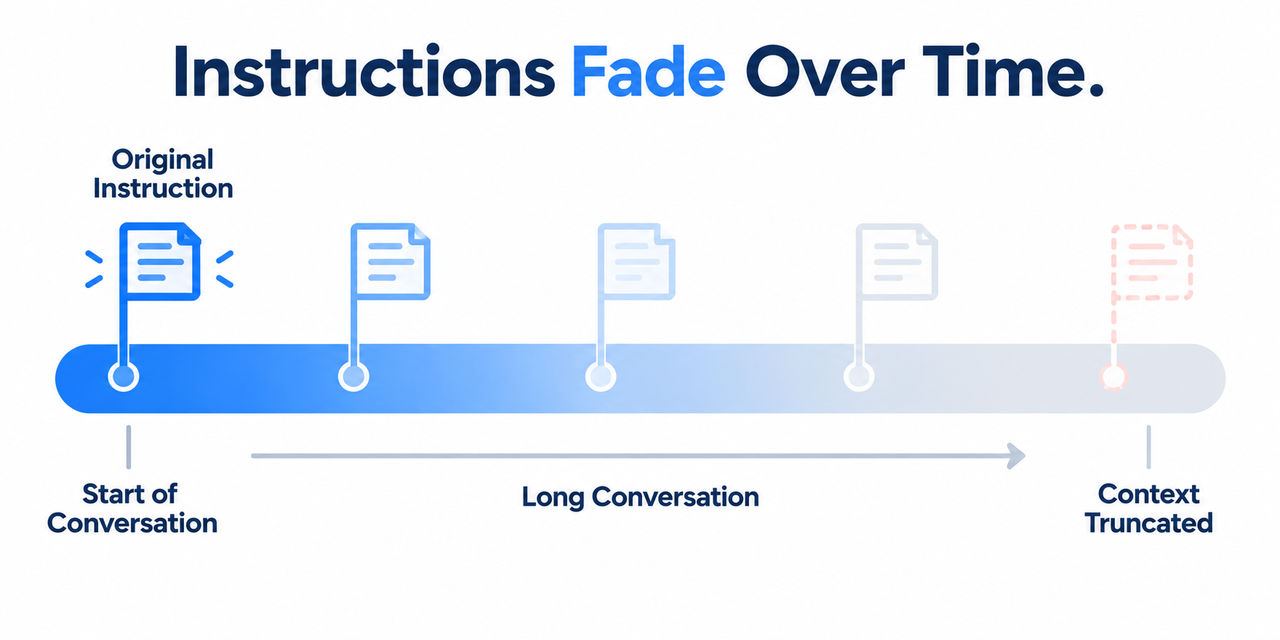
This deserves a slightly deeper explanation than a bullet point can offer, because understanding the mechanism changes how you work with long conversations going forward. Every message you send and every response the model generates gets added to a running record. Once that record grows past the model’s context window, older content doesn’t get quietly summarized or preserved — it simply falls outside what the model can see at all.
If you gave your original instruction early in a long conversation and it’s now genuinely outside that window, no amount of politely asking the model to “remember” will bring it back, because it isn’t a matter of the model forgetting in a human sense. It’s a matter of that text no longer existing anywhere in what gets fed into the model for its next response. This is precisely why re-anchoring instructions — restating the instruction fresh, later in the conversation — works reliably, while simply asking the model to try harder to recall does not. PromptRift HQ
What’s the Practical Difference Between Truncation and Attention Dilution?
I’ve found people conflate these two mechanisms constantly, even though the fixes differ slightly. Truncation is binary: your instruction is either still inside the context window or it’s completely gone. Attention dilution is more gradual: your instruction is technically still present, but as more recent, locally relevant text accumulates around it, the model’s effective weighting shifts toward what’s freshest rather than what’s oldest.
In practice, attention dilution tends to produce inconsistent compliance — the model follows your rule some of the time and drifts from it other times, particularly when a new topic or task type appears in the conversation. Truncation tends to produce a hard, complete break, where the instruction simply stops applying at all past a certain point. Testing which one you’re facing, using the direct question I described in step 3, tells you immediately which fix actually applies.
Bad vs. Good Way to Diagnose This Problem
Let’s put these side by side, because the difference in approach changes how much time you waste.
Bad: “ChatGPT just randomly stopped following my formatting rule for no reason, so the whole platform must be broken and useless right now.”
Good: “I checked status.openai.com first and saw no active incident, so I asked the model to list its currently active constraints, confirmed my original instruction had fallen out of context after 60 messages, and re-anchored it by restating a compressed version at the end of my next message instead of assuming it was a platform bug.”
The bad approach treats every failure as evidence of total platform breakdown. The good approach isolates the actual cause in under a minute and applies the specific fix that cause requires.
How Do You Prevent This From Disrupting Long Working Sessions?
Once you understand both failure modes, prevention becomes far more manageable than reactive troubleshooting. For anything that must never change throughout an entire conversation — tone, output format, hard constraints on what the model should or shouldn’t do — moving that rule into custom instructions or a system prompt removes the truncation risk entirely, since both get resent automatically on every single turn regardless of how long the conversation grows.
For instructions specific to a single long task that don’t belong in a permanent Custom Instructions setting, building a habit of restating a compressed version periodically, especially right after a topic shift, keeps the rule fresh in the model’s effective attention without requiring you to rebuild the entire conversation from scratch. I’d treat any conversation that’s required more than two or three manual re-anchors as a strong candidate for summarizing and starting fresh rather than continuing to patch it indefinitely.
What Should You Do If This Happens During a Client Deliverable?
If you’re a content creator, developer, or customer support agent relying on consistent ChatGPT output for something client-facing, this diagnostic sequence matters even more than it does for casual use, since the stakes of guessing wrong are higher. In my experience, the instinct under deadline pressure is to skip diagnosis entirely and just keep re-prompting harder, hoping the model snaps back into line.
That instinct is understandable but usually counterproductive. If the actual cause is a platform incident, no amount of more forceful re-prompting will fix a server-side error rate issue, and you’ll burn valuable time achieving nothing. If the actual cause is context truncation, repeatedly re-typing the same instruction without changing your approach produces the same failure over and over, since the underlying mechanism hasn’t changed.
I’d recommend building the ten-second status check into your actual workflow, the same way you’d check whether your internet connection dropped before assuming your own software is broken. It costs almost nothing and immediately narrows your options to the correct fix rather than leaving you guessing under time pressure.
Why Do These Two Causes Get Confused So Often?
Part of the reason this diagnostic confusion is so common comes down to how similar the symptoms look from the user’s side. Both a platform bug and a context glitch can produce the exact same visible behavior: ChatGPT suddenly not following a rule it was clearly following moments earlier. Neither failure mode announces itself with a distinct error message pointing to its actual cause.
This symptom overlap is exactly why I don’t think guessing based on gut feeling is a reliable strategy here, even for experienced users. The status page check and the direct constraint-listing test aren’t optional extra steps — they’re the only two things that actually distinguish between causes that otherwise look identical from where you’re sitting. Skipping either one means you’re diagnosing blind, regardless of how much experience you have with the platform generally.
How Do You Build This Diagnostic Habit Long Term?
The goal isn’t to memorize eight steps and consciously run through all of them every single time something feels off. In my experience, this becomes automatic fairly quickly once you’ve done it deliberately a handful of times. The status check becomes a reflex, the same way checking whether a website is down for everyone or just you becomes automatic after enough experience with internet outages.
What I’d genuinely recommend is bookmarking status.openai.com somewhere you can reach it in one click, since the friction of navigating there is often the real reason people skip this step under pressure. Once that friction is removed, the full diagnosis takes well under a minute, and you’ll rarely find yourself stuck wondering which explanation applies.
For a broader look at troubleshooting recurring ChatGPT issues beyond this specific diagnosis, see our complete guide to troubleshooting AI assistants.
Frequently Asked Questions
How can I tell if ChatGPT ignoring instructions is a bug or my own conversation getting too long?
Check status.openai.com first — if there’s an active incident on the Conversations component, it’s a platform bug; if the status page shows fully operational, the cause is almost certainly context window truncation or attention dilution. OpenAI Status
Does OpenAI’s status page show incidents that already resolved?
No — incidents get cleared from the page quickly once resolved, so a documented outage from earlier in the day may no longer be visible by the time you check, even though it genuinely happened. Unite.AI
How do I know if my instruction fell out of ChatGPT’s context window?
Ask the model to list the constraints it’s currently applying before answering — if your instruction doesn’t appear in its response, it has likely fallen out of the visible context entirely. PromptRift HQ
What’s the difference between context truncation and attention dilution?
Truncation means your instruction is no longer visible to the model at all, while attention dilution means it’s technically still in context but being outweighed by more recent, locally relevant text. PromptRift HQ
How often do OpenAI platform incidents affecting ChatGPT actually happen?
They’re documented fairly regularly, with resolution times as short as about ninety minutes for some incidents, which is why checking the status page at the exact moment of the problem matters more than checking later. Unite.AI
What’s the most reliable way to make an instruction stick for an entire long conversation?
Move it into Custom Instructions in settings or a system prompt via the API, since both get re-sent automatically on every single turn rather than relying on a rule typed once mid-conversation.
Is it possible for both a platform bug and a context glitch to happen at the same time?
Yes — a genuine platform incident doesn’t prevent context truncation from also occurring in the same conversation, so it’s worth checking both explanations rather than stopping once you’ve confirmed one of them.
Leave a Reply