
How to Build a Prompt Library for a Small Marketing or Content Team (2026)
I’ve spent over three decades in IT, and if there’s one pattern I’ve watched repeat across every “let’s organize our knowledge” initiative a team has ever attempted, it’s this: the setup is never the hard part. The upkeep is. How to Build a Prompt Library for a Small Marketing or Content Team matters because I’ve seen more of these libraries die quietly within a month than I’ve seen actually stick, and the difference between the two outcomes has almost nothing to do with how nice the initial setup looks.
How to Build a Prompt Library for a Small Marketing or Content Team is the process of creating a shared, organized repository of proven AI prompts so effective prompts stop living and dying inside individual team members’ chat histories. For example, a Microsoft Lists setup with Title, Prompt, Category, and “Works in” columns lets a small team start sharing prompts without buying new software.
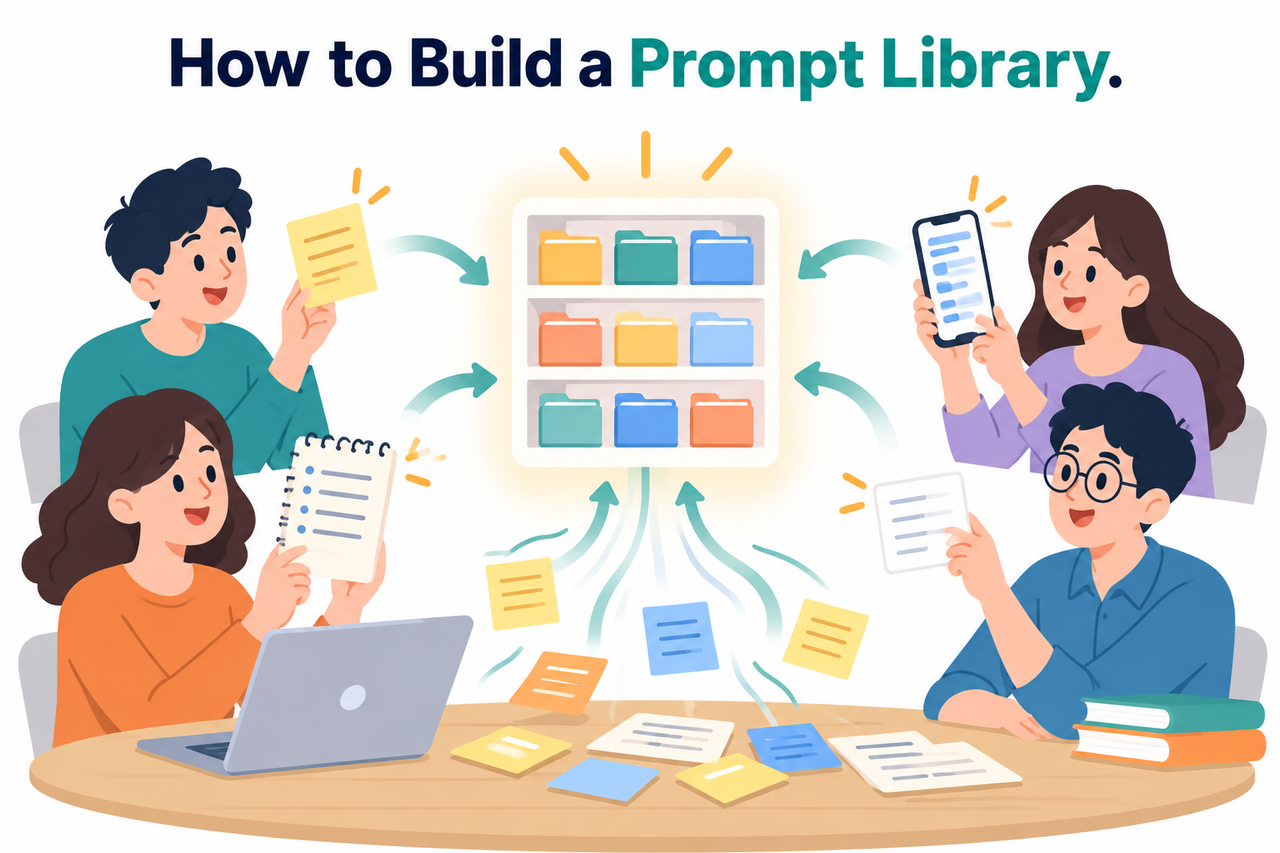
I want to be honest about something before we go further: the fear that you’ll build something beautiful nobody uses is completely justified. In my experience helping small teams set these up, that outcome is actually the more common one, not the exception.
What Actually Makes a Team Prompt Library Survive Past Month One?
Quick Answer
A prompt library survives when it combines a simple organizational structure, a lightweight peer-review step before prompts go live, and a named Prompt Champion role who spends dedicated weekly time keeping it current. Microsoft 365 PnP Community Blog Skipping the ownership piece is the single most common reason these libraries quietly die within weeks.
In my tests helping teams set this up, the organizational structure and the review step matter, but they’re not what determines survival. I’ve seen beautifully organized libraries with zero quality control problems die anyway, simply because nobody was responsible for keeping them alive after the initial excitement wore off.
Why Do Good Prompts Currently Get Lost on Small Teams?
Before building a fix, it’s worth understanding exactly how this problem happens in the first place, because it’s rarely one person’s fault.
Prompts Live and Die in Individual Chat Histories
Effective prompts stay trapped in one person’s Slack DMs or personal ChatGPT history, so the rest of the team never benefits from them. Someone spends twenty minutes perfecting a prompt for a recurring task, gets great results, and that knowledge simply evaporates the moment they close the chat window.
One Person Becomes an Informal Bottleneck
Instead of a shared centralized repository anyone can access, teammates end up pinging the same person directly every time they need a good prompt. I’ve watched this quietly turn into a real workload problem for whoever happens to be the team’s unofficial “AI person,” even though nobody assigned them that role formally.
Most Prompt Libraries Die Within a Month
A library nobody is responsible for updating quietly becomes outdated and gets abandoned, making the setup effort feel wasted. This is the outcome everyone fears, and in my experience it’s justified — I’ve seen it happen to teams that did everything else right.
I’ve found that once teams understand this failure pattern clearly, they stop treating the library as a one-time project and start treating it as an ongoing responsibility, which changes almost everything about how they approach the setup.
How Do You Build a Prompt Library Your Team Will Actually Use?
Here’s the exact sequence I walk teams through, based directly on proven frameworks rather than guesswork.
- Pinpoint 3 to 5 high-impact repetitive tasks first. Start with tasks your team already does constantly, like social captions or meeting summaries, rather than covering every possible use case on day one. Reddit r/PromptEngineering
- Crowdsource existing best prompts with a simple form. Ask “what’s your best AI prompt?” and capture the prompt text, its purpose, and which AI tool it works best in. Microsoft 365 PnP Community Blog
- Set up the repository in a tool you already have. Microsoft Lists with Title, Prompt, Category, and “Works in” columns requires no new software purchase to get started. Microsoft 365 PnP Community Blog
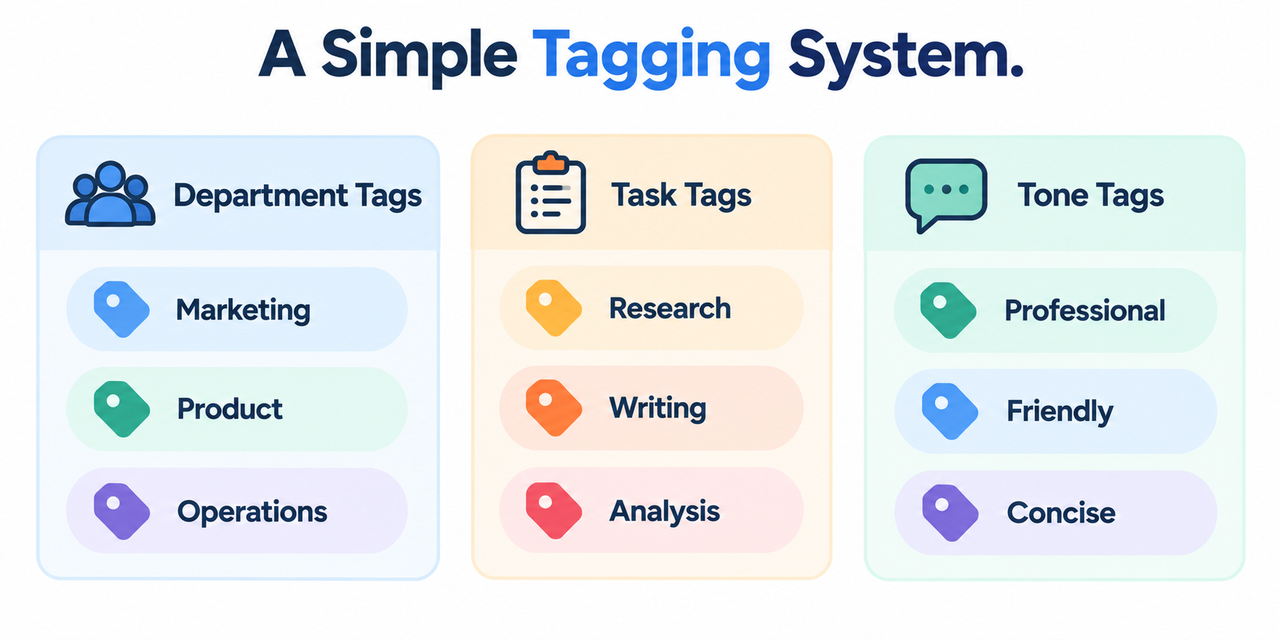
- Establish a simple three-tag system. Use department tags, task tags, and tone tags together as your prompt taxonomy so prompts stay findable as the library grows. Reddit r/PromptEngineering
- Add a lightweight peer-review step. Have one teammate test a submitted prompt once before it goes live as part of your quality control process, rather than publishing every submission unfiltered. Reddit r/PromptEngineering
- Populate it with an 8 to 10 prompt starter pack. Fill the library with proven prompts before opening it to the wider team so there’s already visible value on day one.
- Name a Prompt Champion with dedicated time. Assign roughly 1 to 2 hours weekly to one person to help teammates, collect feedback, and flag what needs updating. Reddit r/PromptEngineering
- Launch with a concrete before-and-after demo. Show a real time-savings example rather than an abstract announcement to drive adoption metrics in the first week.
I want to flag step 7 specifically, because it’s the step teams skip most often, and it’s also the one I’ve found most directly predicts whether the whole effort survives. Everything else in this list is setup work you do once. This is the piece that has to keep happening.

What Do Real Team Prompt Libraries Actually Look Like?
I always prefer grounding this kind of recommendation in real, working examples rather than abstract theory. Official guidance and community frameworks converge on the same basic structure: a searchable repository with clear categories, a role responsible for upkeep, and a starter set of proven prompts, whether built in Microsoft Lists, a dedicated tool like PromptHub. PromptHub Or a shared document your team already checks daily.
| Setup Option | Cost | Best For |
|---|---|---|
| Microsoft Lists | Free with existing Microsoft 365 | Teams already in the Microsoft ecosystem, no new tool adoption |
| Shared spreadsheet or Google Sheet | Free | Very small teams, fastest possible setup |
| Dedicated tool like PromptHub | Paid, tiered | Teams needing versioning, testing, and Git-based workflows |
The Microsoft Lists approach genuinely surprised me the first time I tested it with a client’s marketing team, because it required zero new software adoption. Everyone already had access, everyone already knew the basic interface, and that familiarity removed the single biggest barrier to actually using the thing once it existed.
How Do You Choose Between a Simple Spreadsheet and a Dedicated Tool?
This is a question I get constantly, and the honest answer depends entirely on your team’s size and how technical your prompt usage actually gets. For a small marketing or content team of three to fifteen people doing straightforward tasks — email drafts, social captions, blog outlines — a simple spreadsheet or Microsoft Lists setup covers the need completely. You don’t need version control or testing infrastructure to manage twenty or thirty well-organized prompts.
Where a dedicated tool starts to earn its cost is when your team is iterating on prompts frequently enough that you need prompt versioning to compare versions, when you’re running prompts through an API rather than pasting them into a chat interface, or when the library has grown large enough that a spreadsheet’s flat structure starts feeling genuinely limiting rather than just slightly less polished. I’d recommend starting with the free option regardless, since you’ll learn a lot about your actual usage patterns before deciding whether a paid tool is worth it.
How Should You Structure the Actual Prompt Entries?
Beyond just having a place to store prompts, the way each individual entry is written matters more than most teams expect going in. A raw prompt with no context is far less useful six months later than one that includes a short note about why it works and what to adjust for different situations.
For each prompt in the library, I’d recommend including the prompt text itself, a one-line description of what it’s for, which AI tool it was tested with, and a short note on what variables need to change per use — the product name, the tone, the target audience. This last piece is what actually differentiates a genuinely reusable prompt from something that only worked once, by coincidence, for the exact scenario the original author had in mind.
What Should the Prompt Champion Role Actually Involve Week to Week?
I’ve found that vague job descriptions kill this role faster than almost anything else. Simply telling someone “you’re in charge of the prompt library” without specifics leads to a few weeks of enthusiasm followed by quiet neglect once their actual job responsibilities take priority again.
A more workable version of this role includes three concrete, recurring tasks: reviewing any newly submitted prompts within a few days rather than letting them sit in a queue, checking in briefly with one or two teammates each week about whether they’ve found the library useful or hit friction, and spending a short amount of time updating or retiring prompts that clearly aren’t working anymore. None of these individually takes more than twenty or thirty minutes, but together they add up to the one to two hours weekly that keeps the library genuinely alive rather than just technically existing.
It’s also worth treating this role as something that can rotate rather than permanently belonging to one person. In my experience, a Prompt Champion role that rotates every quarter among two or three willing team members tends to survive longer than one pinned indefinitely to whichever person happened to volunteer first, since burnout and shifting priorities eventually catch up with any single owner.
How Do You Handle Prompts That Work Differently Across AI Tools?
One practical wrinkle that comes up almost immediately once a team starts actively using a shared library: a prompt that works beautifully in one AI tool doesn’t always transfer cleanly to another. This is exactly why the “Works in” column matters as much as the prompt text itself.
Rather than assuming every prompt is universal, I’d recommend treating tool compatibility as a piece of metadata worth capturing from the start. If a teammate tests a prompt in a different tool than the one it was originally written for and gets noticeably different results, that’s valuable information worth adding back into the library entry rather than letting it disappear into a one-off Slack message, which is exactly the failure pattern this whole project is meant to solve in the first place.
What Does a Realistic First-Month Timeline Look Like?
Rather than treating this as a project to finish in a single afternoon, it’s worth setting expectations for a realistic first month, since rushing the crowdsourcing and review steps tends to produce a weaker starting library than taking an extra week to do it properly.
In week one, focus purely on identifying your top three to five repetitive tasks and setting up the actual repository structure, without worrying yet about filling it with content. Week two is for crowdsourcing prompts from the team and running them through the lightweight peer-review step, aiming for that eight-to-ten prompt starter pack by the end of the week. Week three is your launch week, complete with the concrete before-and-after demo. Week four is when you check whether the Prompt Champion role is actually being exercised as designed, and adjust before bad habits set in.
This pacing isn’t rigid, and a smaller team might compress it into two weeks rather than four. What matters more than the exact timeline is resisting the urge to skip straight from “set up the structure” to “announce it’s live” without genuinely testing whether the starter prompts work and whether the review process is something your team will actually keep doing once the initial motivation fades.
How Do You Keep the Library From Going Stale Six Months Later?
Getting through the first month is genuinely the hardest part, but it’s worth planning past that point too, since the second common failure mode is a library that survives the initial launch but slowly stops reflecting how the team actually works.
I’d recommend building a simple recurring check into the Prompt Champion’s role — a monthly ten-minute review of which prompts are actually being used, which ones haven’t been touched in weeks, and whether any recent team workflow changes mean existing prompts need updating. This doesn’t need to be elaborate. A quick glance at usage patterns, paired with a habit of asking in a team meeting whether anyone’s found a great new prompt worth adding, keeps the library growing organically rather than freezing in whatever state it was in on launch day.
What Metrics Actually Tell You Whether the Library Is Working?
Rather than relying purely on gut feeling about whether the library feels successful, it’s worth tracking a couple of simple signals. How many people have added a prompt themselves, beyond the original starter pack, is one of the clearest adoption metrics indicating real engagement rather than passive tolerance.
Whether the informal bottleneck person from before the library existed is still getting pinged directly as often is another practical signal — if that hasn’t dropped noticeably, the library may be technically live but not actually replacing the behavior it was meant to replace. Neither of these requires sophisticated tracking. A quick mental check or a two-minute conversation with your Prompt Champion each month is usually enough to catch a library drifting toward abandonment before it’s too late to course-correct.
Bad vs. Good Way to Build a Team Prompt Library
Let’s put these side by side, because the difference in approach is what actually determines whether this survives.
Bad: “I’ll just create a shared Google Doc, paste in a few prompts whenever I remember to, and hope people find it useful eventually.”
Good: “I set up a Microsoft Lists prompt library with Title, Prompt, Category, and ‘Works in’ columns, crowdsourced ten starter prompts from the team’s actual daily tasks, assigned one teammate as Prompt Champion with two dedicated hours a week, and launched it with a live demo showing our email-reply prompt cutting drafting time from 20 minutes to 5.”
The bad version treats this as a side project nobody’s accountable for. The good version treats it as infrastructure with a named owner, a real launch moment, and evidence of actual value from day one.
For a broader look at building effective AI workflows and troubleshooting common AI tool issues beyond this specific setup, see our complete guide to troubleshooting AI assistants.
Frequently Asked Questions
What tool should a small team use to start a prompt library?
Microsoft Lists works well as a no-cost starting point with columns for Title, Prompt, Category, and “Works in,” while dedicated tools like PromptHub add Git-based versioning and testing if your team needs more structure later. PromptHub
Why do most team prompt libraries fail within the first month?
They usually fail because nobody owns keeping them current — a library without an assigned “Prompt Champion” quietly becomes outdated and gets abandoned. Reddit r/PromptEngineering
How should a small team organize prompts so they stay findable?
Use a simple three-tag system covering department, task type, and tone, so prompts remain searchable even as the library grows past its initial starter set.
Should every prompt a team member submits go live immediately?
No — a lightweight peer-review step where one teammate tests the prompt once before publishing prevents the library from filling with broken or low-quality entries. Reddit r/PromptEngineering
How many prompts should be in the library before launching it to the team?
Aim for a starter pack of 8 to 10 proven prompts so there’s already visible value the first time anyone opens it, rather than launching an empty shell.
What’s the best way to get a team to actually adopt a new prompt library?
Launch with a concrete before-and-after demo showing real time savings on a specific task, since a tangible ROI story drives adoption far better than an abstract announcement.
Do we need a dedicated prompt management tool, or is a spreadsheet enough?
A spreadsheet or Microsoft Lists is genuinely enough for most small teams doing straightforward marketing and content tasks; a dedicated tool only becomes worth its cost once you need version comparison, API integration, or a library too large for a flat spreadsheet structure to handle comfortably. PromptHub
Leave a Reply