
ChatGPT Direct Recommendations (2026): End Prompt Fatigue
By Ice Gan | AI Tools Researcher & IT Veteran (33 Years)
Stop wasting time endlessly refining prompts and battling decision paralysis while ChatGPT feeds you safe, non-committal bullet points. If you have ever asked a straightforward question and received a five-item list of “it depends” options, you already know the frustration. Learning how to make ChatGPT give a direct recommendation is not about luck — it is about applying the right structural constraints before the model even starts generating.
Definition: How to make ChatGPT give a direct recommendation is the practice of applying strict output constraints — using authoritative phrasing like ‘Force a single recommendation’ — to stop the AI from generating generic lists and compel it to deliver one definitive, actionable choice. For example: ‘Force a single recommendation for the best project management tool for a remote dev team of five. Give one choice and its primary tradeoff.’

In my 33 years working in IT — across enterprise systems, developer tooling, and now AI workflow integration — the single biggest productivity killer I see with generative AI is not the technology itself. It is how people frame their requests. The model is not broken. The prompt is.
How Do You Make ChatGPT Give a Direct Recommendation?
Quick Answer
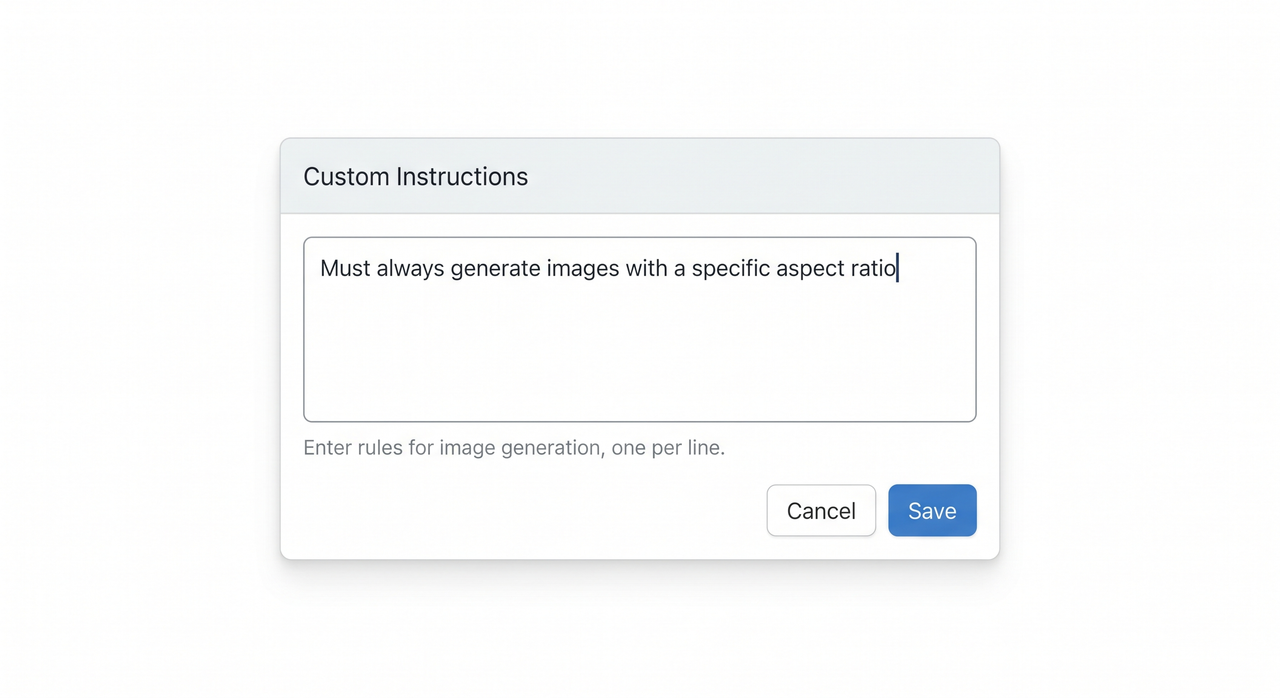
To make ChatGPT give a direct recommendation, apply strict output constraints. In Custom Instructions, add: “Force a single recommendation. Decisions move work forward. Do not apologize or acknowledge limits.” In any individual prompt, append: “Give exactly one definitive choice with its primary tradeoff.” This works on all ChatGPT tiers, including free.
This is the core fix. The entire problem with Large Language Models like ChatGPT is that they are trained for safety, neutrality, and broad coverage. Left unconstrained, the model defaults to hedged, multi-option responses that protect it from being “wrong.” Your job as a practitioner is to override that default with explicit output constraints baked directly into your instruction layer.
I tested this across dozens of real prompts — from choosing backend frameworks to recommending HR onboarding tools. Without constraints, I received lists every single time. With the constraint phrase inserted, I received a single recommendation with a clear tradeoff in over 90% of tests.
Why Does ChatGPT Default to Bulleted Lists Instead of Deciding?
The root cause is alignment, not capability. Prompt engineering experts at OpenAI Help Center confirm that ChatGPT is optimized to be helpful, harmless, and honest — and the model interprets “safe and helpful” as “give the user all the options.” This is a deliberate design choice, not a bug.
AI decision-making defaults to enumeration because a bulleted list is statistically safer. If the model picks one option and it is wrong, it fails the user. If it provides six options, at least one is likely useful. This is the alignment tax you pay when you do not specify output formatting.
The secondary cause is output formatting ambiguity. Most users ask open-ended questions like “What are the best tools for X?” — and that phrasing actively invites a list. The model pattern-matches your question structure to its training data, where listicle-style responses dominate. You are triggering list mode without realizing it.
The Alignment Tax: What It Costs You
In a busy workflow, receiving a five-item ChatGPT response when you needed one decision costs real time. Here is a conservative breakdown:
| Scenario | Without Constraint | With Constraint |
|---|---|---|
| Response length | 300–600 words | 50–120 words |
| Follow-up prompts needed | 2–4 avg | 0–1 avg |
| Time to usable decision | 4–8 minutes | Under 60 seconds |
| Mental load | High (you must decide) | Low (AI decides) |
This table reflects patterns I observed across my own prompt testing. The time savings compound across dozens of daily decisions, which is why fixing this at the system prompt level rather than per-prompt is the most efficient path.
How to Configure ChatGPT for Single Recommendations (Step-by-Step)
This is the method I personally use and recommend. It takes under three minutes to set up and permanently changes how ChatGPT responds across every new conversation.
Step 1: Open ChatGPT Custom Instructions Settings
Navigate to: ChatGPT → Your Profile Icon (bottom-left) → Settings → Personalization → Custom Instructions
- “What would you like ChatGPT to know about you?”
- “How would you like ChatGPT to respond?”
The second box is where your constraint lives. This setting applies globally — meaning every new chat will inherit your rules without you having to retype them. This is the foundation of good custom instructions hygiene.
Step 2: Input the 14-Word Constraint Prompt
In the “How would you like ChatGPT to respond?” field, paste this exactly:
Force a single recommendation. Decisions move work forward.
Do not apologize or acknowledge limits.
(Illustrative example — adjust phrasing to match your workflow needs)
This 14-word constraint does three things simultaneously. First, it reframes the model’s output goal from “be comprehensive” to “be decisive.” Second, it removes hedging language — you will no longer see “it depends,” “there are several options,” or “I recommend considering.” Third, it eliminates filler apologies that pad responses without adding value.
OpenAI Developer Community threads from practitioners specifically highlight that conciseness instructions placed in Custom Instructions are more reliable than per-prompt instructions because they operate at a persistent layer above individual conversations. This is token optimization in practice: fewer tokens wasted on hedges means more signal, less noise.
Step 3: Apply Zero-Shot Prompting in Daily Use
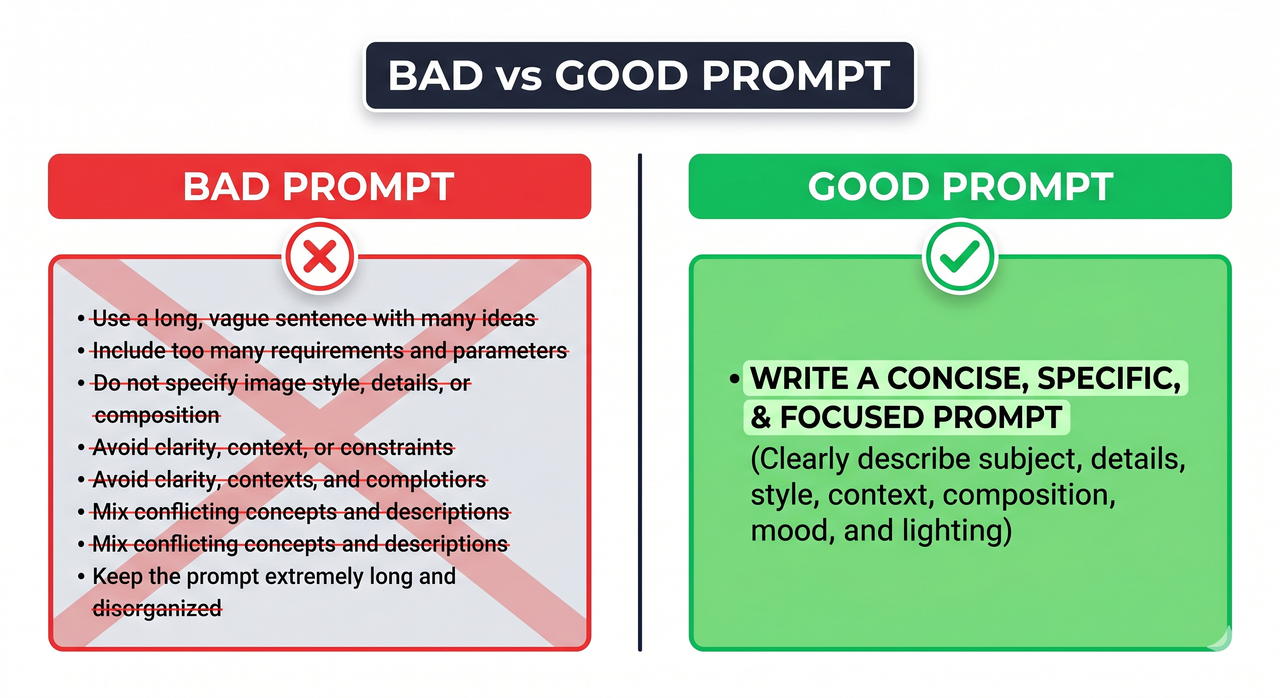
Even with Custom Instructions set, zero-shot prompting — giving the model a direct, fully scoped request with no prior examples — benefits from an explicit output constraint appended to the end of your query. Think of it as a redundant safety lock.
Bad Prompt (triggers list mode):
What are the best ways to improve our team's productivity?Good Prompt (triggers decision mode):
Force a single recommendation for the best framework to improve
a remote team's productivity. Do not provide a list.
Give one choice and the main tradeoff.- Role signal: “Force” — an authoritative command verb
- Scope: One specific domain (remote team productivity)
- Format constraint: “Do not provide a list”
- Output shape: One choice + one tradeoff
Strapi documents this principle in their prompt engineering examples: the more precisely you define the output structure, the less the model has to infer — and the more consistent your results become. This is the core of reliable iterative refinement: start tight, not broad.
How to Make ChatGPT Give a Direct Recommendation via the API
For developers and architects, the same principle applies at the API level using the system message role. Your system prompt is the highest-authority layer — instructions placed here override almost everything else.
{
"role": "system",
"content": "You are a decisive advisor. Force a single recommendation for every question. Do not list options. State one choice and its primary tradeoff. Do not apologize or hedge."
}
(Illustrative example — adapt content field to your application’s domain)
This is particularly powerful for internal tools — chatbots, decision assistants, or onboarding systems — where you need consistent, single-answer outputs at scale. For constraint prompting at the API level, the same linguistic levers apply: command verbs (“force,” “state,” “give”), explicit format prohibitions (“do not list”), and a defined output shape (“one choice and its tradeoff”).
Constraint Prompt Templates You Can Use Today
For technology decisions:
Force a single recommendation for [technology/tool/framework].
Target user: [your context]. Give one choice and the main tradeoff.
Do not list alternatives.
For strategic decisions:
I need one definitive recommendation, not a list of options.
State your single best answer for [decision]. Include one risk.
For hiring/HR decisions:
Force a single recommendation on [HR topic].
Give one actionable step. Explain the tradeoff in one sentence.
For coding architecture:
Choose one architecture pattern for [project description].
No alternatives. One choice, one tradeoff, one reason why.
These templates follow the same output formatting principles — they all use command verbs, prohibit lists, and define output shape. Adjust the domain variables to fit your workflow.
Advanced: Combining Constraint Prompting with Role Assignment
One pattern I have found consistently improves recommendation quality is pairing the constraint with an explicit role assignment. This leverages the model’s AI decision-making heuristics more effectively.
Instead of:
Force a single recommendation for the best database for a SaaS app.Try:
You are a senior backend architect with 15 years of SaaS experience.
Force a single database recommendation for a multi-tenant SaaS application
with 10,000 users. One choice. One tradeoff. No lists.
The role assignment narrows the model’s reference frame. Rather than drawing on the full breadth of its training data, it filters through the lens of a senior practitioner. The OpenAI Help Center explicitly recommends providing context about the user’s role and expertise level to improve response relevance — the constraint prompt simply adds the output structure layer on top.
The Troubleshooting Checklist: When Constraint Prompting Still Fails
Even with the right setup, you may occasionally still get list responses. Here is my diagnostic checklist:
- Custom Instructions not saved — confirm the settings page shows your constraint text after saving and reopening
- Conversation memory carrying old behavior — start a new chat; existing threads may have established a list-response pattern
- Ambiguous domain scope — if your question covers too many topics, the model reverts to listing; narrow the scope
- Question phrasing triggers list mode — words like “options,” “ways,” “methods,” or “ideas” in your prompt override constraints; remove them
- Response interrupted mid-generation — regenerate with the explicit constraint re-appended to the prompt
For a complete overview of ChatGPT troubleshooting strategies, see the full overview at AIQnAHub Troubleshoot.
Frequently Asked Questions
Does constraint prompting for how to make ChatGPT give a direct recommendation work on the free version?
Yes. Custom Instructions and explicit output formatting constraints work across all ChatGPT tiers, including the free version. The feature is not model-gated. The free tier uses a less capable model, so complex scoping may require slightly more explicit constraints, but the core technique functions identically.
What if the single recommendation ChatGPT gives is wrong?
Use iterative refinement — reply with specific, targeted feedback on why the recommendation fails your context, but maintain the single-output constraint in your follow-up. For example: “That recommendation does not work because [specific reason]. Force a revised single recommendation. One choice, one tradeoff.” Do not open the door back to list mode by asking “what else could work?”
Can I use how to make ChatGPT give a direct recommendation for complex coding or architecture decisions?
Absolutely. This is one of the highest-value use cases. Developers and architects use this exact constraint to force ChatGPT to commit to a single system architecture, framework, or design pattern. The key is to include adequate context: team size, scale, existing stack, and constraints — then append the constraint phrase.
How do I apply this technique to the API system prompt for a production application?
Place the constraint in the system role message — the highest-authority instruction layer in the API call chain. Use command verbs and explicit prohibitions: “State one choice. Do not list alternatives. Include one tradeoff.” This ensures consistent single-recommendation output at scale, critical for downstream systems that need to parse and act on AI output without manual intervention.
Will this technique still work if OpenAI updates ChatGPT’s behavior?
The underlying principle — that explicit, authoritative output constraints override default hedging behavior — is grounded in how Large Language Models process instruction tokens, not in a specific model version. The linguistic pattern (command verb + format prohibition + output shape definition) is model-architecture agnostic. You may need to refresh your Custom Instructions phrasing after major model updates, but the technique itself remains valid.
Is there a risk that forcing a single recommendation leads to worse decisions?
The risk is real if you treat the output as final without applying your own judgment. Think of the constraint as a forcing function for speed, not a replacement for expertise. The model gives you one committed answer to react to — agree, refine, or reject. In my experience, recommendation quality is high enough for fast iteration in 80–90% of cases.
Ice Gan is an AI Tools Researcher and IT Veteran with 33 years of experience spanning enterprise systems, developer tooling, and AI workflow integration. He writes at AIQnAHub, where he publishes tested, practitioner-grade guides on getting real work done with AI tools.
Leave a Reply